AI Thumbnail Maker
AI Thumbnail Maker allows users to create professional-quality thumbnails swiftly using AI technology, enhancing engagement and click-through rates.
AI Thumbnail Maker Introduction
Elevate Your Visuals with Our AI Thumbnail Maker
Transform your content's appeal instantly with our cutting-edge AI Thumbnail Maker. Designed to cater to a variety of needs including videos, blogs, social media posts, and online courses, our tool enables you to create custom thumbnails tailored to your vision. With just a simple description, you can generate optimized visuals that are proven to engage viewers and enhance click-through rates.
Experience the power of AI in visual creation, allowing you to focus on your content while we handle the aesthetics. Start generating stunning thumbnails for free today!
AI Thumbnail Maker Features
AI Thumbnail Maker - Custom Visuals for Maximum Engagement
Create tailored thumbnails with our AI Thumbnail Maker. Users simply describe their vision and receive optimized visuals designed to enhance engagement. The tool is perfect for various use cases including videos, blogs, social media, and online courses.
AI-Enhanced Thumbnail Creation - Precision and Quality
Our AI Thumbnail Maker leverages advanced machine learning technology to interpret user prompts and visual cues, generating high-performance thumbnails that drive conversions. This innovation eliminates the guesswork in visual creation, ensuring high quality and adaptability for contemporary platforms.
User-Friendly Interface - Seamless Experience
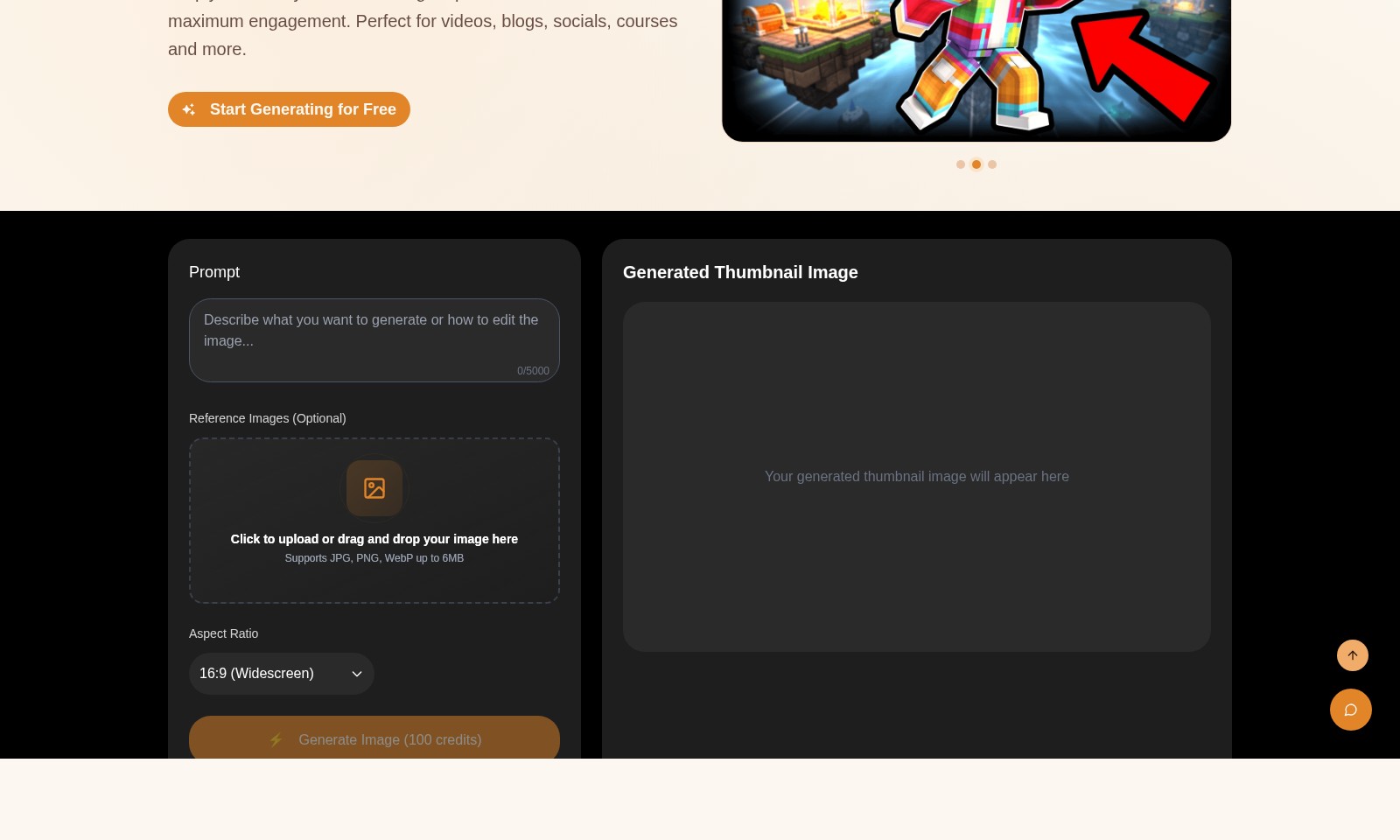
The intuitive interface allows users to create thumbnails effortlessly. With a simple drag-and-drop functionality for image uploads and a text prompt box for descriptions, achieving professional results has never been easier. Tailored for content creators, marketers, and educators looking to enhance their visual branding.
Versatile Support for Multiple Formats - Broad Compatibility
Our tool supports various image formats including JPG, PNG, and WebP up to 6MB. This flexibility ensures that users can upload reference images that suit their needs and maintain high resolution across different platforms.
Responsive Design - Optimized for All Devices
The AI Thumbnail Maker is designed to adapt thumbnails for multiple screen sizes and platforms. The tool automatically optimizes images for desktop, mobile, and tablet views, ensuring that your thumbnails look great everywhere.
Cost-Effective Solution - Maximizing Value
With the first thumbnail generation being free after login, our AI Thumbnail Maker provides exceptional value for budget-conscious users. This feature allows creators to test the tool without upfront costs, making it accessible for everyone from freelancers to large businesses.
Continuous Improvement - Evolving Technology
We utilize user feedback and advanced algorithms to continuously enhance our AI Thumbnail Maker. By regularly updating our machine learning models, we ensure that our tool stays ahead of design trends and maintains a high-quality output for all users.
Frequently Asked Questions About AI Thumbnail Maker
FAQ about AI Thumbnail Maker
Q: What is an AI Thumbnail Maker?
A: An AI Thumbnail Maker is a tool that uses artificial intelligence to create custom thumbnails for videos, blogs, and social media content. You simply describe your vision, and the AI generates optimized visuals that can boost engagement.
Q: How do I use the AI Thumbnail Maker?
A: To use the AI Thumbnail Maker, just sign in, input your desired prompts describing what you want the thumbnail to look like, and optionally upload reference images. The tool supports various image formats and sizes, making it easy to personalize your thumbnails.
Q: Is there a cost associated with using the AI Thumbnail Maker?
A: The first thumbnail generation is free after signing in. For subsequent generations, you can use credits, with each generation costing 100 credits. Check our pricing page for more details on credit packages.
Q: What types of content can benefit from the AI Thumbnail Maker?
A: The AI Thumbnail Maker is perfect for a variety of content types, including YouTube videos, blog posts, social media graphics, and online courses. Optimized thumbnails can significantly increase viewer engagement across different platforms.
Q: Can I upload my own images for reference?
A: Yes, you can upload reference images in JPG, PNG, or WebP formats, up to 6MB. This allows the AI to interpret your vision better and create thumbnails that align with your specific style and branding.
Q: How does the AI ensure quality and responsiveness in thumbnails?
A: The AI uses advanced machine learning algorithms to analyze prompts and visual cues, ensuring that the generated thumbnails are high quality and suited for modern platforms. This technology reduces guesswork in visual creation, resulting in better engagement with your audience.
How to Use AI Thumbnail Maker
Step 1: Register an Account
Start by visiting our website and click on the 'Sign In' button. You will see an option to register a new account. Fill out the required fields, including your email and password, to create your account.
Step 2: Verify Your Email
After registering, check your email for a verification link. Click on that link to activate your account and gain full access to our features.
Step 3: Log In to Your Account
Once your account is verified, return to the website and click on 'Sign In'. Enter your email and password to log in to your account.
Step 4: Set Up Your Profile
Navigate to your profile settings to set up your personal preferences. Add a profile picture and any additional information to enhance your experience while using our AI Thumbnail Maker.
Step 5: Explore the Dashboard
Familiarize yourself with the user dashboard. Here, you will find different tools and features available for creating thumbnails.
Step 6: Start Generating Thumbnails
Click on 'Start Generating for Free' to begin creating thumbnails. You will be taken to the thumbnail creation interface.
Step 7: Input Your Prompt
In the provided text box, describe your vision for the thumbnail you want to create. Be as detailed as possible to ensure the AI can generate the best possible result.
Step 8: Upload Reference Images (Optional)
If you have reference images, you can upload them by dragging and dropping them into the designated area or clicking to upload. This step is optional but can help improve the quality of your generated thumbnail.
Step 9: Choose Aspect Ratio
Select the desired aspect ratio for your thumbnail. The default option is 16:9, which is ideal for most platforms.
Step 10: Generate Your Thumbnail
Once you've entered your prompt and provided any reference images, click on 'Generate Image'. Your first thumbnail generation is free after login, and you can use 100 credits for subsequent images.
Step 11: View Your Generated Thumbnail
The thumbnail will be displayed in the designated area. Review it to see if it meets your expectations.
Step 12: Save Your Thumbnail
If you are satisfied with the generated thumbnail, save it to your device. You can also view your previous generations by navigating to that section of the dashboard.
Step 13: Utilize Your Thumbnail
Now that you have your customized thumbnail, you can use it across various platforms such as YouTube, blogs, or social media.
Reviews
Pros
- Easy to use
- Fast processing
- Great results
- Affordable pricing
Cons
- Limited free version
- Requires internet connection
Comments
No comments yet. Be the first to share your thoughts!
AI Thumbnail Maker - Alternative Platforms
For some alternatives to AI Thumbnail Maker that you may need, we provide you with sites divided by features.

AIImageToImage.ai is an online AI image editor that lets you upload images, describe your desired edits, and quickly generate transformed versions using advanced AI tools.
Editaimg is an AI-powered image editor that allows users to edit images with ease, featuring tools for background removal, object replacement, and more.
BuildFloorPlan is an AI tool for generating and refining floor plans from various inputs, ideal for early planning and layout discussions.
BookCoverAI allows authors to generate customized book covers effortlessly, supporting various publishing formats and styles.