AI Cover Generator
Learn about AI cover technology, its benefits, and how to easily create personalized song covers using various voice models and tools.
AI Cover Generator Introduction
Transform Your Voice with AI Cover
Experience the future of music with AI Cover, a cutting-edge platform designed to revolutionize how you create and interact with sound. Our powerful AI engine enables users to cover songs using their own voice or choose from a diverse library of renowned voices, offering a unique and personalized musical experience.
AI Cover Generator Features
AI Cover - Revolutionize Your Music Experience
Transform your favorite songs into unique covers using advanced AI technology. This user-friendly platform allows you to effortlessly create songs that resonate with your personal style.
Voice Library - Diverse Audio Options
Choose from a wide range of voices including AI-generated personalities like Donald Trump and Joe Biden, ensuring you always have the perfect voice for any occasion. Our extensive voice library makes it easy to select the ideal match for your musical project.
Use My Voice - Personalization at Its Best
Easily generate a custom voice model by uploading a voice sample. This feature enables you to create songs that sound exactly like you, adding a personal touch to every cover.
Use Voices Together - Collaborative Creativity
Mix and match voices from our library to craft a unique audio experience. This collaborative feature enhances your creativity by allowing simultaneous voice overlays, perfect for ensemble covers.
Steps to Use the AI Cover Generator - Simple and Straightforward
Follow our easy steps to unleash your creativity: refresh models, select a voice, upload your audio or paste a YouTube link, and click 'Generate'. Experience a seamless process that requires minimal technical know-how.
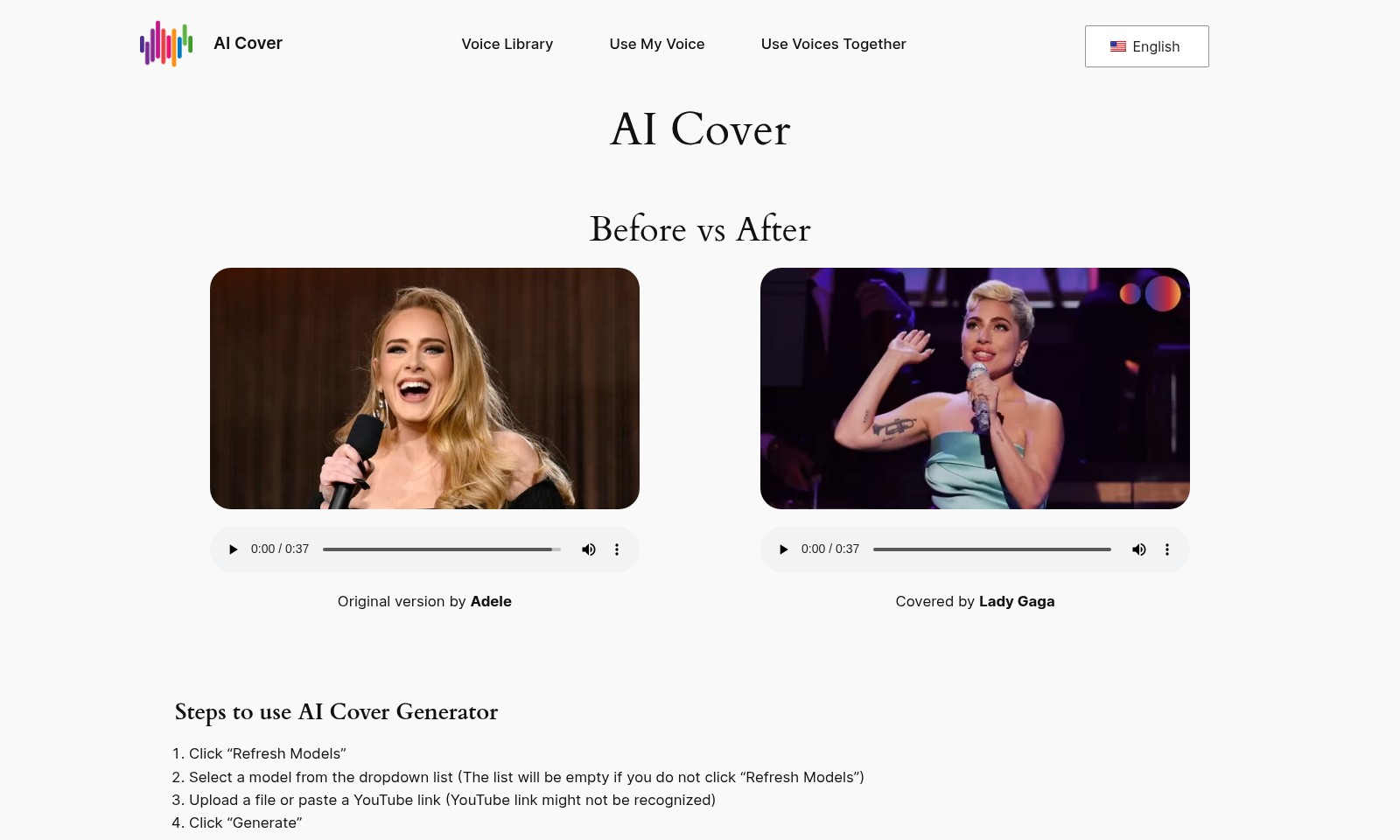
AI Cover Before vs After - See the Difference
With a simple click, witness the transformation of original songs into new covers. The AI Cover provides a striking comparison that showcases the remarkable capabilities of our technology.
Real-Time Generation - Instant Gratification
Experience the thrill of real-time song generation. Despite potential GPU resource shortages during high usage, our system ensures quick waiting times, providing you with instant results to satisfy your musical endeavors.
Frequently Asked Questions About AI Cover Generator
FAQs about AI Cover Generator
1. How do I use the AI Cover Generator?
To use the AI Cover Generator, start by clicking the "Refresh Models" button to load the available voice models. Next, select your desired model from the dropdown list, upload an audio file or paste a YouTube link, and then click "Generate" to create your cover. That's all it takes!
2. What if I encounter an error while using the AI Cover Generator?
Errors can occur especially during peak usage times or if the models are heavily used in quick succession. If you experience an error, simply wait a few minutes before trying again. This allows the system to free up GPU resources.
3. Can I create a voice model to cover songs?
Yes! If you want to cover a song with your own voice, you can click on the designated button on the site to create your custom voice model. This feature allows you to sound just like yourself when you cover your favorite tracks.
4. How long does it take to load the model?
The loading time for the model can vary based on your internet speed. Generally, it may take up to 10 seconds to load, after which you will be able to use the generator to create your cover songs.
5. What types of voices are available in the AI Voice Library?
The AI Voice Library includes a wide variety of voices across different categories such as music, anime, Korean voices, and gaming. Popular options include AI voices of well-known figures like Joe Biden and Donald Trump, which have been used extensively by users on the platform.
6. What should I do if the voice model list is empty?
If you find that the voice model list is empty, make sure you have clicked the "Refresh Models" button. If the issue persists, it may be due to high demand, so consider trying again after a short wait.
How to Use AI Cover Generator
Step 1: Register an Account
Visit the AI Cover website and locate the registration button. Fill in your details and verify your email to create an account. This will allow you to access all features of AI Cover.
Step 2: Set up your Profile
After registration, log in to your account and navigate to your profile settings. Here, you can customize your profile by adding a profile picture and a display name. Completing your profile helps you to get the best experience and personalizes your interaction with the platform.
Step 3: Explore the Voice Library
Once your profile is set up, check out the AI Voice Library. Browse through various categories such as Music, Anime, Korean, and Gaming to find the voice models you want to experiment with. Take note of featured voices like AI Donald Trump and AI Joe Biden, which are popular among users.
Step 4: Create Your Voice Model
If you want to cover a song with your voice, click on the option to create your voice model. Follow the instructions provided, which typically require you to upload audio samples of your voice. Make sure your recordings are clear for the best results.
Step 5: Generate Your Cover
Head back to the main page of the AI Cover Generator. Click “Refresh Models” and select your model from the dropdown list. Make sure to upload any necessary audio files or enter a YouTube link for the song you wish to cover. Don't forget to check if your link is recognized by the system.
Step 6: Finalize Your Cover
Once everything is set, click “Generate” to create your personalized cover. Be patient as the system processes your request. If you experience latency or errors, it’s likely due to high usage—just wait a few minutes and try again.
Step 7: Download and Share
After your cover is generated, you will see options to download or share your new creation. Enjoy sharing your cover with friends or on social media platforms. You can find inspiration from others in the community by browsing their creations too.
Reviews
Pros
- Easy to use
- Fast processing
- Great results
- Affordable pricing
Cons
- Limited free version
- Requires internet connection
Comments
No comments yet. Be the first to share your thoughts!
AI Cover Generator - Alternative Platforms
For some alternatives to AI Cover Generator that you may need, we provide you with sites divided by features.

Boost completion rates and generate leads with custom quizzes and forms designed to engage your audience effectively.