AI Photo Enhancer
Our AI Photo Enhancer offers powerful tools to restore and enhance your photos, ensuring high resolution and vibrant colors with easy-to-use features.
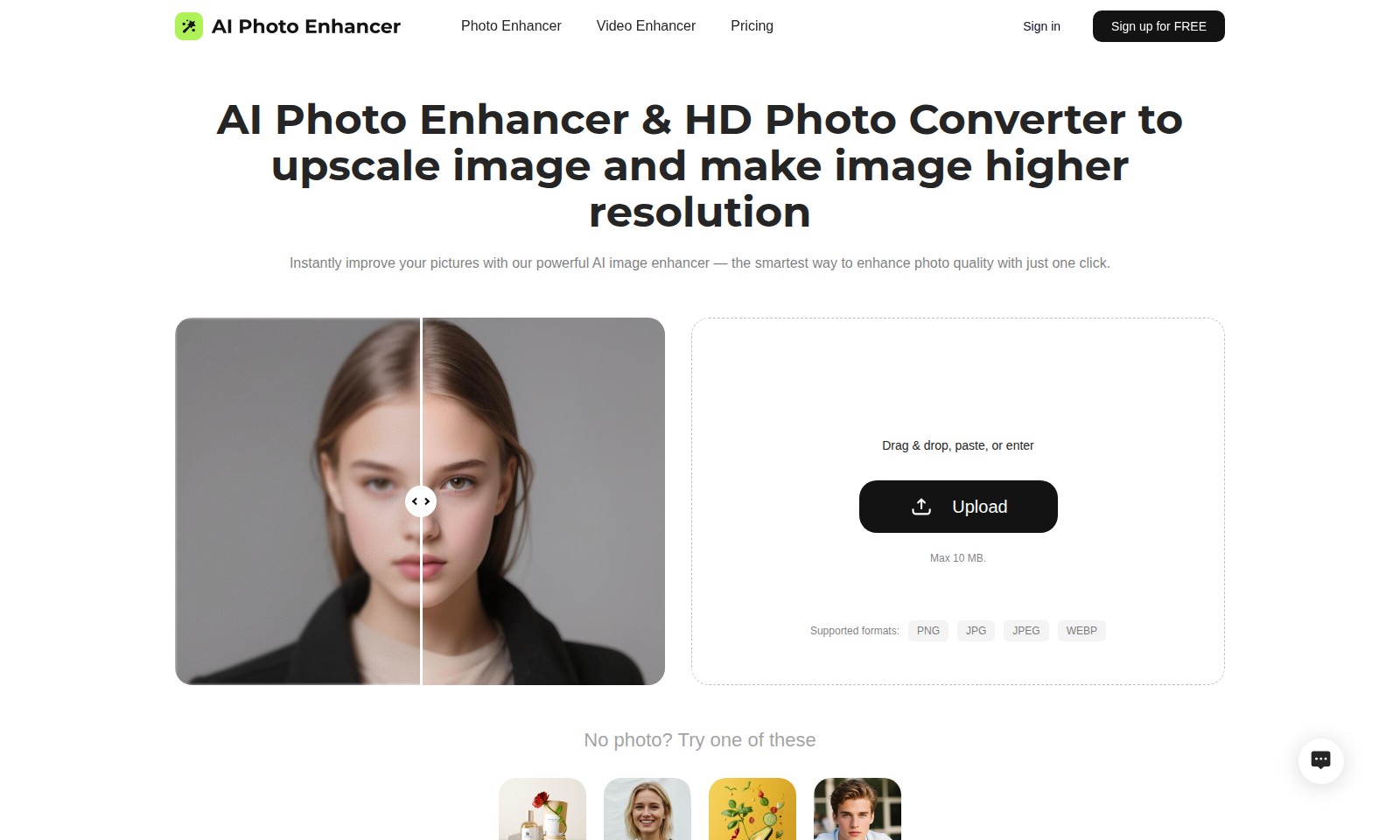
AI Photo Enhancer Introduction
Enhance Your Visuals with Cutting-Edge AI Technology
Our platform offers sophisticated AI solutions designed to elevate your images and videos to new heights. With just a click, you can enhance the quality of your photos or unleash the potential of your videos, all powered by advanced algorithms that deliver stunning results. Experience clarity and detail like never before, and turn your everyday snapshots into masterpieces effortlessly.
AI Photo Enhancer Features
Photo Enhancer - Enhance Your Images Effortlessly
Enhance your images with our powerful AI technology in just one click. This feature is designed for users looking to quickly improve photo quality without complex tools. Notable Feature: The AI algorithm analyzes images and adjusts parameters automatically for optimal results, saving time and effort for professional photographers and casual users alike.
Noise Reduction for Photo - Achieve Clarity in Every Shot
Say goodbye to unwanted grain and color speckles! Our AI photo enhancer utilizes advanced techniques to minimize digital noise, allowing you to maintain sharp edges and natural textures. Notable Feature: The real-time processing capability ensures that you can see improvements instantly, making it ideal for users in fast-paced environments.
Image Sharpening - Bring Out the Details
Sharpen your images instantly to highlight finer details with AI precision. This feature is perfect for portraits or product photos needing a clarity boost. Notable Feature: Uses sophisticated edge detection algorithms to enhance textures while eliminating blur, giving users high-quality results effortlessly.
HD Photo Converter - Upscale with Quality
Transform lower resolution images into high-definition masterpieces. Ideal for users needing to upscale images for printing or professional presentations. Notable Feature: Maintains image integrity while boosting resolution up to 4x, ensuring that product and promotional images remain sharp and inviting.
User-Friendly Interface - Simplified Experience
The intuitive drag-and-drop functionality allows users to upload images seamlessly, catering to both tech-savvy individuals and those less familiar with digital tools. Notable Feature: Supports a variety of formats including PNG, JPG, JPEG, and WEBP, making it easy to enhance any image type quickly.
Cost-Efficient Solutions - Enhance for Free
Our pricing model allows users to sign up for free and utilize essential features, making high-quality photo enhancement accessible to everyone. Notable Feature: The ability to perform enhancements without upfront costs attracts a broad spectrum of users, from students to professionals, ensuring inclusivity in photo editing technology.
Frequently Asked Questions About AI Photo Enhancer
FAQ
1. How does the AI photo enhancer work?
Our AI photo enhancer uses advanced algorithms to analyze your images in real-time. By identifying areas that need improvement, it sharpens details and enhances quality with just one click, making your photos stand out.
2. What file formats are supported for photo uploads?
You can upload images in several formats including PNG, JPG, JPEG, and WEBP. The maximum file size allowed is 10 MB. This flexibility allows you to choose the best format for your needs.
3. Can I enhance video quality with the same tool?
While our primary focus is on photos, we also offer a video enhancer that utilizes similar AI technology to improve video quality. Check our video enhancement section for more details on how to enhance your video content effectively.
4. Is there a free trial available for new users?
Yes, you can sign up for free to test out our photo enhancer. This allows you to experience the benefits of our AI technology before committing to any paid plans.
5. How does the noise reduction feature work?
Our AI-powered noise reduction feature precisely targets unwanted grain and color speckles in your photos. It helps to maintain sharp edges and natural textures while improving the overall aesthetics of your images.
6. What can I do if I’m not satisfied with the enhancement?
If you are not satisfied with the results, we encourage you to try different images or adjust the effects in our tool. Our user-friendly interface allows for fine-tuning to achieve the best possible outcomes for your photos.
How to Use AI Photo Enhancer
Register an account
To begin, click on the 'Sign up for FREE' button on the homepage. Follow the prompts to enter your email, create a password, and verify your account. Once completed, you'll be ready to explore all features.
Set up your profile
After registration, log in using your credentials. Navigate to your profile settings to fill in any necessary information, such as your name and photo preferences. This helps personalize your experience on our platform.
Upload your first image
To enhance your photos, click the 'Upload' button. You can drag and drop your images or browse your files. Ensure that your image is in one of the supported formats (PNG, JPG, JPEG, WEBP) and does not exceed 10 MB.
Use the AI Photo Enhancer
After uploading, select the 'Enhance Photo Now' option. With just one click, our powerful AI will process your image, enhancing its quality instantly. You will see the transformed image, showcasing improved clarity and details.
Explore additional enhancements
If your photo needs more refining, consider using the 'Sharpen Photo' feature. This targets finer details and edges to bring clarity to your images. Alternatively, if your photo has noise, use the 'Noise Reduction for Photo' to eliminate unwanted grain and provide a clearer image.
Download your enhanced image
Once you're satisfied with the enhancements, click the download button to save the improved image to your device. Share your stunning photos on social media or with friends and family to showcase your beautiful work.
Reviews
Pros
- Easy to use
- Fast processing
- Great results
- Affordable pricing
Cons
- Limited free version
- Requires internet connection
Comments
No comments yet. Be the first to share your thoughts!
AI Photo Enhancer - Alternative Platforms
For some alternatives to AI Photo Enhancer that you may need, we provide you with sites divided by features.

Your all-in-one AI platform for image and video creation, featuring tools for upscaling, editing, and generating visuals across multiple styles.
AIEASE features powerful AI tools for efficient and professional image editing, including background removal and quality enhancement.
Explore Pixlr's AI-driven photo editing tools for users of all levels, offering features for editing, design, and image generation.
Luminar Neo bietet fortschrittliche Bearbeitungsfunktionen und KI-gestützte Tools für kreative Fotobearbeitung auf Mac und Windows.