Artbreeder
Artbreeder is an AI-driven platform for creating and sharing unique art and characters, featuring collaborative tools and a vibrant user community.
Artbreeder Introduction
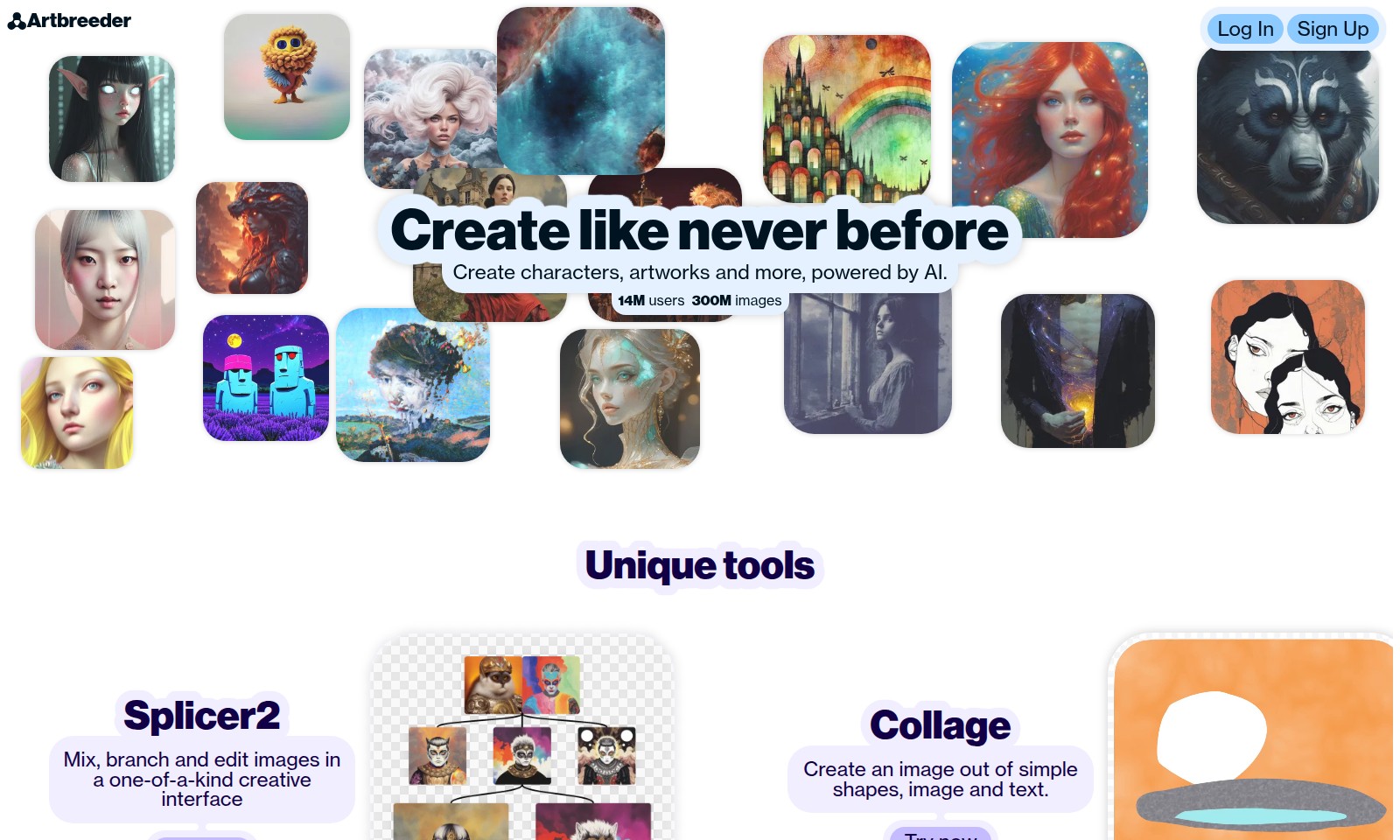
Create Like Never Before
Artbreeder is a cutting-edge platform that empowers users to create unique characters, artworks, and more, all powered by advanced artificial intelligence. With a vibrant community comprising over 14 million users and a repository of 300 million images, Artbreeder provides a rich environment for creativity and innovation. Experience our unique tools, including Splicer2, Collage, and Splicer, which allow you to mix, branch, and edit images seamlessly. Join us to explore your artistic potential and connect with fellow creators in an inspiring digital space.
Artbreeder Features
Splicer2 - Unleash Your Creativity
This unique image mixing tool enables users to branch, mix, and edit their visual creations seamlessly. By employing a one-of-a-kind creative interface, Splicer2 allows for endless customization options, making it ideal for artists, designers, and content creators looking to innovate and express their imaginative visions.
Collage - Shape Your Imagination
With Collage, users can create stunning visuals using simple shapes, images, and text. This tool is designed for both novices and experienced creators, providing an intuitive platform that encourages experimentation and artistic expression in digital art.
Genes Editor - Precision Customization
The Genes feature offers an advanced level of editing where users can modify specific attributes such as age, gender, and color. This powerful customization capability enables artists to create unique characters and artworks that align perfectly with their creative intentions, enhancing user engagement and satisfaction.
Vibrant Community - Inspiration and Collaboration
Join a thriving community of 14 million users, where sharing and collaboration take center stage. This vibrant ecosystem encourages users to follow their favorite creators, exchange ideas, and gain inspiration, fostering a collective growth for all involved.
Contests - Showcase Your Talent
Participate in daily themed contests to showcase your skills and vote for your favorites. This feature not only enhances community engagement but also offers users an opportunity to receive constructive feedback on their work, further refining their artistic journey.
Remix Parties - Creative Collaboration
Engage with fellow artists in Remix Parties, where the boundaries of creativity are pushed through collective inspiration. This feature invites users to remix existing images, celebrating the art of collaboration and sparking fresh ideas in a dynamic and friendly environment.
Frequently Asked Questions About Artbreeder
Frequently Asked Questions
1. How can I create a character or artwork on Artbreeder? To create a character or artwork, simply log in to your account, access the Splicer tool, and start mixing images. You can branch and edit existing images to customize your creation.
2. What is the difference between the Splicer and Collage tools? The Splicer tool allows you to mix and edit images by altering their genetic traits, while the Collage tool focuses on creating images from simple shapes, text, and other images. Both tools offer unique creative opportunities.
3. How do remix parties work? Remix parties are collaborative events where creators come together to remix each other's works. You can join any ongoing party, get inspired by others, and share your remixed creations within the community.
4. What are the benefits of joining the Artbreeder community? Joining the Artbreeder community allows you to follow your favorite creators, share your work, and participate in contests. Engaging with other artists can enhance your creativity and provide valuable feedback on your art.
5. How often are contests held on Artbreeder? Contests on Artbreeder are held daily, featuring different themes each time. You can enter your creations and vote for your favorites to encourage fellow artists within the community.
6. What should I do if I encounter an issue with my account? If you have any issues with your account, you can contact support through our contact page. We provide assistance for various account-related problems, ensuring a smooth experience for all users.
How to Use Artbreeder
Register for an Account
To get started, click on the 'Sign Up' button on the homepage. Fill in the required fields such as your email address and desired password to create a new account.
Log In to Your Account
Once you have registered, return to the homepage and click 'Log In'. Enter your email and password to access your account.
Set up Your Profile
After logging in, navigate to your profile settings. Update your profile with a username and upload a profile picture to personalize your account.
Explore Key Features
Familiarize yourself with the key features available to you. Check out tools like Splicer2, Collage, and Splicer to see how you can create unique artworks.
Create Your First Artwork
Select one of the creative tools to begin your first project. Whether using Splicer to mix images or Collage to design with shapes, follow the instructions provided within each tool.
Follow Creators
Engage with the vibrant community by following your favorite creators. Find inspiring artworks and get ideas for your own creations.
Participate in Contests
Join the fun by entering contests. Navigate to the contests section, and submit your artwork based on the daily theme to share your creativity.
Join Remix Parties
Look for upcoming remix parties to collaborate with others. Remixing images with fellow creators can help spark new ideas and enhance your skills.
Share Your Work
Once you have created something you're proud of, share your work with the community. Upload your creations and get feedback from other users.
Continue Exploring
Keep exploring new features and tools as Artbreeder continues to grow. Stay tuned for updates to enhance your creative journey.
Reviews
Pros
- Easy to use
- Fast processing
- Great results
- Affordable pricing
Cons
- Limited free version
- Requires internet connection
Comments
No comments yet. Be the first to share your thoughts!
Artbreeder - Alternative Platforms
For some alternatives to Artbreeder that you may need, we provide you with sites divided by features.

AI World Generator allows users to build and navigate interactive 3D environments in real-time, utilizing natural language input and offering persistent world memory.
Revolutionize your design projects with AI Two's powerful design tools for homeowners, designers, and architects, enabling efficient and creative remodeling.
Arcadium is an online platform for designing 3D house plans, offering intuitive features, collaborative tools, and AI-generated visualizations.
Welcome to Marble! Generate and explore immersive 3D worlds with powerful, user-friendly tools designed for artists and creators.