Bitbucket
Bitbucket offers an all-in-one platform for software delivery, powered by AI and integration with Atlassian tools for efficient development.
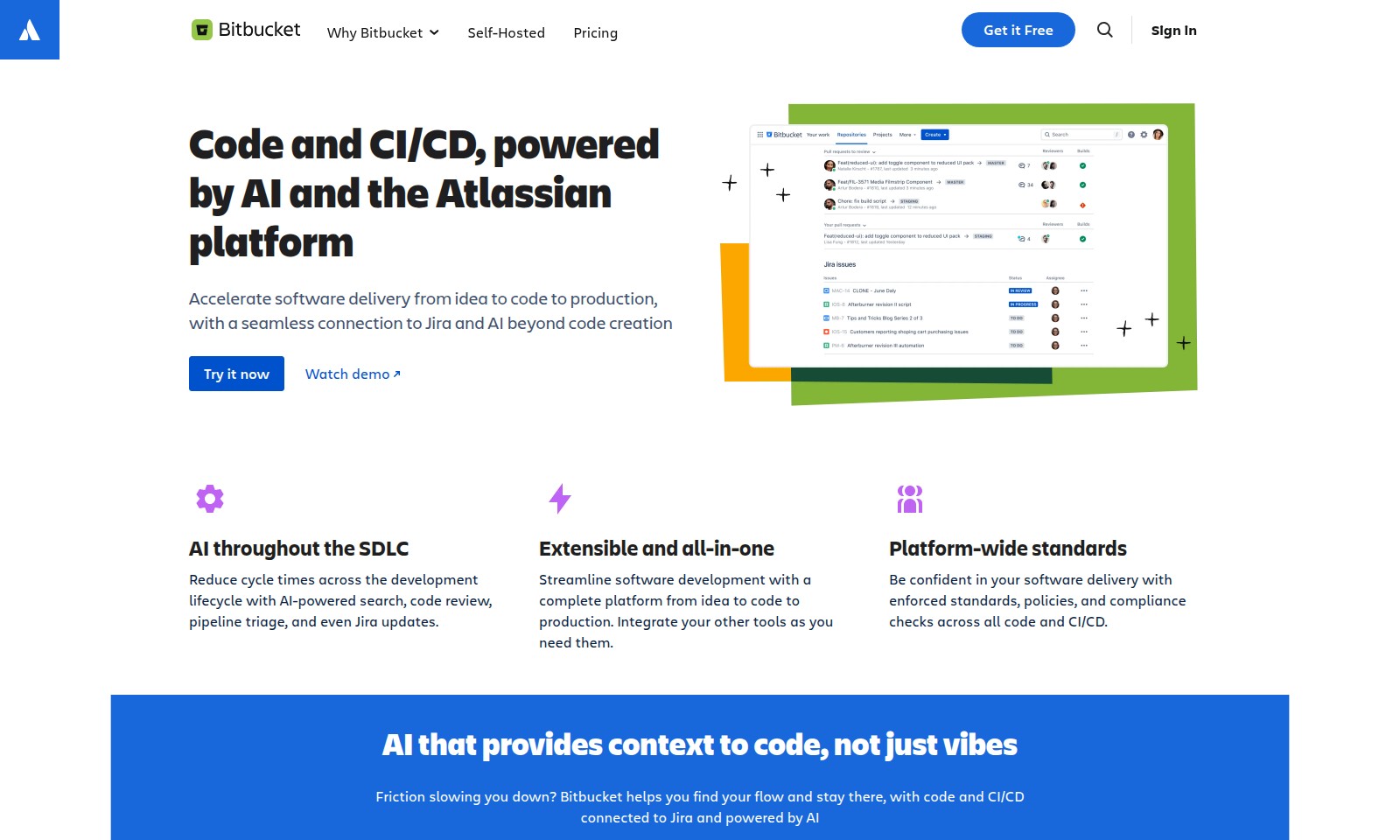
Bitbucket Introduction
Unlock the Power of AI-Driven Code and CI/CD
Bitbucket is your ultimate solution for accelerating software delivery from concept to production. Designed to seamlessly integrate with Jira, our platform harnesses the power of AI to streamline the entire development process, ensuring that your team can focus on what they do best—building high-quality software rapidly and efficiently.
Bitbucket Features
Code and CI/CD, powered by AI - Accelerate your software delivery process.
Enhance collaboration between teams and streamline workflows with seamless integration to Jira and AI tools that go beyond mere code generation.
AI throughout the SDLC - Reduce your development cycle times.
Utilize AI-driven features for code review, automated pipeline triage, and streamlined Jira updates, all crafted to optimize the software development lifecycle for efficiency and precision.
Extensible and all-in-one - Simplify your software development environment.
Take advantage of a comprehensive platform that facilitates everything from idea conception to production, with the flexibility to integrate additional tools as required.
Platform-wide standards - Ensure compliance and consistency.
Deliver high-quality software with enforced standards, policies, and compliance checks, maintaining reliability and regulatory adherence across your codebase and CI/CD processes.
AI that provides context to code - Enhance your development experience.
Overcome obstacles that hinder productivity with AI solutions designed to maintain your flow, keeping your code and CI/CD seamlessly connected to Jira, all powered by intelligent automation.
Migrating to the cloud? - Elevate your coding and CI/CD practices.
Leverage the power of Bitbucket Cloud to supercharge your development efforts with AI that understands your unique workflow, ensuring a smooth transition and enhanced capabilities.
Frequently Asked Questions About Bitbucket
FAQ for Bitbucket
1. What makes Bitbucket the right choice for my development team?
Bitbucket accelerates software delivery with a seamless connection to Jira and AI-enhanced tools. This integration allows for better collaboration, transparency, and efficiency throughout the development lifecycle.
2. How does Bitbucket support CI/CD?
Bitbucket provides robust CI/CD capabilities powered by AI, enabling faster code integration and deployment. With pipeline automation, teams can reduce manual errors and improve productivity, allowing them to focus more on innovation.
3. Is Bitbucket suitable for self-hosting?
Yes, Bitbucket offers a self-hosted version that allows teams to maintain control over their data and customize their environment. This option is particularly beneficial for organizations with strict compliance requirements.
4. Can I integrate Bitbucket with my existing tools?
Absolutely! Bitbucket is designed to be extensible and can easily integrate with a wide range of tools that your team may already use, ensuring a streamlined workflow across your development environment.
5. What kind of pricing options does Bitbucket offer?
Bitbucket provides various pricing plans, including free tiers for small teams and scalable options for larger organizations. You can review these plans on the Bitbucket website to find the best fit for your team's needs.
6. How does AI feature in Bitbucket's development processes?
AI is integrated throughout the software development lifecycle in Bitbucket. It aids in areas such as code review, pipeline management, Jira updates, and even assists in searching through code, helping teams to work smarter and faster.
How to Use Bitbucket
Step 1: Register for an Account
To start using Bitbucket, you need to create an account. Go to the Bitbucket website and click on 'Get it Free.' Fill in the required information, including your email address and a secure password. After submitting, check your email for a verification link and follow it to activate your account.
Step 2: Sign In
Once your account is active, return to the Bitbucket homepage and click 'Sign in.' Enter your credentials—your email and password. After signing in, you will be directed to your Bitbucket dashboard, where you can access all your projects and repositories.
Step 3: Set Up Your Profile
Now that you're signed in, it's time to set up your profile. Click on your avatar in the top right corner and select 'Personal settings.' Here, you can add a profile picture, fill out your bio, and adjust your notification preferences to tailor your experience.
Step 4: Create a New Repository
To start your coding projects, you need a repository. Click on 'Create repository' from your dashboard. Choose a name, set its visibility (public or private), and select the version control system (Git or Mercurial). Once done, click 'Create repository' to finalize.
Step 5: Add Collaborators
If you're working in a team, you’ll need to add collaborators to your repository. Navigate to the repository settings and select 'User and group access.' Here, you can invite team members by entering their email addresses and choosing their access levels. Save your changes.
Step 6: Upload Your Code
Start uploading your initial code to the repository. You can do this by either cloning the repository using Git on your local machine or uploading files directly through the Bitbucket interface. To upload files directly, navigate to your repository and select 'Upload files.'
Step 7: Familiarize Yourself with Key Features
Explore Bitbucket’s features to maximize your experience. Check out how to manage pull requests for team reviews, utilize CI/CD pipelines for automation, and integrate with Jira for issue tracking. These tools will enhance your workflow and efficiency.
Step 8: Set Up CI/CD
To automate your development process, set up Continuous Integration and Continuous Deployment (CI/CD). From your repository settings, navigate to 'Pipelines.' Here, you can configure your pipeline by defining build and deployment processes that automatically trigger on code changes.
Step 9: Utilize AI Features
Bitbucket leverages AI to optimize your development cycle. Check out features like AI-powered search and code reviews to streamline your workflow. Familiarize yourself with how AI can assist in triaging pipelines and managing Jira updates to keep your projects on track.
Step 10: Manage and Monitor Your Projects
After setting everything up, keep an eye on project progress. Use dashboards to monitor code quality, pull request statuses, and pipeline results. Regularly review your repository settings and permissions to ensure your project's security and compliance with standards.
Reviews
Pros
- Easy to use
- Fast processing
- Great results
- Affordable pricing
Cons
- Limited free version
- Requires internet connection
Comments
No comments yet. Be the first to share your thoughts!
Bitbucket - Alternative Platforms
For some alternatives to Bitbucket that you may need, we provide you with sites divided by features.

Comprehensive guide to the best hosting options for OpenClaw, featuring expert reviews and a side-by-side comparison of top providers.
ARC offers holistic AI solutions that prioritize user privacy and efficiency. Discover the Matrix and Reactor, designed to protect your data while enhancing your AI experience.
A visual design tool that simplifies frontend development through AI, allowing users to edit and integrate code seamlessly.
OceSha Ventures transforms ideas into AI-driven products, emphasizing collaboration and impact in technology.