BPM Finder
BPM Finder offers real-time microphone analysis, batch processing, and manual tap tempo for accurate BPM detection in any audio file.
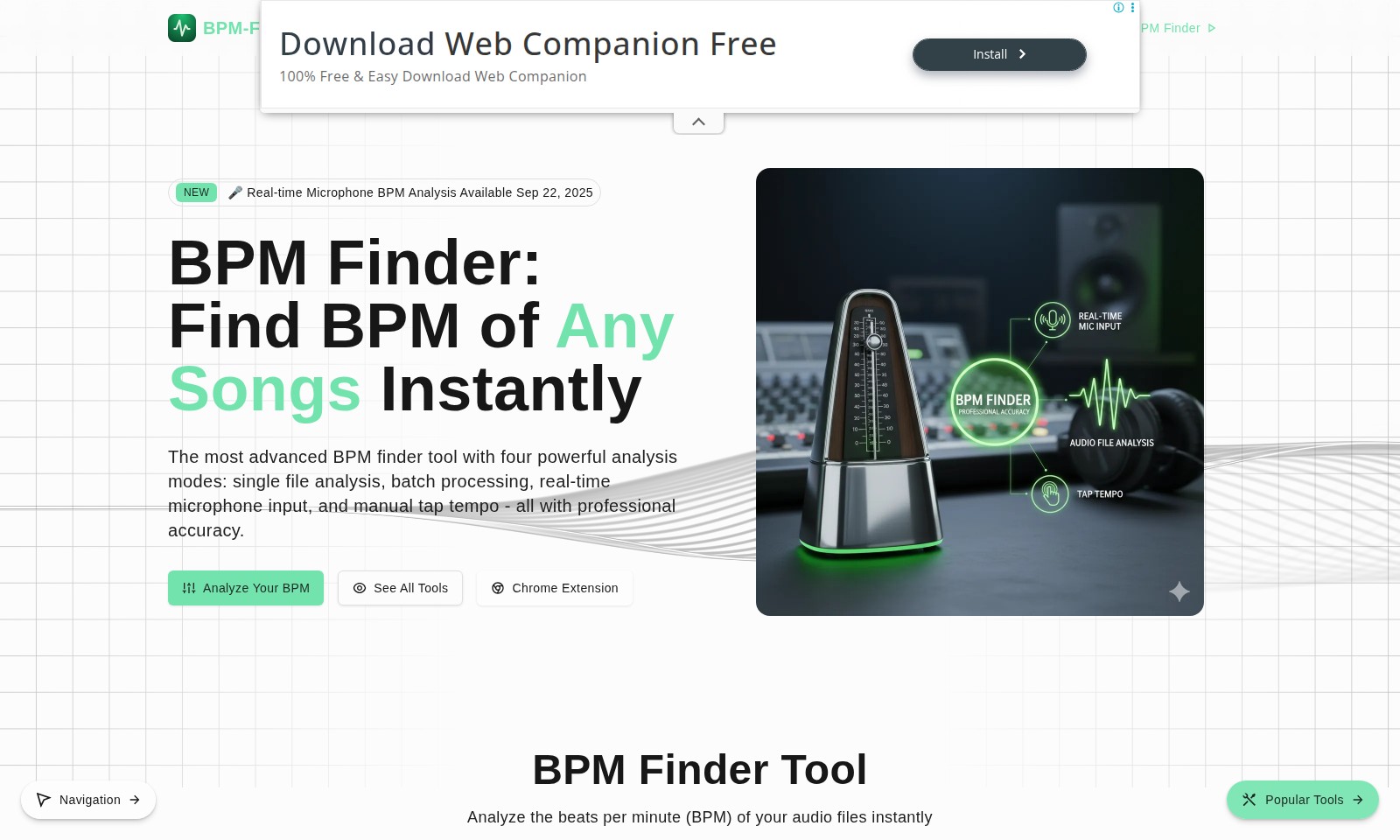
BPM Finder Introduction
BPM Finder: Your Essential Tool for Immediate BPM Analysis
BPM Finder is an advanced service designed to provide users with the ability to analyze the beats per minute (BPM) of any audio track instantly. With our cutting-edge technology, you can easily determine the tempo of your songs, whether for personal use, professional music production, or performance enhancement. Our platform offers unique features tailored to various needs, ensuring that everyone from casual listeners to industry professionals can utilize our service effectively.
BPM Finder Features
BPM Finder - Instant BPM Detection
Experience the power of our advanced BPM Finder tool that allows you to find the BPM of any song instantly. This feature is designed for musicians and audio professionals who need quick and accurate analysis of their tracks.
Batch Processing - Analyze Multiple Files Simultaneously
Save time with our batch processing capability. This feature enables users to upload and analyze multiple audio files at once, streamlining workflows for producers and DJs who deal with large volumes of music.
Real-time Microphone Input - Live Analysis
Utilize the real-time microphone BPM analysis for live performances or practice sessions. This capability is specifically advantageous for musicians looking to synchronize their play with real-time beats.
Manual Tap Tempo - Personalized Beat Detection
Our manual tap tempo feature provides a user-friendly way to calculate BPM by simply tapping to the rhythm. Ideal for songwriters and musicians, this feature allows for a more engaging and intuitive experience.
Versatile Format Support - Seamless Compatibility
The BPM Finder supports various audio formats, including MP3, WAV, FLAC, AAC, OGG, and M4A. This ensures that users can analyze their favorite tracks without worrying about format compatibility, making it perfect for audio professionals on the go.
Frequently Asked Questions About BPM Finder
FAQ
What is BPM Finder and how can it help me? BPM Finder is an advanced tool designed to analyze the beats per minute (BPM) of your audio files instantly. It offers several analysis modes to cater to your needs, whether you're working with a single file or batch processing multiple tracks.
What types of audio files can I analyze? You can analyze various audio formats using BPM Finder, including MP3, WAV, FLAC, AAC, OGG, and M4A. Each file can be up to 50MB in size, ensuring flexibility for your audio analysis needs.
How does the real-time microphone BPM analysis work? The real-time microphone BPM analysis mode allows you to analyze beats on the go. Simply use your microphone to pick up beats, and the tool will provide precise BPM readings, perfect for live music settings or practice sessions.
Can I use BPM Finder for free? Yes, BPM Finder offers a free trial that allows you to explore its features before deciding to make a purchase. You can test the accuracy and efficiency of the BPM analysis tools available.
Is there a Chrome extension for BPM Finder? Absolutely! BPM Finder also provides a Chrome extension that allows you to access BPM analysis directly from your browser, making it convenient to analyze tracks without needing to navigate away from your current workflow.
How do I analyze multiple files at once with BPM Finder? To analyze multiple files, simply select the batch upload option on the BPM Finder interface. Drag and drop your audio files or browse to select them, and the tool will process all selected files simultaneously.
How to Use BPM Finder
Step 1: Register an Account
Visit BPM-Finder.net and click on the 'Try Free BPM Finder' button. Fill in the required details such as your email address and password to create your account.
Step 2: Confirm Your Email
Check your email inbox for a confirmation link sent by BPM-Finder. Click on the link to verify your email address and activate your account.
Step 3: Log In to Your Account
Return to BPM-Finder.net and enter your email and password in the login section. Click on the 'Log In' button to access your account dashboard.
Step 4: Set Up Your Profile
Navigate to your profile settings where you can add additional information such as your preferences and any other details required. Make sure to save the changes before exiting.
Step 5: Choose Your Analysis Mode
On the main dashboard, you will see various analysis modes available. Select whether you want to analyze a single file, perform batch processing, tap tempo, or use real-time microphone input.
Step 6: Upload Your Audio File
If you chose the single file or batch upload mode, drag and drop your audio file(s) onto the designated area or click to browse your files. Ensure your files are in the supported formats, such as MP3 or WAV.
Step 7: Start the Analysis
Once your file is uploaded, click the 'Analyze' button to begin the BPM analysis. Wait for a few moments while the tool processes your audio file.
Step 8: View the Results
After the analysis is complete, review the BPM results displayed on the screen. You may also find additional details like musical characteristics of your audio track.
Step 9: Utilize Additional Features
Explore BPM-Finder’s additional tools like 'Load Test Song' to practice analysis with predefined tracks or access the Chrome extension for quick features directly in your browser.
Step 10: Provide Feedback
If you encounter any issues or have suggestions, return to the feedback section to leave your comments. Your input helps BPM-Finder improve its services.
Reviews
Pros
- Easy to use
- Fast processing
- Great results
- Affordable pricing
Cons
- Limited free version
- Requires internet connection
Comments
No comments yet. Be the first to share your thoughts!
BPM Finder - Alternative Platforms
For some alternatives to BPM Finder that you may need, we provide you with sites divided by features.

Transform and create photo negatives effortlessly with our free online image inverter, ensuring privacy and quick results.
Online video cutter tool for quick trimming and editing without any signup. Supports various formats and ensures high-quality output.
Anirole offers a unique platform for chatting and creating with AI anime characters, allowing users to craft immersive stories and art.
The Square Face Generator allows users to create unique square avatars quickly and easily, offering over 30 styles with no signup required.