Continue
Continuous AI helps developers automate repetitive tasks, integrate workflows, and improve coding efficiency across various platforms.
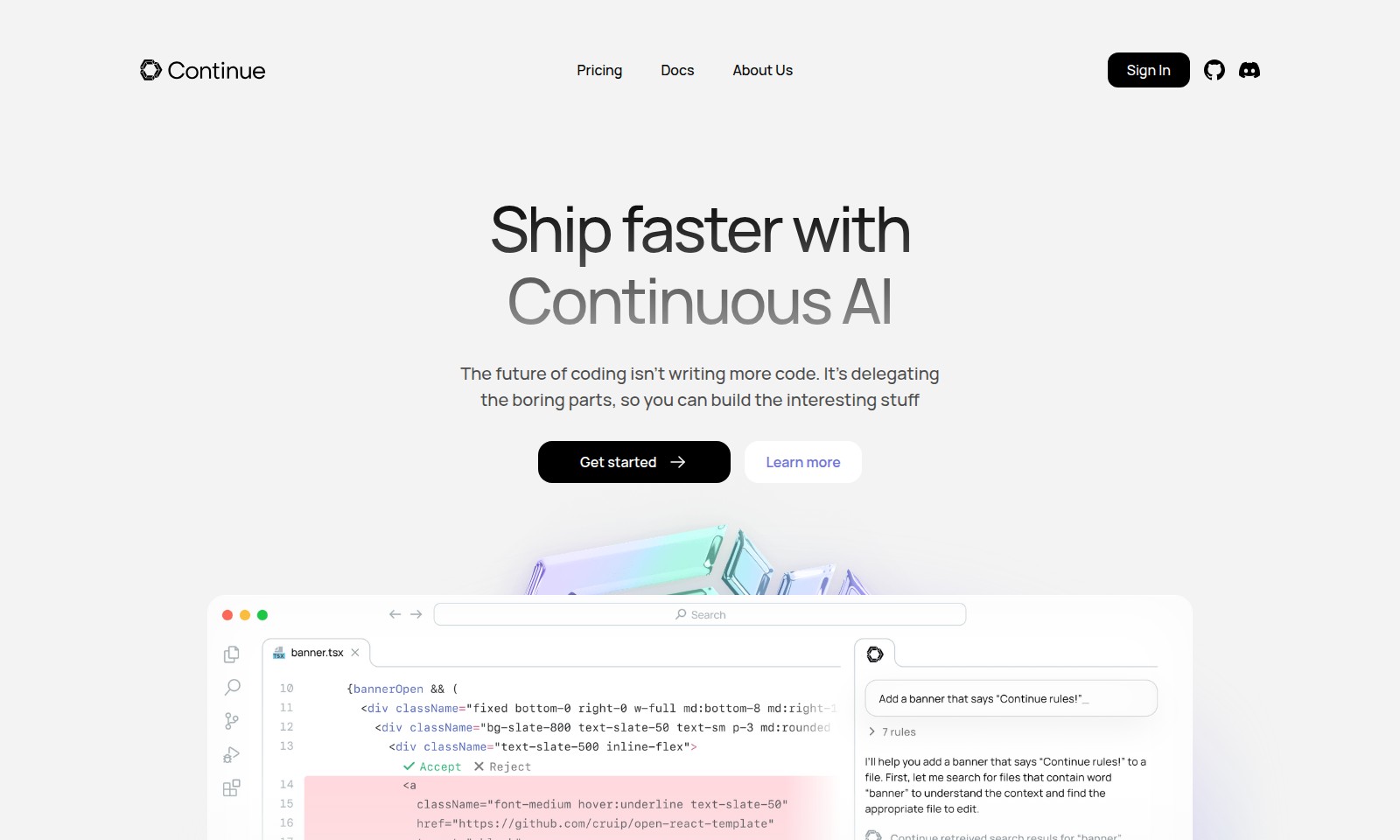
Continue Introduction
Ship Faster with Continuous AI
Optimize your coding workflow by delegating repetitive tasks and focusing on what truly matters—creative development. Our platform enables you to significantly enhance your productivity, allowing you to ship features faster and innovate without the mundane grind of excess coding.
Continue Features
Mission Control - Streamline Your Workflows
Enhance your productivity by setting up your first workflow in just 5 minutes. With a focus on automating repetitive tasks, you can delegate the mundane to our intelligent agents.
GUI Integration - Visual Management with Flexibility
Utilize a graphic user interface when you need it, making the automation process more accessible without sacrificing power. Customize your experience by adjusting prompts and tools to fit your existing tech stack.
Terminal Power - Command-Line Automation
For developers who prefer a terminal environment, our solution provides the same robust workflows you find in Mission Control, enabling rapid iteration and output piping for efficient development.
Background Agents - Scale Your Efforts
Launch background agents with ease, integrating seamlessly with GitHub, Sentry, and other tools. Monitor performance, track interventions, and manage your team's workflows more effectively.
Monitoring & Tracking - Insightful Analytics
Experience real-time tracking and analytics to monitor agent performance and intervention metrics. Gain insights to optimize your automation strategies over time.
Customization - Tailor Your Experience
Flexibility to customize prompts and workflows ensures that the automation adapts to your unique requirements, providing the ultimate user-centric experience.
Real Automation - Focus on Creativity
Focus more on creative work and less on repetitive tasks through real automation that aligns with how your team operates, allowing developers to build more interesting and impactful projects.
Frequently Asked Questions About Continue
FAQ About Continuous AI
What is Continuous AI and how can it help me?
Continuous AI helps accelerate software development by automating the repetitive tasks that typically consume developers' time. By allowing you to delegate mundane coding processes, you can focus on more creative aspects of your work, enhancing productivity and innovation in your projects.
How do I get started with Continuous AI?
Getting started is easy! Simply sign up on our website, and in just five minutes, you can launch your first workflow using our user-friendly GUI. We provide a variety of battle-tested templates for popular platforms like GitHub and Sentry to help you customize your automation.
Can I customize the workflows to fit my team's needs?
Absolutely! Continuous AI is designed to be flexible. You can customize prompts, models, and MCP tools to fit your specific stack and workflow requirements. This allows your team to manage tasks more efficiently and effectively tailor the automation to how you work.
Is it possible to monitor the performance of the automation?
Yes, Continuous AI includes monitoring features that allow you to track the performance of your agents. You can set triggers based on events or schedules and make necessary adjustments to improve efficiency across your team.
What if I prefer using the terminal over a GUI?
No problem! Continuous AI offers a terminal option that's built specifically for developers who prefer command-line interfaces. You can utilize the same powerful workflows available in the GUI to streamline your automation within the terminal, enabling rapid iteration and scripting for a more seamless experience.
Can I integrate Continuous AI with existing tools my team uses?
Yes, Continuous AI is designed with integration in mind. It works seamlessly with popular tools and platforms, allowing you to incorporate your existing workflows and systems, ensuring a smooth transition and ongoing efficiency improvements.
How to Use Continue
Register an Account
To start using the platform, click on 'Sign In' and select 'Create an Account'. Fill in your details like email and password. Confirm your email to activate your account.
Set Up Your Profile
Once registered, log in and navigate to your profile settings. Add your name, profile picture, and any relevant information that represents you. This makes your interactions on the platform more personal.
Explore Pricing Plans
Visit the 'Pricing' section from the homepage. Review the different plans and select one that fits your needs. You can start with a free trial to get acquainted with the features before committing.
Discover Key Features
Familiarize yourself with the core features by exploring the 'Docs' section. Read about automations and workflows, which allow you to streamline repetitive coding tasks effectively.
Kick Off Your First Workflow
Choose 'Mission Control' from the main dashboard. Follow the prompts to set up your first workflow. You can start with predefined workflows that integrate with popular tools like GitHub and Sentry.
Customize Your Environment
After your initial setup, dive into customization. Adjust prompts, models, and the tools to fit your development stack. The more tailored your tools are, the better your productivity will be.
Monitor Performance
As you begin to automate tasks, keep an eye on performance. Track how often your workflows are triggered and how successfully they run. Make adjustments as necessary to optimize your processes.
Seek Support and Learn More
If you encounter any issues, refer to the 'Docs' section for tutorials. Additionally, don't hesitate to reach out to the support team for assistance. They are available to help you maximize your experience.
Reviews
Pros
- Easy to use
- Fast processing
- Great results
- Affordable pricing
Cons
- Limited free version
- Requires internet connection
Comments
No comments yet. Be the first to share your thoughts!
Continue - Alternative Platforms
For some alternatives to Continue that you may need, we provide you with sites divided by features.

Comprehensive guide to the best hosting options for OpenClaw, featuring expert reviews and a side-by-side comparison of top providers.
ARC offers holistic AI solutions that prioritize user privacy and efficiency. Discover the Matrix and Reactor, designed to protect your data while enhancing your AI experience.
A visual design tool that simplifies frontend development through AI, allowing users to edit and integrate code seamlessly.
OceSha Ventures transforms ideas into AI-driven products, emphasizing collaboration and impact in technology.