Dreamshot AI
Dreamshot is a comprehensive platform that allows users to create stunning visuals using AI, offering tools for various media transformations.
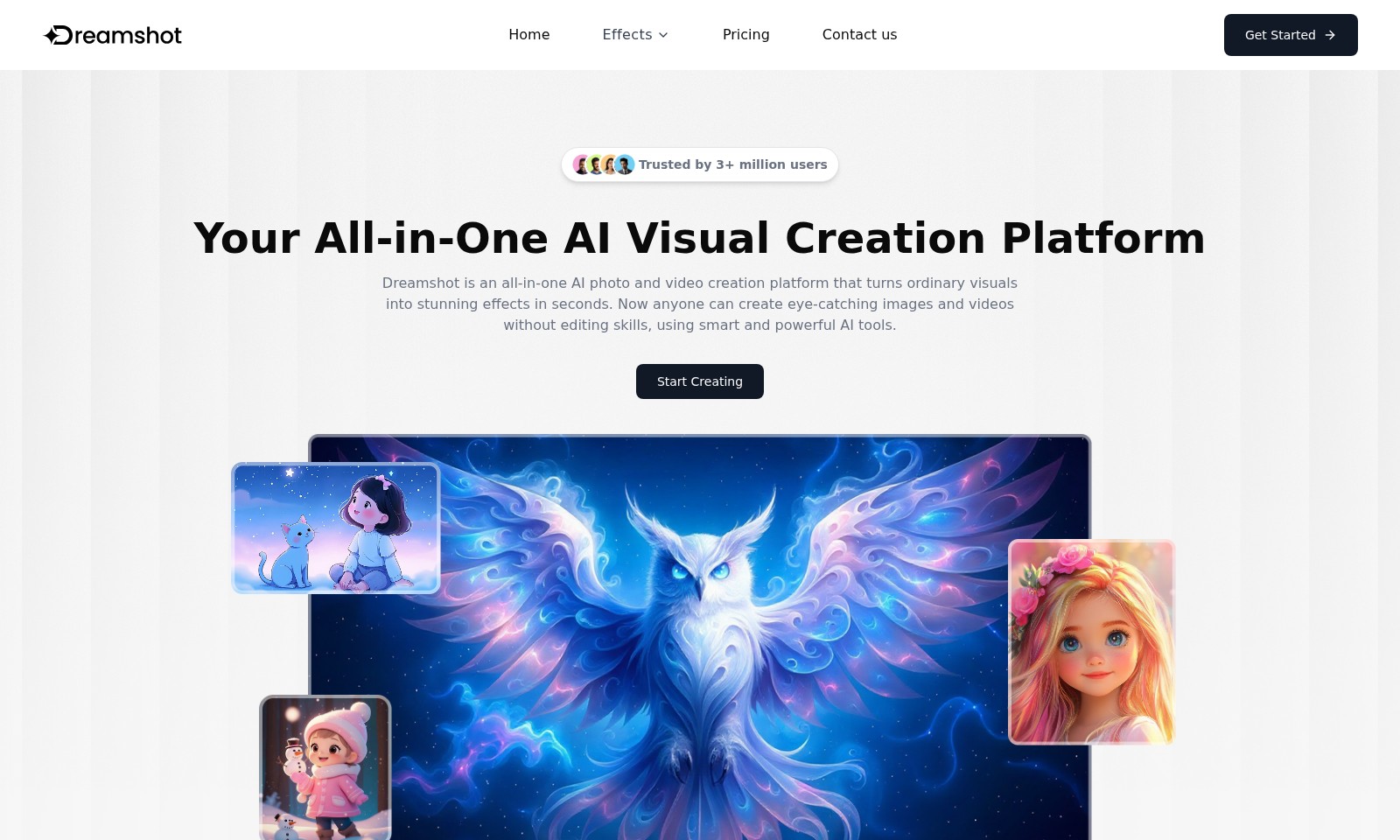
Dreamshot AI Introduction
Transform Your Visuals with Dreamshot
Dreamshot is your all-in-one AI photo and video creation platform that empowers users to elevate ordinary visuals into stunning effects in mere seconds. With cutting-edge features designed for everyone, regardless of editing skills, Dreamshot makes it possible to create eye-catching images and videos effortlessly. Explore our innovative tools and start creating today!
Dreamshot AI Features
Action Figure Generator - Creative Control
Empower users to create personalized and unique action figures that capture their imagination. The Action Figure Generator allows customization options that cater to varied visual tastes, ensuring that every generated figure reflects the user's distinct style.
Text to Video AI - Idea Realization
Transform your written concepts into engaging visual narratives effortlessly. The Text to Video AI employs advanced natural language processing algorithms to ensure that user prompts are interpreted accurately, resulting in videos that deliver clear storytelling combined with dynamic visuals.
Image to Video AI - Dynamic Transformations
Seamlessly convert images into captivating videos with just a few clicks. The Image to Video AI utilizes state-of-the-art motion technology to create fluid transitions and engaging effects that bring static images to life, perfect for social media and marketing use.
Add Christmas Tree to Photo - Holiday Spirit
Celebrate the festive season by seamlessly integrating a Christmas tree into any photo. This feature employs sophisticated image recognition and layering techniques to ensure realistic placements, catering to users looking to enhance their holiday memories.
AI Santa Fighting Video Generator - Unique Celebrations
Bring a twist to holiday storytelling with the AI Santa Fighting Video Generator. This innovative tool combines user-generated scenarios with high-quality animation, allowing for hilarious and personalized holiday video content that can be easily shared across platforms.
Frequently Asked Questions About Dreamshot AI
Frequently Asked Questions
1. What is Dreamshot?
Dreamshot is an all-in-one AI visual creation platform that allows users to create stunning images and videos effortlessly. It utilizes powerful AI tools to transform ordinary visuals into engaging content within seconds, catering to those without prior editing skills.
2. How can I get started with Dreamshot?
To start creating, simply visit our website and sign up for an account. Once registered, you can explore our various tools and features, such as the Action Figure Generator or Text to Video AI, and begin crafting your visuals right away.
3. Are there any costs associated with using Dreamshot?
Dreamshot offers a range of pricing plans suitable for different user needs. Please visit our Pricing page to view the options available, which range from free trials to premium subscriptions that unlock advanced features.
4. Can I use Dreamshot for commercial projects?
Yes, Dreamshot can be used for commercial purposes. However, we recommend reviewing our terms of service and licensing agreements to ensure your intended use complies with our guidelines.
5. What kind of support can I expect if I encounter issues?
We provide robust support for our users. If you have any questions or run into issues, please feel free to reach out via our Contact Us page, where our team is ready to assist you with your queries.
6. Is there a user community for Dreamshot?
Yes, we encourage our users to connect and share ideas. You can join our community forums to discuss tips, seek support, or share your creations with fellow Dreamshot users.
How to Use Dreamshot AI
Step 1: Visit the Dreamshot Homepage
Go to the Dreamshot homepage to start your journey. This is where you will find all the essential information about our platform.
Step 2: Click on 'Get Started'
Locate the 'Get Started' button prominently displayed on the homepage. This will direct you to the registration page where you can create an account.
Step 3: Register Your Account
Fill out the registration form with your details, including your email and a password. Ensure that you choose a secure password for your account safety.
Step 4: Confirm Your Email
Check your email inbox for a confirmation message from Dreamshot. Click the link in the email to verify your account and activate your features.
Step 5: Log In to Your Account
Once your email is confirmed, return to the homepage and log in using your credentials. This will take you to your personalized user dashboard.
Step 6: Set Up Your Profile
Navigate to your profile settings to complete your account setup. Here, you can upload a profile picture and configure your preferences for using the platform.
Step 7: Explore the Toolset
Familiarize yourself with Dreamshot’s cutting-edge tools like the Action Figure Generator and AI Video Generators. Take time to explore each feature to see what fits your needs.
Step 8: Start Your First Project
Choose a tool to start your first project. For instance, try the Text to Video AI by typing a prompt relevant to your idea, and watch the AI generate engaging visuals for you.
Step 9: Experiment with Effects
As you create, experiment with various effects available on Dreamshot to enhance your visuals. Play around with features like adding a Santa Hat to photos or transforming images into videos.
Step 10: Save and Share Your Creations
After completing your project, save your work. You can easily share your stunning creations on social media or download them for personal use.
Step 11: Seek Assistance if Needed
If you encounter any issues or have questions, don’t hesitate to contact our support team. We are here to help you make the most out of Dreamshot.
Reviews
Pros
- Easy to use
- Fast processing
- Great results
- Affordable pricing
Cons
- Limited free version
- Requires internet connection
Comments
No comments yet. Be the first to share your thoughts!
Dreamshot AI - Alternative Platforms
For some alternatives to Dreamshot AI that you may need, we provide you with sites divided by features.

Login to Logo Diffusion with various methods or register. The site uses cookies for personalization and traffic analysis.
The AI SVG Generator transforms text into scalable vector graphics, enabling effortless logo creation, illustrations, and more for modern web and branding.
Patternaly is an online AI pattern generator for creating stunning seamless patterns effortlessly, suited for various design needs.