Lip Sync
An AI-powered platform that allows users to create natural lip sync videos from images, videos, and audio, enhancing content for social media, marketing, and education.
Lip Sync Introduction
Lip Sync AI: Revolutionizing Video Creation
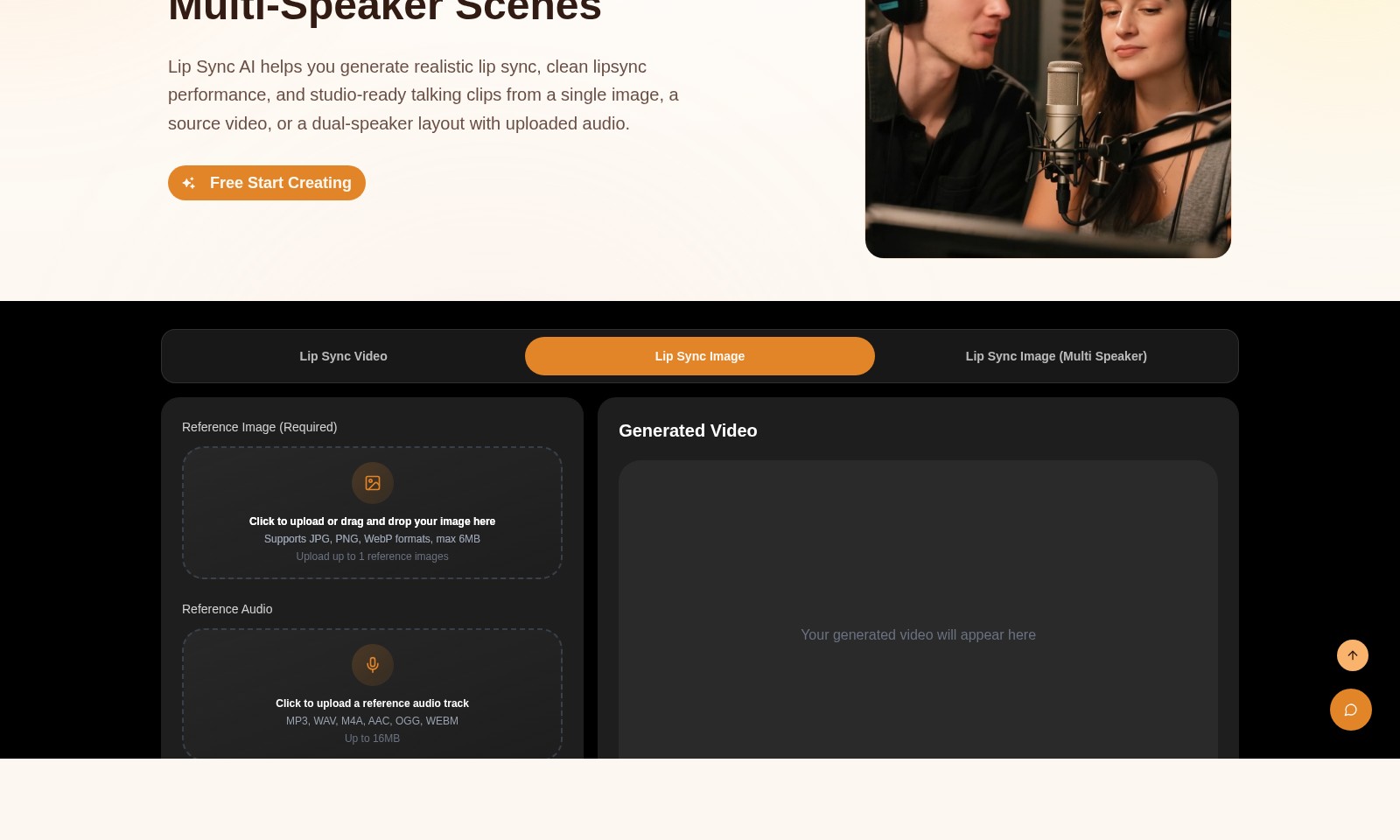
Lip Sync AI is your ultimate solution for generating realistic and professional lip sync performances. Whether you're working from a single image, a video, or multiple speakers, our advanced technology ensures stunning results that transform how you create talking videos. With easy uploading options for audio and images, starting your creative journey has never been more convenient.
Lip Sync Features
Lip Sync AI Features
Realistic Lip Sync Generation - Seamless Animation Lip Sync AI enables users to create authentic lip sync performances using just a single image, ensuring a smooth transfer of emotions in the video. This feature is particularly valuable for creators in the media and entertainment industry looking to enhance narrative engagement.
Multi-Speaker Support - Versatile Interaction With the ability to handle dual-speaker layouts, Lip Sync AI empowers users to produce videos that reflect real-life conversations. This technical differentiation allows content creators to simulate dialogues naturally, which is crucial for video marketing and storytelling.
Custom Audio Integration - Tailor-Made Experiences Users can upload various audio formats (MP3, WAV, M4A, AAC, OGG, WEBM) to synchronize with their visuals, enhancing the synchronization of lip movement and sound. This feature caters to content developers aiming to align speech with their visual outputs more precisely.
High-Resolution Output - Quality Assurance The platform offers video generation in 480P resolution, enabling creators to maintain a professional standard while still being easily accessible for web use. The focus on output quality meets the needs of professionals aiming for studio-ready productions.
User-Friendly Interface - Efficient Workflow Lip Sync AI features a straightforward interface that supports drag-and-drop functionality for images, facilitating an efficient workflow for users. This accessibility is vital for creators working under tight deadlines and needing quick turnaround times.
Credit-based Generation - Cost-Effective Solutions With credits required per video generation, this model enables users to manage their budget efficiently while providing high-quality content. It appeals toIndependent creators and small businesses looking for scalable production options without excessive upfront costs.
Frequently Asked Questions About Lip Sync
What is Lip Sync AI?
Lip Sync AI is a powerful tool that allows you to create natural lip sync videos using images, videos, and audio. It is designed for creators seeking to produce studio-ready talking clips with minimal effort, making it a great asset for video production, social media content, and more.
How do I create a lip sync video?
To create a lip sync video, simply upload your reference image or video, followed by the audio you wish to sync with. The platform supports various file formats, allowing you to get started easily.
What formats are supported for image and audio uploads?
Lip Sync AI accepts JPG, PNG, and WebP formats for images (up to 6MB) and MP3, WAV, M4A, AAC, OGG, and WEBM for audio files (up to 16MB). This ensures you can use the most common file types needed for your projects.
Do I need credits to generate a video?
No, you do not need any credits to start generating a video. The platform encourages users to explore its features freely, making it easier for anyone to dive into lip sync video creation.
Is there a limit to how many images or videos I can upload?
Currently, Lip Sync AI allows you to upload one reference image and one audio track per video generation. This keeps the process streamlined and user-friendly, perfect for those new to AI lip sync creation.
How to Use Lip Sync
Step 1: Register Your Account
Visit the Lip Sync AI website and click on the 'Sign In' button at the top right corner. If you are new, select the option to create a new account. Fill in your details and submit to register.
Step 2: Verify Your Email
Check your inbox for a verification email from Lip Sync AI. Click on the verification link provided in the email to activate your account.
Step 3: Log In to Your Account
Return to the Lip Sync AI website, click 'Sign In,' and input your registered email and password. Once logged in, you will be directed to your dashboard.
Step 4: Set Up Your Profile
On your dashboard, navigate to the profile section. Here, you can upload your profile picture and fill in any additional information. Ensuring your profile is complete helps personalize your experience on the platform.
Step 5: Upload Your Content
To create your first lip sync video, click on 'Create Natural AI Lip Sync Videos.' You have the option to start with an image, video, or a dual-speaker layout. Drag and drop your reference image or click to upload.
Step 6: Choose Your Audio
Upload an audio track to sync with your video. Supported formats include MP3, WAV, M4A, and others. Choose an audio file that complements your visual content for the best results.
Step 7: Configure Settings
Select your desired resolution, typically 480P for standard use. This ensures your video maintains good quality while being optimized for performance. Adjust any other settings if necessary.
Step 8: Generate Your Video
Once you have uploaded your content and configured your settings, click the 'Generate' button. The system will process your request, and you will see a loading indicator while it works.
Step 9: Review Your Generated Video
After the video generation is complete, your video will appear on the dashboard. Watch your video to see how well the lip sync matches and ensure the quality meets your expectations.
Step 10: Save or Share Your Video
If satisfied, save your video or share it directly from the platform. Explore options to download your video or share it on social media platforms for wider reach.
Reviews
Pros
- Easy to use
- Fast processing
- Great results
- Affordable pricing
Cons
- Limited free version
- Requires internet connection
Comments
No comments yet. Be the first to share your thoughts!
Lip Sync - Alternative Platforms
For some alternatives to Lip Sync that you may need, we provide you with sites divided by features.

Rask AI offers a powerful video translation and dubbing tool, accessible for just $1 per minute, trusted by millions.
VMEG is an AI-driven video localization tool that enables fast and accurate translation, dubbing, and lip-syncing in multiple languages, perfect for expanding your content's reach.
The webpage offers tools for creating videos and avatars, showcasing user-generated content and popular templates.