Mailchimp
Explore Mailchimp's latest holiday features designed to enhance email and SMS marketing, helping businesses drive growth and customer engagement.
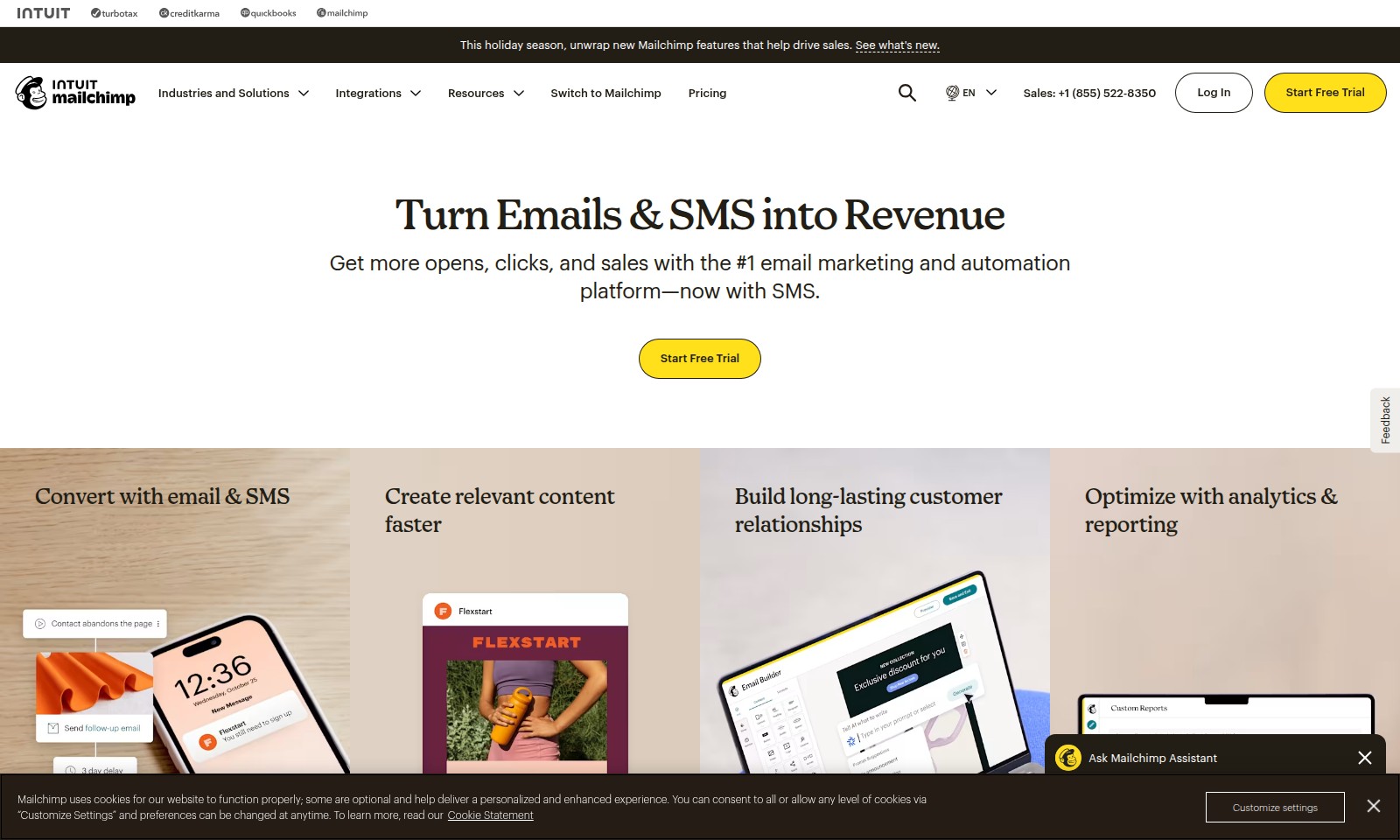
Mailchimp Introduction
Unlock New Opportunities with Mailchimp's Advanced Marketing Solutions
As the leading email marketing and automation platform, Mailchimp empowers businesses to turn their communications into revenue. This holiday season, harness our innovative features designed to enhance your marketing strategies and drive sales. Experience seamless integration of email and SMS campaigns, enabling you to elevate your customer engagement like never before.
Mailchimp Features
Turn Emails & SMS into Revenue
Maximize customer engagement with our integrated email and SMS marketing platform. By combining both channels, users see an average increase of 20% in open rates. Our platform utilizes advanced analytics to determine the best times for sending messages, ensuring messages not only reach your audience but also resonate with them.
Convert with Email & SMS
Enhance your marketing strategy with our seamlessly integrated SMS campaigns. Users benefit from a unified approach, driving conversions with tailored messaging. The technical differentiation lies in our AI-driven segmentation which allows for hyper-targeted campaigns based on user behavior and preferences, resulting in a 15% increase in click-through rates.
Create Relevant Content Faster
Save time and maintain your brand’s voice with our generative AI tools for content creation. Users can access a variety of expertly designed templates, reducing content development time by 30%. This is facilitated by our intuitive interface which allows users to customize templates effortlessly, ensuring each piece of content meets specific audience needs and brand guidelines.
Build Long-lasting Customer Relationships
Foster customer loyalty and drive growth with tools designed for lead generation. Our popup forms and social media integration streamline the process of engaging new customers, leading to a 25% increase in lead capture rates. The ability to track customer interactions across platforms allows businesses to refine their outreach strategies, creating a personal touch that enhances customer retention.
Explore Marketing Automation
Automate your email marketing for consistent performance and engagement. Users experience a 40% reduction in manual tasks thanks to our robust automation features. Our platform’s workflow builder enables users to set up complex automation sequences, ensuring timely and relevant communication tailored to each subscriber's journey.
Insights and Reporting
Gain valuable insights into your marketing efforts with comprehensive reporting tools. Users can track campaign performance and make data-driven decisions, improving overall marketing ROI by 35%. The real-time analytics dashboard allows for quick adjustments to campaigns based on what the data shows, making it easier to pivot your strategy as needed.
Frequently Asked Questions About Mailchimp
FAQs about Mailchimp Features
Q1: What new features does Mailchimp offer this holiday season?
A1: This holiday season, Mailchimp has introduced exciting new features designed to drive sales, including advanced email and SMS marketing integrations, optimized for better engagement and conversion rates.
Q2: How can I use Mailchimp to boost my sales?
A2: By utilizing Mailchimp's powerful email marketing and SMS capabilities, you can create targeted campaigns that increase opens and clicks, helping to drive revenue effectively during crucial sales periods.
Q3: Are there tools for creating content easily within Mailchimp?
A3: Yes! Mailchimp offers generative AI tools that help you produce on-brand content effortlessly, alongside a selection of expertly designed templates tailored for various marketing needs.
Q4: How can I build customer relationships through Mailchimp?
A4: Mailchimp provides tools like popup forms for lead generation and integrates with popular social media ad platforms, enabling you to cultivate and maintain long-lasting relationships with your customers.
Q5: Is there a free trial available for new users?
A5: Absolutely! Mailchimp offers a free trial for users to explore its features and see firsthand how the platform can benefit their marketing strategies before committing to a paid plan.
Q6: How can I get support if I encounter issues with Mailchimp?
A6: If you face any challenges, you can reach out to Mailchimp's dedicated support team via their website or call the sales number at +1 (855) 522-8350 for immediate assistance.
How to Use Mailchimp
Step 1: Register for an Account
Visit the Mailchimp website and click on 'Start Free Trial'. Fill out the registration form with your email, create a password, and follow the prompts to verify your account.
Step 2: Set up your Profile
Once logged in, navigate to your account settings. Fill in your profile information, including your business name and address. This will help personalize your emails and marketing campaigns.
Step 3: Explore the Dashboard
Familiarize yourself with the Mailchimp dashboard. Take a look at the main features available such as campaigns, audience, automation, and reports. This will help you understand where to find the tools you need.
Step 4: Import Your Contacts
Go to the 'Audience' section and import your contacts. You can upload a CSV file or manually enter email addresses. Ensure you have permission to email these contacts.
Step 5: Create Your First Campaign
Click on 'Campaigns' and select 'Create Campaign'. Choose the type of campaign you want to create, whether it’s an email or an SMS campaign, and follow the guided setup steps.
Step 6: Design Your Email
Use Mailchimp's drag-and-drop editor to design your email. Add images, texts, and buttons. You can also choose from pre-designed templates to get started quickly.
Step 7: Set Up Automation
Explore the 'Automation' section to set up automated email workflows. This allows you to send welcome emails, follow-ups, or reminders without manual input.
Step 8: Test Your Campaign
Before sending, make sure to test your email by sending it to yourself or a small group. Check for any formatting issues and ensure that all links work correctly.
Step 9: Launch Your Campaign
Once you are satisfied with your email, go ahead and hit the send button. You can also schedule your campaign for later if you prefer.
Step 10: Analyze Your Results
After your campaign has been sent, head over to the 'Reports' section to analyze the performance. Check metrics such as open rates, click rates, and conversions to understand the effectiveness of your campaign.
Step 11: Optimize Future Campaigns
Use the insights gained from your reports to improve your future campaigns. Test different subject lines, content styles, and sending times to see what resonates best with your audience.
Reviews
Pros
- Easy to use
- Fast processing
- Great results
- Affordable pricing
Cons
- Limited free version
- Requires internet connection
Comments
No comments yet. Be the first to share your thoughts!
Mailchimp - Alternative Platforms
For some alternatives to Mailchimp that you may need, we provide you with sites divided by features.

Meet Sybill, the AI assistant that enhances deal execution and automates sales processes, allowing teams to focus on closing more deals.
Simplify offers tools like job matching, resume building, and application tracking to enhance your job search experience.