MiniMax Audio
MiniMax offers a range of AI-native applications, including advanced video, audio, and speech models, tailored for developers and users.
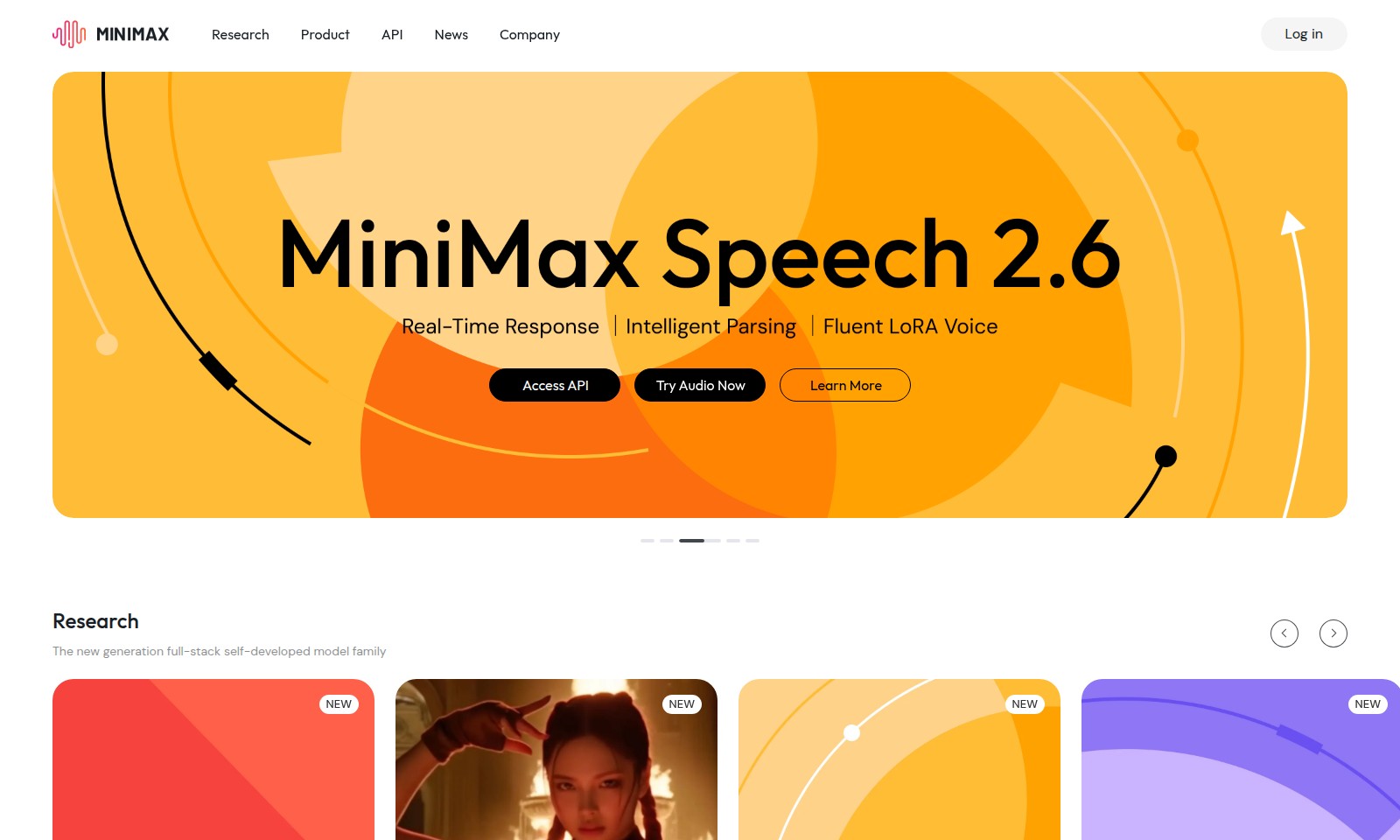
MiniMax Audio Introduction
Introducing MiniMax: The Future of AI-native Applications
MiniMax is at the forefront of innovation in AI-native applications, providing cutting-edge solutions that redefine efficiency and effectiveness. Our comprehensive product suite includes state-of-the-art models designed for diverse needs, from text and speech to video and music. Each model is built with the latest advancements in artificial intelligence, enabling users to achieve unparalleled results in their respective fields.
MiniMax Audio Features
MiniMax M2 - An Efficient Model for the Agentic Era. The MiniMax M2 is designed to streamline operations, ensuring efficient processing for businesses in dynamic environments. With enhanced processing capabilities, it serves as an agile backbone for data-driven applications, catering especially to companies leveraging AI for decision-making.
Hailuo 2.3 / 2.3 Fast - Breathtaking Motion, Lifelike Emotion. The Hailuo video model delivers superior video processing and rendering. It emphasizes real-time performance, making it ideal for businesses in the entertainment and media sectors, where capturing attention is imperative.
MiniMax Speech 2.6 - Real-Time Response. Intelligent Parsing. Fluent LoRA Voice. This audio model facilitates seamless communication for applications in customer service and voice operating systems. Its advanced parsing capabilities ensure accurate recognition, vital for providing timely responses in interactive scenarios.
MiniMax Music 2.0 - Versatile, Agile Vocals. Precise Instrument Control. Professional-Grade Audio. The music model excels in audio production, allowing musicians and producers to craft high-quality soundscapes effortlessly. Businesses in the music industry require reliability and quality, both of which MiniMax Music provides consistently.
Frequently Asked Questions About MiniMax Audio
FAQs about MiniMax Products
What is the MiniMax M2 and its key features? The MiniMax M2 is the latest addition to our full-stack self-developed model family. It is designed for the agentic era, offering efficiency and advanced features.
How does MiniMax Speech 2.6 improve real-time audio communication? MiniMax Speech 2.6 provides real-time response capabilities, intelligent parsing, and fluent LoRA voice technology, making conversations seamless and efficient.
What makes the MiniMax Hailuo 2.3 ideal for video applications? MiniMax Hailuo 2.3 combines breathtaking motion with lifelike emotion, making it perfect for creating engaging video content. Its fast processing speeds enhance performance significantly.
Can I develop applications using the MiniMax API? Yes, our API allows developers to create AI-native applications easily. The documentation provides detailed guidance on coding plans and pricing options to get you started.
What are the main benefits of using MiniMax Music 2.0 for audio projects? MiniMax Music 2.0 offers versatile and agile vocal processing, along with precise instrument control. This professional-grade audio model is tailored for high-quality music production.
Where can I find more information about MiniMax products and updates? For updates and detailed information, visit the News section of our website where you can learn about our latest advancements and product launches.
How to Use MiniMax Audio
Step 1: Register an Account
Visit the MiniMax website and locate the registration button. Click on it and fill in the required fields with your email, password, and any additional information. Ensure that all entries are correct and submit the form.
Step 2: Confirm Your Email
Check your email inbox for a confirmation message from MiniMax. Click on the link provided in the email to verify your account. This step is crucial to activate your access to the platform's features.
Step 3: Log In to Your Account
Return to the MiniMax website and find the login area. Enter your registered email and password to access your account. This is where your personalized experience begins as you explore the offerings.
Step 4: Set Up Your Profile
Once logged in, navigate to your profile settings. Add relevant information about yourself, including your interests and preferences related to audio, video, and research. A comprehensive profile helps in customizing your experience.
Step 5: Explore Key Features
Familiarize yourself with the various features available. Check out the MiniMax M2, MiniMax Speech 2.6, and video models. Each feature is tailored to enhance your experience in the agentic era of technology and enrich the way you interact with artificial intelligence.
Step 6: Try the MiniMax Services
Utilize the Try Agent Now or Try Hailuo Now options to test out the services. Understand their functionalities and see how they can aid your projects. Engage with the tools actively to gain firsthand experience.
Step 7: Access Documentation
Visit the API Overview and Documentation sections to gain deeper insights into coding plans and pricing. This information will help you in subsequent steps when you decide to integrate MiniMax features into your own applications.
Step 8: Utilize Support Resources
If you have any questions or require assistance, make use of the support options available on the website. Access the news section for updates, or reach out via customer support for personalized help.
Step 9: Keep Learning
Regularly check back for new features and updates in the products such as MiniMax Music 2.0. Continuous learning will help you fully leverage the capabilities of the platform as new tools are developed and existing features are refined.
Reviews
Pros
- Easy to use
- Fast processing
- Great results
- Affordable pricing
Cons
- Limited free version
- Requires internet connection
Comments
No comments yet. Be the first to share your thoughts!
MiniMax Audio - Alternative Platforms
For some alternatives to MiniMax Audio that you may need, we provide you with sites divided by features.

Sonic-3 offers human-like text-to-speech capabilities for various applications, providing emotional nuances and rapid response times.
Uprise offers embedded tax and advisory services, enhancing SMB platforms for business owners with personalized financial guidance and integration.
Outter offers tailored, plug-and-play AI solutions for fast integration, focusing on user engagement, privacy, and ROI enhancement.
LightPDF offers advanced PDF tools including editing, OCR, conversion, and AI chat features, ensuring productivity and ease of use.