Openclaw
Openclaw is an open-source framework for developers to create customizable AI automations on their infrastructure using multiple integrations.
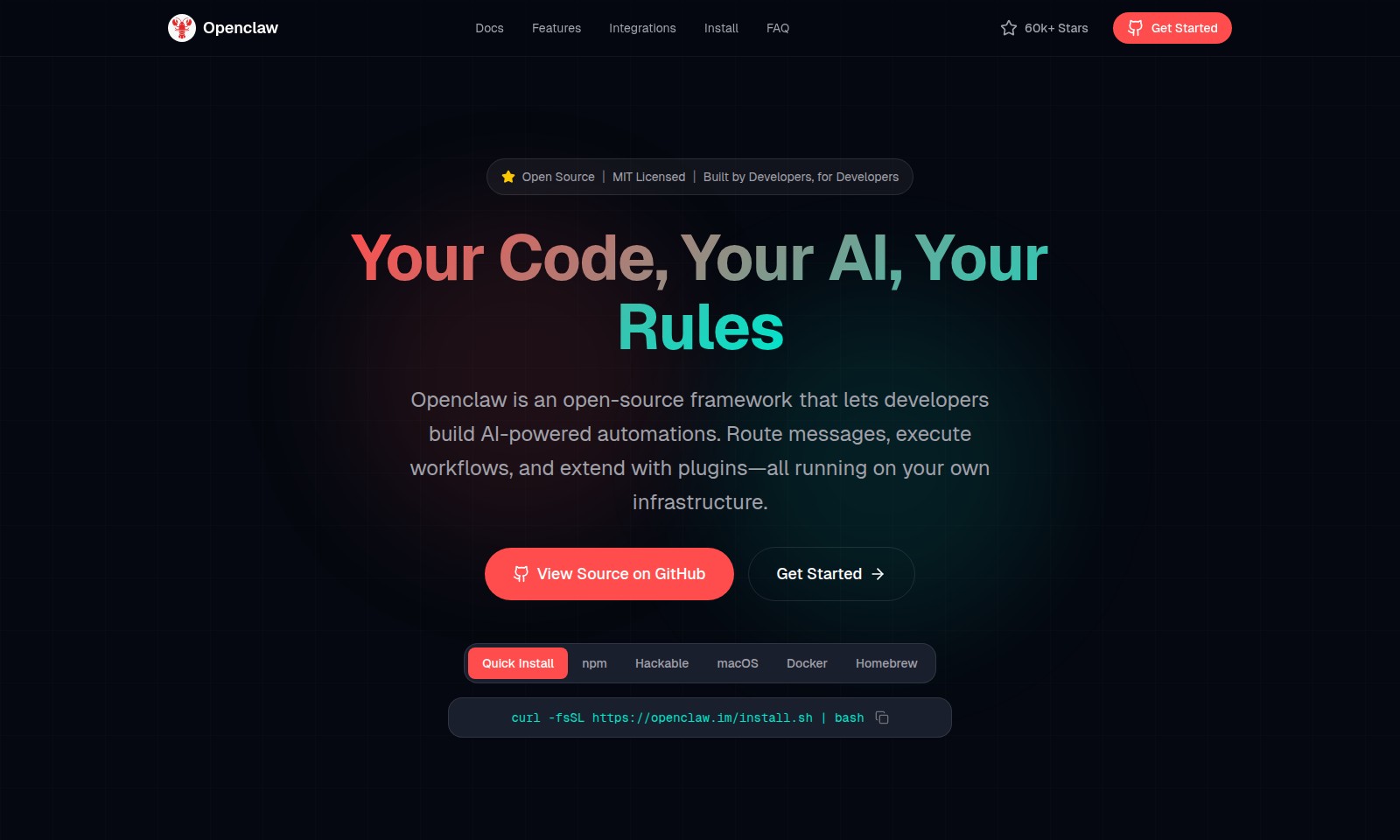
Openclaw Introduction
Openclaw: Empowering Developers with AI-Driven Automation
Openclaw is an innovative open-source framework designed specifically for developers seeking to build powerful AI-driven automations. With Openclaw, you can easily route messages, execute complex workflows, and enhance functionality through customizable plugins, all hosted seamlessly on your own infrastructure. The platform is built with a focus on providing complete control over your AI environment, ensuring that your code remains yours, and your rules dictate the operation. Designed by developers for developers, Openclaw transforms the way you interact with AI technologies, unlocking the potential to automate tedious tasks and enhance productivity.
Openclaw Features
Advanced Automation - Enhanced Efficiency
Openclaw allows developers to create seamless AI-powered automations that streamline workflows. The framework’s open-source nature gives users the flexibility to tailor solutions to their specific needs, ensuring a perfect fit for their projects.
Cross-Platform Compatibility - Universal Access
Designed for all major operating systems, including macOS, Windows, and Linux, Openclaw ensures that automation can be achieved regardless of the user’s environment. This capability eliminates barriers to implementation and fosters broader accessibility among developers.
Multi-Application Integration - Versatile Interaction
Openclaw supports communication across a wide array of chat applications such as WhatsApp, Telegram, Discord, Slack, Signal, and iMessage, enabling users to interact with their AI solutions in the platforms they already use, thereby enhancing user engagement and satisfaction.
Persistent Memory - Personalized Experience
The framework’s persistent memory feature allows Openclaw to remember user preferences and context, creating a more personalized experience. This functionality enables it to effectively adapt to individual user needs over time, significantly improving user satisfaction.
Browser Control - Automated Data Interaction
Openclaw's ability to browse the web, fill out forms, and extract data from any site empowers developers to automate interactions with online resources. This feature is particularly beneficial for users needing to gather information quickly without repetitive manual input.
Full System Access - Extensive Capabilities
With full system access, Openclaw can read and write files, execute shell commands, and run scripts directly from the user's environment. This level of control allows developers to implement more complex automations that interact deeply with the system, greatly extending the framework’s potential applications.
Open Source Flexibility - Custom Solutions
Being open-source, Openclaw provides a platform for developers to modify, extend, and improve upon existing functionalities in a collaborative environment. This openness encourages innovation and optimizes the use of the framework across diverse projects.
Frequently Asked Questions About Openclaw
FAQs about Openclaw
1. What is Openclaw?
Openclaw is an open-source framework designed for developers to create AI-powered automations. It allows routing messages, executing workflows, and the ability to extend functionalities through plugins, all while running on your own infrastructure.
2. What platforms does Openclaw support?
Openclaw runs on various operating systems including macOS, Windows, and Linux. It supports both Anthropic and OpenAI models, as well as the option to run local models, ensuring that your data remains private by default.
3. How can I interact with Openclaw?
You can communicate with Openclaw through various chat applications such as WhatsApp, Telegram, Discord, Slack, Signal, or iMessage. It is designed to work seamlessly in both direct messages and group chats, providing flexibility in how you use it.
4. Does Openclaw have memory features?
Yes, Openclaw boasts a persistent memory feature that enables it to remember user preferences and context. This means that over time, it can tailor its responses and behavior to become uniquely suited to your needs.
5. Can Openclaw perform actions on the web?
Absolutely! Openclaw can browse the internet, fill out forms, and extract data from any site, making it a powerful tool for automation and information retrieval tasks.
6. Is Openclaw secure?
Openclaw is built with privacy in mind. The default settings ensure that your data stays with you. Additionally, having full system access means that it can read and write files and execute shell commands securely when appropriately configured.
How to Use Openclaw
Step 1: Register an Account
To get started with Openclaw, visit the official website and click on the 'Get Started' button. Fill in the required fields with your email and create a secure password to register.
Step 2: Confirm Your Email
Check your email inbox for a confirmation message from Openclaw. Click the confirmation link provided in the email to verify your account.
Step 3: Log Into Your Account
Return to the Openclaw website and go to the login section. Enter your registered email and password to access your account dashboard.
Step 4: Set Up Your Profile
Navigate to the profile settings page. Complete your profile by adding a username and any other optional details to enhance your user experience.
Step 5: Choose Your Installation Method
Decide how you want to install Openclaw. You can choose npm, Docker, or other methods such as Homebrew or cURL. Follow the provided instructions for your selected method.
Step 6: Configure Your Environment
After installation, configure your environment to ensure optimal performance. Make sure your system meets the necessary requirements for Mac, Windows, or Linux.
Step 7: Explore Key Features
Familiarize yourself with Openclaw’s key features, including message routing and workflow execution. Use the documentation available on the website to understand how to leverage these features effectively.
Step 8: Integrate with Chat Apps
Connect Openclaw to your preferred chat application such as WhatsApp, Telegram, or Slack. Follow the integration guide for step-by-step instructions on setting up these connections.
Step 9: Test Your Setup
Conduct initial tests to ensure everything is functioning properly. Send a test command through your chat app to verify the automation works and responds as expected.
Step 10: Utilize Persistent Memory
Learn about the persistent memory feature that allows Openclaw to remember your preferences and context. Test this functionality by prompting Openclaw with repetitive requests.
Step 11: Take Advantage of Browser Control
Utilize the browser control capabilities of Openclaw to automate web tasks. Experiment with different sites to see how Openclaw can assist you with data extraction and form completion.
Step 12: Access Full System Control
If needed, explore the full system access feature by executing shell commands or reading and writing files. Be cautious while using this feature to maintain your system's security.
Reviews
Pros
- Easy to use
- Fast processing
- Great results
- Affordable pricing
Cons
- Limited free version
- Requires internet connection
Comments
No comments yet. Be the first to share your thoughts!
Openclaw - Alternative Platforms
For some alternatives to Openclaw that you may need, we provide you with sites divided by features.

AssemblyAI offers robust Voice AI models to enable innovative voice applications, ensuring top-notch accuracy and seamless scalability for developers.
Tiptap offers an AI Toolkit for creating document-editing agents, featuring templates, collaboration tools, and extensive customizability.
Explore the platform for creating customizable AI companions, avatars, and agents that enhance business processes with full control and zero fees.
Vana is an open network for user-owned data, enabling individuals to trade data tokens, access real datasets, and build data collectives.