Phion
Phion offers a powerful AI coding environment with zero setup, instant live deploys, and an easy interface for developers.
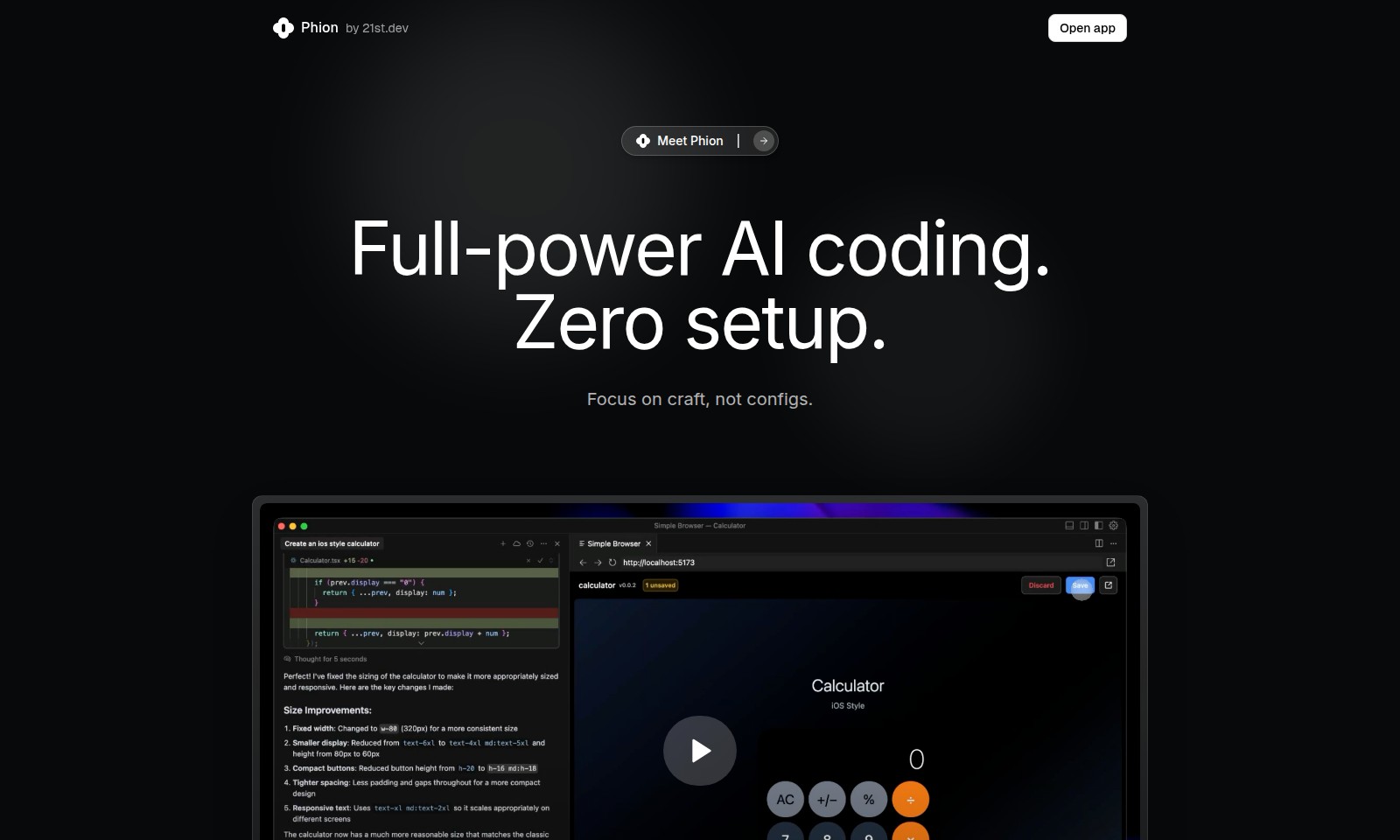
Phion Introduction
Phion: Revolutionizing AI Coding
Phion offers a groundbreaking approach to coding that streamlines the development process through the power of AI. With no setup required, users can dive straight into building projects without the usual hassle of configuration. This means you can focus on your craft rather than getting bogged down in technical setups.
Phion Features
Zero Setup - Effortless Onboarding
Launching your project has never been easier. With Phion, there are no complex configurations to manage, meaning you can start coding immediately. Simply open the app and focus on what truly matters: your craft.
One-Click Environment - Seamless Start
Phion automates project initiation for you. With just one click, your environment is set up, and your project preview is live. Forget about manual setup and let our platform do the heavy lifting, ensuring Instant access to development tools.
Smart Save & Deploy - Real-Time Updates
Every time you hit save, your project instantly updates on the live site without the hassle of manual deployment. This feature ensures you can see the results of your changes right away; your workflow becomes more efficient and responsive.
AI Error Assistant - Intelligent Debugging
Debugging is simplified with our AI-powered assistant. Rather than sifting through console logs, you simply click the 'Fix bugs' button. The assistant identifies and resolves issues automatically, helping you maintain a high standard of code quality with minimal effort.
Full-Power AI Coding - Advanced Tools Built-In
Phion provides access to a fully integrated AI agent, making your coding experience comparable to advanced platforms while remaining user-friendly. This integration allows for sophisticated functionalities, ensuring you’re equipped with powerful tools for any coding challenge.
Comprehensive FAQ - Immediate Answers
Our extensive Frequently Asked Questions section addresses common queries. Whether you're wondering about GitHub requirements or how to utilize existing projects with Phion, our FAQ provides quick solutions, enhancing your onboarding experience.
User-Centric Design - Tailored for Developers
Every feature of Phion is designed with developers in mind, especially those looking to minimize setup and maximize productivity. By focusing on user experience, we enhance your coding practice in meaningful ways without unnecessary distractions.
Frequently Asked Questions About Phion
Do I need a GitHub account?
No, you do not need a GitHub account to use Phion. The platform is designed to eliminate complex setups, allowing you to start coding immediately without any dependencies.
Where is my project hosted?
Your project is hosted on our secure servers, ensuring that you can access it seamlessly online. You can focus on development while we handle the hosting logistics for you.
Can I use my existing project with Phion?
Absolutely! You can integrate your existing projects with Phion effortlessly. Simply open your project in Cursor, and Phion will adapt to your coding environment without any hassle.
What framework does the template use?
Phion utilizes a flexible template framework that supports a variety of coding languages and styles. This allows you to craft your applications in a way that best fits your needs.
How is this different from Lovable.dev?
Phion is similar to Lovable.dev in its ease of use, but it goes a step further by integrating the most powerful AI coding agent. This unique feature enables advanced functionalities that enhance both coding speed and error management.
What editors can I use?
Phion allows you to use various code editors. However, it is optimized for use with Cursor, offering the best experience with smart save and deploy features that streamline your workflow.
How much does it cost?
Phion offers competitive pricing options that are designed to provide maximum value for your development needs. For specific pricing details, please refer to our pricing page.
What happens to my code?
Your code is automatically saved and deployed to your live website whenever you make changes. This process, facilitated by the AI Error Assistant, minimizes downtime and enhances productivity.
How to Use Phion
Register your account
To get started with Phion, visit the registration page and fill in your details. Make sure to verify your email address to activate your account.
Access the application
Once your account is set up, log in to Phion using your credentials. You’ll be greeted with an intuitive interface designed for seamless navigation.
Set up your profile
In the profile section, you can customize your settings. Fill in necessary information, such as your name and profile picture, to personalize your experience.
Start a new project
From the dashboard, click on 'Start a New Project'. This will prompt Phion to auto-set your environment without needing any npm or git commands. Just choose your project name and hit 'Create'.
Open the coding environment
After creating your project, Phion will automatically open your coding environment. You can start coding right away—no setup needed!
Utilize AI assistance
If you encounter any errors, use the 'Fix bugs' button. Phion’s AI Error Assistant will detect errors and provide suggestions to fix them instantly.
Save and deploy your work
As you code, remember that every save deploys your changes live. You can see these changes reflected immediately on your live website. No extra steps needed!
Explore additional features
Take time to explore additional features available within the app. Phion offers smart saving, auto-commit, and powerful deployment features to streamline your workflow.
Check the FAQ section
If you have questions, visit the FAQ section accessible from the dashboard. Here you can find answers to common inquiries regarding GitHub accounts, project hosting, and frameworks used.
Join the community
If you have further questions or need assistance, consider joining the Phion community for support and networking opportunities.
Reviews
Pros
- Easy to use
- Fast processing
- Great results
- Affordable pricing
Cons
- Limited free version
- Requires internet connection
Comments
No comments yet. Be the first to share your thoughts!
Phion - Alternative Platforms
For some alternatives to Phion that you may need, we provide you with sites divided by features.

Atoms is an AI-powered platform designed for building, launching, and managing applications efficiently, streamlining the development process.
Fabricate offers an easy way to turn app ideas into reality using AI. Choose from various templates and build with minimal effort.
Discover how Runner AI generates product images, listings, and complete storefronts with AI, saving time and costs for e-commerce growth.
A platform for building diverse projects like dashboards and games using AI solutions, featuring robust security and various hosting options.