Picture Translate
The Picture Translate tool allows users to upload images and translate text efficiently, overcoming language barriers with advanced OCR technology.
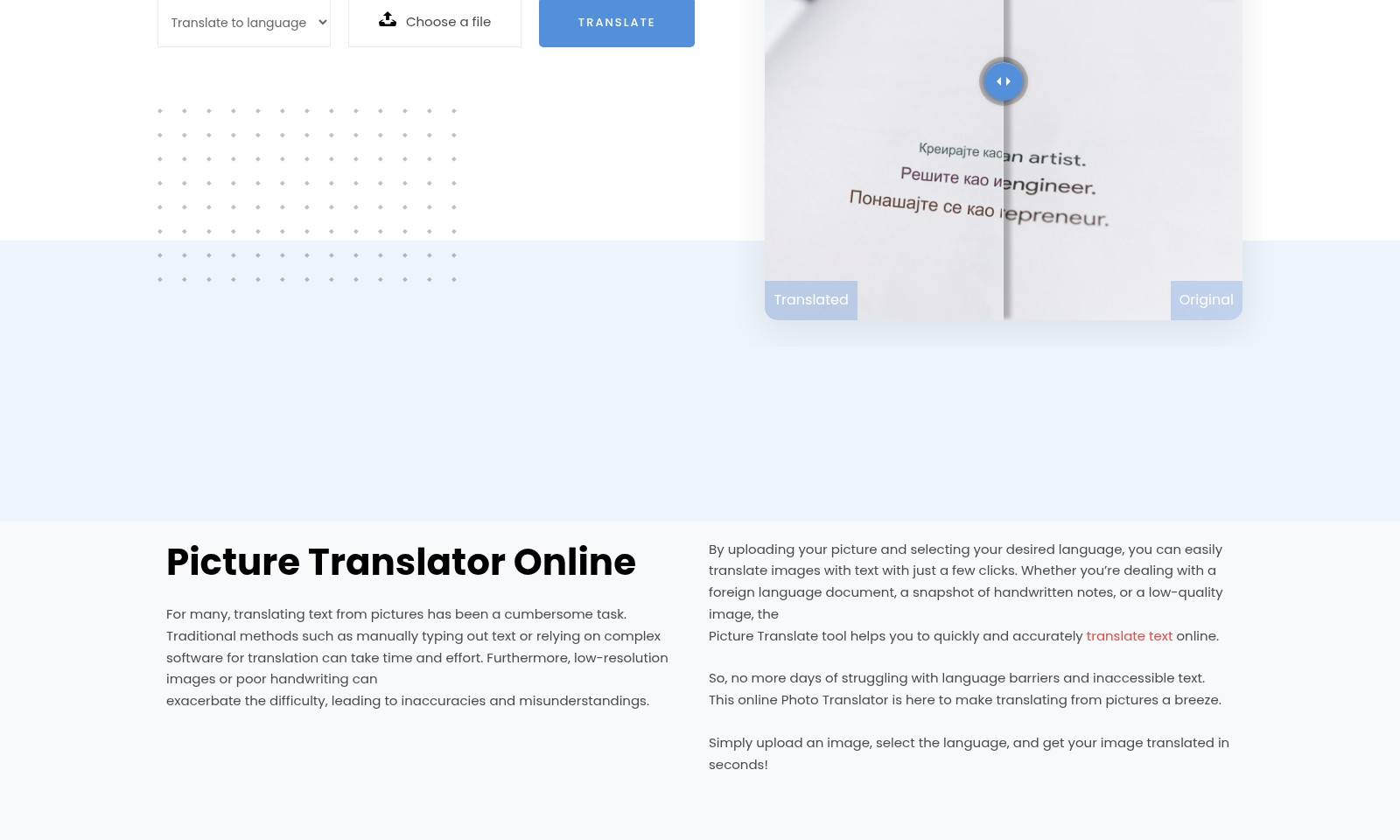
Picture Translate Introduction
The Picture Translator: Revolutionizing Image-Based Translation
The Picture Translator elevates the process of translating text from images, offering users a seamless, efficient solution for overcoming language barriers. Users simply upload a photo containing text, select their desired language, and with one click, the translation is rendered instantly. This innovative tool streamlines the translation experience, making it accessible and user-friendly.
Picture Translate Features
Picture Translate - Effortless Image Translation
Transform text from images into a different language easily. The Picture Translate feature allows you to upload your photos, select your desired language, and get instant translations with just a click.
Technical Differentiation: Our advanced image recognition technology ensures accurate text extraction from complex backgrounds, making it reliable for various image qualities.
Multilingual Support - Versatile Language Options
Cater to a global audience with support for over 50 languages. Whether it's a business document or a personal note, translate it seamlessly into the language you need.
Technical Differentiation: Built on a robust neural machine translation engine, users experience a contextual understanding of translation that traditional methods often miss.
User-Friendly Interface - Simplified Navigation
Navigate easily through our intuitive interface designed for all user levels. Uploading images and receiving translations has never been simpler, catering to users from beginners to professionals.
Technical Differentiation: The minimalistic design reduces cognitive load, ensuring a faster translation process and improving overall user satisfaction.
High-Quality Image Input - Enhanced Accuracy
Ensure top-notch translation accuracy by uploading high-quality images. Our system is optimized for recognizing various text sizes and fonts, reducing error rates significantly.
Technical Differentiation: Utilizing artificial intelligence, our application adapts to the input quality, providing customized feedback on optimal image resolutions for the best results.
Instant Translation - Real-Time Processing
Obtain translations in real-time for urgent needs. Users can expect their translations to be ready almost instantaneously, whether for a quick reference or in a busy environment.
Technical Differentiation: Leveraging cutting-edge cloud computing resources, our system processes images and languages swiftly, ensuring that speed does not compromise quality.
Frequently Asked Questions About Picture Translate
Frequently Asked Questions
1. How do I use the Picture Translator?
To use the Picture Translator, simply upload your image containing text, select your desired target language from the dropdown menu, and click the 'translate' button. The tool will process the image and provide the translated text almost instantly.
2. What languages can I translate to with this tool?
Our Picture Translator supports a wide array of languages, including but not limited to English, Spanish, Chinese (Simplified & Traditional), Arabic, and French. You can easily find the complete list of languages in the dropdown menu on the homepage.
3. Does the quality of the image affect the translation accuracy?
Yes, the quality of the image significantly impacts translation accuracy. Clear images with readable text yield the best results. If your image is low-resolution or contains handwriting, the translation may not be as accurate.
4. Is this Picture Translator suitable for professional use?
While our Picture Translator is an excellent tool for quick translations, we recommend that professionals or businesses requiring precise translations consult with a certified translator, especially for important documents or contracts. However, it is perfect for casual use and understanding basic content.
5. Can I translate images with handwriting?
Yes, the Picture Translator can handle images with handwriting, but the accuracy can vary greatly. Clear, neat handwriting will provide more reliable translations than messy or stylized handwriting.
6. How can I improve translation results?
To enhance the translation results, ensure that the images are well-lit and focus on clear text. Avoid using images with low resolution or excessive noise. If you encounter issues, try re-scanning the image or taking a new photo with better lighting.
How to Use Picture Translate
Step 1: Register an Account
To start using our image translation service, you need to create an account. Click on the 'TRY NOW' button, fill in your details, and submit the registration form. Check your email for a confirmation link to activate your account.
Step 2: Set Up Your Profile
After registration, log in to your account and navigate to your profile settings. Here, you can add personal information, such as your preferred language for translations. Make sure to save your changes before exiting.
Step 3: Choose a Translation Option
On the main page, locate the 'Picture Translate' section. Select the target language you want your text translated into from the dropdown menu. This step ensures that the translation meets your needs.
Step 4: Upload Your Image
Click on the 'Choose a file' button to upload your photo. Ensure the image quality is good to avoid issues with text recognition. Acceptable formats include JPEG and PNG. Once selected, you will see a preview of the image.
Step 5: Hit the Translate Button
After uploading the image, click on the 'Translate' button. The system will process the image and extract the text for translation. This might take a few moments, so please be patient as the software works.
Step 6: Review Your Translation
Once the translation is complete, review the output for accuracy and clarity. If necessary, you can go back and re-upload another image or choose a different target language for translation.
Step 7: Download or Share Your Results
If you're satisfied with the translated text, you can download the results directly from the website. Alternatively, use the sharing options to send the translation to others via email or social media.
Reviews
Pros
- Easy to use
- Fast processing
- Great results
- Affordable pricing
Cons
- Limited free version
- Requires internet connection
Comments
No comments yet. Be the first to share your thoughts!
Picture Translate - Alternative Platforms
For some alternatives to Picture Translate that you may need, we provide you with sites divided by features.

HappyScribe offers AI notetaking and transcription services with human quality assurance, supporting over 120 languages and seamless team collaboration.
Sonix provides automated transcription and translation services, allowing users to convert and manage audio and video content efficiently.
Immersive Translate offers a versatile translation extension supporting multiple platforms, enabling users to access bilingual content effortlessly.