SAM 3D
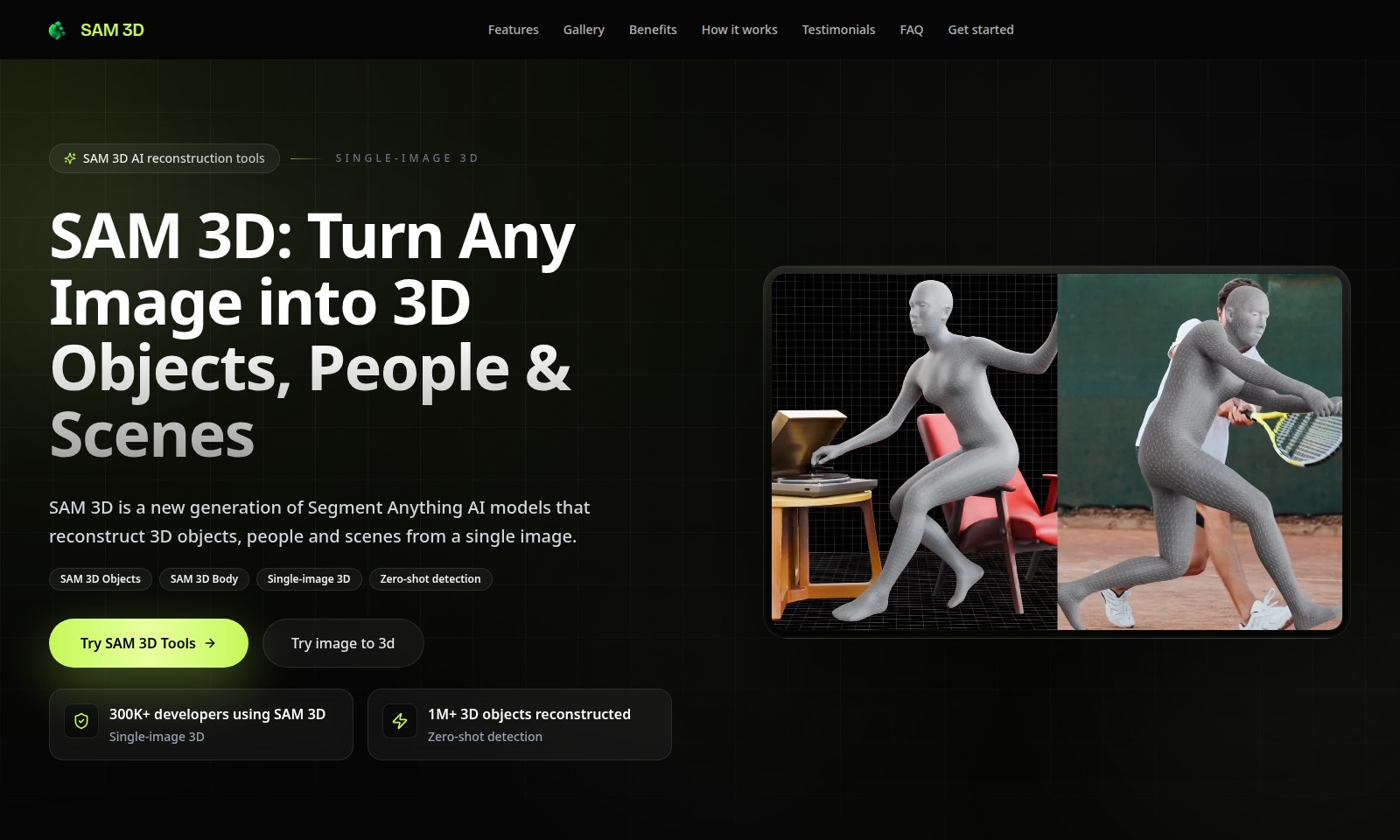
SAM 3D offers innovative tools for single-image 3D reconstruction, allowing easy transformation of images into 3D models with high accuracy and speed.
SAM 3D Introduction
SAM 3D: Transforming Your Vision into Reality
SAM 3D leverages cutting-edge AI technology to reconstruct 3D objects, people, and scenes from a single image, enabling developers and designers to easily create professional-grade 3D models. With a user-friendly interface and powerful tools, SAM 3D offers a seamless experience for both novices and experts in the field of 3D design.
SAM 3D Features
Single-Image 3D - Transforming Visuals into Reality
SAM 3D allows users to convert any still image into a detailed 3D representation, tailored for various purposes. This feature offers a competitive edge through its zero-shot detection capabilities, enabling the identification and reconstruction of objects without needing pre-trained models. Ideal for game developers and designers, this functionality drastically reduces modeling time, giving users a more efficient workflow.
SAM 3D Objects - Building Blocks of Creativity
With SAM 3D Objects, users can effortlessly create complex 3D models ranging from simple items to intricate characters. The strength of this feature lies in its high precision and adaptability to different rendering environments. By leveraging the power of AI, it enhances the quality of 3D assets, providing developers a robust library that meets diverse project requirements, significantly cutting down development cycles and fostering a more innovative design process.
SAM 3D Body - Realistic Human Reconstruction
SAM 3D Body specializes in generating lifelike 3D human figures from a single image, a boon for various industries like gaming and virtual reality. This feature supports motion capture and animation needs by delivering highly accurate human proportions. With its advanced modeling algorithms, users can seamlessly integrate realistic characters into their projects, enhancing engagement with immersive experiences that are both visually appealing and functional.
Zero-Shot Detection - Breaking Boundaries
The zero-shot detection capability of SAM 3D is a game changer, enabling the tool to recognize and reconstruct new objects from a myriad of contexts without the need for extensive datasets. This feature is particularly beneficial for researchers and developers working on projects that require rapid adaptations or prototypes. It empowers users to explore novel ideas without being hampered by traditional modeling constraints, paving the way for creativity and innovation.
3D Reconstruction Gallery - Showcasing Excellence
Visit the SAM 3D Reconstruction Gallery to witness how ordinary images are transformed into extraordinary 3D models. This curated collection illustrates the tool's versatility and effectiveness across distinct applications, providing inspiration for prospective users. The gallery serves as a testament to the quality and reliability of SAM 3D, instilling confidence in developers looking to enhance their projects with cutting-edge technology.
Proven Impact - Join the Growing Community
Over 300K developers have adopted SAM 3D, collectively reconstructing over 1M 3D objects. This statistic highlights the tool's reliability and widespread popularity among professionals. The robust community support ensures that users have access to continued learning and development resources, fostering an environment of collaboration and growth. By joining this network, users can stay updated with the latest advancements and best practices in 3D modeling.
Getting Started - Seamless Integration
Getting started with SAM 3D is effortless, allowing developers to easily integrate the tools into their workflows. The user-friendly interface, coupled with extensive documentation, ensures that both beginners and seasoned professionals can take full advantage of its capabilities. With a straightforward onboarding process, users will find themselves empowered to create stunning 3D visualizations, ultimately enhancing their project's success and appeal.
Frequently Asked Questions About SAM 3D
Frequently Asked Questions about SAM 3D
What is SAM 3D?
SAM 3D is an advanced AI model that reconstructs 3D objects, people, and scenes from a single image, making it easier for developers and creators to generate high-quality 3D models with minimal input.
How does SAM 3D work?
SAM 3D utilizes cutting-edge AI techniques to analyze images and extrapolate dimensional information, allowing users to turn flat images into detailed 3D representations effectively and efficiently.
Can I use SAM 3D for any type of image?
Yes, SAM 3D is designed to handle a variety of images, allowing for the reconstruction of diverse subjects, including products, characters, and architectural elements. This versatility makes it suitable for numerous applications.
How many 3D objects can SAM 3D generate?
SAM 3D has already reconstructed over 1 million 3D objects, showcasing its reliability and effectiveness in generating accurate models quickly.
Is SAM 3D suitable for beginners?
Absolutely! SAM 3D is user-friendly and can be easily integrated into various projects, making it accessible for both experienced developers and newcomers exploring 3D modeling.
What are the advantages of using SAM 3D?
Some of the significant benefits of using SAM 3D include rapid 3D model generation, zero-shot detection capabilities, and the ability to creat high-quality models from minimal inputs, which can save time and resources for developers.
How to Use SAM 3D
Register an Account
To start using SAM 3D, visit the website and click the 'Get started' button. Fill in the required fields with your personal information and create a secure password. Don't forget to verify your email through the link sent to you to complete the registration.
Set up your Profile
Once registered, log in and navigate to your profile settings. Upload a profile picture and provide additional details about yourself. This helps personalize your experience and connects you with similar users.
Explore the Features
After setting up your profile, familiarize yourself with the available tools. SAM 3D offers various features such as 3D reconstruction and image conversion. Explore the menu options to see what each feature does.
Upload Your First Image
To create your first 3D object, find the 'Try image to 3D' option on the homepage. Click it and upload a clear image. The tool will start processing the image and within moments, you’ll see your 3D model ready for viewing.
Adjust Your 3D Model
Once your 3D model is generated, you can make adjustments as necessary. Use the built-in editing tools to refine the model's dimensions or add textures. Play around with different settings to see how they change your object.
Save Your Work
After you’re satisfied with the 3D reconstruction, make sure to save your work. Click the 'Save' button and choose a suitable file format. This allows for easy retrieval and further editing later.
Share Your Creations
Engage with the SAM 3D community by sharing your creations. Use the 'Gallery' feature to showcase your models to other users. You can also see what others have created and find inspiration for your next project.
Reviews
Pros
- Easy to use
- Fast processing
- Great results
- Affordable pricing
Cons
- Limited free version
- Requires internet connection
Comments
No comments yet. Be the first to share your thoughts!
SAM 3D - Alternative Platforms
For some alternatives to SAM 3D that you may need, we provide you with sites divided by features.

Meshy AI offers powerful AI-driven tools to instantly generate game-ready 3D models from text or images, catering to creators and developers.
Fastin3D offers an easy-to-use platform for transforming images into 3D models, featuring tools like Image Studio and Texture Generator.
Project Genie allows users to create, navigate, and remix photorealistic 3D environments in real-time, no design skills needed.
Transform your creative ideas into professional 3D assets quickly and easily using Hunyuan 3D's cutting-edge AI technology.