Superhuman
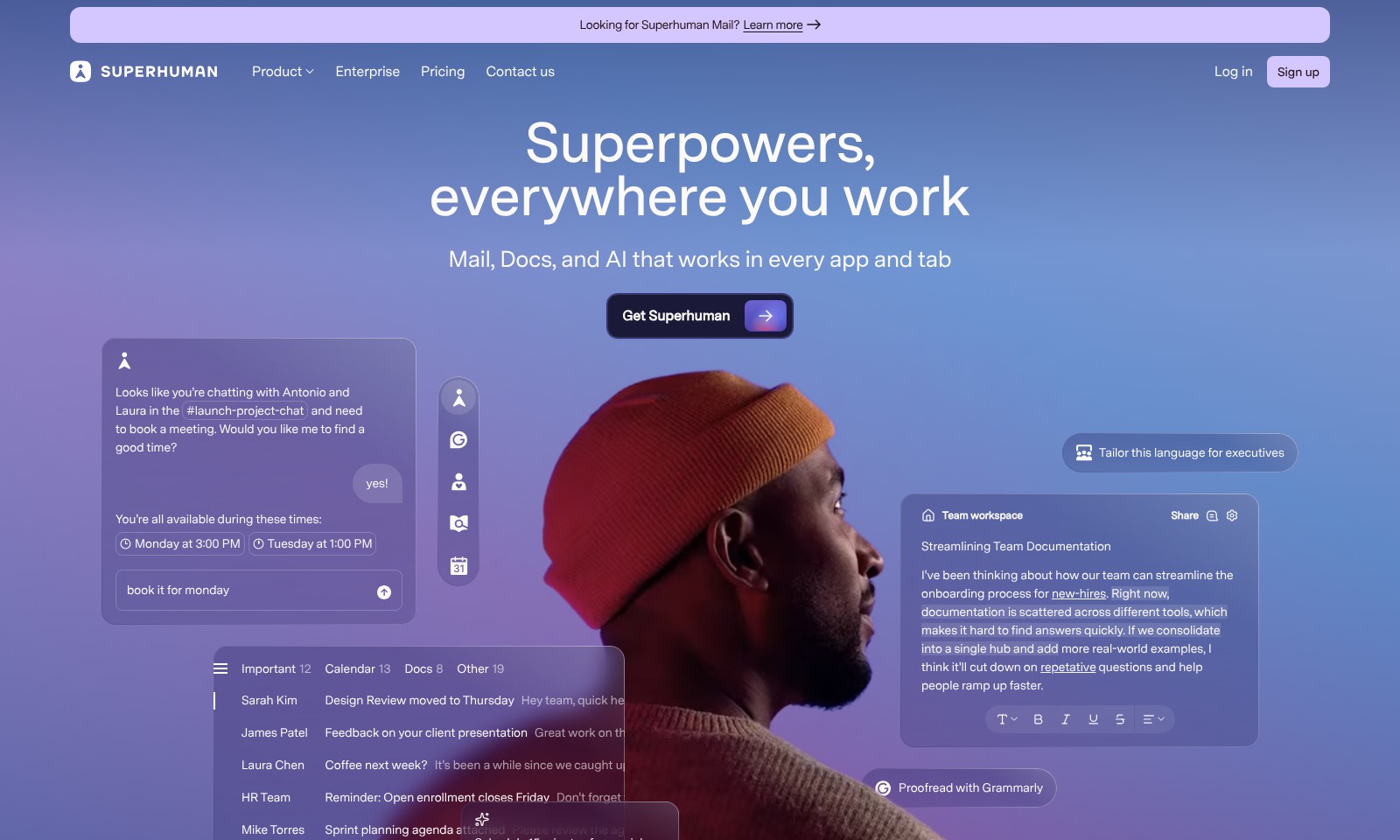
Superhuman Mail offers integrated AI solutions for email and team collaboration, helping users work faster and more effectively across platforms.
Superhuman Introduction
Superhuman Mail: Transforming Your Productivity
Superhuman Mail provides a streamlined experience that enhances your communication and collaboration like never before. With powerful integrations, intuitive design, and AI-driven features, this platform ensures that you can manage your emails, documents, and meetings seamlessly across all your applications and workflows.
Superhuman Features
Superhuman Mail - Enhanced Communication Experience
Maximize your productivity with a streamlined email interface that integrates seamlessly with your workflow. Focus on what matters with smart sorting and prioritization.
AI-Driven Meeting Suggestions - Efficient Scheduling
Leverage advanced AI to suggest optimal meeting times based on participants' availability. Reduce back-and-forth emails and save time in scheduling sessions.
Collaborative Document Tools - Real-Time Updates
Work simultaneously on documents with team members, ensuring everyone stays on the same page. Experience instant updates and a shared workspace.
Advanced Calendar Integration - Unified Planning
Easily sync your calendar with multiple tools for a holistic view of your schedule. Enjoy features like color-coded events and quick rescheduling to enhance your planning.
User-Centric Design - Intuitive Experience
Navigate through the app effortlessly with an interface designed for ease of use. Minimize distractions and focus on productivity with user-friendly controls.
Customizable Notifications - Stay Informed
Tailor notification settings to your preferences and only receive updates that matter to you. This keeps your attention where it is needed most without unnecessary interruptions.
Powerful Search Capabilities - Find Information Fast
Utilize advanced search features to quickly locate emails, documents, and calendar events. Save valuable time and enhance your efficiency in retrieving important information.
Frequently Asked Questions About Superhuman
FAQ for Superhuman Mail
What is Superhuman Mail? Superhuman Mail is an advanced email service that integrates seamlessly with various applications and tabs. It combines powerful features such as smart organization, scheduling, and automated replies to enhance your productivity.
How does Superhuman Mail integrate with other tools? Superhuman Mail is designed to work in tandem with popular productivity tools and applications. This means you can manage your emails while actively collaborating on documents or hosting meetings without switching between apps, making it easier to stay focused and organized.
What features make Superhuman Mail stand out? Superhuman Mail offers a range of unique features including AI-driven insights, customizable shortcuts, and advanced filtering options. These features ensure that your mailbox is always organized, helping you to prioritize important tasks effectively.
How do I sign up for Superhuman Mail? You can sign up for Superhuman Mail directly on our website. Simply navigate to the 'Sign up' section, where you can create an account by entering your email and other required details. The signup process is quick and user-friendly.
Is there a free trial available for Superhuman Mail? Yes, we offer a free trial for new users. This allows you to explore all the features of Superhuman Mail and see how it can enhance your workflow before committing to a paid subscription.
What support options are available if I have questions or issues? Superhuman Mail provides various support options including email assistance and a comprehensive FAQ section on our website. Additionally, you can reach out through the contact page for more personalized help.
How to Use Superhuman
Step 1: Sign Up for an Account
To get started, navigate to the registration section of the Superhuman website. Fill in your details in the sign-up form, ensuring accurate information to streamline your user experience. After submission, check your email for a confirmation link.
Step 2: Verify Your Email
Locate the email from Superhuman in your inbox. Click on the verification link provided. This step is crucial as it confirms your account and enables you to access all features.
Step 3: Set Up Your Profile
Once verified, log in to your account and head to the profile settings. Fill out your personal information, preferences, and upload a profile picture to personalize your experience. This will help you make better connections within the platform.
Step 4: Integrate Your Email
Connect your existing email account to Superhuman for seamless communication. Follow the prompts to enter your email credentials securely. This allows you to send and receive emails through the Superhuman interface.
Step 5: Explore the Dashboard
Take some time to familiarize yourself with the Superhuman dashboard. Check out different sections including Mail, Docs, and AI features. Understanding the layout will help you navigate effortlessly.
Step 6: Learn Key Features
Engage with the key features offered by Superhuman. Use the search function, tagging system, and AI tools designed to enhance your productivity. Spend time experimenting with these features to discover their full potential.
Step 7: Book Meetings
To book a meeting using the integrated calendar, click on the calendar icon. Select your availability and send invites to participants. Ensure to provide sufficient details to make the meeting productive.
Step 8: Stay Updated
Keep an eye on notifications for any updates from the Superhuman team or collaborators. Regular check-ins can help you stay informed about changes or new features that could benefit your workflow.
Step 9: Utilize Support Resources
If you encounter any issues, don’t hesitate to access the support section. Superhuman offers detailed guides and customer support to assist users in resolving any problems swiftly.
Reviews
Pros
- Easy to use
- Fast processing
- Great results
- Affordable pricing
Cons
- Limited free version
- Requires internet connection
Comments
No comments yet. Be the first to share your thoughts!
Superhuman - Alternative Platforms
For some alternatives to Superhuman that you may need, we provide you with sites divided by features.

Touchpoint allows users to create stylish email templates effortlessly using AI, streamlining the entire design and sending process.
Spark provides a smart email experience with features like priority emails, collaboration tools, and enhanced focus options to boost productivity.
Serif streamlines email tasks, letting users save hours daily with automated replies and inbox management, enhancing productivity for professionals.
An AI-powered newsletter generator for seamless content creation, designed for e-commerce, marketers, and personal use to enhance engagement.