Z Image Turbo
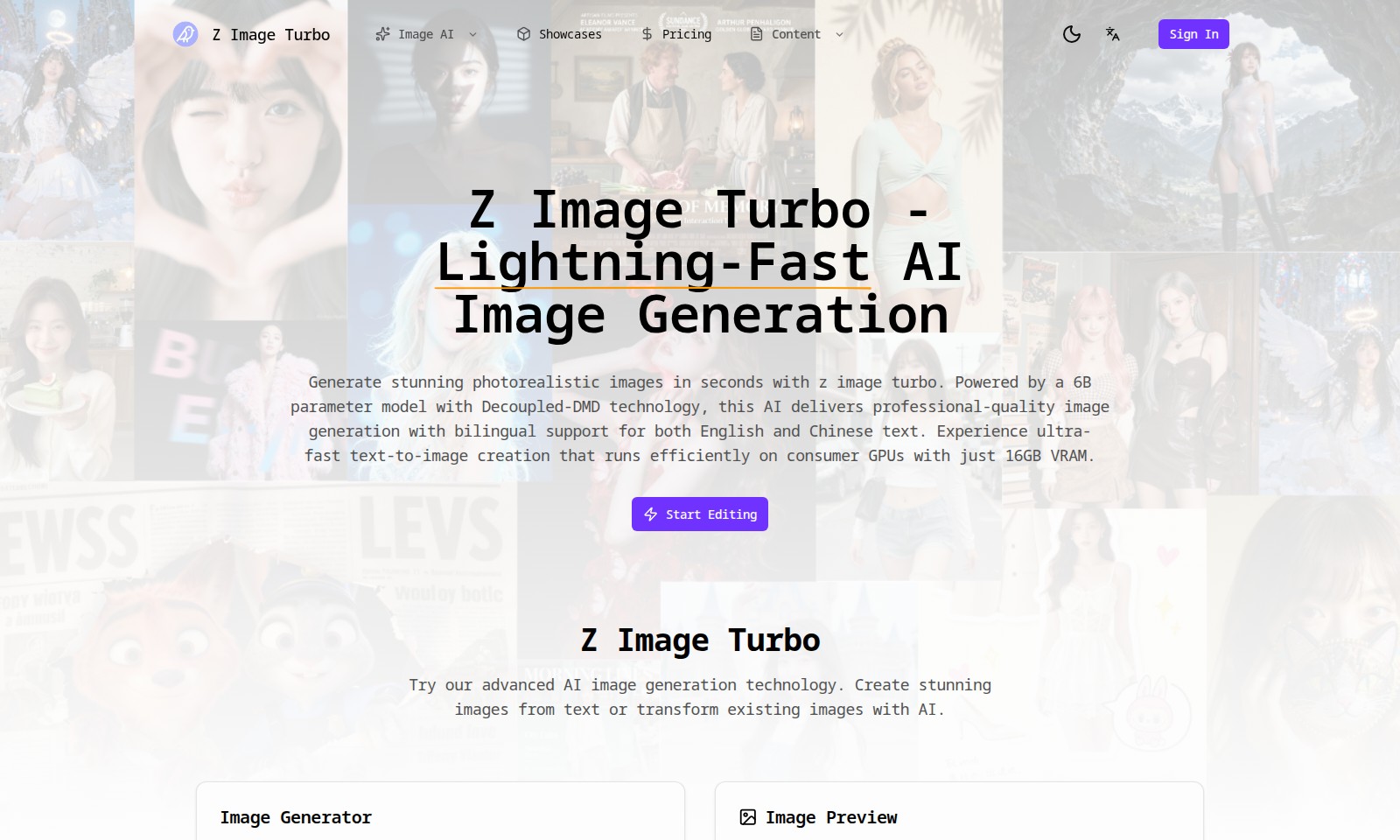
Z Image Turbo offers lightning-fast, high-quality AI image generation, allowing users to create photorealistic images quickly and efficiently.
Z Image Turbo Introduction
Z Image Turbo - AI-Powered Image Generation
Z Image Turbo stands at the forefront of AI image generation, offering users the ability to create stunning photorealistic images in mere seconds. Leveraging a cutting-edge 6B parameter model combined with Decoupled-DMD technology, this platform is designed for professionals who demand high-quality visuals without the wait. With bilingual support for both English and Chinese, Z Image Turbo opens the door for a global audience, ensuring that users can efficiently generate high-quality images no matter their language preference.
Z Image Turbo is more than just speed; it's about empowering users with state-of-the-art tools to bring their creative visions to life effortlessly.
Z Image Turbo Features
Z Image Turbo - Lightning-Fast AI Image Generation
Experience the future of image creation with Z Image Turbo. Users can generate stunning photorealistic images in mere seconds, transforming textual descriptions into vibrant visuals effortlessly. Powered by a robust 6B parameter model and Decoupled-DMD technology, our platform stands out with its professional-quality image generation capabilities. Designed for seamless integration, it boasts bilingual support, catering to both English and Chinese-speaking audiences.
Start Editing - Advanced Image Generation Technology
Dive into advanced AI technology with Z Image Turbo. Users are empowered to create breathtaking images from text prompts or enhance existing visuals, all with the intuitive user interface that guides them step by step. The technical excellence of our image generator is apparent in its efficiency, which runs smoothly on consumer GPUs with just 16GB VRAM, making it accessible to a broader user base.
Image Generation Features that Matter
Our platform highlights essential features tailored to meet user needs in various contexts. The image generator emphasizes adaptability in aspect ratios, seed values, and output formats ensuring that each generated image aligns perfectly with the user's specifications. Utilize our structured prompt system to maximize creativity and achieve desired outputs effortlessly.
Gallery - Showcase Your Creativity
Our in-platform gallery demonstrates the power of Z Image Turbo, where users can witness the remarkable output generated in milliseconds. The showcased images not only reflect the quality of our technology but also inspire users to push the boundaries of what they can create with AI.
Cost-Effective Innovation - Credits System
Z Image Turbo operates on a credit-based system, ensuring that users can manage their resources efficiently. Each image generation costs just 2 credits, with options available to purchase additional credits as needed. This flexible system allows users to explore vast creative possibilities without major upfront investments.
Sign In - Personalize Your Experience
To enhance user engagement, the platform offers a streamlined sign-in process that personalizes experience, allowing users to save their favorite creations and access a history of generated images. This functionality encourages a more profound creative journey, enabling users to track their progress and refine their skills over time.
Frequently Asked Questions About Z Image Turbo
Frequently Asked Questions about Z Image Turbo
1. What is Z Image Turbo?
Z Image Turbo is a state-of-the-art AI image generator designed to produce stunning photorealistic images in just seconds. Utilizing advanced Decoupled-DMD technology and a powerful 6 billion parameter model, it offers professional-quality images efficiently.
2. How do I generate images with Z Image Turbo?
To create images, simply type your desired text prompt into the image generator interface, select the appropriate settings like aspect ratio and output format, and then click 'Generate.' The system will create your images in milliseconds.
3. Do I need a powerful computer to use Z Image Turbo?
While Z Image Turbo is optimized for performance, it requires a consumer GPU with at least 16GB of VRAM to operate efficiently. This allows users to enjoy lightning-fast image generation without needing overly specialized hardware.
4. Can I use Z Image Turbo for commercial purposes?
Yes, images generated using Z Image Turbo can be used for commercial purposes. However, be sure to review the licensing policies associated with the generated content on our website to ensure compliance with our terms.
5. Is Z Image Turbo available in other languages?
Yes, Z Image Turbo supports bilingual output in both English and Chinese, making it accessible to a wider audience. You can input prompts in your preferred language, and the system will generate corresponding images.
6. What are the costs associated with using Z Image Turbo?
Z Image Turbo operates on a credit-based system where generating an image costs 2 credits. Users can purchase credits directly through the website, ensuring a straightforward payment process for accessing our cutting-edge technology.
How to Use Z Image Turbo
Step 1: Register an Account
To begin using Z Image Turbo, visit the website and click on the 'Sign In' button. Follow the prompts to create your account by providing your email address and setting a password. Ensure your password is secure to protect your account.
Step 2: Verify Your Email
Check your email for a verification link from Z Image Turbo. Click the link to confirm your registration. This step is essential to activate your account and gain full access to the site’s features.
Step 3: Sign In to Your Account
Return to the Z Image Turbo website and click the 'Sign In' button. Enter your email and password to log into your account. If you encounter issues, use the 'Forgot Password' option to reset it.
Step 4: Explore the Dashboard
Once logged in, you will see your user dashboard. Familiarize yourself with the layout, including sections for 'Image Generator', 'Gallery', and 'Buy Credits'. Understanding these areas will help you navigate the features effectively.
Step 5: Buy Credits
Before generating images, you may need to purchase credits. Click on the 'Buy Credits' button and choose your desired credit package. Complete the transaction using your payment method. Remember, each image generation costs 2 credits.
Step 6: Use the Image Generator
Navigate to the 'Image Generator' section. Here, you can input text prompts to create images. Type your descriptive prompt in the 'Prompt' field, select your preferred 'aspect_ratio', and any other settings available.
Step 7: Generate Your Image
After setting up your prompt and options, press the 'Generate Image' button. Wait for a few moments while Z Image Turbo processes your input into a stunning photorealistic image. The output will appear below the generator input area.
Step 8: Preview and Edit Your Image
Once generated, you can view your image in the 'Image Preview' section. If you want to make adjustments, consider editing the prompt or the settings to refine the image output. Make your modifications and generate again as needed.
Step 9: Save Your Images
After finalizing your images, download them by selecting the download option. Ensure you save them in your preferred format, such as jpg. This allows you to use the images for various projects or share them with others.
Step 10: View Your Gallery
To see all your generated images, go to the 'Gallery' section. Here, you can browse previously created images, providing you with inspiration and a portfolio of your work. It’s also a great way to revisit your favorite creations.
Reviews
Pros
- Easy to use
- Fast processing
- Great results
- Affordable pricing
Cons
- Limited free version
- Requires internet connection
Comments
No comments yet. Be the first to share your thoughts!
Z Image Turbo - Alternative Platforms
For some alternatives to Z Image Turbo that you may need, we provide you with sites divided by features.

Login to Logo Diffusion with various methods or register. The site uses cookies for personalization and traffic analysis.
The AI SVG Generator transforms text into scalable vector graphics, enabling effortless logo creation, illustrations, and more for modern web and branding.
Patternaly is an online AI pattern generator for creating stunning seamless patterns effortlessly, suited for various design needs.