Image to Image AI
AIImageToImage.ai is an online AI image editor that lets you upload images, describe your desired edits, and quickly generate transformed versions using advanced AI tools.
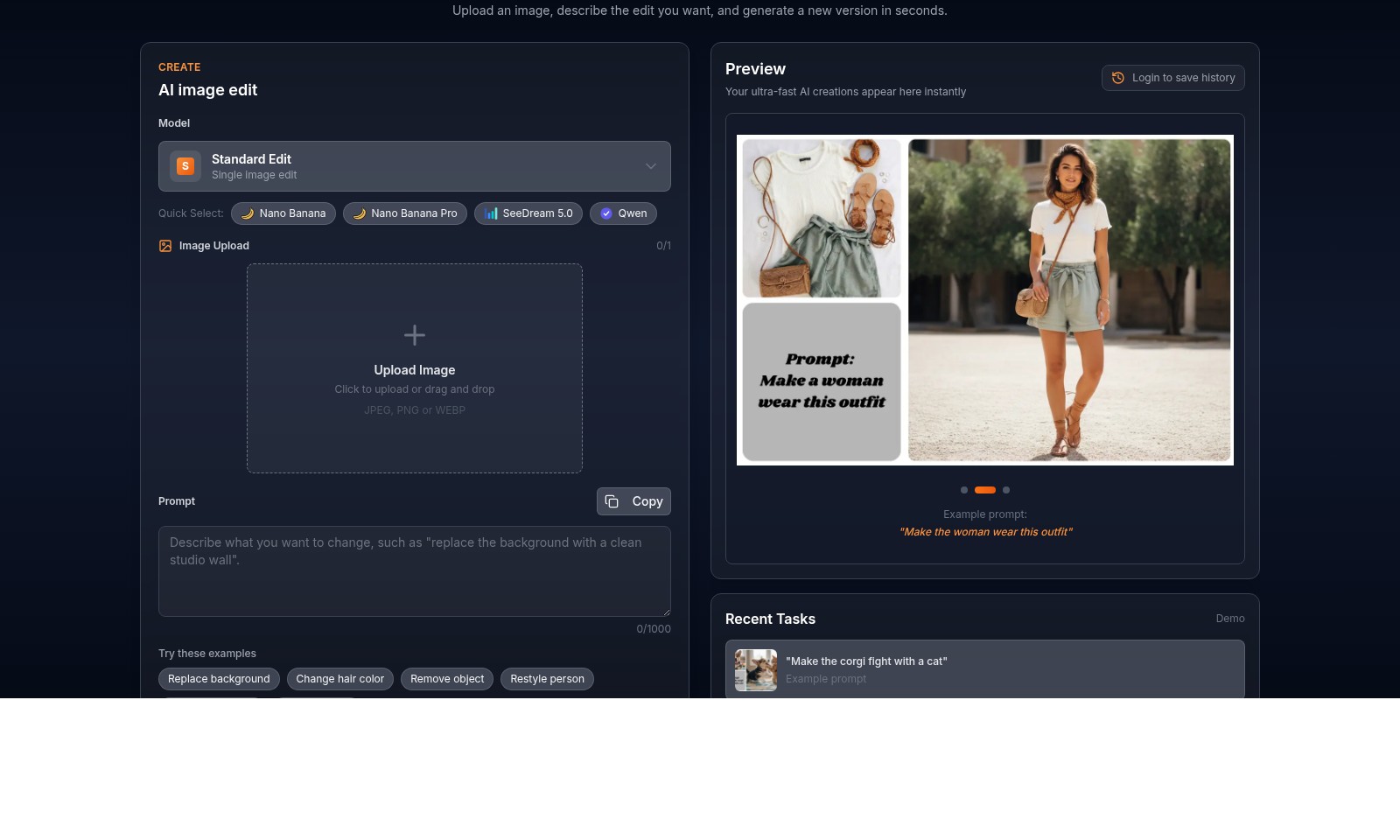
Image to Image AI Introduction
Transform Your Images with Cutting-Edge AI Technology
AIImageToImage.ai is your ultimate destination for powerful AI-driven image editing. Our platform enables users to effortlessly transform their photos by simply uploading an image and providing a description of the desired edits. Within seconds, our sophisticated algorithms generate a new version of your image, opening a world of creative possibilities at your fingertips. Experience the efficiency of image editing like never before, all while enjoying a user-friendly interface designed to streamline your editing process.
Image to Image AI Features
AI Image Editor - Effortless Enhancement
Experience rapid transformations with our AI Image Editor. Users can upload an image and simply describe their desired edits, resulting in a new version in seconds. This not only saves time but also enhances creativity through easy editing options.
Specialized Tools - Tailored Precision
Our suite of specialized tools is designed to meet various editing needs. Features include advanced background removal, color adjustments, and even restoration capabilities for old photos, ensuring that every user finds the right solution for their image editing tasks.
E-commerce Automation - Streamlined Operations
For e-commerce businesses, our platform provides automated image processing that standardizes product displays, effectively removing backgrounds and optimizing images for quick loading times. This results in a user experience that is both consistent and high-quality.
Speed and Efficiency - Instant Results
Our ultra-fast AI engines generate edits instantly, allowing users to view their changes in real-time. This immediate access expedites workflows, particularly for professionals needing quick turnaround times on image edits.
User-Friendly Interface - Accessible for All
Designed with user experience in mind, our platform features an intuitive interface that enables users of any skill level to navigate the editing process seamlessly. This ensures that even those without technical expertise can achieve high-quality results effortlessly.
Image to Image Transformation - Innovative Editing
The image-to-image transformation capability allows users to seamlessly integrate different styles and modifications into their existing images. This innovative feature facilitates enhancing visual storytelling and aesthetics with minimal effort.
Credit-Based Functionality - Flexible Usage
Our credit-based system allows users to access a variety of features without a subscription commitment. With just 2 credits per image transformation, users can maximize their editing potential based on their specific needs and frequency of use.
Frequently Asked Questions About Image to Image AI
What is AI Image to Image Editor?
The AI Image to Image Editor is a powerful tool that allows you to edit photos quickly and efficiently using artificial intelligence. You simply upload an image, provide a description of the desired edits, and the AI generates a new version of your photo in seconds.
How do I use the image upload feature?
To use the image upload feature, click on the designated area to upload your photo, or you can drag and drop your image directly onto the upload space. The tool accepts JPEG, PNG, or WEBP formats, making it easy to work with different file types.
What types of edits can I make?
You can make a variety of edits, including changing the background, altering hair color, removing objects, restyling a person, or restoring old photos. Simply describe the edit you want in the prompt section, and the AI will take care of the rest.
How many credits do I need to generate an image?
Each image generation costs 2 credits. Make sure to check your credit balance before attempting to create new images. You can manage your credits easily through your account settings.
Is there a way to save my image editing history?
Yes, you can log in to your account to save your editing history. This allows you to revisit your previous projects and continue working on them or use them as a template for future edits.
What if I need help using the AI Image Editor?
If you need assistance, there are examples and prompts available to guide you through the editing process. Additionally, our customer support team is always ready to help with any questions you may have.
How to Use Image to Image AI
Step 1: Register for an Account
To get started, visit AIImageToImage.ai and click on 'Sign In' at the top right corner. If you don’t have an account, select 'Register'. Fill out the required fields such as your email and password, then submit your registration.
Step 2: Log In
Once registered, return to the website and click 'Sign In'. Enter your credentials to access your account. You’ll be redirected to the main dashboard of the AI image editor.
Step 3: Upload an Image
On the dashboard, find the 'Upload Image' section. Click 'Click to upload or drag and drop' to select an image from your device. Supported formats include JPEG, PNG, or WEBP.
Step 4: Describe Your Edit
In the 'Prompt' field, type a clear description of the edits you want to apply. Examples could include 'Change hair color' or 'Replace background'. Ensure your prompt is within the 1000-character limit for optimal results.
Step 5: Select AI Model
Choose the desired AI model from the 'Model' dropdown menu. You can select options like 'Nano Banana' or 'SeeDream 5.0' depending on the complexity of your edit needs.
Step 6: Generate Your Image
After inputting all details and selecting an AI model, click the 'Generate Image' button. This will consume 2 credits from your account. Your edited image will be processed swiftly.
Step 7: Preview Your Results
Once the processing is complete, your AI-generated image will appear in the preview section. Review the output to see if it meets your expectations.
Step 8: Save Your History
To keep track of your projects and see past edits, log in regularly to save your editing history. This feature is accessible on your dashboard and allows easy re-editing or referencing of previous tasks.
Step 9: Explore Additional Features
Take advantage of AIImageToImage.ai’s additional tools like e-commerce automation and specialized photo editing options. Use these tools to standardize product images or create compelling visual content for your business.
Reviews
Pros
- Easy to use
- Fast processing
- Great results
- Affordable pricing
Cons
- Limited free version
- Requires internet connection
Comments
No comments yet. Be the first to share your thoughts!
Image to Image AI - Alternative Platforms
For some alternatives to Image to Image AI that you may need, we provide you with sites divided by features.

Editaimg is an AI-powered image editor that allows users to edit images with ease, featuring tools for background removal, object replacement, and more.
BuildFloorPlan is an AI tool for generating and refining floor plans from various inputs, ideal for early planning and layout discussions.
BookCoverAI allows authors to generate customized book covers effortlessly, supporting various publishing formats and styles.
AI Anime Generator allows users to create consistent anime characters, manage multi-project workflows, and generate animations from various inputs.