Nano Banana AI
Effortlessly edit and transform your images with Banana AI's powerful features like 3D figurines, background replacement, and style conversion.
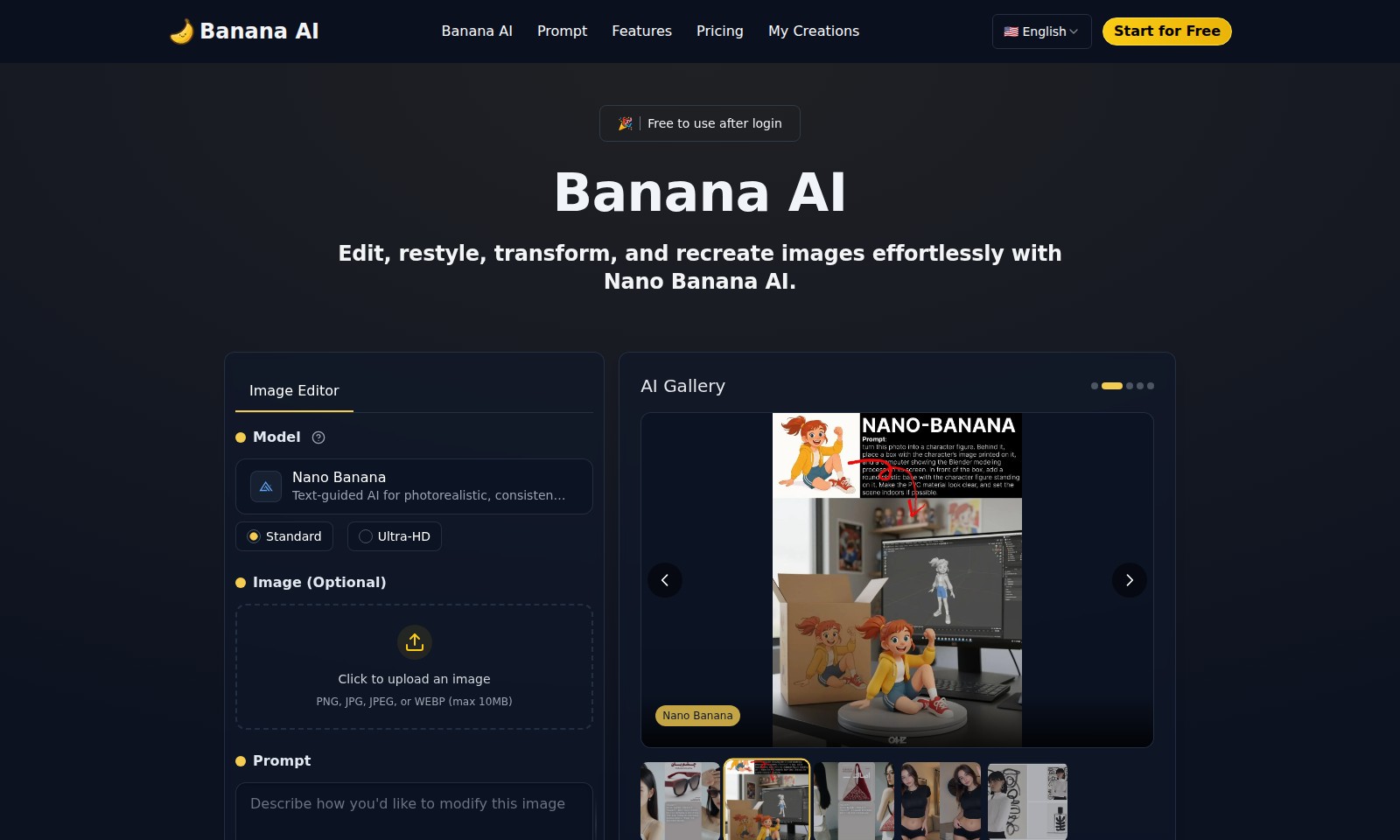
Nano Banana AI Introduction
Unlock Your Creativity with Banana AI
Banana AI is your go-to platform for editing, restyling, transforming, and recreating images with remarkable ease. Powered by the advanced Nano Banana model, this website offers text-guided AI capabilities that ensure photorealistic and consistent image edits. Whether you're an artist looking to refine your creations or a casual user aiming to enhance photographs, Banana AI provides the tools needed to elevate your visual content effortlessly.
Nano Banana AI Features
Image Editor - Effortless Transformation
Banana AI's Image Editor enables users to edit, restyle, and transform images seamlessly. Featuring the Nano Banana model, our platform utilizes text-guided AI for photorealistic and consistent edits, providing an intuitive experience for users in creative fields.
AI Gallery - Showcase Your Creations
The AI Gallery allows users to showcase their AI-generated works in a dedicated space. With an emphasis on community engagement, users can share their masterpieces and gain inspiration from others, enhancing the collaborative atmosphere for artists and designers.
3D Figurines - Bring Photos to Life
Convert photos into playful 3D figurines with realistic structure and perspective. This feature stands out by supporting dimensions that reflect true-to-life proportions, making it ideal for users looking to create personalized gifts or collectibles.
Ultra-HD Rendering - Unmatched Detail
Experience unparalleled detail with our Ultra-HD rendering capabilities. This feature assures users of crisp and vibrant images, perfectly suited for high-resolution displays, crucial for professionals in advertising and digital media.
Transformative AI Functions - Versatile Options
Banana AI provides a multitude of options, from 3D figurines to anime transformations. This versatility enables users to explore diverse creative avenues, catering to a broad spectrum of needs, whether for personal projects or business endeavors.
Frequently Asked Questions About Nano Banana AI
Frequently Asked Questions about Banana AI
Q1: What is Banana AI and how can it help me with image editing?
Banana AI is a powerful photo editing and transformation suite powered by the Nano Banana technology. It allows users to effortlessly edit, restyle, and recreate images through innovative AI-driven features.
Q2: What types of image uploads does Banana AI support?
Users can upload images in PNG, JPG, JPEG, or WEBP formats, with a maximum file size of 10MB. This flexibility ensures that you can work with a variety of image formats while using Banana AI.
Q3: Is Banana AI free to use?
Yes, Banana AI is free to use after you log in. This means that you can start exploring its features without any initial costs and discover how the AI can enhance your images.
Q4: Can Banana AI create 3D figurines from my photos?
Absolutely! Banana AI can turn your photos into playful 3D figurines complete with realistic structures, perspectives, and shading, allowing you to bring your images to life in a unique way.
Q5: What types of transformations can I create with Banana AI?
With Banana AI, you can perform a range of transformations including photorealistic edits, styles like Funko Pop figures, LEGO minifigures, crochet dolls, and even anime to cosplay transformations, making it a versatile tool for creative projects.
Q6: How does the credit system work for generating images?
Each generation of images using Banana AI requires 2 credits. Users can start with free credits and can purchase additional credits if they wish to create more intricate designs or transformations.
How to Use Nano Banana AI
Step 1: Register an Account
Visit the Banana AI website and click on 'Start for Free'. Fill in the required fields with your information to create an account. Ensure that your email is valid as you'll need it for confirmation.
Step 2: Confirm Your Email
Check your inbox for a confirmation email from Banana AI. Click on the link provided in the email to verify your account and activate your access to the platform.
Step 3: Set up Your Profile
Once logged in, navigate to your profile settings. Fill in any additional information needed such as your display name and preferences to personalize your experience.
Step 4: Explore Features
Browse through the various features available on the dashboard, including image generation and editing tools. Familiarize yourself with what each feature can do.
Step 5: Upload an Image
To start editing, click on the 'Click to upload an image' button. Choose a PNG, JPG, JPEG, or WEBP file from your device (max 10MB) that you want to transform.
Step 6: Select AI Function
After uploading your image, select the AI function you’d like to use, such as 3D Figurine, LEGO Minifigure, or Anime to Cosplay. This determines how your image will be transformed.
Step 7: Generate Your Image
Hit the 'Generate' button to see the power of Banana AI in action. Wait for the process to complete and your transformed image will appear shortly.
Step 8: Save Your Creation
Once satisfied with the generated image, download it to your device by clicking on the save option. Enjoy sharing your creations with friends or on social media.
Step 9: Access Your Creations
Return to 'My Creations' in the menu to see all the images you have generated. Here, you can find and manage them easily anytime.
Step 10: Explore More
Keep experimenting with different images and AI functions. The more you explore, the more you’ll learn about the impressive capabilities of Banana AI.
Reviews
Pros
- Easy to use
- Fast processing
- Great results
- Affordable pricing
Cons
- Limited free version
- Requires internet connection
Comments
No comments yet. Be the first to share your thoughts!
Nano Banana AI - Alternative Platforms
For some alternatives to Nano Banana AI that you may need, we provide you with sites divided by features.

Easily solve PDF, image, video, and text issues with TinyWow's free tools, including creators, editors, and AI features.
Elevate your brand with Blaze's AI marketing tools, designed for rapid growth in social media, content creation, and audience engagement.
MiriCanvas offers a comprehensive design platform with millions of templates and AI editing tools, perfect for various creative projects.
Discover Jasper, the AI platform transforming marketing operations through automated content pipelines and intelligent workflows.