Clipfly
Discover Clipfly’s AI video generator and editing tools to create high-quality videos, remove unwanted elements, and enhance your media effortlessly.
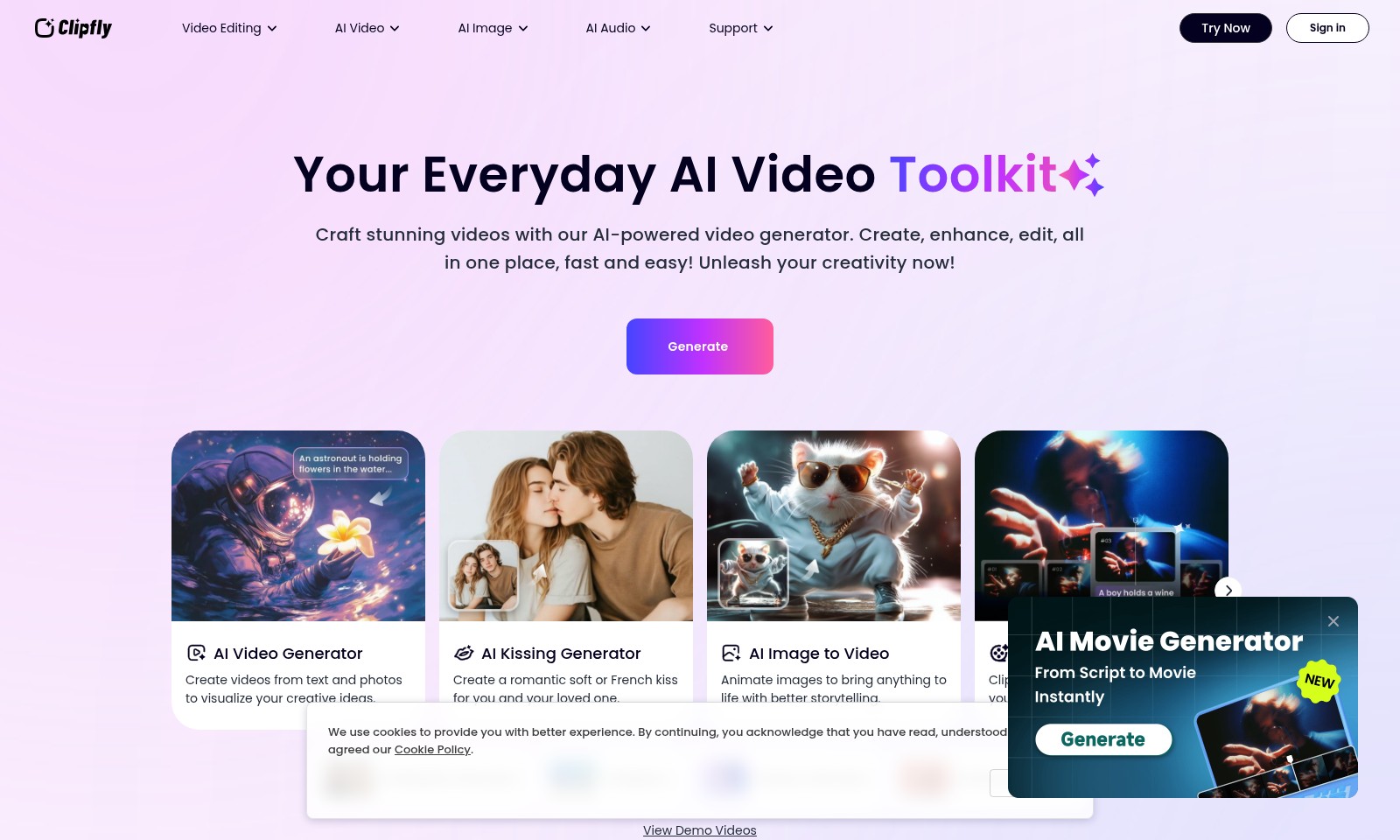
Clipfly Introduction
Your Everyday AI Video Toolkit
Craft stunning videos with our AI-powered video generator. Create, enhance, and edit all in one place, fast and easy! Unleash your creativity now!
Clipfly Features
AI Video Generator - Create from Any Inspiration
Transform your ideas into engaging videos effortlessly. Our AI video generator allows you to create videos directly from text and photos, making it perfect for creators looking to visualize concepts quickly and effectively.
AI Storyboard - Instant Script to Video
Streamline your video production process with our AI storyboard generator. It's designed for professionals looking to turn scripts into visual narratives in a matter of minutes, enhancing productivity while ensuring a smooth workflow.
Watermark Remover - Clean Footage in Seconds
Say goodbye to distracting watermarks instantly. Our watermark remover tool is engineered for video editors who want to maintain a pristine look without tedious editing, ensuring all your footage is polished and distraction-free.
Video Object Remover - Perfect Your Shots
Achieve perfect scenes without unwanted elements. Our video object remover is tailored for content creators who need to eliminate distractions, allowing for cleaner visuals and a more focused viewer experience.
Video Text Remover - Enhance Visual Clarity
Remove distracting text effortlessly with our video text remover. Ideal for marketers and vloggers, this tool helps in maintaining a clean aesthetic in your videos, allowing the content to shine without unnecessary distractions.
Frequently Asked Questions About Clipfly
FAQs
1. What is the AI Video Generator and how can it help me?
The AI Video Generator allows you to create videos from text and photos, making it easy to visualize your creative ideas without needing extensive video editing skills. You simply input your concepts, and the AI does the rest to produce stunning videos quickly.
2. Can I remove watermarks from my videos?
Yes, our Watermark Remover tool lets you remove both static and moving watermarks instantly, allowing you to enhance your video without distractions. This ensures your content looks professional and polished.
3. How does the AI Image to Video feature work?
The AI Image to Video feature animates your images and turns them into engaging videos. By bringing images to life, it enhances storytelling and ensures that your audience remains captivated throughout your content.
4. Is there a way to edit my videos online?
Certainly! Our Video Editor provides a range of versatile tools that allow you to polish your video creations easily. Whether you're enhancing visuals or cutting clips, you can do it all online without downloading software.
5. What is the AI Storyboard feature?
Our AI Storyboard generator is designed to help you streamline your video production process. You can effortlessly transform your script into a video storyboard, making it simpler to visualize your project and plan your shots effectively.
6. Can I get rid of unwanted objects in my videos?
Absolutely! With the Video Object Remover, you can effortlessly eliminate any unwanted elements from your footage. This ensures that your videos are clean and focused on the essential content you wish to showcase.
How to Use Clipfly
Register an Account
Visit the website and click on the 'Sign in' button at the top-right corner. Select 'Register' to create a new account using your email address and a secure password. Ensure to confirm your email to activate your account.
Set Up Your Profile
Once logged in, navigate to your profile page. Fill in your personal information and preferences to better personalize your experience. Upload a profile picture to present yourself and make navigation easier.
Explore AI Video Features
Familiarize yourself with the various features available. Start with the 'AI Video Generator' to create videos from your text and photos, allowing you to visualize your creative ideas effectively.
Utilize AI Kissing Generator
Make moments special with the 'AI Kissing Generator.' This feature helps you create romantic soft or French kisses, adding a personal touch to your videos. Select the style you prefer and follow the prompts.
Animate Images
Use the 'AI Image to Video' tool to bring static images to life. This feature enhances storytelling by animating your images, making your content more engaging. Upload the images you want to animate, and the generator will do the rest.
Create a Storyboard
Leverage Clipfly’s AI Storyboard feature to turn your script into an online video. Simply input your script, and the tool will help organize your content into a professional storyboard ready for filming.
Remove Watermarks
If your video has distracting watermarks, utilize the ‘Watermark Remover’ tool. This feature allows you to eliminate static and moving watermarks easily, ensuring your videos look clean and professional.
Clean Up Your Footage
For an immaculate finish, use the 'Video Object Remover' to remove any unwanted elements from your footage. Just select the objects to erase, and the tool will clear them for a sleeker look.
Edit Your Video
Finally, polish your creation with the 'Video Editor.' This versatile tool offers various editing options to enhance the quality of your video, including trimming, adjusting colors, and adding effects. Once satisfied, save and share your masterpiece with the world!
Reviews
Pros
- Easy to use
- Fast processing
- Great results
- Affordable pricing
Cons
- Limited free version
- Requires internet connection
Comments
No comments yet. Be the first to share your thoughts!
Clipfly - Alternative Platforms
For some alternatives to Clipfly that you may need, we provide you with sites divided by features.

Vozo offers advanced AI tools for video translation and localization, ensuring high-quality results and fast turnaround times for global audiences.
Lumen5 helps businesses convert blogs and documents into professional videos quickly, leveraging AI for efficient video marketing.
Clueso leverages AI technology to transform raw screen recordings into high-quality videos and documentation, empowering teams to create content faster and more efficiently.
Infinity Looper offers an easy solution to generate seamless video loops, ideal for content creators and streamers looking for professional quality.