Dabble
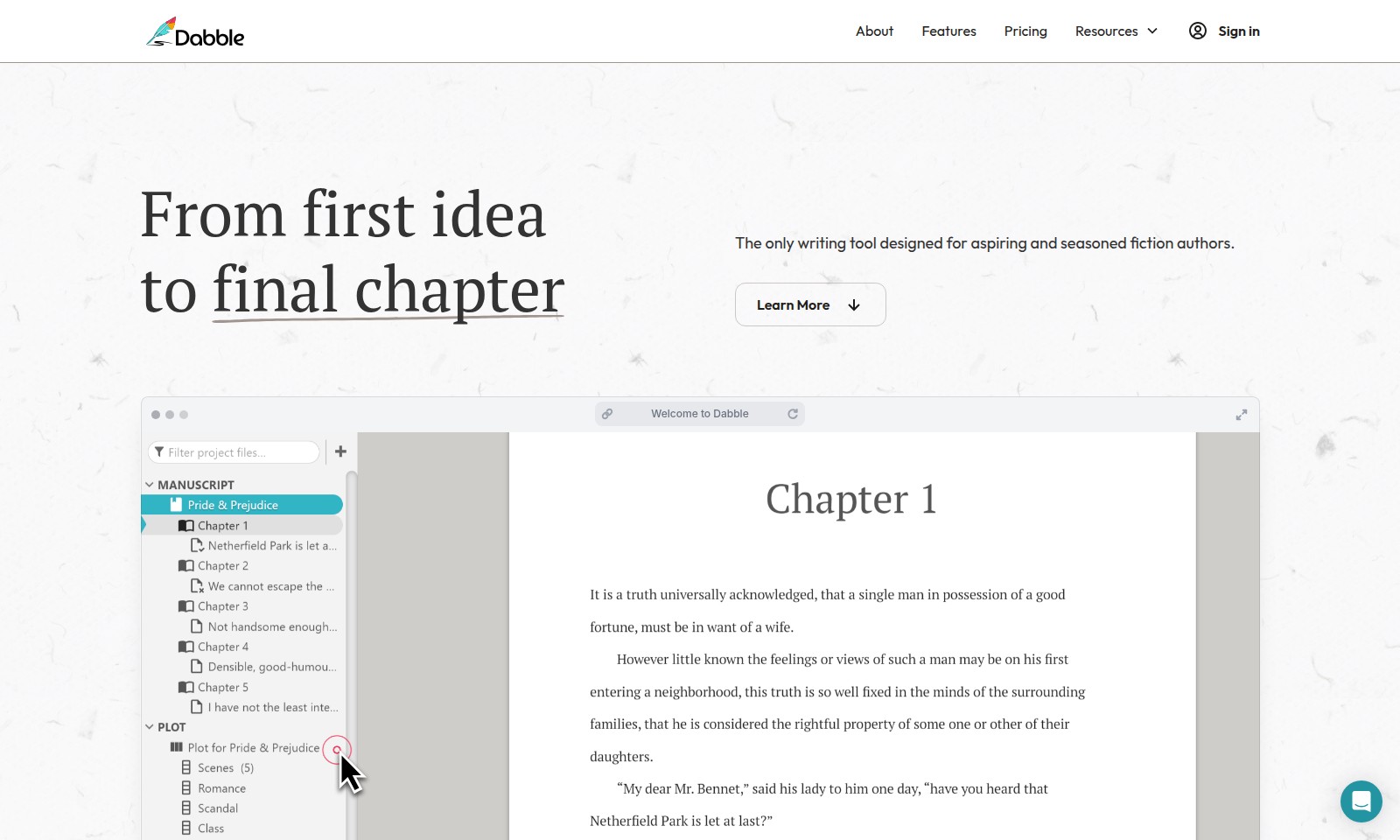
Dabble combines ease of use with powerful tools for writers, helping them craft their novels with less friction and more focus.
Dabble Introduction
Dabble: The Ultimate Writing Tool for Fiction Authors
Dabble is specifically crafted for aspiring and seasoned fiction authors, offering a streamlined and intuitive interface that simplifies the writing process. Unlike traditional text editors like Google Docs, which can become cumbersome with large manuscripts, or complex software like Scrivener, which often overwhelms users with unnecessary features, Dabble focuses on what truly matters: writing your story efficiently and effectively.
Dabble Features
Writing Workflow Optimization - Effortless Novel Development
Dabble is designed to streamline the writing process for both aspiring and seasoned fiction authors. Its intuitive interface allows writers to focus on creativity without the hassle of complicated formatting. With features like real-time analytics on word count and progress tracking, authors can easily monitor their writing pace and set achievable targets.
Organized Plot Management - Stay on Track
Authors can seamlessly keep track of characters and plot points to avoid narrative confusion. Dabble’s organization tools help ensure that critical story elements remain easily accessible. Dabble offers a visual story map feature, allowing writers to see narrative arcs and structure at a glance.
Distraction-Free Environment - Focus on Writing
With Dabble, writers can immerse themselves in their stories without the distraction of unnecessary features. The clean design encourages a productive writing environment, essential for high-quality output. The minimalistic interface enhances focus, helping writers achieve their daily word counts without interruption.
Integrated Collaboration - Write with Others
Collaboration is simplified in Dabble, allowing multiple authors to work on a manuscript without losing context. This is particularly beneficial for writers who engage in co-authoring projects. Dabble includes shared writing sessions to enhance teamwork and streamline the feedback process.
Comprehensive Writing Tools - All-in-One Solution
Dabble combines multiple tools necessary for writing into one comprehensive platform, reducing the need for external applications. This is particularly advantageous for those who juggle various writing tasks. From drafting to editing, Dabble provides features tailored to each writing stage, ensuring users have the tools they need at their fingertips.
Offline Access - Write Anytime, Anywhere
Authors often seek the freedom to write in varied environments, and Dabble supports offline access for uninterrupted workflow. Writers can capture inspiration wherever they are without worrying about connectivity. This feature enables users to keep writing even in areas with poor internet service, ensuring creativity knows no bounds.
Frequently Asked Questions About Dabble
FAQs about Dabble Writing Tool
1. What is Dabble and how does it help fiction authors? Dabble is a specialized writing tool designed for both aspiring and seasoned fiction authors. It provides an intuitive interface that streamlines the writing process, helping you focus on your story without the distractions typically associated with other writing software.
2. Can I use Dabble for long manuscripts? Absolutely! Unlike Google Docs, which can struggle with large documents, Dabble is built for writing extensive works such as novels. It allows you to manage your manuscript efficiently, ensuring that you can work on your book without running into formatting issues or lag.
3. How does Dabble support organization and planning for my book? Dabble offers features that simplify organizing your narrative, allowing you to track plot points, character arcs, and chapters seamlessly. You won't have to worry about losing significant plot concepts, as Dabble keeps everything structured and easy to access.
4. What makes Dabble different from other writing software like Scrivener? While Scrivener provides a plethora of features, it can sometimes overwhelm new users with its complexity. Dabble, in comparison, maintains an easy-to-use interface that feels refreshing. It provides essential tools without the clutter, making writing a more enjoyable experience.
5. How many words can I write with Dabble? You can write an infinite number of words with Dabble! It's designed to help you hit those daily word counts without getting sidetracked. As of now, over 4 billion words have been penned using Dabble, showcasing its effectiveness for writers.
6. Is there any support or resources available for new users of Dabble? Yes, Dabble provides numerous resources to assist new users. From tutorials to customer support, you will find plenty of guidance on how to maximize your experience with the tool, helping you dive straight into your writing journey.
How to Use Dabble
Step 1: Register for an Account
To start using Dabble, visit our website and click on the 'Sign in' button. Then, select the option to create a new account. Fill out the required fields, including your email and password, to complete your registration. Ensure you verify your email to activate your account.
Step 2: Set up Your Profile
Once registered, log in to your account. Navigate to your profile settings and provide any additional information that will help personalize your experience. Include your preferences for writing genres and your writing goals.
Step 3: Explore the Dashboard
After setting up your profile, dive into the main dashboard. Familiarize yourself with the various sections available, including features for writing, tracking word counts, and organizing your stories. This is your command center for all writing activities.
Step 4: Create Your First Project
Start your writing journey by creating a new project. Click on the 'Create New Project' button. Give your project a title and a brief description. This helps you clearly define what you'll be working on.
Step 5: Utilize Writing Features
Dabble offers various writing tools that streamline your process. Use the editor to draft your manuscript, and take advantage of the word count tracker to keep up with your writing goals. The interface is designed to minimize distractions so you can focus on your creativity.
Step 6: Organize Your Manuscript
As you write, you'll want to keep your story organized. Use folders and labels to categorize chapters or scenes. This feature allows you to easily navigate through your manuscript and monitor your progress.
Step 7: Save and Sync Your Work
Make it a habit to save your work regularly. Dabble auto-saves your progress, but it’s always good to manually save too. Ensure you're connected to the internet to sync changes across devices if you are writing on multiple platforms.
Step 8: Review and Edit
With your first draft complete, it’s time to review your work. Use Dabble’s editing tools to help catch typos and grammatical errors. Take advantage of feedback features if you’re working with a writing group or beta readers.
Step 9: Prepare for Publication
When you feel ready to publish, explore Dabble's resources on formatting and exporting your manuscript. Make sure to understand the steps needed to prepare your work for submission to agents or self-publishing platforms.
Step 10: Engage with the Community
As you navigate your writing journey, engage with other authors through Dabble’s community features. Share tips, get feedback, and participate in discussions to enhance your writing experience. Building connections can greatly motivate you and improve your craft.
Reviews
Pros
- Easy to use
- Fast processing
- Great results
- Affordable pricing
Cons
- Limited free version
- Requires internet connection
Comments
No comments yet. Be the first to share your thoughts!
Dabble - Alternative Platforms
For some alternatives to Dabble that you may need, we provide you with sites divided by features.

Create a personalized comedy book in just two minutes, featuring custom titles, covers, and themes. Enjoy high-quality prints with free shipping.
Yoink provides an AI-driven solution to enhance productivity by automatically capturing context across applications.