Microsoft Designer
Microsoft Designer allows users to create personalized designs using AI tools for various projects.
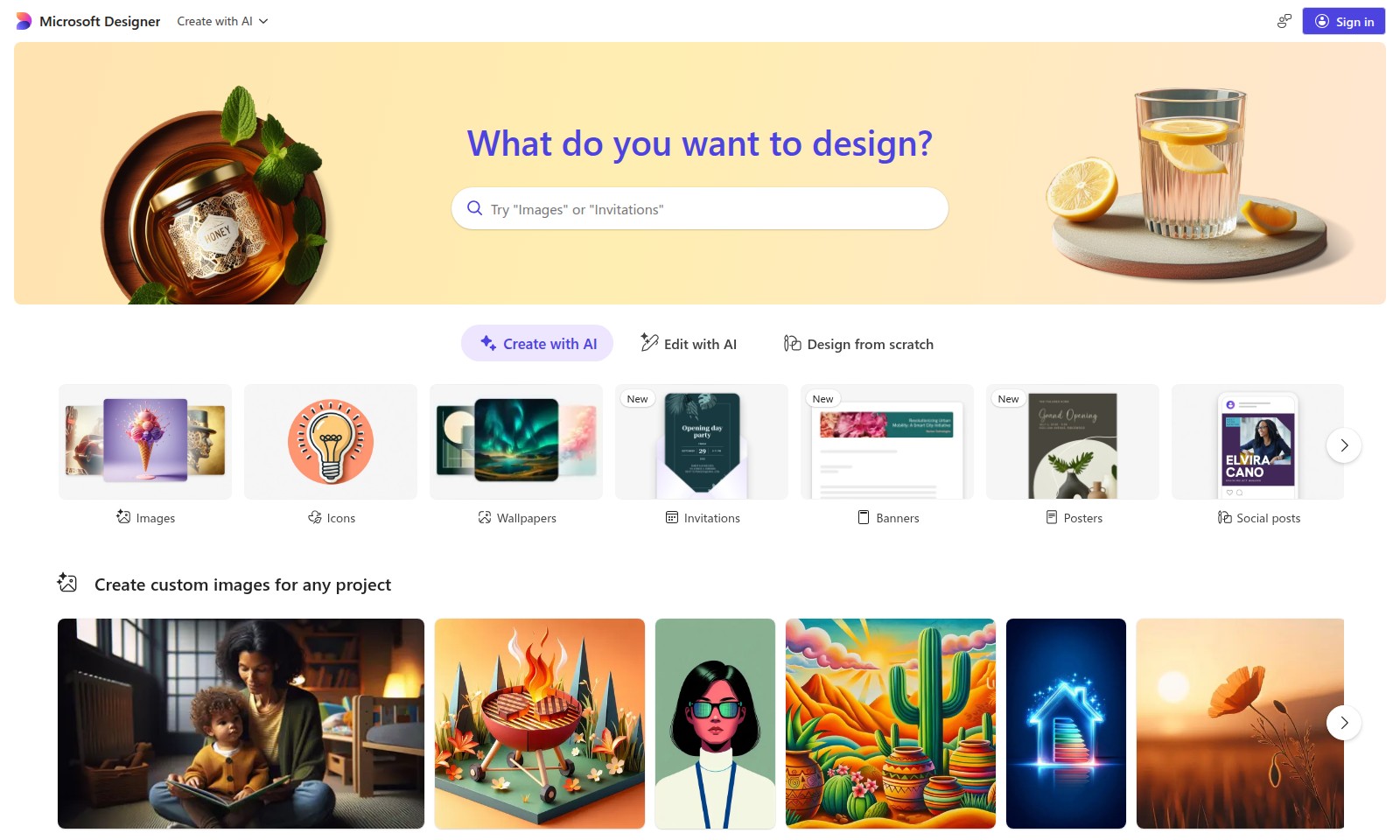
Microsoft Designer Introduction
Microsoft Designer: Create Stunning Visuals with AI
Microsoft Designer empowers users to harness the power of artificial intelligence to create stunning designs effortlessly. Whether you are a seasoned professional or a novice, our intuitive platform provides a wide range of tools and features to turn your creative ideas into reality.
Microsoft Designer Features
AI-Powered Design Assistance - Enhance Creativity
Unlock your full creative potential with our AI-Powered Design Assistance. This feature simplifies the design process, enabling users to create stunning visuals without needing extensive graphic design skills. The intelligent algorithms analyze user preferences and suggest design elements that align with their unique style, enhancing productivity and creativity.
Image Customization - Tailor Your Vision
With the Image Customization feature, users can create unique graphics that resonate with their brand identity. This tool enables the manipulation of images using advanced editing techniques. Users can adjust colors, apply filters, and incorporate personalized elements, ensuring that every design reflects their vision effectively.
Template Variety - Instant Inspiration
Explore a vast library of professionally designed templates tailored for various use cases. From social media posts to business banners, each template is optimized for engagement. The variety guarantees that users find the perfect starting point for every project, reducing design time while maximizing impact.
Collaboration Tools - Streamline Teamwork
Our Collaboration Tools facilitate seamless interaction among team members during the design process. Users can share designs in real-time and receive feedback directly within the platform. This feature fosters efficient teamwork, ensuring projects are completed faster and meet organizational standards.
AI-Generated Content - Content Made Easy
Leverage our AI-Generated Content feature to produce engaging written copy for your designs. This tool is particularly beneficial for marketing teams seeking to create compelling narratives that accompany their visuals. By generating focused, user-friendly content, this feature enhances the overall appeal and effectiveness of designs.
Cross-Platform Compatibility - Design Anywhere
Enjoy the freedom of designing on any device with our Cross-Platform Compatibility. Whether on a desktop, tablet, or mobile, users have the same powerful design capabilities. This flexibility ensures that inspiration strikes, users can create stunning graphics anytime, anywhere.
Comprehensive Support Resources - Learn and Grow
Take advantage of Comprehensive Support Resources to enhance your design skills. Access tutorials, webinars, and FAQs tailored to users at any skill level. These resources empower users to maximize their use of our design tools, leading to better results and increased confidence in their designs.
Frequently Asked Questions About Microsoft Designer
Frequently Asked Questions
What is Microsoft Designer?
Microsoft Designer is an AI-powered design tool that simplifies the creative process by helping users design everything from images to invitations and posters. It offers a wide range of templates and customization options.
How do I create a design using AI in Microsoft Designer?
To create a design, simply sign in to Microsoft Designer and select the type of project you want to work on. You can either start from scratch or use AI suggestions to generate unique designs based on your input.
Can I edit designs created with AI?
Yes, Microsoft Designer allows users to edit all AI-generated designs. You have the freedom to modify elements, change colors, and adjust layouts to better fit your vision.
What types of projects can I create with Microsoft Designer?
You can create a variety of designs including invitations, banners, social posts, greeting cards, and much more. The tool also supports the creation of custom images for any project requirement.
Is there a cost associated with using Microsoft Designer?
Microsoft Designer is generally free to use; however, certain premium features or assets may require a subscription or one-time purchase. Always check the pricing section for the most accurate information.
How can I ensure my designs look professional?
Utilize the various templates and AI-generated suggestions that Microsoft Designer offers to maintain a professional look in your designs. Additionally, you can refine your designs by experimenting with different color schemes and fonts.
How to Use Microsoft Designer
Sign up for an account
To start using Microsoft Designer, visit the website and click on the 'Sign in' button. If you don't have an account, select 'Create an account' and fill in the required information to register.
Set up your profile
Once registered, log in and navigate to your profile settings. Here, you can upload a profile picture and complete your profile details to personalize your experience.
Explore design options
After setting up your profile, take some time to familiarize yourself with the design options available. You can create designs from scratch or use AI tools for assistance.
Choose what to design
Click on 'What do you want to design?' to view various options like invitations, banners, and social posts. Select one that suits your needs to begin your project.
Utilize AI features
Make use of the AI features by clicking on 'Create with AI' or 'Edit with AI'. These tools will provide suggestions and help you enhance your designs, making the process easier and more efficient.
Start designing
With your selected option, you can start designing your project. Use the provided templates or create custom images by integrating various elements like images, icons, and stickers.
Save and share your work
After completing your design, don't forget to save your progress. You can download your creation or share it directly on social media platforms.
Reviews
Pros
- Easy to use
- Fast processing
- Great results
- Affordable pricing
Cons
- Limited free version
- Requires internet connection
Comments
No comments yet. Be the first to share your thoughts!
Microsoft Designer - Alternative Platforms
For some alternatives to Microsoft Designer that you may need, we provide you with sites divided by features.

Login to Logo Diffusion with various methods or register. The site uses cookies for personalization and traffic analysis.
The AI SVG Generator transforms text into scalable vector graphics, enabling effortless logo creation, illustrations, and more for modern web and branding.
Patternaly is an online AI pattern generator for creating stunning seamless patterns effortlessly, suited for various design needs.