Domer
Domer AI lets users generate high-quality videos from text prompts or images without the need for filming, catering to content creators on various platforms.
Domer Introduction
Domer AI Video Generator
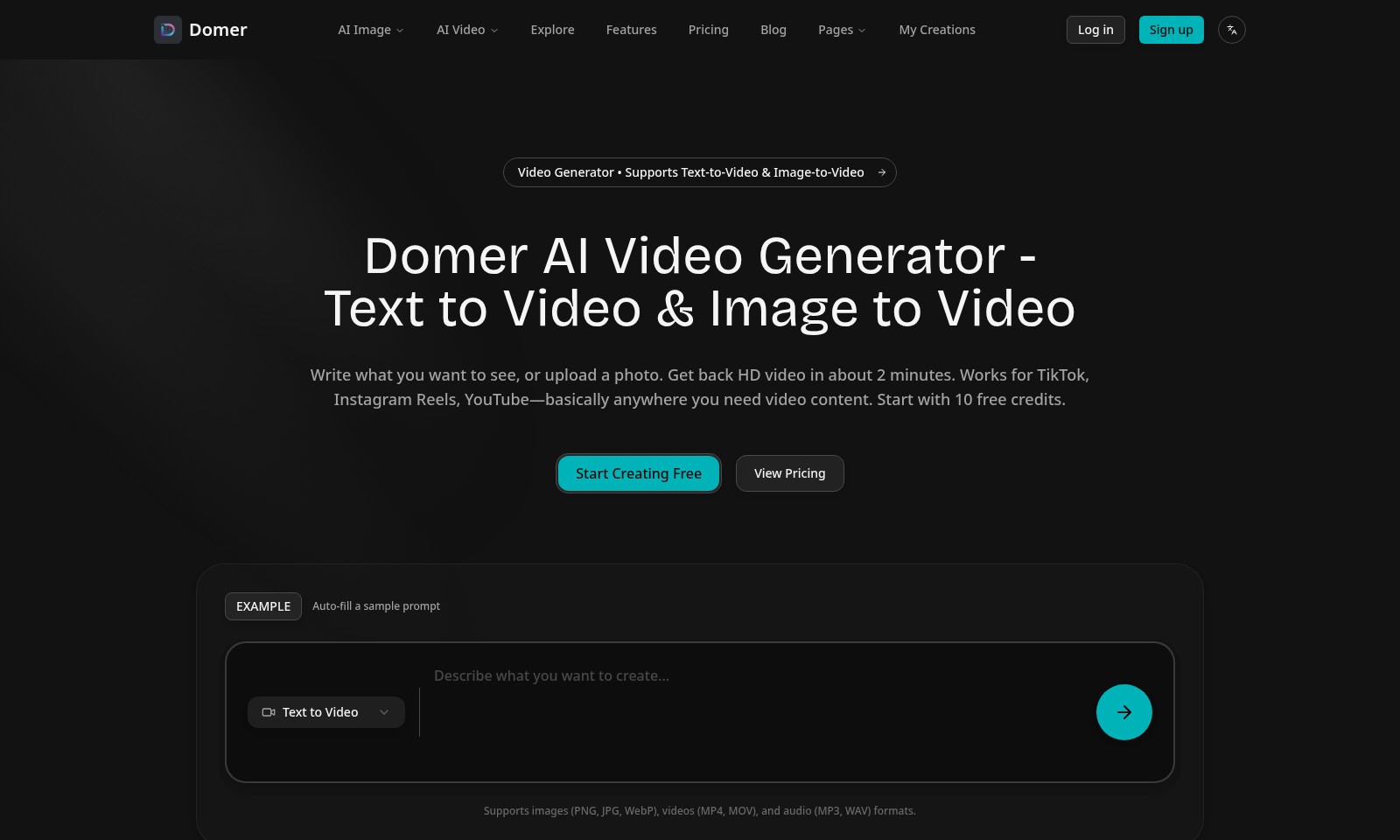
Domer AI Video Generator revolutionizes content creation by allowing users to transform text and images into stunning HD videos. With the power to generate video content in as little as two minutes, this platform is tailored for individuals and businesses looking to enhance their social media presence on platforms like TikTok, Instagram Reels, and YouTube. Start your creative journey today with 10 free credits.
Domer Features
Domer AI Video Generator - Transforming Ideas into Engaging Visuals
Experience the power of our AI Video Generator that allows users to turn text or images into HD videos in just about 2 minutes. This tool is designed specifically for content creators and marketers needing quick, high-quality video outputs for platforms like TikTok, Instagram Reels, and YouTube. With 10 free credits to start, users can explore the platform's capabilities at no initial cost.
Multi-format Support for Diverse Needs
Our system seamlessly supports a range of input formats, including images (PNG, JPG, WebP), videos (MP4, MOV), and audio files (MP3, WAV). This flexibility ensures that users can incorporate a variety of elements into their video content, making it more dynamic and engaging.
Fast Turnaround Without Compromise
Achieve your video content goals without sacrificing quality for speed. With a remarkable processing time of approximately 2 minutes per video, Domer ensures that you never miss a beat in your content schedule.
No Watermark, Total Freedom
Unlike many competing solutions, our videos come with no watermark, offering true freedom and professionalism to your creations. This feature is particularly appealing to businesses and influencers who prioritize brand integrity and presentation.
Secure Payment and Endless Credits
Our platform guarantees secure payment options and a unique promise: credits never expire. This means you can invest in your creative journey without the pressure of losing unused credits over time.
Active Community of Creatives
Join a thriving community of creators from around the globe. Explore fresh AI-generated creations, from stunning portraits to captivating videos. Get inspired by what others are making and share your own work—enhancing the collaborative spirit of the Domer platform.
Frequently Asked Questions About Domer
FAQs
1. How does the Domer AI Video Generator work?
The Domer AI Video Generator allows you to enter text or upload an image, and within approximately 2 minutes, it generates high-definition video content. This feature is particularly useful for creating videos suitable for platforms like TikTok, Instagram Reels, and YouTube.
2. What formats does the video generator support?
You can use various formats with the Domer AI Video Generator, including images in PNG, JPG, and WebP formats, as well as videos in MP4 and MOV, and audio files in MP3 and WAV formats. This wide variety ensures you can create videos from different media types.
3. Are there any costs associated with using the video generator?
Domer offers 10 free credits for new users to start creating videos at no cost. After your free credits are used, you can view the pricing on the website for additional credit purchases, ensuring you have flexibility in your usage without immediate commitment.
4. How long does it take to produce a video?
The video production process is notably quick, with output expected in about 2 minutes after submitting your request. This efficiency allows you to rapidly generate content for your social media or other project needs.
5. Is there a watermark on the generated videos?
No, the videos produced using the Domer AI Video Generator do not feature a watermark. This is beneficial for users who need clean, professional-looking videos for their projects or social media.
6. What happens to my credits? Do they expire?
Domer guarantees that your credits will never expire, allowing you to use them at your convenience. There are no hidden fees or limitations, making it easy to return and create whenever you like.
How to Use Domer
Register for an Account
To start using Domer, click on the 'Sign up' button located in the top right corner of the homepage. Fill out the registration form with your email and create a secure password. After submitting, you will receive a confirmation email—click the link to verify your account.
Log In to Your Account
Once your account is set up, return to the homepage and click 'Log in'. Enter your registered email and password. You will be directed to your dashboard where you can access all features.
Set Up Your Profile
After logging in, navigate to 'My Creations' to set up your profile. Click on your profile icon and select 'Edit Profile'. Here, you can upload a profile picture and provide a brief bio to enhance your personal brand.
Explore Features
On the dashboard, familiarize yourself with the platform by exploring the various features listed. Try out the AI Image and AI Video generators to see how they work. Access sample projects to understand the potential uses for your content.
Create Your First Video
To make your first video, click on the 'Create' button. Choose between 'Text to Video' or 'Image to Video'. If you're using text, type in a prompt describing your desired video scene. For image uploads, select a photo from your device.
Customize Your Video
After generating the initial video, take some time to customize it. Use the editing tools provided to adjust visuals, add audio or modify text on the screen. Preview your changes to ensure everything looks just right.
Download Your Video
Once satisfied, click the 'Download' button to save your video. It will typically process within two minutes, and you will receive a high-definition output ready to share on platforms like TikTok and Instagram.
Browse Creations
To gain inspiration, browse 'What Creators Are Making' in the community section. Here, you’ll find an array of AI-generated content that you can learn from or use as a starting point for your own projects.
Manage Your Credits
Keep an eye on your credits displayed on your dashboard. You start with 10 free credits, and you can purchase more as needed. Credits never expire, allowing you to experiment and create at your own pace.
Switch Language
If you need a different language interface, use the 'Switch language' option available in the settings menu. This ensures that you can navigate the platform comfortably, regardless of your preferred language.
Explore the Blog
Visit the blog section for guides, tips, and updates about new features and community highlights. It’s a great way to stay informed and maximize your usage of the platform.
Reviews
Pros
- Easy to use
- Fast processing
- Great results
- Affordable pricing
Cons
- Limited free version
- Requires internet connection
Comments
No comments yet. Be the first to share your thoughts!
Domer - Alternative Platforms
For some alternatives to Domer that you may need, we provide you with sites divided by features.

Login to Logo Diffusion with various methods or register. The site uses cookies for personalization and traffic analysis.
The AI SVG Generator transforms text into scalable vector graphics, enabling effortless logo creation, illustrations, and more for modern web and branding.
Patternaly is an online AI pattern generator for creating stunning seamless patterns effortlessly, suited for various design needs.