Elephas
MindClaw provides an AI-driven assistant that organizes your knowledge across various documents and apps, ensuring ready access to vital information.
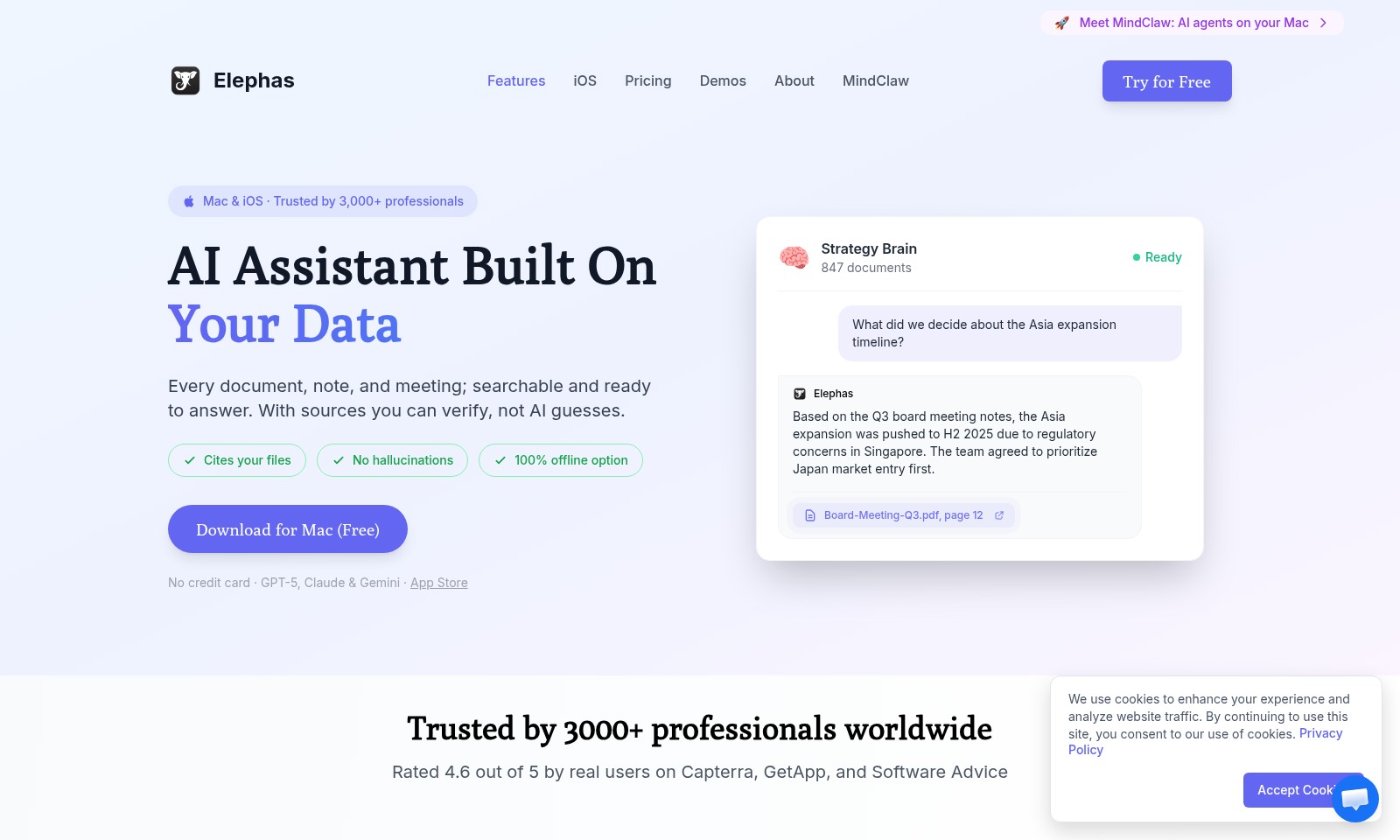
Elephas Introduction
MindClaw: Your AI Assistant on Mac
MindClaw harnesses the power of AI to transform the way you manage your documents, notes, and meetings. Built for professionals, this innovative tool on your Mac ensures that every bit of information you’ve accumulated is not only accessible but also actionable. With its advanced searching capabilities, MindClaw can sift through thousands of documents to provide accurate information and insights, allowing you to focus on what truly matters.
As an AI-driven assistant, MindClaw enables you to cite your files effortlessly, thereby eliminating the risk of inaccuracies or 'hallucinations' often associated with typical AI responses. Whether you need to recall decisions from past meetings or strategize for future initiatives, MindClaw is equipped to assist you efficiently and reliably, ensuring you have complete control over your data.
Experience the power of a tool designed for productivity. Download MindClaw for free today and join over 3,000 professionals who trust our platform to enhance their work processes and decision-making capabilities.
Elephas Features
AI-Powered Document Search - Instant Access to Critical Information
Utilize the power of AI to effortlessly locate and retrieve documents relevant to your needs. Our advanced search algorithms enable quick access to any meeting notes, documents, or files, saving you valuable time.
Hyper-Accurate Citation Support - Trustworthy References at Your Fingertips
Every answer provided by MindClaw is backed by verifiable sources from your own data. This reduces uncertainty and enhances reliability, ensuring confidence in every decision made.
100% Offline Operation - Total Data Control Anytime, Anywhere
Work without limits, even when offline. MindClaw's offline capabilities allow for uninterrupted productivity and data management without compromising on functionality.
Comprehensive AI Assistant - A Tailored Companion for Every Professional
Designed for professionals across various fields, MindClaw offers customizable features and settings to adapt to individual workflow preferences, enhancing overall efficiency.
Seamless Integration - Effortlessly Connect with Your Ecosystem
MindClaw integrates smoothly with existing tools and applications you already use, creating a cohesive environment for data management and enhancing collaboration across teams.
User-Centric Design - Just What You Need, When You Need It
With its intuitive interface and streamlined functionality, MindClaw focuses on user needs, ensuring that critical tasks can be completed quickly and intuitively.
Frequently Asked Questions About Elephas
Frequently Asked Questions
1. What is MindClaw and what can it do for me?
MindClaw is an AI agent designed for your Mac that helps manage documents, notes, and meetings. It provides instant answers from your stored data, ensuring reliable responses backed by sources you can verify.
2. Do I need an internet connection to use MindClaw?
No, MindClaw offers a 100% offline option, allowing you to access and utilize your data without any internet dependency. This feature is perfect for professionals who require constant availability and privacy.
3. How does MindClaw ensure the accuracy of its information?
Unlike many AI solutions, MindClaw does not produce hallucinations or guesses. It cites the actual files and documents that provide the answers, ensuring that you receive accurate and context-specific information.
4. Is there a trial version available for MindClaw?
Yes, you can try MindClaw for free without needing a credit card. This allows you to explore its features and functionality before making a commitment.
5. How does MindClaw compare to other AI assistants?
MindClaw is uniquely built to leverage your own data, providing personalized and contextual assistance unlike traditional AI assistants. It integrates advanced AI technology with real-time document access to enhance your productivity.
6. Who can benefit from using MindClaw?
MindClaw is highly beneficial for professionals across various industries, including project managers, researchers, and anyone who handles significant amounts of data and documentation. With over 3,000 trusted users, it has proven its effectiveness in enhancing productivity.
How to Use Elephas
Step 1: Register an Account
To start using MindClaw, visit our website and click the 'Try for Free' button. Fill out the registration form with your email and create a secure password to set up your account.
Step 2: Confirm Your Email
Check your inbox for a confirmation email from MindClaw. Click the link provided in the email to verify your account and gain access to our features.
Step 3: Download the Application
Once your account is confirmed, return to the website. Download MindClaw for Mac or iOS. Installation is quick and simple—just follow the on-screen instructions.
Step 4: Set Up Your Profile
Open the application and log in with your credentials. Take a moment to set up your profile by adding any necessary information about your preferences and workspace.
Step 5: Import Your Documents
To make the most of MindClaw, start importing your documents, notes, and meeting records into the app. Use the upload feature to ensure everything is searchable and accessible.
Step 6: Explore Key Features
Begin exploring MindClaw’s capabilities. Utilize the AI assistant to take notes during meetings and retrieve information by asking questions related to your documents.
Step 7: Customize Your Experience
Dive into the settings and customize features according to your needs. You can adjust notification preferences and explore different functionalities that serve your workflow best.
Reviews
Pros
- Easy to use
- Fast processing
- Great results
- Affordable pricing
Cons
- Limited free version
- Requires internet connection
Comments
No comments yet. Be the first to share your thoughts!
Elephas - Alternative Platforms
For some alternatives to Elephas that you may need, we provide you with sites divided by features.

Discover Monica, a versatile AI assistant designed to improve your productivity across multiple platforms with AI chat, writing, translation, and more.
Dropflow extracts essential data from emails and forwards it to various platforms, maximizing your productivity.