InfiniteTalk
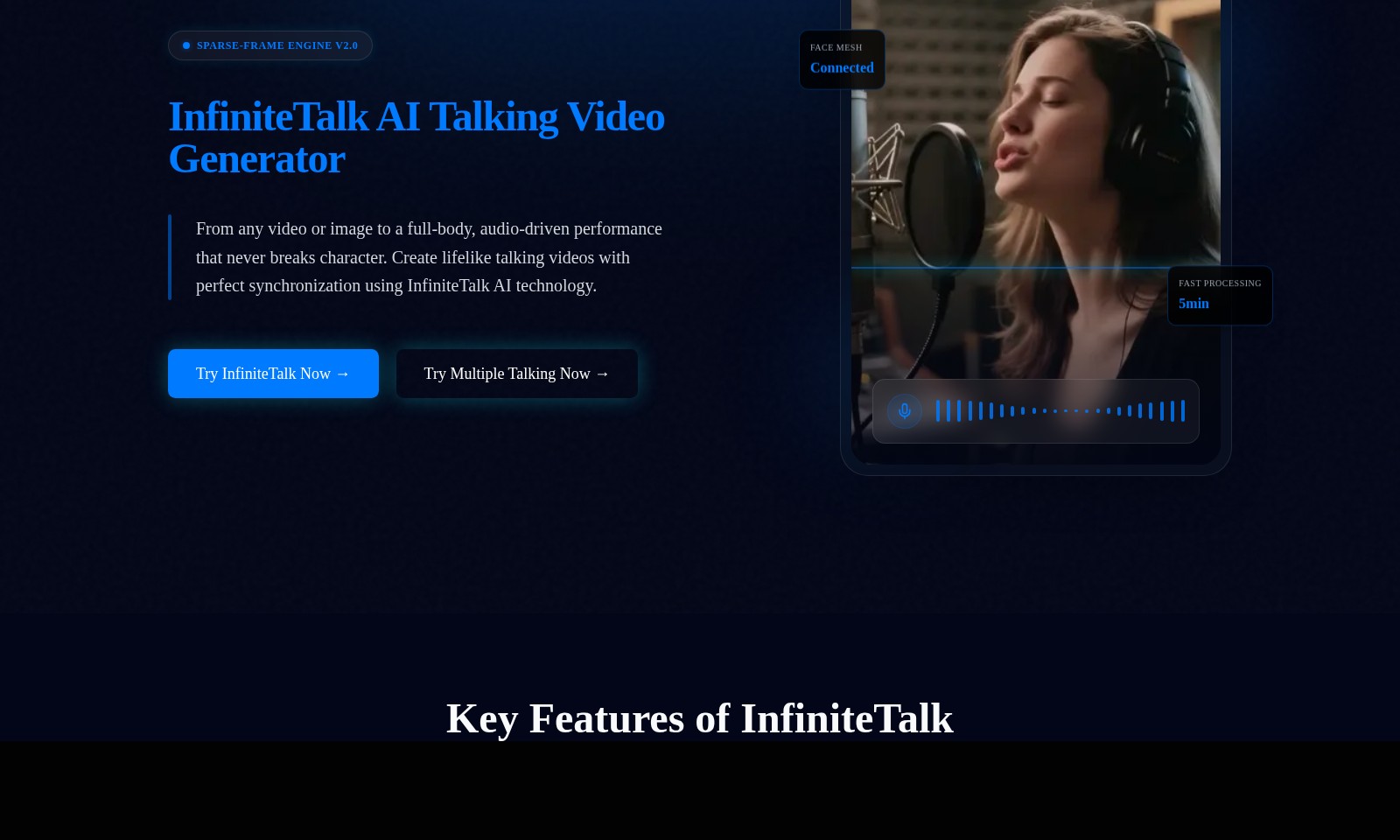
InfiniteTalk offers a powerful AI tool for generating unlimited-length lip-synced videos from images and audio, perfect for creators and marketers.
InfiniteTalk Introduction
Unleashing the Power of AI with InfiniteTalk
InfiniteTalk is at the forefront of generative AI technology, providing revolutionary tools for creating talking videos that bring your content to life. Our state-of-the-art InfiniteTalk AI Talking Video Generator allows users to transform any video or image into an engaging audio-driven performance with unparalleled realism. Experience the future of digital communication as we enhance storytelling by pushing the boundaries of what is possible in video generation.
InfiniteTalk Features
Sparse-frame Video Dubbing - Enhanced Realism
InfiniteTalk’s algorithm ensures perfect lip-sync and captures intricate head movements and micro-expressions to deliver an authentic performance.
Infinite-Length Generation - Unlimited Creativity
With the capability to generate videos of any length, users can create extensive content such as podcasts and lectures without worrying about time limitations.
Unmatched Stability - Professional Quality
Significantly minimizes visual distortions, ensuring a polished and professional output that stands out in the market.
Fast Processing - Efficiency Matters
Generate high-quality talking videos in just 5 minutes, perfect for users who need quick turnarounds.
AI Technology - Cutting-Edge Innovation
Utilizes advanced generative AI to push the boundaries of video creation, providing users with a powerful tool for marketing and content production.
Frequently Asked Questions About InfiniteTalk
Frequently Asked Questions
What is InfiniteTalk and how does it work?
InfiniteTalk is an AI talking video generator that transforms any video or image into a full-body, audio-driven performance. Utilizing advanced AI technology, it ensures perfect synchronization of lip movements, head gestures, and micro-expressions for realistic lifelike videos.
What are the key features of InfiniteTalk?
The main features include sparse-frame video dubbing, infinite-length video generation, and unmatched stability, which significantly reduces distortions often associated with other models. This allows you to create engaging content without the usual limitations of video duration and visual inaccuracies.
How long does it take to create a video with InfiniteTalk?
With InfiniteTalk, users can expect fast processing times, often completing video creation in just 5 minutes. This is especially beneficial for time-sensitive projects or for users seeking to produce multiple videos swiftly.
Can I use InfiniteTalk for long-form content?
Yes, InfiniteTalk supports unlimited video duration, making it ideal for long-form content such as podcasts, audiobooks, or educational lectures. This feature allows for extended engagement without interruptions or constraints on video length.
Is there a trial available for InfiniteTalk?
Yes, you can try InfiniteTalk for free to experience its unique capabilities. Simply visit our website and follow the prompts to start your trial today, and explore the potential of AI-generated video content.
What types of content can I create with InfiniteTalk?
InfiniteTalk is versatile and can be used to create a variety of content types including promotional videos, online courses, personalized messaging, and entertaining content. The advanced AI technology allows for tailored creations that meet diverse creative needs.
How to Use InfiniteTalk
Step 1: Register Your Account
Visit InfiniteTalk.com and click on the 'Login' button located at the top right corner. Follow the prompts to create a new account by entering your email address and creating a password.
Step 2: Verify Your Email
Check your email inbox for a verification email from InfiniteTalk. Click on the verification link to confirm your email address and activate your account.
Step 3: Set Up Your Profile
Once logged in, navigate to your profile settings. Here, you can upload a profile picture and fill out relevant information to enhance your experience.
Step 4: Explore AI Tools
Go to the 'AI Tools' section from the homepage. Browse through the various tools available, such as the InfiniteTalk AI Talking Video Generator, and familiarize yourself with their features.
Step 5: Try the Video Generator
Select the option to 'Try InfiniteTalk Now' to access the AI Talking Video Generator. Follow the on-screen instructions to upload a video or image for processing.
Step 6: Customize Your Video
Once your upload is complete, use the customization options available to personalize your talking video. Adjust features such as body posture and expressions for a more lifelike effect.
Step 7: Preview and Edit
After rendering, preview your video to see the results. If any adjustments are needed, go back to the editing features to fine-tune elements of your video.
Step 8: Download and Share
Once satisfied with your creation, download the video to your device. You can also share your video directly from the platform if this feature is available.
Step 9: Discover Use Cases
Visit the 'Use Cases' section on the website to see how others are utilizing InfiniteTalk's technology. This can provide inspiration for your own projects and enhance your understanding.
Step 10: Stay Updated
Check the 'Blog' section regularly for updates, tips, and new features. Engaging with the blog can help you maximize the potential of InfiniteTalk's offerings.
Reviews
Pros
- Easy to use
- Fast processing
- Great results
- Affordable pricing
Cons
- Limited free version
- Requires internet connection
Comments
No comments yet. Be the first to share your thoughts!
InfiniteTalk - Alternative Platforms
For some alternatives to InfiniteTalk that you may need, we provide you with sites divided by features.

Kovvid AI offers a user-friendly platform for generating AI images and videos, with the ability to compare multiple models in one place.
Discover the advanced AI tools at MakeShot.ai for creating stunning videos and images with a limited-time 50% discount.
Photo Animate allows users to easily animate photos to video using AI, creating realistic movements for portraits and cherished memories.
Image to Video AI allows quick, high-quality video creation from images, integrating with tools like Google Chrome and Figma for seamless workflows.