Kling 3 AI
Kling 3 AI empowers users to create high-quality videos quickly, enhancing marketing and storytelling efforts across various industries.
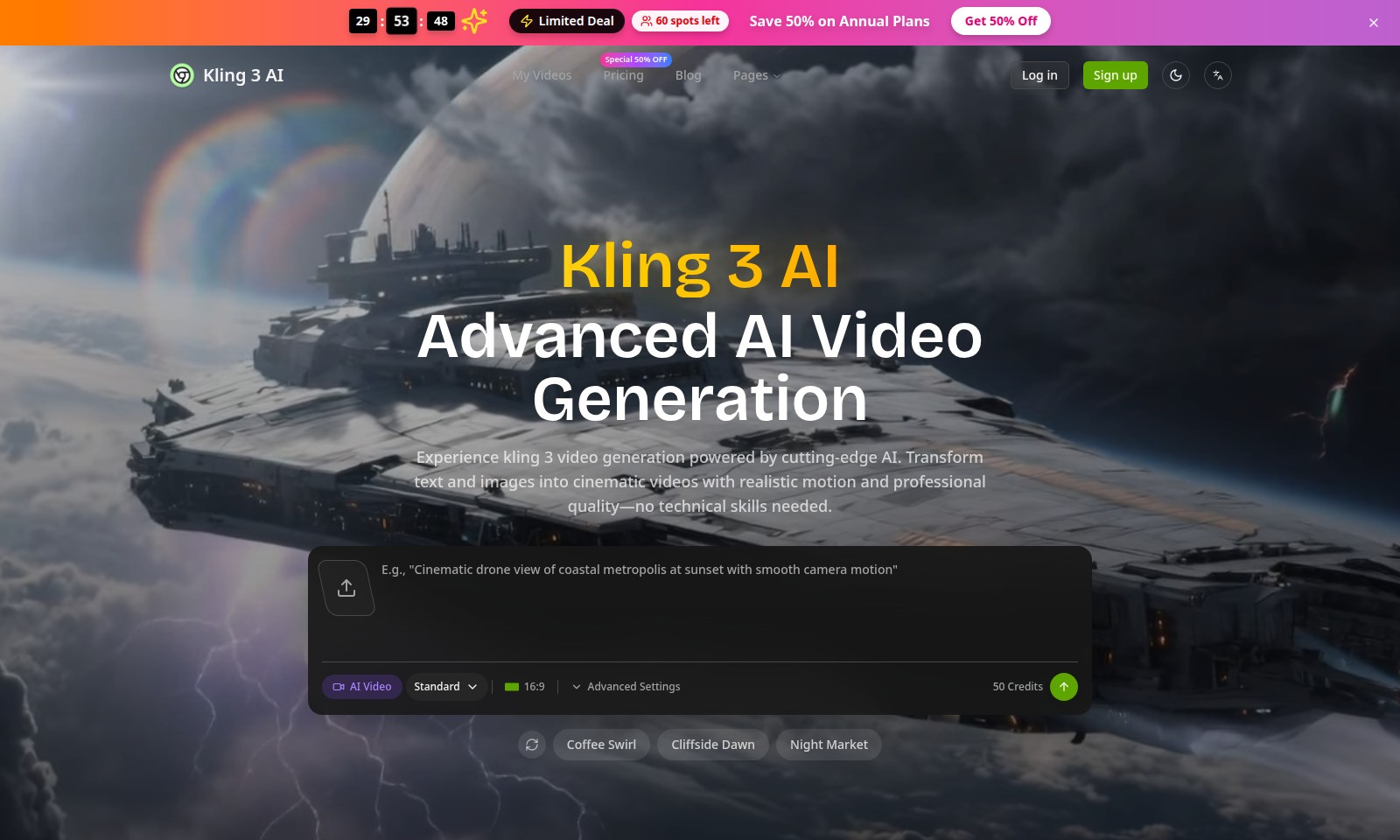
Kling 3 AI Introduction
Advanced AI Video Generation
Kling 3 AI revolutionizes the way you create videos by leveraging state-of-the-art artificial intelligence technology. With an intuitive platform that transforms text and images into stunning, high-quality cinematic videos, anyone—regardless of technical skills—can produce professional-grade content effortlessly.
Kling 3 AI Features
Advanced AI Video Generation - Transform Your Ideas Effortlessly
Experience Kling 3 Video Generation powered by cutting-edge AI, designed for users who want to create stunning videos without needing extensive technical skills. This feature allows you to convert simple text and images into cinematic-quality videos with realistic motion, ensuring that your content stands out in today's competitive landscape.
User-Friendly Interface - Create Without Complexity
Our intuitive interface is streamlined for users of all expertise levels, making the video creation process smooth and straightforward. Even those without any prior experience can easily navigate through the features to produce high-quality video outputs swiftly.
Realistic Motion - Enhanced Visual Storytelling
Utilizing advanced algorithms, Kling 3 provides realistic motion effects that enhance visual storytelling. Users can captivate their audience by integrating dynamic movements seamlessly within their videos, resulting in an engaging viewer experience.
High-Quality Output - Professional Standards at Your Fingertips
Deliver videos with professional quality in 16:9 format, suitable for various platforms. This feature guarantees that your creations maintain high-definition fidelity, appealing to both casual viewers and discerning clients alike.
Flexible Pricing Plans - Scale Your Creativity
Take advantage of our limited deal with 50% off annual plans, providing excellent value for those looking to maximize their creativity without breaking the bank. With only 60 spots left, this offer is perfect for small businesses or independent creators eager to scale their production capabilities.
Extensive Resource Library - Inspiration at Your Reach
Access a wide array of templates and resources to inspire your projects, including themes like 'Coffee Swirl' and 'Cliffside Dawn'. Utilize these readily available assets to save time while ensuring that every video reflects your unique style and vision.
Trusted by 3 Million+ Creators - Join the Community
Become part of a thriving community of over 3 million creators who trust Kling 3 for their video production needs. Leverage the insights and experiences of fellow users to enhance your own projects and stay ahead in the world of digital content creation.
Frequently Asked Questions About Kling 3 AI
FAQ
1. What are the benefits of using Kling 3 AI for video generation?
Kling 3 AI offers advanced AI-powered video generation that transforms text and images into cinematic-quality videos. With no technical skills required, anyone can create professional-looking videos efficiently.
2. How does the pricing for Kling 3 AI work?
Kling 3 AI has a special offer of 50% off on annual plans, making it affordable for users. Additionally, users can utilize credits for various features and advanced settings to customize their video generation experience.
3. Can I access Kling 3 AI from mobile devices?
Yes, Kling 3 AI is designed to be accessible from multiple devices, including mobile phones and tablets. This flexibility allows users to create and edit videos on the go.
4. What kinds of videos can I create with Kling 3 AI?
With Kling 3 AI, you can create a wide range of videos, from promotional clips to personal stories. The platform supports various styles and formats to accommodate your creative needs.
5. Is there customer support available if I encounter issues?
Absolutely! Kling 3 AI provides dedicated customer support to assist you with any issues or questions you may have while using the platform.
6. How can I sign up for Kling 3 AI?
You can easily sign up for Kling 3 AI by visiting the website and clicking on the 'Sign Up' button. The process is straightforward, allowing you to get started quickly with your video projects.
How to Use Kling 3 AI
Step 1: Sign Up for an Account
Visit the registration page and fill in the required fields to create your account. Make sure to use a valid email address and choose a strong password to secure your account.
Step 2: Verify Your Email
Check your inbox for a verification email. Click the link in the email to verify your address and activate your account.
Step 3: Log In
Return to the homepage and enter your registered email and password. Click the 'Log In' button to access your account.
Step 4: Set Up Your Profile
Navigate to the profile settings. Fill in your profile details, including your name, profile picture, and any necessary information pertinent to your use of the site.
Step 5: Explore the Dashboard
Once logged in, take a moment to familiarize yourself with the dashboard layout. Look for key features and sections that will be useful for your video generation tasks.
Step 6: Purchase Credits
If required, navigate to the pricing section and select a plan that suits your needs. Complete the payment process to purchase credits for video generation.
Step 7: Start Your First Video Project
Click on the 'Create Video' button to begin. Follow the prompts to upload your text or images, and utilize the AI tools provided for video transformation.
Step 8: Customize Your Video
Use the editing features available to tweak your video settings, such as transitions, effects, and audio. Preview your changes to ensure everything looks perfect.
Step 9: Export Your Video
Once satisfied with your creation, click on the 'Export' button. Choose your preferred resolution and format before saving the final product.
Step 10: Share Your Video
After exporting, share your video directly on social media or through other platforms. Use the provided links to showcase your work to a wider audience.
Reviews
Pros
- Easy to use
- Fast processing
- Great results
- Affordable pricing
Cons
- Limited free version
- Requires internet connection
Comments
No comments yet. Be the first to share your thoughts!
Kling 3 AI - Alternative Platforms
For some alternatives to Kling 3 AI that you may need, we provide you with sites divided by features.

Kovvid AI offers a user-friendly platform for generating AI images and videos, with the ability to compare multiple models in one place.
Discover the advanced AI tools at MakeShot.ai for creating stunning videos and images with a limited-time 50% discount.
Photo Animate allows users to easily animate photos to video using AI, creating realistic movements for portraits and cherished memories.
Image to Video AI allows quick, high-quality video creation from images, integrating with tools like Google Chrome and Figma for seamless workflows.