Midjourney Video
Midjourney Video allows creators to turn images into high-quality 5-second videos using advanced AI technology, offering affordability and flexibility.
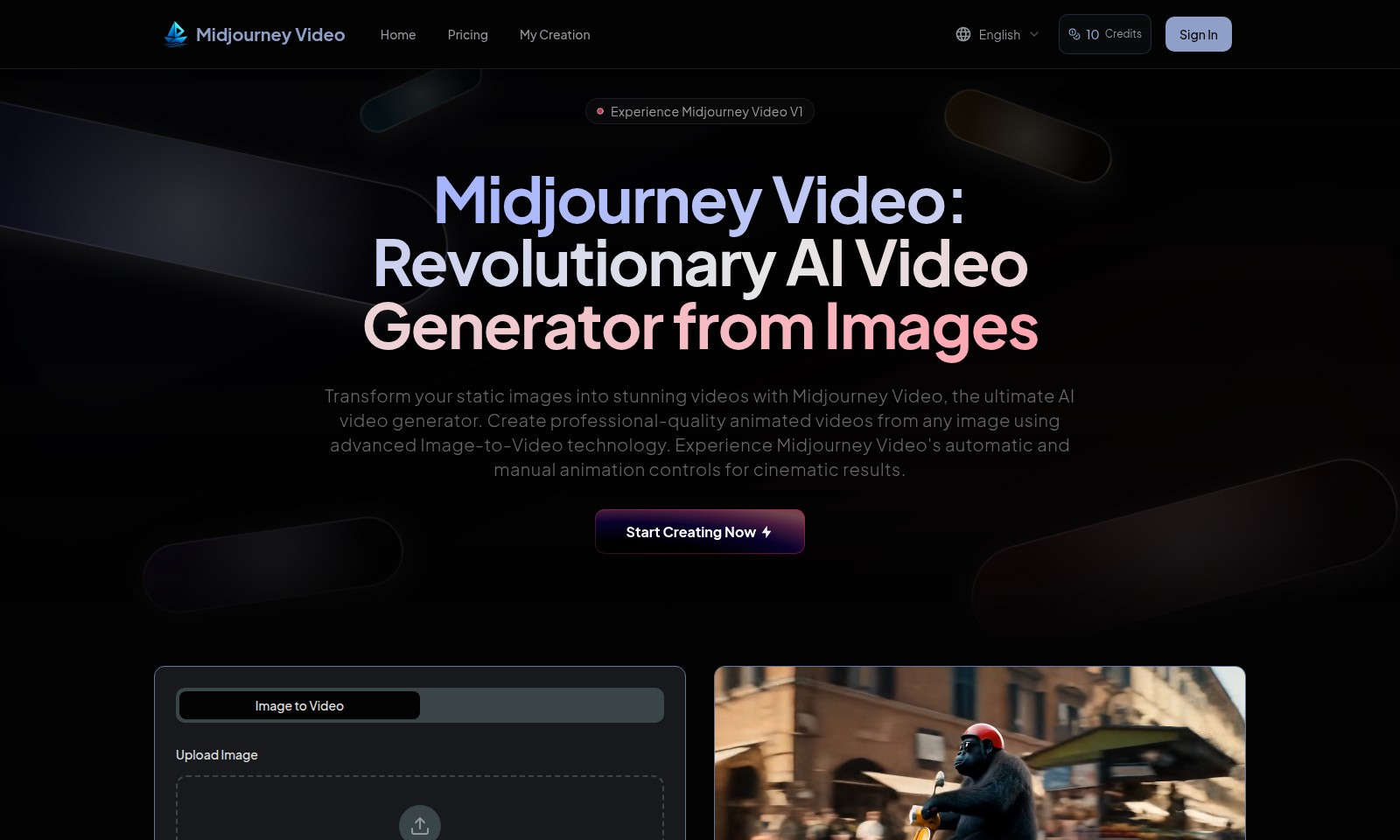
Midjourney Video Introduction
Transform Your Images Into Stunning Videos
Midjourney Video is a revolutionary AI video generator that empowers users to transform static images into engaging, dynamic video content. Utilizing advanced Image-to-Video technology, this platform provides an innovative solution for anyone looking to create professional-quality animated videos effortlessly.
Midjourney Video Features
Image to Video - Instant Transformation
Transform your static images into captivating videos effortlessly. With our AI-powered Image-to-Video technology, users can convert any JPEG, WEBP, or PNG image into engaging video content in mere minutes. This feature supports a maximum upload size of 5MB, ensuring high-quality results without sacrificing performance.
Customized Animation Controls - Tailor-Made Video Experience
Experience unparalleled creative freedom with our automatic and manual animation controls. Users can choose to either let the AI generate animations based on preset styles or fine-tune movements for a personalized touch. Deliver cinematic-quality animations that resonate with your audience's needs, regardless of industry.
High-Quality Video Output - Professional Standards
Achieve professional quality in your video outputs with various resolution settings including 360p, 540p, 720p, and 1080p. With such flexibility, creators can optimize their video content for different platforms and audiences, ensuring clarity and impact.
Multiple Aspect Ratios - Versatile Formats
Adapt your videos to any viewing environment with multiple aspect ratio options such as 16:9, 9:16, 1:1, and 3:4. This versatility is crucial for marketers and content creators aiming to reach diverse audiences across social media and other digital platforms.
Affordable Pricing - Budget-Friendly Solutions
Midjourney Video offers exceptional value at 25 times lower cost than other generators in the market. This competitive pricing structure allows businesses and individuals to produce high-quality video content without breaking the bank, making AI video generation accessible to everyone.
Easy Upload Process - User-Friendly Interface
Simplify your workflow with our intuitive upload process, enabling users to click, drag, and drop images effortlessly. This feature is designed to streamline the video creation process, putting users in control of their projects without the need for extensive technical knowledge.
Sound Integration - Immersive Experience
Enhance the storytelling aspect of your animations with integrated sound options. Users can incorporate soundtracks to create a more immersive experience, making the videos not just visual but also auditory, catering to the preferences of the target audience in various use cases.
Frequently Asked Questions About Midjourney Video
FAQ for Midjourney Video
1. What is Midjourney Video and how does it work?
Midjourney Video is an innovative AI video generator that transforms static images into animated videos. By utilizing advanced Image-to-Video technology, users can create professional-quality videos from any image by simply uploading their files in formats such as JPG, WEBP, or PNG.
2. What are the video generation options available?
Users can customize their videos by selecting various options. You can choose the duration of the video (5 to 8 seconds), quality (from 360p to 1080p), and aspect ratio (16:9, 9:16, 1:1, or 3:4). Sound options are also included, ensuring your videos can have audio to enhance the viewing experience.
3. How many credits does it cost to generate a video?
Generating a video using Midjourney Video will consume 10 credits per video. Users can manage their credit balance directly on the platform, ensuring transparency and ease of use when creating videos.
4. Are there any file size restrictions for uploads?
Yes, the maximum file size allowed for image uploads is 5MB. Ensure your images are within this limit to successfully create your videos.
5. Can I use my own music or sound for the videos?
While you can add sound to your videos, it is advisable to use sound that you have rights to or opt for royalty-free music to avoid any copyright issues. Midjourney Video supports sound integration to help make your videos more engaging.
6. What makes Midjourney Video different from other video generators?
Midjourney Video stands out by being 25 times more affordable than its competitors in the AI video generation market. With its user-friendly interface and powerful animation controls, it makes creating high-quality videos accessible and efficient for everyone.
How to Use Midjourney Video
Step 1: Register for an Account
Visit the Midjourney Video website and click on the 'Sign In' button. If you don't have an account, select 'Register' to create one and provide the required information.
Step 2: Confirm Your Email
After registration, check your email for a confirmation link. Click on the link to verify your account and gain access to the platform.
Step 3: Log In to Your Account
Once your email is confirmed, return to the website and log in using your credentials. This will grant you access to all features available on the site.
Step 4: Set Up Your Profile
Navigate to your profile settings to set up your personal information. This helps personalize your experience on the platform.
Step 5: Explore Pricing Options
Understanding the pricing plans is essential. Visit the 'Pricing' section to review your options and select one that best suits your needs.
Step 6: Add Credits to Your Account
To create videos, you need credits. Go to your account settings and purchase credits. The generator uses credits per video generated, so plan accordingly.
Step 7: Upload Your Image
Click on 'Upload Image' to start the creation process. You can drag and drop your image or select it from your device. Ensure it meets the format and size requirements.
Step 8: Customize Your Video
Select the duration, quality, and aspect ratio for your video. Adjust the settings according to your preference to ensure the final product meets your expectations.
Step 9: Generate Your Video
After setting your parameters, review them and click 'Generate Video'. This process will consume credits from your balance.
Step 10: View and Download Your Video
Once the video is generated, you can view it directly on the site. If you're satisfied with the result, download it to your device to share or use as you wish.
Reviews
Pros
- Easy to use
- Fast processing
- Great results
- Affordable pricing
Cons
- Limited free version
- Requires internet connection
Comments
No comments yet. Be the first to share your thoughts!
Midjourney Video - Alternative Platforms
For some alternatives to Midjourney Video that you may need, we provide you with sites divided by features.

Seedance 2.0 revolutionizes video creation by offering a multimodal AI platform that allows users to generate high-quality videos from text and image inputs.
AI Baby Dance enables parents to transform baby photos into trending dance videos for TikTok, Instagram, and more, with no editing skills needed.
Medeo is a platform for creating professional videos by chatting with AI, offering multiple video formats and features.
Golpo AI enables users to create high-quality whiteboard videos in minutes, offering various pricing plans and a user-friendly interface.