Nexus Clips
Create high-quality video clips effortlessly with Nexus Clips' AI technology, perfect for streamers and content creators.
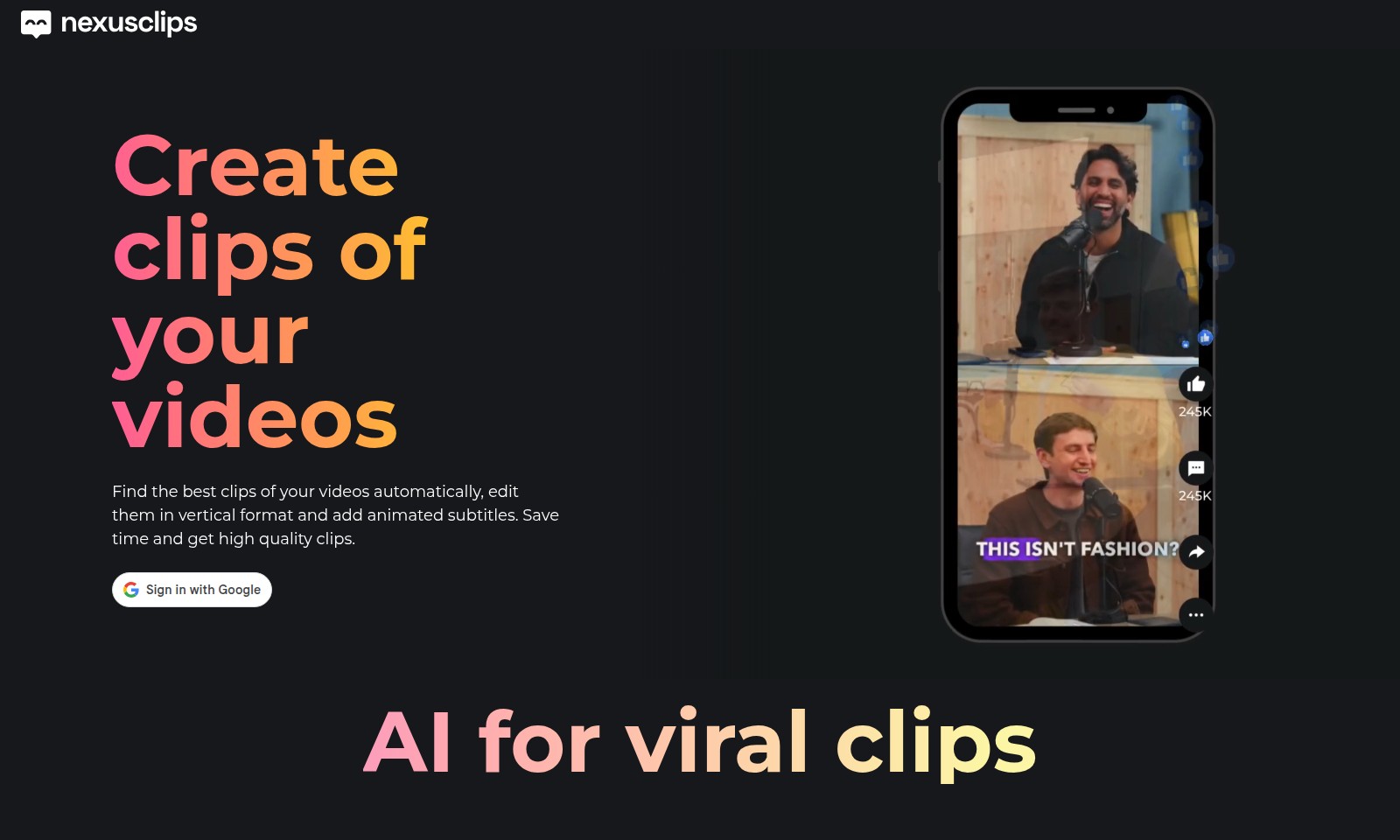
Nexus Clips Introduction
Elevate Your Video Content with Nexus Clips
Nexus Clips harnesses the power of artificial intelligence to transform your long videos into captivating short clips effortlessly. Our platform automatically identifies the most engaging segments, allowing you to edit them in a vertical format complemented by animated subtitles. Experience the seamless integration of creativity and technology, which saves you valuable time while ensuring high-quality results. Whether you're a streamer, content creator, or educator, our tool is designed to enhance your video storytelling by attracting new audiences and maximizing engagement.
Nexus Clips Features
Automatic Clip Selection - Save Time and Effort
Our advanced AI technology automatically selects the best clips from your long videos, ensuring that you spend less time sifting through footage. This feature drastically reduces the editing workload, allowing you to focus on content creation rather than post-production.
Vertical Format Editing - Enhance Engagement
The ability to automatically convert videos to vertical format ensures that your clips are optimized for mobile viewing. This caters specifically to audiences on platforms like TikTok and Instagram, maximizing reach and increasing viewer engagement.
Animated Subtitles - Boost Accessibility
By adding animated subtitles to your video clips, we enhance accessibility for hearing-impaired viewers and keep your audience engaged. Studies show that videos with subtitles can retain up to 80% more viewers, making this a crucial feature for content creators.
Personalized Stickers - Increase Brand Identity
Our personalized stickers offer a unique way to brand your video clips, allowing you to create a distinct and recognizable style. This feature is especially beneficial for streamers and influencers looking to enhance their personal brand and connect with their audience.
Multi-Use Compatibility - Versatile Application
Whether you're a gamer, podcaster, or event organizer, our features are tailored to suit various content types. The multi-use compatibility of our tool means that you can seamlessly create engaging clips across different genres, catering to multiple audience interests.
Frequently Asked Questions About Nexus Clips
What does Nexus Clips do?
Nexus Clips automatically selects and edits the best clips from your long videos into a vertical format with animated subtitles. This service helps you save time while ensuring high-quality output that effectively engages viewers.
How does AI help in creating video clips?
Nexus Clips utilizes advanced AI technology to analyze your videos and identify the most captivating moments. This means you get expertly trimmed clips that are ready to attract new audiences, regardless of your content type.
Is prior experience needed to use Nexus Clips?
No prior experience is necessary to use Nexus Clips. The platform is designed to be user-friendly, allowing anyone to create professional-looking clips without technical know-how.
What types of content can I create clips for?
You can create clips for a wide range of content types, including gaming, podcasts, events, tutorials, and sports. Nexus Clips ensures that your clips are tailored for each category, maximizing viewer engagement.
How can I share my clips?
Once your clips are generated, you can easily share them across various platforms, including TikTok and YouTube. The clips are formatted perfectly for each platform, helping you to reach your target audience more efficiently.
Can Nexus Clips automatically add subtitles?
Yes, Nexus Clips automatically generates animated subtitles for your video clips, which enhances accessibility and helps retain viewer attention. This feature is particularly beneficial for social media sharing.
How to Use Nexus Clips
Register for an Account
Create your account by filling in the required fields such as your name, email, and password. Ensure that your email is valid as you will receive a confirmation link.
Confirm Your Email
Check your inbox for a confirmation email from us. Click on the link provided to verify your email address and activate your account.
Set up Your Profile
Once logged in, navigate to the profile section to set up your profile. Here, you can add a profile picture, bio, and preferences that will tailor your experience.
Explore the Dashboard
After setting up your profile, familiarize yourself with the dashboard. This is where you can access all key features, including clip creation tools and analytics.
Create Your First Clip
To create a clip, find the video you want to work with. Select the AI tool that will automatically analyze your video to find the best clips for you.
Edit Your Clips
Once the AI suggests clips, choose the ones you like. Edit them in vertical format and add animated subtitles to enhance viewer engagement. Ensure you preview your edits before saving.
Save and Share Your Clips
After editing, save the clips. You can now share them directly on platforms like TikTok or Twitch. Use the sharing options available on the site for seamless posting.
Analyze Performance
After sharing, monitor the performance of your clips using the analytics tool on your dashboard. This will help you understand what content resonates with your audience.
Continue Creating
Repeat this process to continually create and share engaging clips from your videos. Utilize feedback and analytics to improve your future clips.
Reviews
Pros
- Easy to use
- Fast processing
- Great results
- Affordable pricing
Cons
- Limited free version
- Requires internet connection
Comments
No comments yet. Be the first to share your thoughts!
Nexus Clips - Alternative Platforms
For some alternatives to Nexus Clips that you may need, we provide you with sites divided by features.

Seedance 2.0 revolutionizes video creation by offering a multimodal AI platform that allows users to generate high-quality videos from text and image inputs.
AI Baby Dance enables parents to transform baby photos into trending dance videos for TikTok, Instagram, and more, with no editing skills needed.
Medeo is a platform for creating professional videos by chatting with AI, offering multiple video formats and features.
Golpo AI enables users to create high-quality whiteboard videos in minutes, offering various pricing plans and a user-friendly interface.