Photo Prompt
Photo Prompt is a user-friendly tool enabling fast, accurate prompt generation for various AI models, aiding artists and designers in their projects.
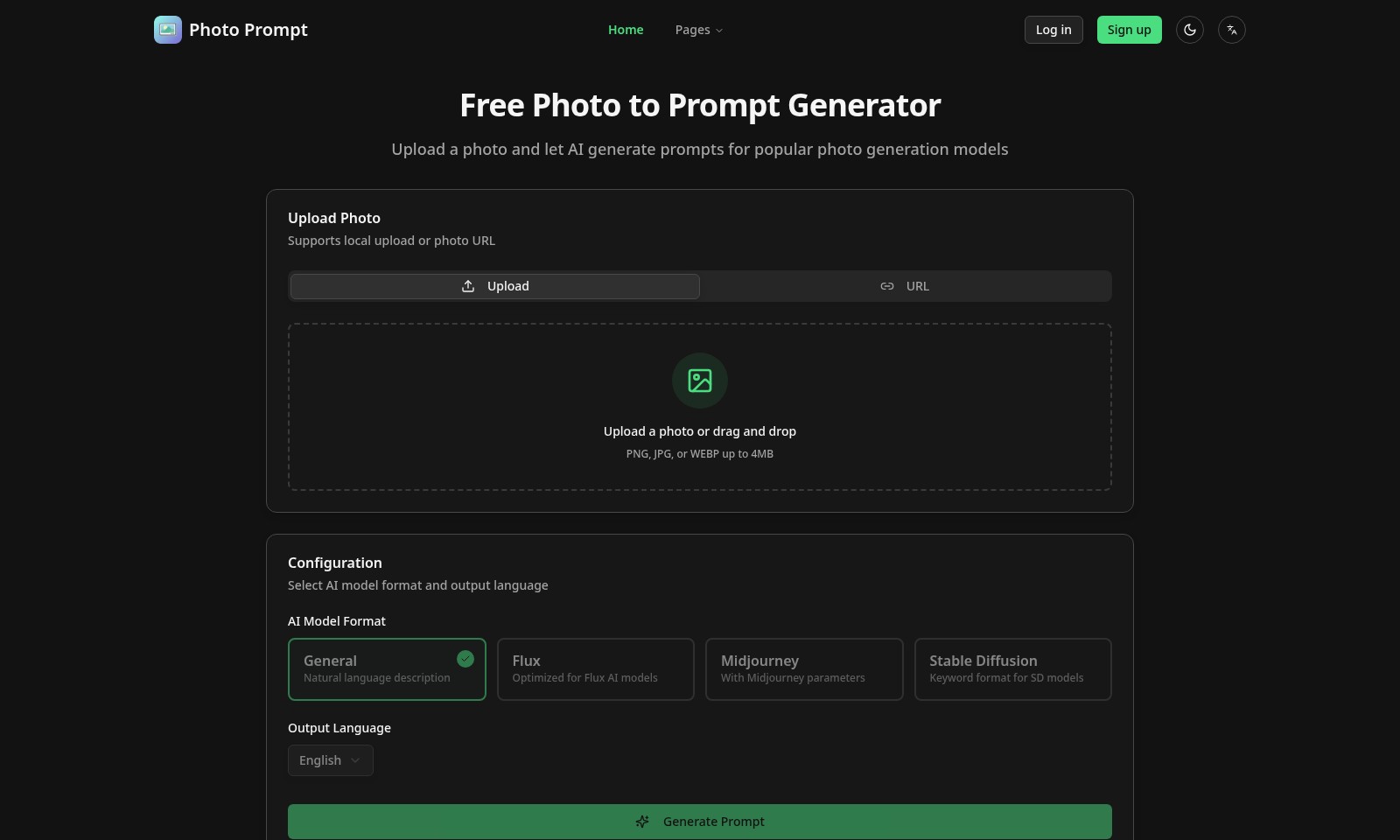
Photo Prompt Introduction
Photo Prompt Generator
Unlock the power of artificial intelligence with our Free Photo to Prompt Generator. This innovative tool allows you to effortlessly upload a photo and receive tailored prompts for various well-known photo generation models. Designed for avid creators and professionals alike, our platform emphasizes flexibility and precision in transforming your images into insightful, engaging prompts.
Experience the convenience of local photo uploads or linking via URL. Supported formats include PNG, JPG, or WEBP, with a maximum file size of 4MB, ensuring that your images are easily manageable. Our system offers seamless integration with popular AI models such as General, Flux, Midjourney, and Stable Diffusion, enabling you to select output formats that meet your unique project goals.
With the added advantage of three free prompt generations per day for anonymous users, this tool is not only powerful but also accessible. The underlying AI rigorously analyzes your images, converting them into high-quality prompts that reflect their intricate details accurately. This feature is designed to enhance your creative process, making it more efficient and enjoyable.
Photo Prompt Features
Photo Upload Feature - Seamless Integration
Easily upload photos from your device or via URL, enabling quick access to our AI prompt generation. Supports multiple file formats including PNG, JPG, and WEBP, with a maximum size of 4MB.
AI Model Selection - Tailored Outputs
Select from various AI model formats to generate the most suitable prompts for your needs. Options include General descriptions, Flux optimized prompts, Midjourney parameters, and Stable Diffusion keyword formats.
Daily Free Generations - Cost-effective Solution
Access up to three free prompt generations daily for anonymous users, making our service budget-friendly for everyone. Designed for casual users and professionals seeking efficient solutions for their projects.
High Accuracy Conversion - Precision Prompting
Transform original photos into highly accurate prompts, allowing users to fully leverage AI tools. Our technology ensures that the regenerated prompts closely match the user’s original image content, enhancing creative outcomes.
User-Friendly Interface - Intuitive Navigation
Designed with accessibility in mind, our platform features a clean and user-friendly interface. Both new and experienced users will find it easy to navigate through the upload and generation process, minimizing friction and enhancing user satisfaction.
Frequently Asked Questions About Photo Prompt
FAQs about the Free Photo to Prompt Generator
1. How do I upload a photo for prompt generation?
You can easily upload a photo by dragging and dropping it into the designated area on our site or by clicking the 'Upload Photo' button. We support JPG, PNG, and WEBP formats, and the maximum file size is 4MB.
2. What types of AI models can I select for generating prompts?
We offer options to choose different AI model formats such as General, Flux, Midjourney, and Stable Diffusion. Each of these models is optimized for specific output types, so you can select the one that best fits your needs.
3. Can I use the photo prompt generator anonymously?
Yes, our service allows for 3 free generations per day for anonymous users. If you need more prompts or advanced features, consider signing up for an account.
4. What languages can I choose for the generated prompts?
Currently, our platform supports generating prompts in English. This allows you to receive highly accurate and well-structured descriptions.
5. How accurate is the prompt generation?
Our technology utilizes advanced AI algorithms to ensure high accuracy when converting your original photos into prompts. You can see how closely the generated prompt matches your uploaded photo through our comparison feature.
6. Is there a limit to how many photos I can upload?
While there is no limit to how many photos you can upload, keep in mind that each anonymous user is restricted to three prompt generations per day. If you find yourself needing more, consider creating an account for additional benefits.
How to Use Photo Prompt
Step 1: Sign Up for an Account
To get started, click on the 'Sign up' button located on the homepage. Fill out the registration form with your email and create a password. Once completed, confirm your email address to activate your account.
Step 2: Log In to Your Account
After registering, return to the site and click on the 'Log in' button. Enter your email and password to access your account. Make sure to check the 'Remember Me' box if you want the site to keep you logged in.
Step 3: Upload Your Photo
Once logged in, locate the 'Upload a photo' section. You can either drag and drop your image or click the 'Upload' button to select a file from your device. Ensure your photo is in PNG, JPG, or WEBP format and does not exceed 4MB in size.
Step 4: Select A.I. Model Format
After uploading your photo, choose the A.I. model format that suits your needs. Options include General, Flux, Midjourney, and Stable Diffusion. This step is crucial as it determines how your photo will be interpreted.
Step 5: Choose Output Language
Next, select the output language for your generated prompts. Currently, English is available. This setting ensures that the AI-generated prompts are in the language you prefer.
Step 6: Generate Your Prompts
Click the 'Generate Prompt' button. The system will use your uploaded photo and selected model to create prompts. You can get up to 3 free generations per day if you are an anonymous user.
Step 7: Review the Generated Prompt
Once the prompts are generated, you will see them displayed on the screen. Review each prompt carefully. If you are not satisfied with the results, you can upload a different photo or try adjusting the model format and generating again.
Step 8: Utilize Your Prompts
After finding a suitable prompt, you can use it for various creative purposes in AI models. Copy the prompt and follow your desired AI model's usage guidelines to create stunning images based on your original photo.
Reviews
Pros
- Easy to use
- Fast processing
- Great results
- Affordable pricing
Cons
- Limited free version
- Requires internet connection
Comments
No comments yet. Be the first to share your thoughts!
Photo Prompt - Alternative Platforms
For some alternatives to Photo Prompt that you may need, we provide you with sites divided by features.

Free tool for artists and creators to turn images into high-quality prompts for AI art generation, supporting multiple languages and seamless integration.
Capable offers tools for teams to create and manage dynamic prompt templates, improving efficiency and collaboration while integrating with OpenAI.