Picture to Drawing
Experience professional-quality picture to drawing transformations with privacy assured. Create unique artworks from your images effortlessly.
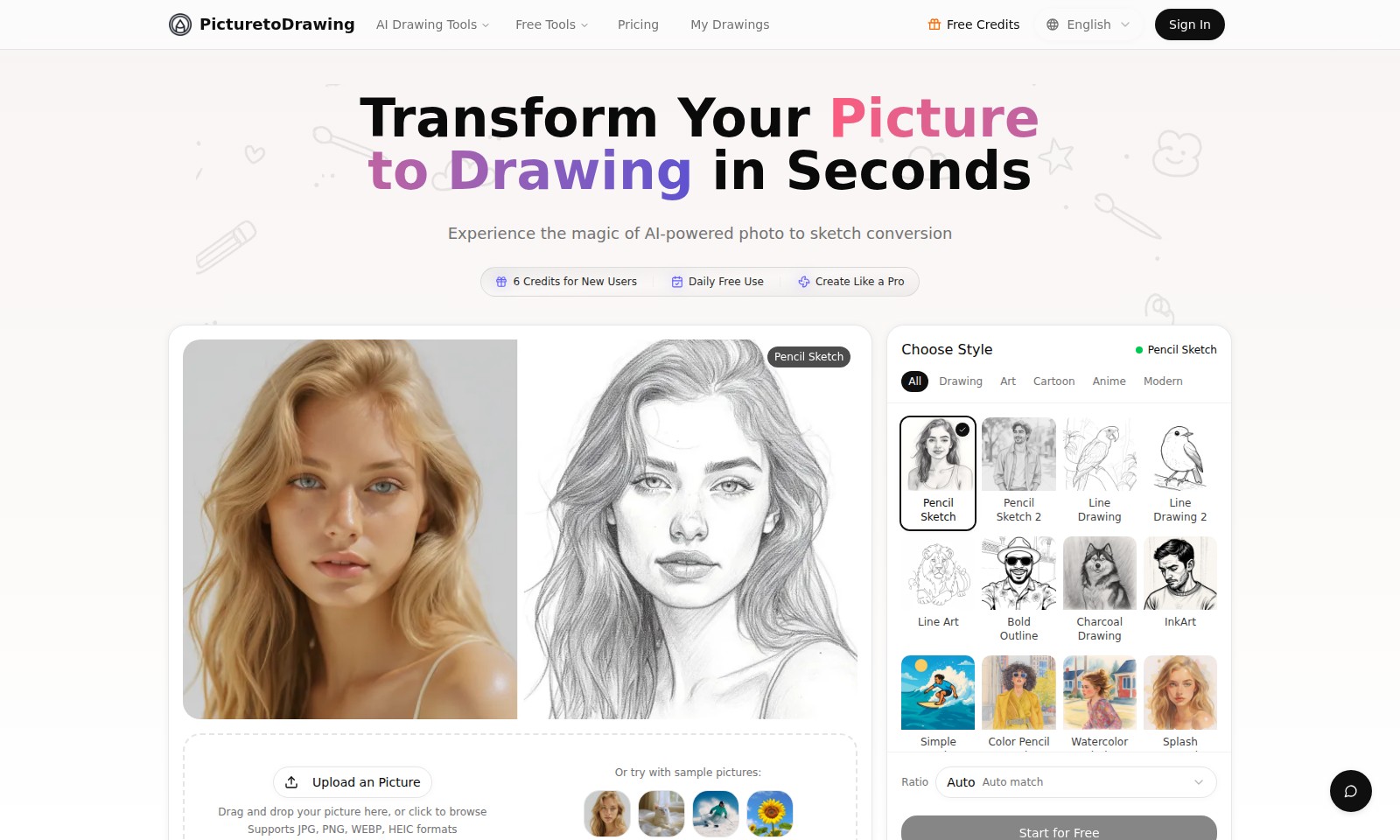
Picture to Drawing Introduction
Transform Your Picture to Drawing in Seconds
At PicturetoDrawing, we harness the power of advanced AI technology to convert your photos into stunning drawings in just seconds. Our platform offers a variety of styles and tools that cater to every artistic preference, enabling users to create professional-level sketches effortlessly. From pencil sketches to vibrant watercolor paintings, our service is designed for both casual users and serious artists alike.
Picture to Drawing Features
Transform Your Picture to Drawing in Seconds - Instant Artwork Creation
Experience seamless photo to sketch conversion within moments, enriching your creative projects effortlessly. Our AI-driven platform allows for swift transformations, accommodating even the busiest of schedules.
AI-Powered Drawing Styles - Diverse Artistic Expressions
Utilize our advanced machine learning algorithms to select from a myriad of artistic styles like Pencil Sketch, Charcoal Drawing, and Watercolor Painting, catering to diverse creative preferences. This feature ensures that users can find the perfect aesthetic to match their vision.
User-Friendly Interface - Effortless Navigation
Navigate our intuitive drag-and-drop interface, which supports multiple file formats including JPG, PNG, and HEIC. Designed with user convenience in mind, even those with minimal tech skills can create stunning artwork in just a few clicks.
Daily Free Use - Accessible Creativity
Take advantage of our daily free use policy that enables users to explore their artistic potential without any financial commitment. New users receive 6 free credits, ensuring an engaging introduction to our tools without barriers.
Customizable Drawing Options - Tailored Creations
Personalize your drawings by choosing from various styles such as Anime, Pop Art, and Pixel Art, allowing for unique and custom outputs that align with individual or project requirements. This flexibility empowers users to express their creativity without constraints.
Comprehensive Format Support - Versatility in Creation
Our platform supports a range of file formats, ensuring that you can seamlessly upload photos and create drawings regardless of your preferred file type. This compatibility is vital for artists and designers who often work across multiple file formats.
Cloud Saving Feature - Convenient Storage Solutions
Enjoy the benefits of our cloud saving capabilities which enable users to store their drawings securely online. This feature not only provides peace of mind but also allows easy access to your artwork from any device, making it perfect for professionals on the go.
Frequently Asked Questions About Picture to Drawing
Frequently Asked Questions
How do I transform a picture into a drawing?
To transform your picture into a drawing, simply upload your image by dragging and dropping it into the designated area or by clicking to browse. Our AI-powered tools will convert your photo into a beautiful sketch in just seconds.
What formats do you support for uploads?
We support various image formats including JPG, PNG, WEBP, and HEIC. You can use any of these formats to upload your pictures and enjoy our drawing services without hassle.
Do I need to pay for using your drawing tools?
While our platform offers many features for free, new users can enjoy 6 credits at the start. Additionally, we provide daily free use, allowing you to explore and utilize our tools at no cost.
What styles of drawings can I choose from?
Our service offers a diverse range of drawing styles, including Pencil Sketch, Line Drawing, Charcoal Drawing, Watercolor Painting, and many more. You can easily select your preferred style from our list to create a unique artwork that reflects your vision.
Can I save my drawings?
Yes, you can save your completed drawings to your device. After the conversion process, you will have options to download your artwork in high-quality formats for personal use or sharing.
Is there a limit to how many pictures I can convert?
There are no strict limits imposed on the number of pictures you can convert daily under the free usage plan. However, for users who frequently create drawings, we recommend checking our pricing options for additional credits and features.
How to Use Picture to Drawing
Step 1: Register for an Account
Create your PicturetoDrawing account by clicking the 'Sign In' button and selecting 'Register'. Fill in your details and follow the prompts to complete the registration process.
Step 2: Log In to Your Account
Once registered, click 'Sign In' and enter your email and password. This will take you to your user dashboard where you can begin using the features.
Step 3: Upload an Image
To start transforming your picture, drag and drop your image into the upload area or click to browse your files. Make sure your image is in JPG, PNG, WEBP, or HEIC format.
Step 4: Choose Your Drawing Style
Select a style for your drawing from the available options, such as 'Pencil Sketch' or 'Cartoon'. This impacts the final look of your converted image.
Step 5: Preview Your Drawing
After choosing a style, click on the preview button to see how your drawing will look. This allows you to make changes before finalizing the image.
Step 6: Save Your Drawing
When you are satisfied with the preview, save your drawing by clicking the save button. Depending on your account, you can use your credits to download or share it.
Step 7: Explore More Features
Check the 'My Drawings' section to view your saved images and explore other tools and styles available on PicturetoDrawing. Try using daily free credits to explore different styles and features.
Reviews
Pros
- Easy to use
- Fast processing
- Great results
- Affordable pricing
Cons
- Limited free version
- Requires internet connection
Comments
No comments yet. Be the first to share your thoughts!
Picture to Drawing - Alternative Platforms
For some alternatives to Picture to Drawing that you may need, we provide you with sites divided by features.

Discover a powerful online AI tool that allows you to transform images by providing descriptions and manipulating settings for personalized results.
SynthID Remover detects and removes invisible watermarks from AI-generated images without affecting quality, ideal for designers and creators.
Image to Image AI allows users to creatively modify images by maintaining core composition while applying desired changes, enhancing design workflow and efficiency.
Discover Face Swap AI, the user-friendly tool that enables effortless face swapping in photos and videos, bringing creativity to your edits.