RunningHub
ComfyUI empowers users to create and publish innovative AI apps easily, supported by powerful GPUs and diverse workflows for various applications.
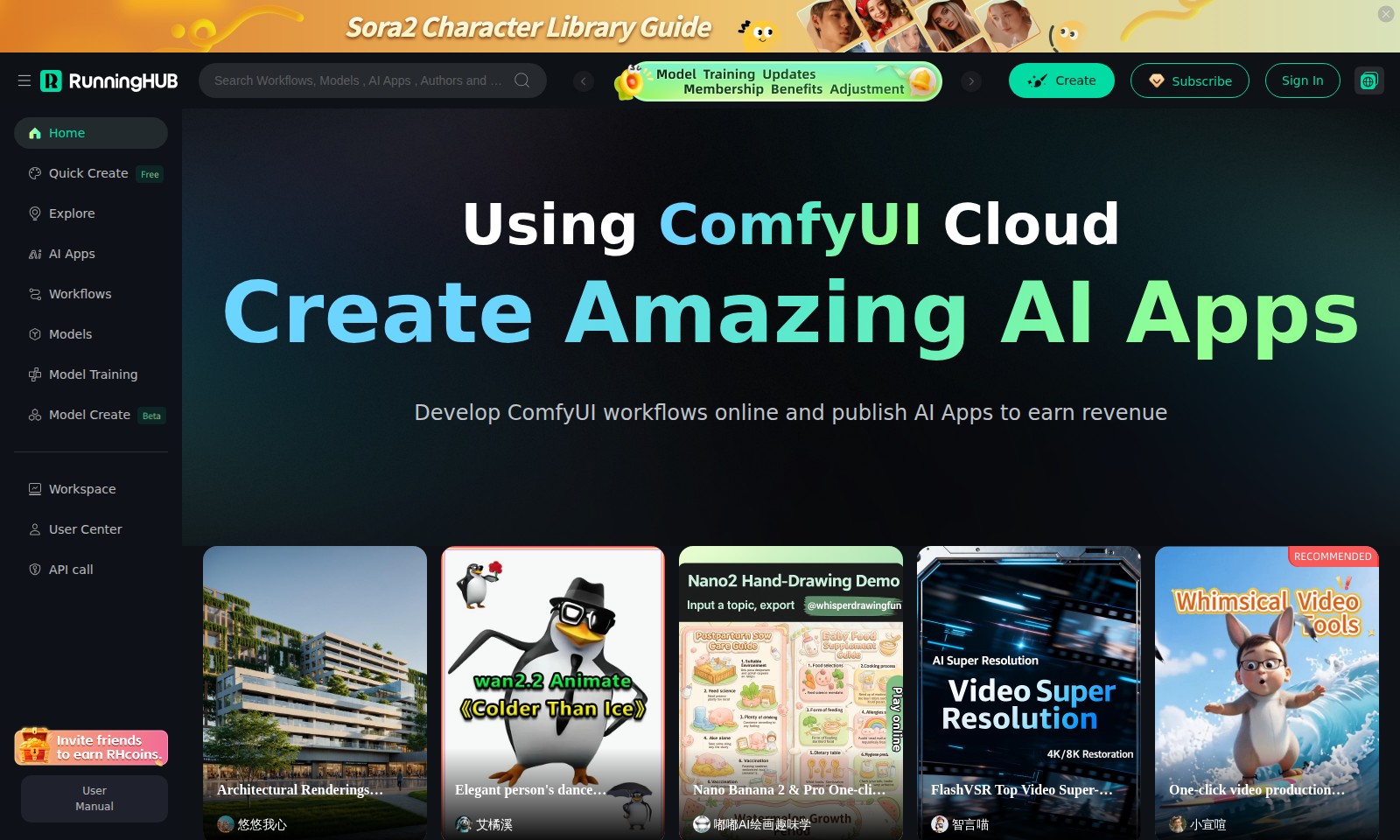
RunningHub Introduction
Create Amazing AI Apps
Transform your ideas into reality with our powerful platform that allows you to develop ComfyUI workflows online and publish AI Apps to earn revenue. Our unique features provide users with the tools necessary to create dynamic applications that stand out in the rapidly evolving tech landscape.
RunningHub Features
Architectural Renderings Workflow_SDXL
Efficient Project Implementation - This workflow enables rapid and precise architectural renderings for various projects. By covering crucial parameters such as output quantity, time period, and scene details, it optimizes the rendering process to ensure high-quality results in a timely manner. Unlike traditional tools, this solution features real-time effects that adjust based on input parameters, granting users unprecedented control over the final output.
AI App Development
Creative Revenue Generation - Leverage the power of AI to create unique applications that can generate revenue streams. The ComfyUI platform simplifies app development by offering robust tools and intuitive interfaces tailored for developers of all experience levels. With features that streamline the development pipeline, users can focus on innovation and creativity rather than technical hurdles.
Workflow Automation
Streamlined Work Processes - ComfyUI’s automation capabilities allow users to design and implement workflows that enhance productivity. This feature significantly reduces manual intervention through intelligent process optimization, thereby freeing up resources for more critical tasks. The ability to customize workflows ensures that they are aligned with specific project needs and organizational goals.
Intuitive User Center
User-Centric Design - Our User Center is designed with an emphasis on personal experience, providing comprehensive tools for managing projects and applications. Users have easy access to all necessary functionalities, including an organized dashboard that consolidates user activities and notifications. This centralization enhances usability and ensures that critical information is readily available.
Advanced API Access
Seamless Integration - Utilize our powerful API to connect external systems and services effortlessly. This feature is designed to support a wide array of use cases, enabling users to extend the functionality of their applications without the usual constraints. Detailed documentation and support facilitate smooth integration, allowing developers to harness the full potential of the ComfyUI ecosystem.
Model Training Tools
Enhanced Machine Learning Capabilities - Our platform includes sophisticated model training tools that allow users to refine AI models based on their specific datasets. By focusing on quantitative performance improvements, these tools provide a competitive edge in various applications, from predictive analytics to personalization features, making them invaluable for data-driven decision-making.
Quick Create Feature
Rapid Prototyping - The Quick Create feature allows users to swiftly prototype their ideas and achieve tangible results in minutes. This capability is essential for those in fast-paced environments where speed and agility are paramount. By minimizing the barriers to entry, users can iterate quickly and maintain momentum in their projects.
Frequently Asked Questions About RunningHub
FAQs
Q: How can I create my own AI App using ComfyUI?
A: To create your own AI App, simply sign in to your ComfyUI account, navigate to the 'Create' section, and follow the guided prompts to use pre-built templates or start from scratch. You can customize your app based on specific workflows and parameters.
Q: What is the purpose of the Architectural Renderings Workflow?
A: The Architectural Renderings Workflow is designed to streamline project implementation by allowing users to set parameters like output quantity, time period, and scene details. This workflow effectively caters to both commercial and residential projects, ensuring high flexibility and adaptability to real-world conditions.
Q: Can I monetize my AI Apps published using ComfyUI?
A: Yes, ComfyUI allows you to publish your AI Apps, which can be monetized. Once you’ve created an app, you can explore various revenue models, including subscriptions, one-time purchases, or advertising options, depending on what suits your app best.
Q: What types of projects can benefit from using ComfyUI’s workflows?
A: ComfyUI’s workflows are versatile and can be utilized across a variety of projects, including architectural renderings, data analysis, and creative content generation. The workflows are designed to adapt to different scenarios, fulfilling specific effect requirements such as seasonal variations and different times of day.
Q: How does the ComfyUI Cloud facilitate the creation process?
A: The ComfyUI Cloud offers a collaborative platform for you to develop workflows and applications online. It ensures that you have access to the latest tools and library without the need for local installation, allowing you to focus on creativity and productivity.
Q: Is there a user manual available for using ComfyUI?
A: Yes, a comprehensive user manual is available in the User Center. It provides detailed instructions, tips, and best practices to help you maximize your experience with ComfyUI’s features and tools.
How to Use RunningHub
Register an Account
To start your journey, click on the 'Sign In' or 'Subscribe' button on the homepage. Fill in the required information, including your email address and a secure password. Confirm your registration through the email link sent to you.
Set up your Profile
Once you are logged in, navigate to 'User Center' to set up your profile. Add some personal details such as your name and a profile picture to help other users connect with you.
Explore the Dashboard
After setting up your profile, access the dashboard to see various options like 'Quick Create' and 'Explore.' Spend some time familiarizing yourself with these features to understand how they can benefit your projects.
Create Your First AI App
Click on 'Create Amazing AI Apps' to begin. Choose a template that suits your project needs and start customizing it by adding relevant inputs and parameters. Make sure to save your progress regularly.
Utilize Workflows
Explore the 'Workflows' section. Here, you can find existing workflows or create a new one tailored to your specific requirements. This step allows you to design a seamless integration of different tasks and improve efficiency in your projects.
Reviews
Pros
- Easy to use
- Fast processing
- Great results
- Affordable pricing
Cons
- Limited free version
- Requires internet connection
Comments
No comments yet. Be the first to share your thoughts!
RunningHub - Alternative Platforms
For some alternatives to RunningHub that you may need, we provide you with sites divided by features.

Login to Logo Diffusion with various methods or register. The site uses cookies for personalization and traffic analysis.
The AI SVG Generator transforms text into scalable vector graphics, enabling effortless logo creation, illustrations, and more for modern web and branding.
Patternaly is an online AI pattern generator for creating stunning seamless patterns effortlessly, suited for various design needs.