Seedance AI
Seedance AI offers a powerful platform for generating professional-quality videos from text and images, featuring advanced storytelling techniques and flexible configurations.
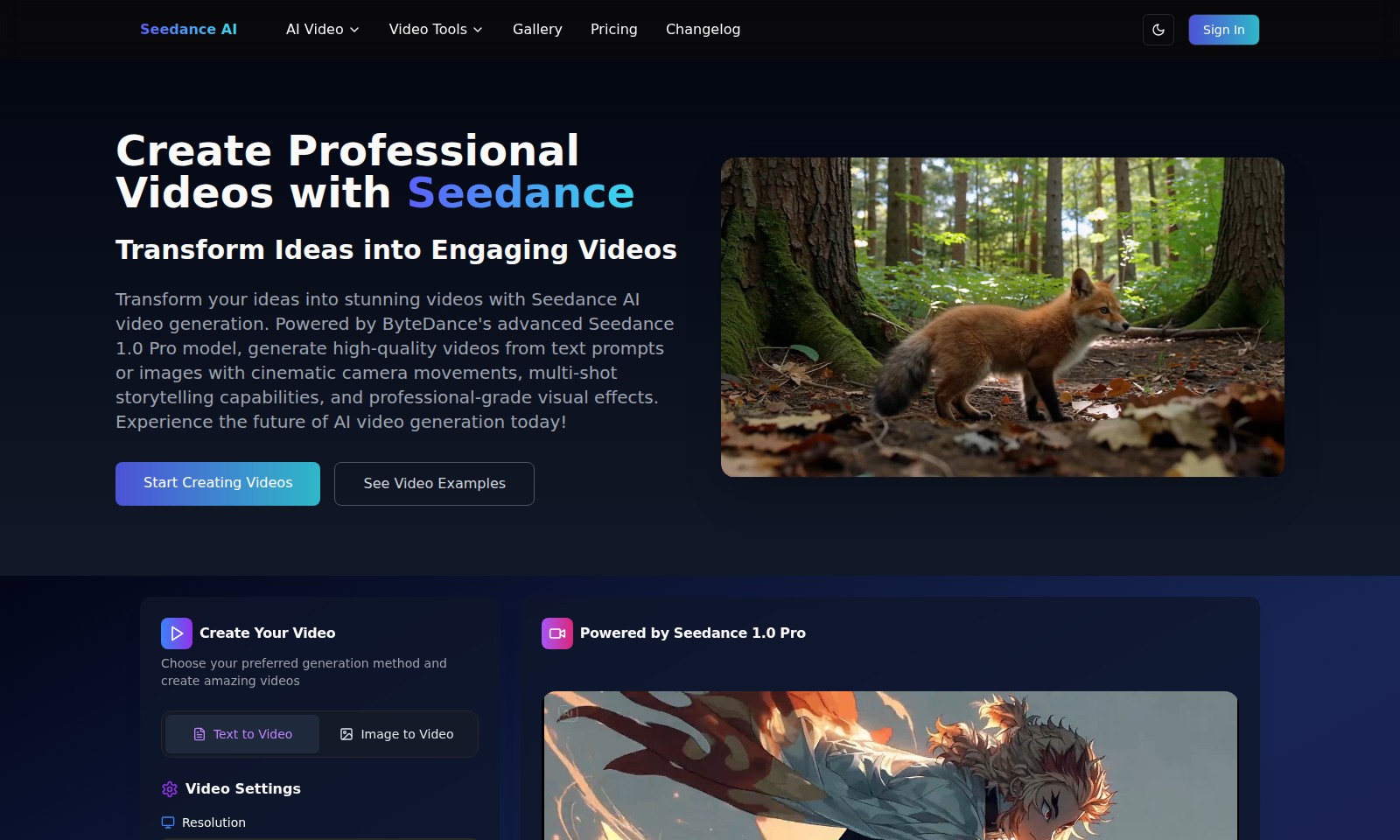
Seedance AI Introduction
Unlock Your Creativity with Seedance AI
Transform your ideas into stunning videos with Seedance AI video generation.
Seedance AI Features
Seedance AI Video Generation
Create high-quality, engaging videos effortlessly with Seedance AI’s advanced video generation technology.
Cinematic Camera Movements
Bring your stories to life with dynamic camera movements that enhance visual engagement and narrative flow.
Multi-Shot Storytelling
Easily generate complex video narratives with our multi-shot capabilities, allowing for seamless transitions and enriched storytelling.
Professional-Grade Visual Effects
Elevate your videos with high-end visual effects designed to capture attention and convey professionalism in every frame.
User-Friendly Interface
Experience intuitive controls that simplify video creation, catering to both novices and experienced users alike.
Frequently Asked Questions About Seedance AI
FAQs about Seedance AI Video Generation
1. What is Seedance AI?
Seedance AI is an advanced video generation tool powered by ByteDance's Seedance 1.0 Pro model. It helps users transform text prompts or images into professional-quality videos with cinematic effects and storytelling capabilities.
2. How can I create a video with Seedance?
You can create videos by choosing either the 'Text to Video' or 'Image to Video' options on our website. Simply input your descriptive prompt or upload your image, select your video settings, and hit 'Generate Video' to get started!
3. What are the video settings available?
Users can customize their videos by selecting resolution options such as 480p and aspect ratios like 16:9 widescreen. You can also adjust the duration of the video to fit your needs, ensuring a perfect fit for your project requirements.
4. Is there a credit system for generating videos?
Yes, each video generation will utilize credits. Currently, generating a video using our Seedance 1.0 Pro model costs 1 credit. Make sure to have enough credits prior to generating videos to avoid interruptions.
5. Where can I see examples of generated videos?
You can check out video examples directly on our website under the 'See Video Examples' section. This will give you an idea of the quality and creative possibilities achievable with Seedance AI.
6. How does Seedance compare to other video generation tools?
Seedance 1.0 Pro is recognized as a top performer on the Artificial Analysis Video Arena Leaderboard. It stands out for its exceptional capabilities in text-to-video conversion, offering high-quality outputs that incorporate cinematic features and visual effects.
How to Use Seedance AI
Register an Account
To begin using Seedance AI, you need to create an account. Visit the registration page and fill in the required details such as your email address and a strong password. Confirm your password and agree to the terms of service before clicking on 'Sign Up'.
Verify Your Email
After registration, check your inbox for a verification email from Seedance AI. Click on the link provided in the email to verify your account and gain access to all features.
Sign In to Your Account
Return to the Seedance AI homepage and click on the 'Sign In' button. Enter your verified email address and password to log into your account.
Set Up Your Profile
Once logged in, navigate to your profile settings. Fill in any additional information that’s requested, such as your name and a profile picture to personalize your account.
Explore the Dashboard
Familiarize yourself with the Seedance dashboard. Here, you’ll find various options including 'Create Video', 'Gallery', and 'Pricing'. Take a moment to explore what each section has to offer.
Choose a Video Creation Method
When ready to create a video, click on 'Create Your Video'. You will have the option to select your preferred method of video generation: either 'Text to Video' or 'Image to Video'.
Enter Your Content
If you choose 'Text to Video', provide a descriptive prompt in the text box. For 'Image to Video', upload your chosen image. Be detailed in your descriptions to get the best possible results from the AI.
Adjust Video Settings
Set your preferred video settings including resolution (480p) and aspect ratio (16:9). Make sure to specify the expected duration (up to 5 seconds) for your video creation. Review your settings to ensure they meet your needs.
Generate Your Video
Once everything is set, hit 'Generate Video'. This will utilize one credit from your account. Watch as the Seedance 1.0 Pro model creates your video based on the prompts you provided.
Preview and Download
After the video is generated, you will be able to preview it. If satisfied, proceed to download it to your device. If you wish to make adjustments, you can go back and modify your prompts or settings as needed.
Explore the Gallery
Don’t forget to check out the Gallery section to view examples of videos created by other users. It’s a great way to gather inspiration for your next project!
Stay Updated with Changelog
Visit the Changelog periodically to stay informed about any updates, new features, or improvements made to Seedance AI. This way, you’ll always be in the loop with the latest advancements in the platform.
Reviews
Pros
- Easy to use
- Fast processing
- Great results
- Affordable pricing
Cons
- Limited free version
- Requires internet connection
Comments
No comments yet. Be the first to share your thoughts!
Seedance AI - Alternative Platforms
For some alternatives to Seedance AI that you may need, we provide you with sites divided by features.

Kovvid AI offers a user-friendly platform for generating AI images and videos, with the ability to compare multiple models in one place.
Discover the advanced AI tools at MakeShot.ai for creating stunning videos and images with a limited-time 50% discount.
Photo Animate allows users to easily animate photos to video using AI, creating realistic movements for portraits and cherished memories.
Image to Video AI allows quick, high-quality video creation from images, integrating with tools like Google Chrome and Figma for seamless workflows.