Synthesia
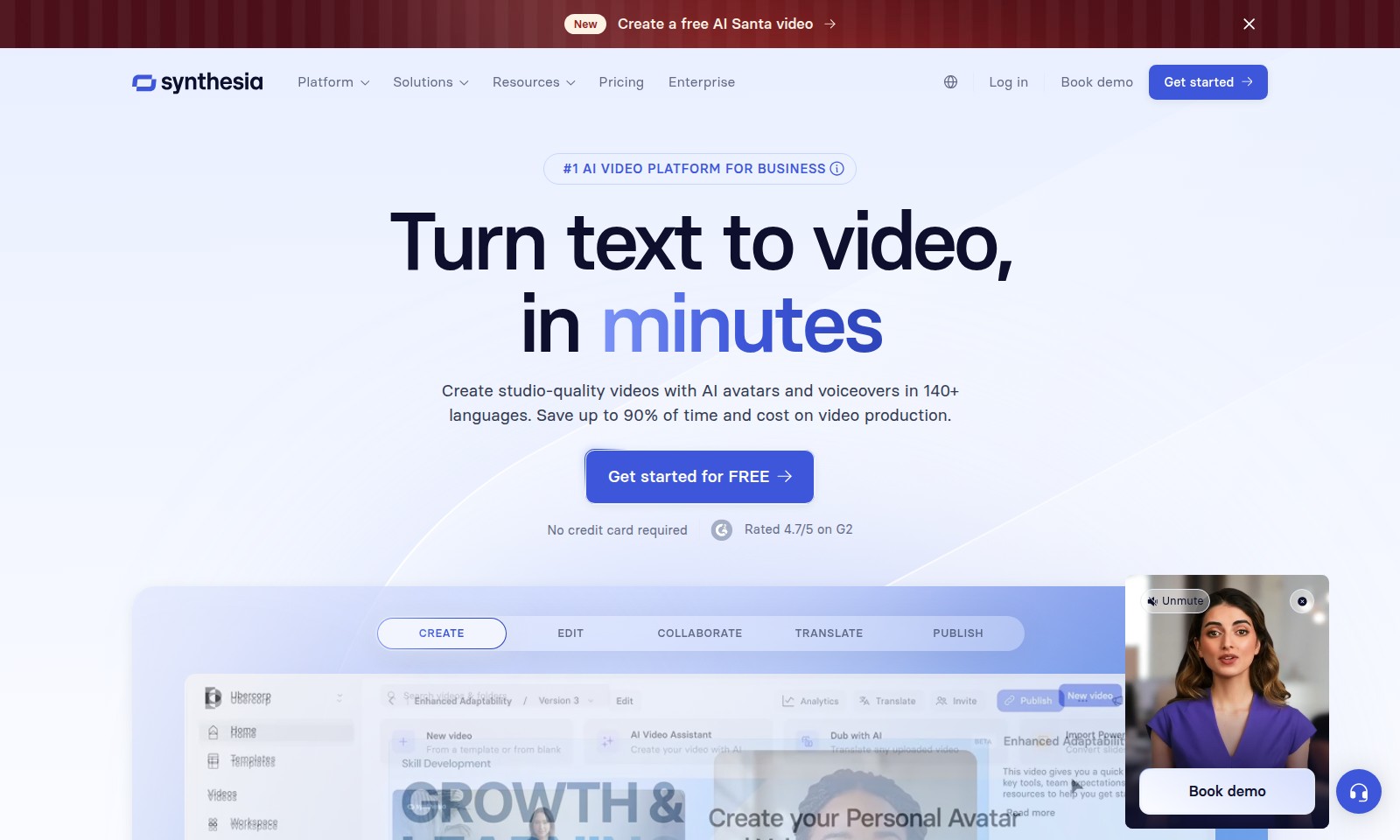
Synthesia is the leading AI video platform that allows users to generate high-quality videos quickly and efficiently, with features like real-time collaboration and multilingual support.
Synthesia Introduction
Introducing the Leading AI Video Platform for Businesses
Transform the way you create, edit, and publish videos with our cutting-edge AI video platform. Designed for professionals, we empower your team to produce studio-quality videos with AI avatars and voiceovers in over 140 languages. Save time and reduce production costs by up to 90% while delivering high-quality content that resonates with your audience. Join the ranks of over 90% of Fortune 100 companies who trust us to enhance their training, marketing, and communication strategies.
Synthesia Features
AI Video Creation - Unmatched Efficiency
Transform your script into professional-quality videos using our AI-powered platform. Enjoy a streamlined process that saves you up to 90% in time and costs.
Multi-language Support - Global Reach
Create videos in 140+ languages to engage with audiences worldwide, ensuring your message resonates across different cultures and languages.
Collaborate Seamlessly - Team Empowerment
Work together with your team in real-time to refine scripts and make edits, empowering collaboration regardless of location.
High-Quality Output - Professional Standards
Utilize studio-quality AI avatars and voiceovers, providing a polished final product that enhances your brand image and draws in customers.
Enterprise-Ready Features - Scalability at Its Best
Designed to meet the needs of Fortune 100 companies, our platform is optimized for scalability while maintaining high performance under load.
Fast Turnaround - Quick Results
What used to take hours can now be accomplished in as little as 30 minutes, making video production more accessible for all business needs.
Intuitive Interface - Easy to Use
The user-friendly design makes it easy for anyone to create and publish videos, regardless of their technical expertise. No training required!
Frequently Asked Questions About Synthesia
FAQ
How does the AI video creation process work?
The AI video creation process is incredibly streamlined. You simply input your text, choose your AI avatar, and select a voiceover in any of the 140+ available languages. The platform handles the rest, generating a studio-quality video in just minutes.
What industries can benefit from using this AI video platform?
This AI video platform is versatile and beneficial across various industries, including marketing, training, sales, and internal communications. Companies from Fortune 100 to small businesses have successfully utilized our solutions to enhance their video content and improve engagement.
Do I need any technical skills to use this platform?
No prior technical skills are required to use our platform. It is designed to be user-friendly and intuitive, ensuring anyone can create professional-quality videos quickly and efficiently.
Is there a limit to how many videos I can create?
There are no limits on the number of videos you can create with our platform. Once you sign up for a free account, you can produce as many videos as you need to support your business goals.
What support is available if I encounter issues?
We offer robust customer support, including tutorials and a dedicated help center. Additionally, you can reach out to our support team for personalized assistance as needed.
Are there any costs involved after the free trial?
Our basic features are available for free, and you only need to explore the premium features if they align with your requirements. This allows you to scale your video production as your needs grow without any initial investment.
How to Use Synthesia
Step 1: Create an Account
Visit our website and click on 'Get started for FREE.' Fill in the required information, including your email and password, and click 'Sign Up' to create your account.
Step 2: Confirm Your Email
Check your inbox for a confirmation email. Click the link in the email to verify your account and get ready to start using our platform.
Step 3: Set Up Your Profile
Once logged in, navigate to your profile settings. Complete your profile by adding your name, company details, and preferences to ensure a personalized experience.
Step 4: Explore Key Features
Take a tour of the platform. Familiarize yourself with the main functions such as Create, Edit, Collaborate, Translate, and Publish. This will help you understand how to make the most of our services.
Step 5: Create Your First Video
Start by selecting the 'CREATE' option. Choose a template or start from scratch. Input your text, select an AI avatar, and customize voiceovers as needed before finalizing your video.
Step 6: Edit Your Video
Use the 'EDIT' features to refine your video. Trim clips, adjust audio levels, and modify text overlays to enhance the quality and effectiveness of your content.
Step 7: Collaborate with Your Team
If you're working with a team, use the 'COLLABORATE' feature to share your video with colleagues for feedback. You can invite team members to view, comment, and suggest changes directly within the platform.
Step 8: Translate Your Video
If your audience speaks multiple languages, utilize the 'TRANSLATE' option to create videos in over 140 languages. Adjust the text accordingly to reach a wider audience.
Step 9: Publish Your Video
Finally, once you are satisfied with your edits and translations, proceed to 'PUBLISH' your video. Choose to share it on social media, embed it on your website, or download it for offline use.
Reviews
Pros
- Easy to use
- Fast processing
- Great results
- Affordable pricing
Cons
- Limited free version
- Requires internet connection
Comments
No comments yet. Be the first to share your thoughts!
Synthesia - Alternative Platforms
For some alternatives to Synthesia that you may need, we provide you with sites divided by features.

Arcade empowers teams to create on-brand demos and visuals quickly, enhancing storytelling and engagement for better conversion rates.
Get the GoDaddy Airo Plus™ logo maker to create a stunning logo for your business and enhance your brand identity.
Focal offers AI-driven video creation and editing, providing various plans for personal or commercial use.
Discover how to effortlessly craft engaging video ads with Creatify’s AI tools, perfect for brands and agencies looking to enhance their ad performance.