VoxDeck
An AI-powered tool for creating visually engaging presentations with advanced features like 3D elements and cinematic visuals.
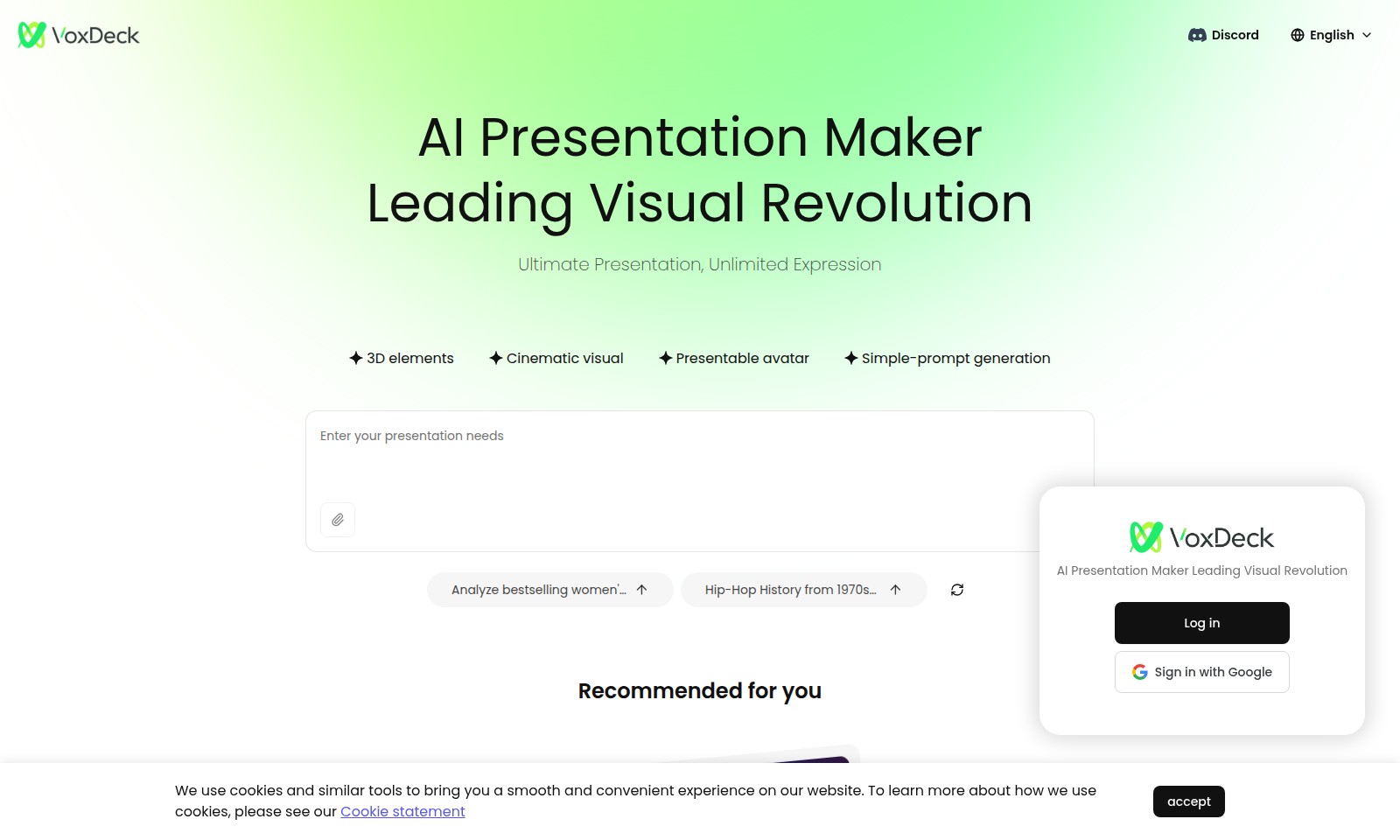
VoxDeck Introduction
AI Presentation Maker: Leading a Visual Revolution
The AI Presentation Maker stands at the forefront of revolutionizing how presentations are created and delivered. Our platform empowers users with tools that cater to diverse presentation needs, from seamless integration of 3D elements to cinematic visuals that captivate audiences. With our simple-prompt generation feature, even those with limited design experience can produce stunning, professional-grade presentations effortlessly.
VoxDeck Features
AI Presentation Maker - Revolutionizing Your Presentations
Empower your storytelling with dynamic 3D elements that capture your audience's attention. Our AI Presentation Maker utilizes advanced algorithms to create stunning visuals that enhance engagement, ensuring your message resonates effectively.
Cinematic Visuals - Engage with Impact
Transform your presentations into cinematic experiences. Our tool harnesses high-resolution, lifelike graphics, allowing you to illustrate your points vividly. Whether showcasing complex data or creative ideas, the cinematic visuals facilitate better retention and understanding.
Presentable Avatars - Personalize Your Delivery
Stand out with customizable avatars that represent you or your brand. These avatars can convey emotions, enhancing your delivery's authenticity. By using avatars, you create a more personal connection with your audience, a key factor in successful communication.
Simple-Prompt Generation - Streamline Your Workflow
With intuitive prompt generation, you can create effective presentations faster than ever. Our system guides you through the process, eliminating the complexity of design decisions. This feature is perfect for busy professionals needing to prioritize efficiency without compromising quality.
Data-Driven Insights - Inform Your Audience
Our tool provides actionable insights by analyzing trending topics, such as the rise of women's casual wear in North America. This feature equips you to present data-driven narratives, making your content not only more relevant but also more persuasive to your audience.
Cross-Platform Compatibility - Present Anywhere
Your presentations can be accessed and edited across all devices, ensuring you can showcase your work whenever needed. This convenience, combined with seamless integration with various e-commerce platforms, allows for smooth updates and adaptability to market changes.
Frequently Asked Questions About VoxDeck
FAQ about AI Presentation Maker
Q: What is the AI Presentation Maker?
A: The AI Presentation Maker is a cutting-edge tool that utilizes artificial intelligence to help users create visually stunning presentations quickly and easily. It allows for customizable features like 3D elements and cinematic visuals.
Q: Do I need technical skills to use the AI Presentation Maker?
A: No, you don’t need any technical skills. The interface is user-friendly, and even beginners can create professional presentations with simple prompts. Tutorials and guides are also available to help you get started.
Q: What type of content can I create with this tool?
A: You can create a variety of content including product presentations, analysis reports, and educational materials. It is particularly effective for showcasing fashion trends and historical topics with engaging visuals.
Q: Is the AI Presentation Maker suitable for businesses?
A: Absolutely! Businesses can leverage this tool to create compelling presentations for pitches, meetings, and training sessions. The dynamic visuals can capture the audience's attention and effectively convey information.
Q: Can I collaborate with others using the AI Presentation Maker?
A: Yes, the platform supports collaboration features, allowing multiple users to work on a presentation simultaneously. You can share access with team members or clients for real-time editing and feedback.
Q: How can I get started?
A: Simply sign in using your Google or Discord account to access the AI Presentation Maker. From there, you can explore the features and start creating your presentations immediately.
How to Use VoxDeck
Step 1: Register an Account
Visit our website and click on the 'Sign Up' button. Fill out the registration form with your email and create a password. Once completed, check your inbox for a confirmation email and verify your account.
Step 2: Log In to Your Account
After verification, return to the homepage. Click 'Log In' and enter your registered email and password. If you prefer, you can sign in using your Google or Discord account for a quick login experience.
Step 3: Set Up Your Profile
Navigate to the profile settings page. Upload a profile picture and fill in your details to personalize your account. This helps to enhance your experience on our platform.
Step 4: Explore Key Features
Browse the dashboard to familiarize yourself with the main features. You’ll find sections dedicated to creating AI presentations, analyzing products, and accessing tutorials.
Step 5: Create Your First Presentation
Click on the 'Create Presentation' button. Use the simple-prompt generation feature to select a topic. Our AI will help you craft a visual presentation seamlessly.
Step 6: Utilize 3D Elements
Enhance your presentations by adding 3D elements. Find this feature in the editing toolbar. Use it to make your slides more engaging and visually appealing.
Step 7: Add a Cinematic Visual Touch
Explore the cinematic visuals option in the presentation settings. Integrate dynamic transitions to make your presentations not just informative but also entertaining.
Step 8: Review and Finalize Your Presentation
Once satisfied with your presentation, review each slide for coherence and clarity. Make any final adjustments before saving your work.
Step 9: Present and Share
When you're ready, click 'Present' to showcase your work. You can also share your presentation link with others via email or social media for broader engagement.
Reviews
Pros
- Easy to use
- Fast processing
- Great results
- Affordable pricing
Cons
- Limited free version
- Requires internet connection
Comments
No comments yet. Be the first to share your thoughts!
VoxDeck - Alternative Platforms
For some alternatives to VoxDeck that you may need, we provide you with sites divided by features.

MyMap.AI helps users create visual content through AI-generated diagrams, enhancing productivity for students, professionals, and creators.
Felo provides a consolidated workspace for managing documents, utilizing AI tools, and improving team collaboration.
TeraBox offers 1024GB of cloud storage with easy backup, file sharing, premium features, and strong data security, catering to individual and business needs.
PPT AI offers a fast and efficient way to create professional presentations from text, documents, and videos, empowering users with intelligent design tools.