Wasapi
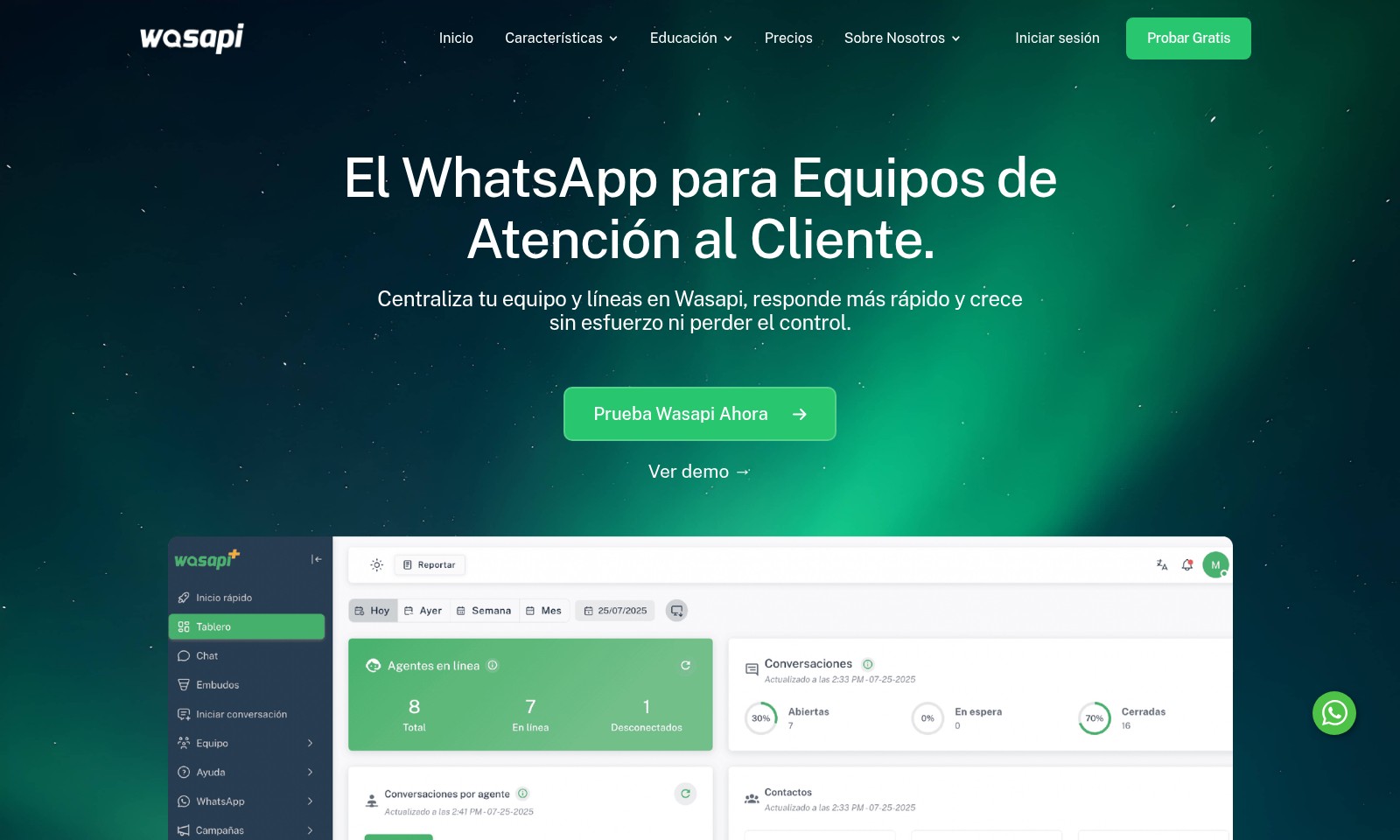
Wasapi centraliza y organiza la atención al cliente en WhatsApp, permitiendo respuestas rápidas, supervisión en tiempo real y automatización de tareas.
Wasapi Introduction
Elevate Your Customer Support with Wasapi
Wasapi centralizes your customer support team and communication lines on WhatsApp, enabling faster response times and seamless growth without losing control.
Wasapi Features
Communication Centralization - Enhanced Team Collaboration
Wasapi allows your customer service team to streamline communication by centralizing all WhatsApp interactions within a single platform. This ensures that every team member can access, manage, and respond to customer inquiries quickly and efficiently.
Real-Time Monitoring - Comprehensive Oversight
As a manager or supervisor, Wasapi empowers you with real-time visibility over all ongoing chats, agents, and lines. This capability helps you maintain control and ensures that no customer interaction goes unaddressed, facilitating the improvement of service quality.
Automation of Repetitive Tasks - Time Efficiency
Wasapi's intelligent chatbots can handle routine inquiries instantly, freeing your team to focus on more complex customer needs. By automating repetitive responses, your team can save significant time and improve overall productivity.
Scalability - Effortless Growth
With Wasapi, you can effortlessly scale your customer service operations. Whether your team expands or your customer base grows, the platform adapts seamlessly, ensuring consistent service levels without the need for extensive reconfiguration.
Customization Options - Tailored User Experience
Wasapi offers extensive customization options that allow businesses to modify features to meet their specific needs. This includes designing unique workflows and templated responses that align with your branding, enhancing customer interactions.
Multi-Agent Support - Dedicated Customer Service
The platform allows for multiple agents to work concurrently on different chats, efficiently distribution of workload and ensuring that each customer receives timely responses. This feature enhances customer satisfaction and reduces wait times significantly.
Reporting and Analytics - Data-Driven Insights
Wasapi provides detailed reporting and analytics capabilities, enabling businesses to gain insights into chat performance, agent activity, and customer satisfaction. These insights guide decision-making and help improve service strategies.
Frequently Asked Questions About Wasapi
FAQs
What is Wasapi and how can it help my customer service team?
Wasapi is a platform designed to centralize your customer service operations on WhatsApp. It allows your team to manage hundreds of conversations simultaneously, ensuring that no customer goes unanswered and improving overall efficiency.
How does Wasapi ensure that conversations are managed effectively?
With Wasapi, each chat is assigned to a specific team member, eliminating overlap and confusion. This feature allows your team to respond quickly and ensures customers receive timely support without losing track of any conversational context.
Can I monitor my team's performance with Wasapi?
Yes, Wasapi provides managers and supervisors with real-time visibility into all ongoing chats and team activities. This capability helps you monitor performance, adjust workflows, and maintain control over customer interactions seamlessly.
What kind of automation does Wasapi offer?
Wasapi integrates chatbots that handle repetitive inquiries instantly, allowing your team to focus on more complex issues. By automating basic responses, your staff can save time and improve service quality for the customers who need human interaction.
Is there a free trial available for Wasapi?
Absolutely! You can try Wasapi for free to evaluate its features and see how it can benefit your customer service operations. This trial period allows you to assess the platform's capabilities before making a commitment.
How secure is using Wasapi for my customer interactions?
Wasapi takes data security seriously, ensuring that all conversations and customer information are handled with the utmost confidentiality. The platform complies with relevant data protection regulations, providing peace of mind for your business and customers.
How to Use Wasapi
Register an account
Go to the website and click on 'Iniciar sesión' or 'Prueba Gratis'. Fill in the required information, such as your email and password. Ensure you use a valid email to receive account verification instructions.
Verify your email
Check your email inbox for a verification message from Wasapi. Click on the verification link to activate your account. If you don’t see the email, check your spam folder.
Set up your profile
Log in to your account and navigate to the profile settings. Fill in the necessary information about your company and your role. A complete profile helps personalize your experience.
Add your team members
Invite your team members by navigating to the team management section. Enter their email addresses and assign roles to each member. Each team member will receive an invitation to join your Wasapi workspace.
Integrate WhatsApp
In your dashboard, find the integration settings. Select WhatsApp and follow the prompts to link your existing WhatsApp business account. This centralizes communications for your customer support team.
Familiarize yourself with the dashboard
Explore the user-friendly dashboard where you can monitor chats, team performance, and overall statistics. Understanding the layout is crucial for effective use of the platform.
Utilize chatbots
Set up chatbots within your account to handle repetitive queries. Customize automated responses to ensure customers receive immediate assistance, freeing up your team for complex issues.
Monitor conversations
As a manager, keep an eye on live conversations and team interactions. Use the reporting features to evaluate response times and customer satisfaction. This data is essential for improving your service.
Utilize analytics
Periodic reviews of the analytics will help identify trends in customer inquiries. Use this information to enhance your support strategies and adjust team workloads accordingly.
Provide ongoing training
Regularly schedule training sessions for your team to keep them updated on features and best practices. Investing in your team's knowledge will enhance customer interactions and satisfaction.
Reviews
Pros
- Easy to use
- Fast processing
- Great results
- Affordable pricing
Cons
- Limited free version
- Requires internet connection
Comments
No comments yet. Be the first to share your thoughts!
Wasapi - Alternative Platforms
For some alternatives to Wasapi that you may need, we provide you with sites divided by features.

Settle is an AI Proposal Manager that streamlines RFP processes, automates responses, and enhances project management for faster bids.
Vanta's Trust Management Platform streamlines compliance, risk management, and security audits, trusted by over 14,000 businesses.
Ithy is a revolutionary AI platform that aggregates responses from leading AIs to provide fast, in-depth, and interactive research solutions.