Augment Code
Augment Code offers AI-powered agents in your IDE to enhance coding efficiency and facilitate team collaboration.
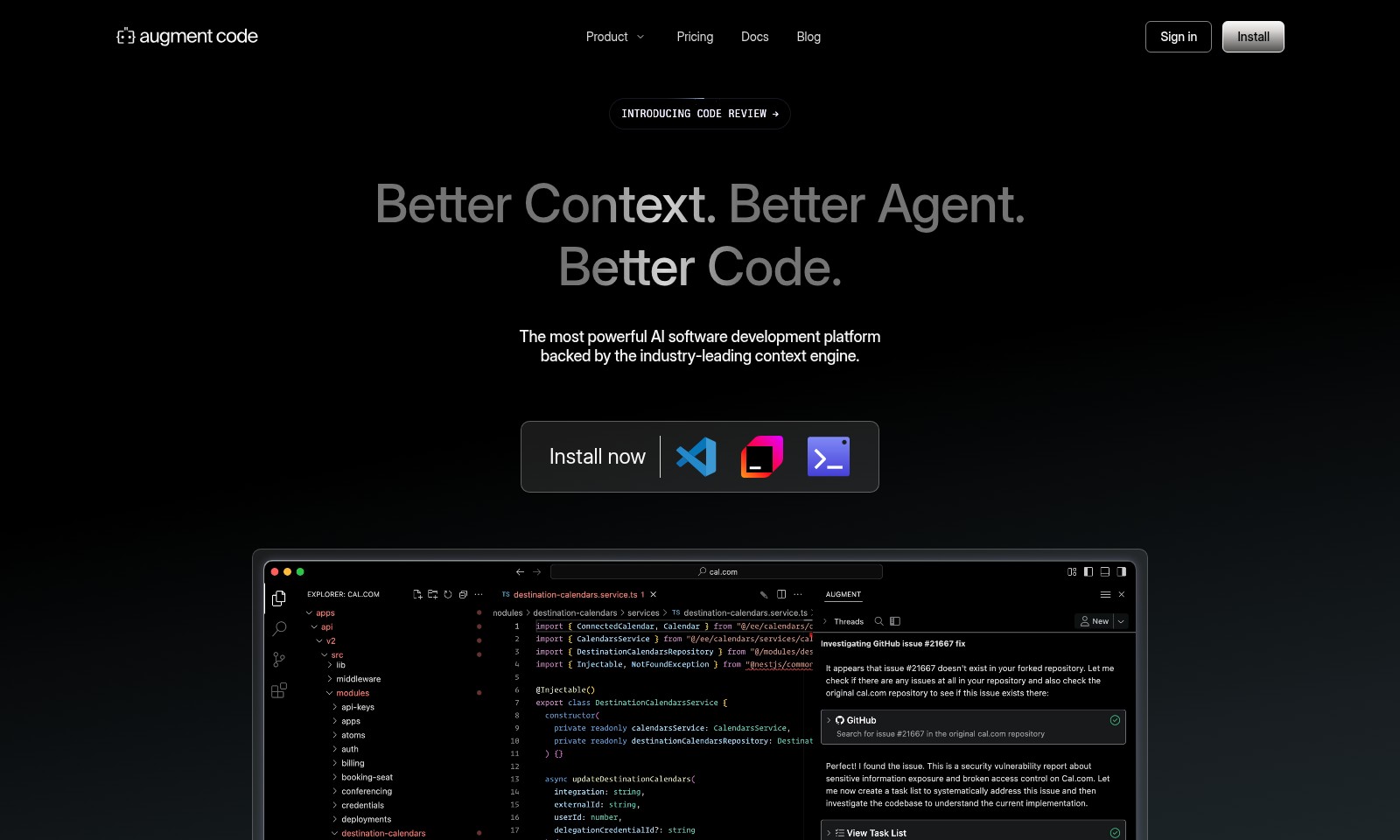
Augment Code Introduction
Introducing Our AI Software Development Platform
Discover the most powerful AI software development platform designed to enhance the coding experience. With our industry-leading context engine, we provide better context, better agents, and ultimately better code. Our platform is tailored for software engineers, helping you streamline your workflow and elevate productivity.
Augment Code Features
Autonomous Software Agents - Streamlined Development
Enhance your productivity with autonomous agents that can take tasks from start to finish. These agents are designed to independently plan, build, and even open pull requests for your review, freeing you to focus on higher-level decisions.
Context-Aware Code Suggestions - Precision Coding
Our cutting-edge context engine offers code suggestions that are aware of your specific codebase. This means you can receive precise refinements through codebase-aware autocomplete, allowing you to move through projects rapidly and efficiently.
Cross-IDE Compatibility - Flexibility in Development
Work seamlessly across different environments with support for leading IDEs like Visual Studio Code, JetBrains, Vim, and Neovim. This compatibility ensures you can leverage powerful AI tools, whether at home, in the cloud, or in a team environment.
Real-Time Codebase Indexing - Instant Access to Information
Our proprietary context retrieval technology generates a real-time index of your codebase. With instant access to accurate, updated information, developers can ship code to production with confidence and minimize errors.
Engineered for Quality - Unmatched Reliability
The combination of our proprietary context engine and state-of-the-art AI models guarantees industry-leading quality. Ship code that meets production standards backed by the latest technological advancements in AI and context awareness.
Enhanced Team Collaboration - Unified Workflow
Facilitate better teamwork with tools designed for collaborative coding. Our platform allows multiple developers to work on projects simultaneously with features that ensure consistency and clarity throughout the development process.
Frequently Asked Questions About Augment Code
Frequently Asked Questions
1. How does the AI software development platform improve my coding efficiency?
The AI software development platform uses a proprietary context retrieval engine combined with advanced frontier models. This technology provides you with accurate code suggestions and automates repetitive tasks, allowing you to focus on higher-level coding challenges.
2. Can I use the platform with my existing IDE?
Yes, the platform is compatible with major IDEs, including Visual Studio Code, JetBrains IDEs, Vim, and Neovim. You can seamlessly integrate the software into your current workflow without needing to switch tools.
3. What is meant by autonomous software agents?
Autonomous software agents are intelligent programs that can perform coding tasks independently. They can plan, build, and open pull requests (PRs) for your review, streamlining the development process from start to finish.
4. Is the AI capable of understanding large codebases?
Absolutely! The cutting-edge retrieval engine is designed to comprehend both large and small codebases. This enables it to deliver context-sensitive suggestions, enhancing your coding experience regardless of project size.
5. How does the real-time index of my codebase work?
The real-time index continuously updates to reflect changes in your codebase, providing immediate access to the latest documentation and structure. This feature ensures that you always have relevant context while coding, allowing for faster and more informed decision-making.
6. What quality control measures are in place for the generated code?
The platform utilizes industry-leading quality control techniques to ensure that the code generated meets production standards. By blending proprietary retrieval methods with advanced AI models, the platform delivers robust and reliable code ready for deployment.
How to Use Augment Code
Register an Account
To begin using our platform, click on the 'Sign in' button at the top right of the homepage. If you don’t have an account, select the option to create one. Fill in the required fields, including your email and password. Click 'Register' to complete the process.
Verify Your Email
Check your email inbox for a verification email. Click the link provided in the email to verify your account. This step is essential to activate your access to our features.
Set up Your Profile
Once logged in, navigate to your profile settings. Here, you can upload a profile picture and fill out additional information that might help personalize your experience. Make sure to save your changes before exiting.
Install the Software
To utilize our autonomous agents, you need to install our software. Go to the 'Install' section of the website and follow the installation guide. Choose the appropriate version for your development environment, whether you are using Visual Studio Code, JetBrains IDEs, or Vim.
Familiarize Yourself with the Dashboard
After installation, log into the software and familiarize yourself with the dashboard. This is where you will manage your projects, review code, and track the performance of the autonomous agents you've installed.
Create a New Project
To create a new project, click on the 'New Project' button on your dashboard. You will be prompted to enter a project name and select settings specific to your coding environment. This initial setup is crucial for organizing your work.
Use Autonomous Agents
With your project set up, you can start using our autonomous agents. These agents can help you plan, build, and even open pull requests (PRs) for code reviews. Select the tasks you want the agents to complete and watch as they assist you in your workflow.
Leverage the Code Review Features
As you work on your project, use the code review features powered by our context engine. This engine retrieves relevant information from your codebase to ensure high-quality outputs. Review the code suggested by the agents and make necessary adjustments before merging into the main branch.
Explore Additional Resources
Don't forget to check out our Docs and Blog sections for tutorials and updates. These resources can provide additional insights and tips to enhance your development experience.
Stay Updated
Lastly, keep an eye on our announcements for new features and improvements. Engaging with the community through our forums can also provide valuable insights and assistance.
Reviews
Pros
- Easy to use
- Fast processing
- Great results
- Affordable pricing
Cons
- Limited free version
- Requires internet connection
Comments
No comments yet. Be the first to share your thoughts!
Augment Code - Alternative Platforms
For some alternatives to Augment Code that you may need, we provide you with sites divided by features.

Comprehensive guide to the best hosting options for OpenClaw, featuring expert reviews and a side-by-side comparison of top providers.
ARC offers holistic AI solutions that prioritize user privacy and efficiency. Discover the Matrix and Reactor, designed to protect your data while enhancing your AI experience.
A visual design tool that simplifies frontend development through AI, allowing users to edit and integrate code seamlessly.
OceSha Ventures transforms ideas into AI-driven products, emphasizing collaboration and impact in technology.