Course Hero
Engage with an AI-driven chat interface to study efficiently using your documents, access expert assistance, and find relevant resources.
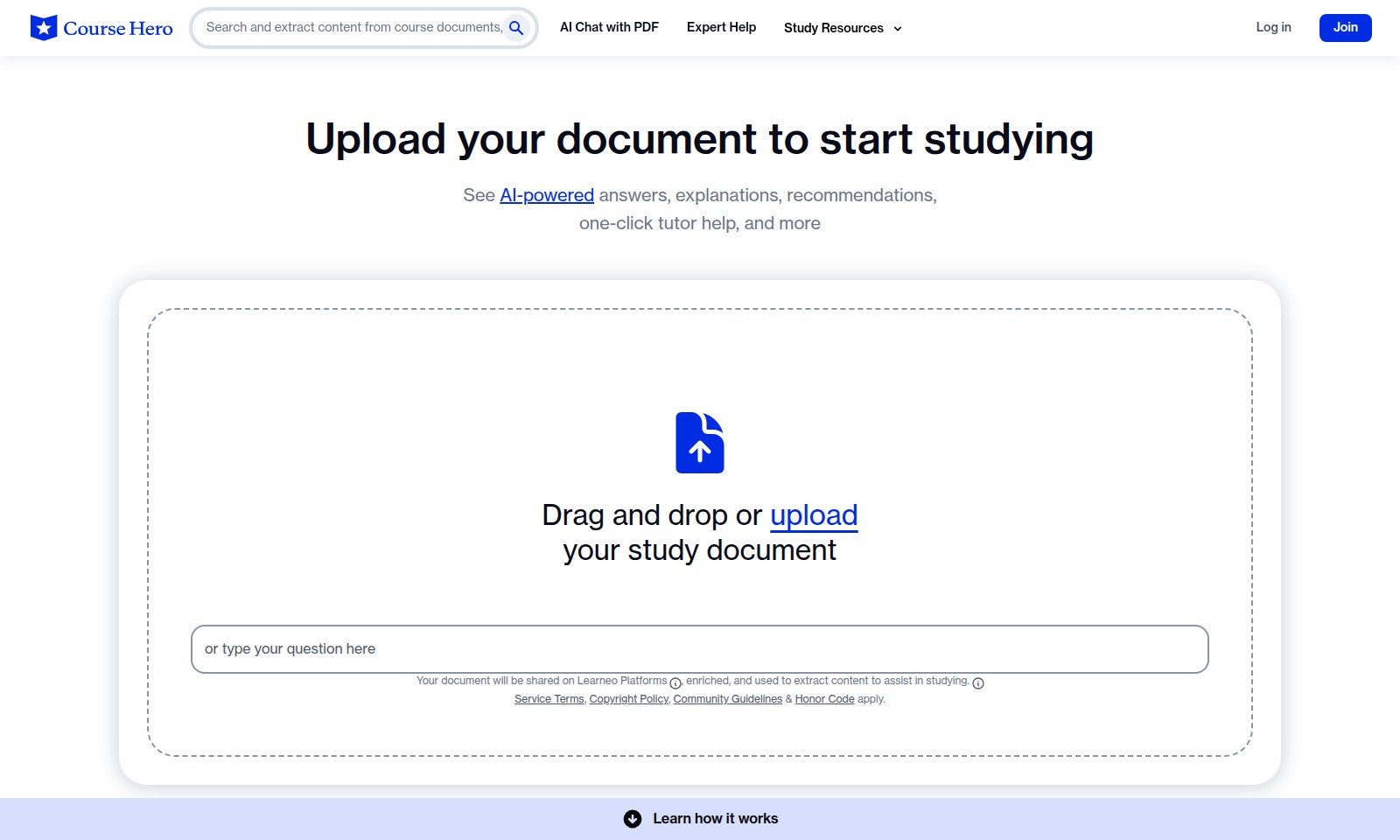
Course Hero Introduction
Transform Your Study Experience
Unlock a wealth of knowledge with AI-powered tools designed to enhance your learning. Our platform enables you to upload your PDF documents and receive tailored academic assistance, making studying more efficient and effective. Whether you're grappling with multiple choice queries or open-ended questions, we provide expert help at your fingertips.
Course Hero Features
AI Chat with PDF - Seamless Interaction
This feature allows users to interact with their uploaded documents through AI-driven chat. Users can easily ask questions related to the content in their PDFs, making study sessions more effective and interactive. Supporting various question types, this feature is tailored for students seeking personalized assistance in understanding complex materials.
Expert Help - Personalized Guidance
Leverage the expertise of tutors with one-click access to professional assistance. This feature ensures that users receive tailored help for specific queries, enhancing their learning experience. Whether you need a quick answer or an in-depth explanation, expert help is readily available to meet users' academic needs.
Study Resources - Comprehensive Library
Access a vast array of study resources directly linked to your document. This feature facilitates seamless research and study, making information readily available within the context of your coursework. Optimized for efficient learning, users can retrieve materials quickly, ensuring they have exactly what they need at their fingertips.
Document Upload - Effortless Study Preparation
Users can easily upload documents by dragging and dropping, or using the upload feature. This straightforward process enables quick document sharing on the Learneo platform for enhanced study assistance. By prioritizing user experience, uploading documents has never been easier for students preparing for examinations.
Step-by-Step Explanations - Clarity in Learning
This feature breaks down complex topics into manageable step-by-step explanations, enabling users to grasp difficult concepts with ease. Tailored for students who may struggle with traditional learning methods, it provides clarity and structured guidance. By simplifying content, users can build a strong foundational understanding, enhancing their overall learning outcomes.
Course Material Discovery - Tailored Resources
Discover necessary course materials linked to your specific school and course. This feature allows students to access a curated list of documents relevant to their academic needs, ensuring they find exactly what they are looking for. With this targeted approach, users can confidently engage with materials that enhance their educational journey.
Community Support - Peer-to-Peer Learning
Engage with a community of learners through shared study experience. This feature allows users to benefit from solutions and insights contributed by other students within specific schools and courses. By fostering a collaborative environment, learners can exchange knowledge and resources, supporting one another in striving for academic success.
Frequently Asked Questions About Course Hero
FAQ
Q: How can I upload my study document?
A: You can easily upload your document by dragging and dropping it into the designated area on our site or by using the upload button. This allows us to provide you with tailored AI-powered solutions that enhance your learning experience.
Q: What types of documents can I upload?
A: We support various document formats, including PDF, Word, and text files. For optimal results, we recommend uploading documents that contain questions like multiple choice, fill-in-the-blank, or open-ended questions.
Q: How does AI help me study?
A: Our AI system analyzes your uploaded document to extract relevant information. You'll receive personalized answers, explanations, and recommendations that help clarify concepts and improve your understanding of the material.
Q: Can I get help from expert tutors?
A: Yes, you can access tutor support directly through our platform. With just one click, you can connect with expert tutors who can provide additional help and clarify difficult topics in your study material.
Q: Is there a way to chat with my PDF?
A: Absolutely! We have a unique chat feature that allows you to interact with your document in real time. You can ask specific questions about the content, and the AI will provide instant assistance based on the text within your PDF.
Q: Are there any guidelines I should be aware of?
A: Yes, please review our Service Terms, Copyright Policy, Community Guidelines, and Honor Code. These documents outline the acceptable use of our services and ensure a respectful and productive learning environment.
How to Use Course Hero
Step 1: Join the Platform
Click on the 'Join' button to create an account. Fill in the required information such as your name, email address, and a secure password. Ensure that you use a valid email as you'll need it to verify your account.
Step 2: Verify Your Email
Check your email inbox for a verification link. Click on the link to confirm your account. This step is crucial to gain full access to the platform's features.
Step 3: Log In
Once your account is verified, return to the website and click the 'Log in' button. Enter your registered email and password to access your dashboard.
Step 4: Set up Your Profile
After logging in, navigate to your profile settings. Here, you can add details such as academic interests and preferred study methods to customize your experience.
Step 5: Upload Your Document
To start studying, drag and drop or choose the 'Upload' option to submit your learning materials. Ensure that your document is in a supported format and contains various question types for the best AI assistance.
Step 6: Explore AI-Powered Features
Once your document is uploaded, explore the AI features. You can get answers, explanations, and even recommendations tailored to your materials, aiding in your study process.
Step 7: Seek Expert Help
If you have specific questions, utilize the one-click tutor help feature. Connect with expert tutors who can provide personalized assistance based on your document content.
Step 8: Review Recommendations
Check the step-by-step explanations and resource recommendations provided by the platform. Use these to deepen your understanding of the subject matter.
Step 9: Engage with Community Guidelines
Familiarize yourself with the platform's Service Terms, Copyright Policy, Community Guidelines & Honor Code. This knowledge will ensure a respectful and productive learning environment for everyone.
Step 10: Return for More Study
Feel free to upload additional documents and continue using the platform's features. The more you engage, the better support you will receive, and you can track your study progress effectively.
Reviews
Pros
- Easy to use
- Fast processing
- Great results
- Affordable pricing
Cons
- Limited free version
- Requires internet connection
Comments
No comments yet. Be the first to share your thoughts!
Course Hero - Alternative Platforms
For some alternatives to Course Hero that you may need, we provide you with sites divided by features.

Join OpenVC for free to access a vast network of 16,614 investors and streamline your fundraising efforts with advanced tools and resources.
Goodnotes combines handwriting, typing, and AI features for effective note-taking and collaboration across devices.
Flick is an all-in-one social marketing platform, offering AI-driven tools for scheduling, hashtag research, and analytics to help brands grow.
Discover how Jetpack enhances your WordPress experience with growth, performance, and security features tailored for simplicity and effectiveness.