Craft
Craft unifies tasks and notes in one flexible workspace, allowing for seamless organization, collaboration, and customization.
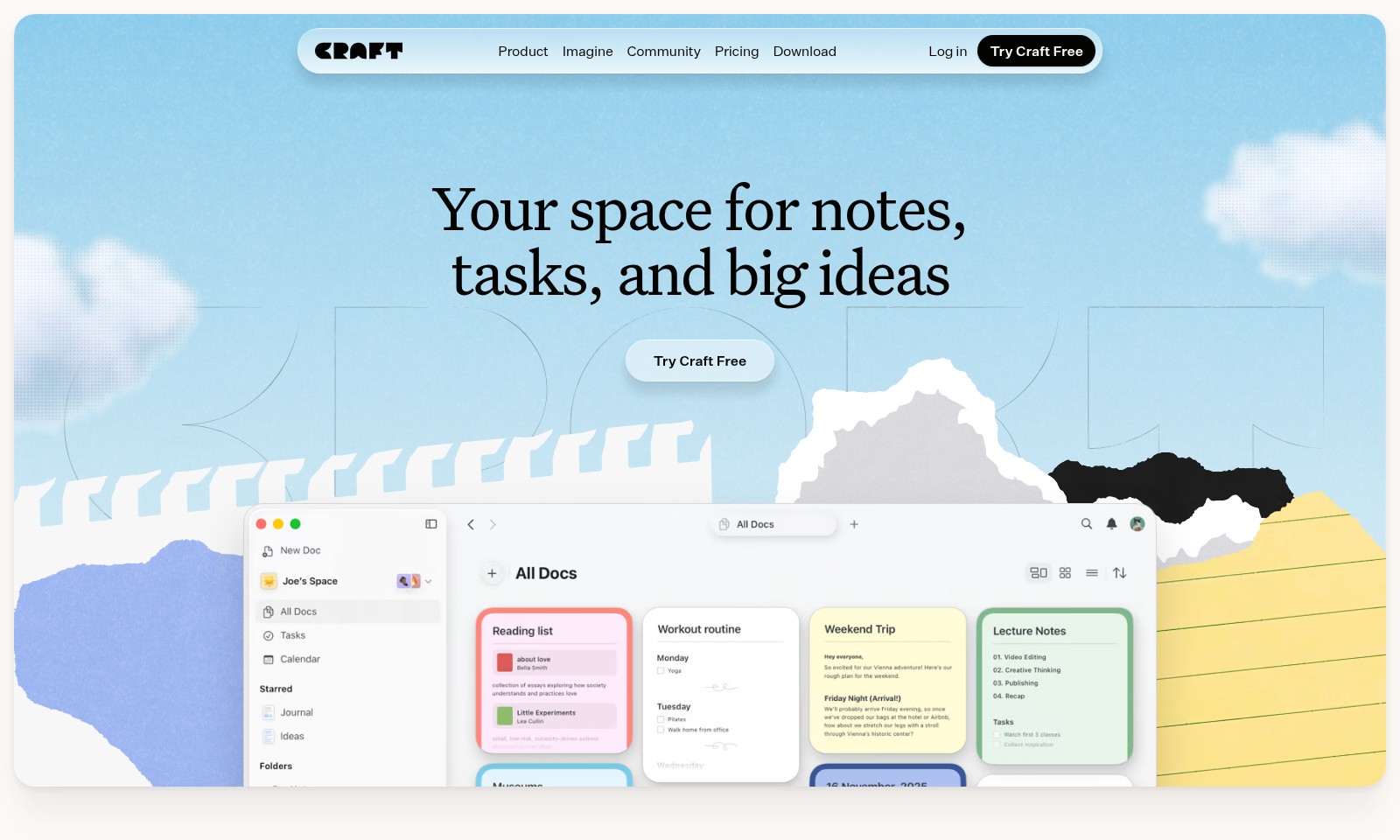
Craft Introduction
Your Space for Notes, Tasks, and Big Ideas
Craft is an all-in-one platform that caters to diverse needs—all in one place. Whether it's jotting down notes, managing tasks, or organizing your calendar, Craft adapts to your unique workflow to enhance productivity and creativity.
Craft Features
Multimodal Content Management - Unified Workspace
Craft allows users to seamlessly manage notes, tasks, and projects in one cohesive environment. Leveraging a versatile platform, users can effortlessly switch between different content types, enhancing productivity.
Collaborative Features - Real-time Team Interaction
Craft supports live collaboration, enabling users to work together on documents and projects simultaneously. This feature fosters teamwork and ensures that all members are on the same page, greatly improving workflow efficiency.
Cross-Device Synchronization - Accessibility Anywhere
With Craft, your content is synchronized across all devices in real-time. This means you can access your notes and tasks anytime, anywhere, ensuring that you are always prepared, regardless of location.
Customizable Templates - Tailored User Experience
Craft offers a variety of customizable templates that cater to different user needs, from educators to project managers. These templates streamline processes, allowing users to set up their workspace to efficiently fit their project requirements.
Advanced Multimedia Integration - Dynamic Content Creation
Users can enhance their notes with images, audio, and video, making content creation more engaging and interactive. This functionality allows for a richer, more productive user experience, particularly for creators and educators who thrive on diverse content formats.
Secure Cloud Storage - Reliable Data Protection
Craft provides robust security measures for its cloud storage solutions, ensuring user data is protected with the latest encryption technologies. Users can focus on their tasks without worrying about data loss or unauthorized access, reinforcing trust in their chosen workspace.
Insightful Analytics - Performance Tracking
Craft includes analytics tools that allow users to track their productivity and task completion rates. These insights empower users to optimize their workflow, helping them make informed decisions about time management and project prioritization.
Frequently Asked Questions About Craft
FAQs
-
What is Craft? Craft is a versatile tool designed for organizing notes, tasks, and big ideas. It's your personal workspace where you can create documents, manage tasks, and brainstorm all in one place.
-
How can I use Craft for my projects? Whether you're a manager, creator, or student, Craft can help streamline your project management. You can use it to outline your project goals, keep track of deadlines, and collaborate with others within the platform.
-
Is Craft free to try? Yes, you can try Craft for free. Simply visit our website and choose the 'Try Craft Free' option to start utilizing all the features without any initial cost.
-
Can I access my notes on multiple devices? Absolutely! Craft allows seamless access to your notes across various devices. You can start for your computer and continue on your mobile device, ensuring your ideas are always at hand.
-
What types of notes can I create in Craft? In Craft, you can create various types of notes, including daily notes, project outlines, and documentation for tasks. Many users utilize Craft for writing scripts, meeting notes, and even travel plans.
-
How does Craft handle collaboration? Craft offers collaborative features that enable you to share your documents with others, receive feedback, and work together in real time, making it an excellent tool for team projects and brainstorming sessions.
How to Use Craft
Step 1: Register an Account
To begin using Craft, visit the website and click on the 'Try Craft Free' button. Fill out the required information, including your email and a secure password. After completing this, you will receive a confirmation email to verify your account.
Step 2: Log In
Return to the Craft website and click on 'Log in.' Enter your registered email and password to access your new account. You can also choose to stay logged in for future visits.
Step 3: Set Up Your Profile
After logging in, navigate to your profile settings. Here, you can upload a profile picture and input any personal details you'd like to share. A complete profile helps you to get more personalized suggestions and enhances your community interactions.
Step 4: Explore Key Features
Take a moment to familiarize yourself with Craft's interface. Explore sections like Docs, Tasks, Calendar, and Whiteboards. Each feature is designed to assist you in organizing your notes, projects, and schedules effectively.
Step 5: Create Your First Document
To start using Craft for your notes or tasks, head to the 'Docs' section. Click on 'Create New Document' and give your document a title. Begin typing your content. You can format the text, add images, and even link other notes together, making it a comprehensive tool for all your writing needs.
Step 6: Utilize Tasks and Calendar
Next, check out the 'Tasks' feature to create to-do lists. Input your tasks, set deadlines, and prioritize your workload. Thereafter, use the 'Calendar' feature to visualize your tasks and important dates, helping you to stay organized.
Step 7: Collaborate in the Community
Engage with other Craft users by visiting the community section. This is a great place to share ideas, seek advice, and learn how others utilize Craft for their workflows. Join discussions or start a new thread about your experience.
Step 8: Explore Use Cases
Refer to how users like Gagan and Amity utilize Craft for their daily activities. Whether it's taking lecture notes, drafting blog posts, or planning projects, you’ll discover inspirations to enhance your own usage of the platform.
Step 9: Keep Your Workspace Organized
Regularly update and organize your documents, tasks, and notes. Using folders and tags can greatly improve your efficiency in finding information as needed. Craft is designed to be versatile, so tailor it to your workflow.
Step 10: Provide Feedback
Lastly, don't hesitate to send feedback about your experience. Craft continually evolves based on user input, and your suggestions could help shape future features.
Reviews
Pros
- Easy to use
- Fast processing
- Great results
- Affordable pricing
Cons
- Limited free version
- Requires internet connection
Comments
No comments yet. Be the first to share your thoughts!
Craft - Alternative Platforms
For some alternatives to Craft that you may need, we provide you with sites divided by features.

Falconer provides a unified knowledge platform that improves team efficiency by maintaining organized, accurate documentation and facilitating seamless integrations.
Leverage AI to create context-rich outputs from your existing content sources, enhancing marketing and proposal efficiency for startups.
Easy With AI provides a comprehensive collection of AI tools, making it simple for users to find and utilize AI resources for various purposes.
Explore the latest approved edits and articles related to the Al-Aqsa Mosque, including a total of over 1 million articles available.