Selects
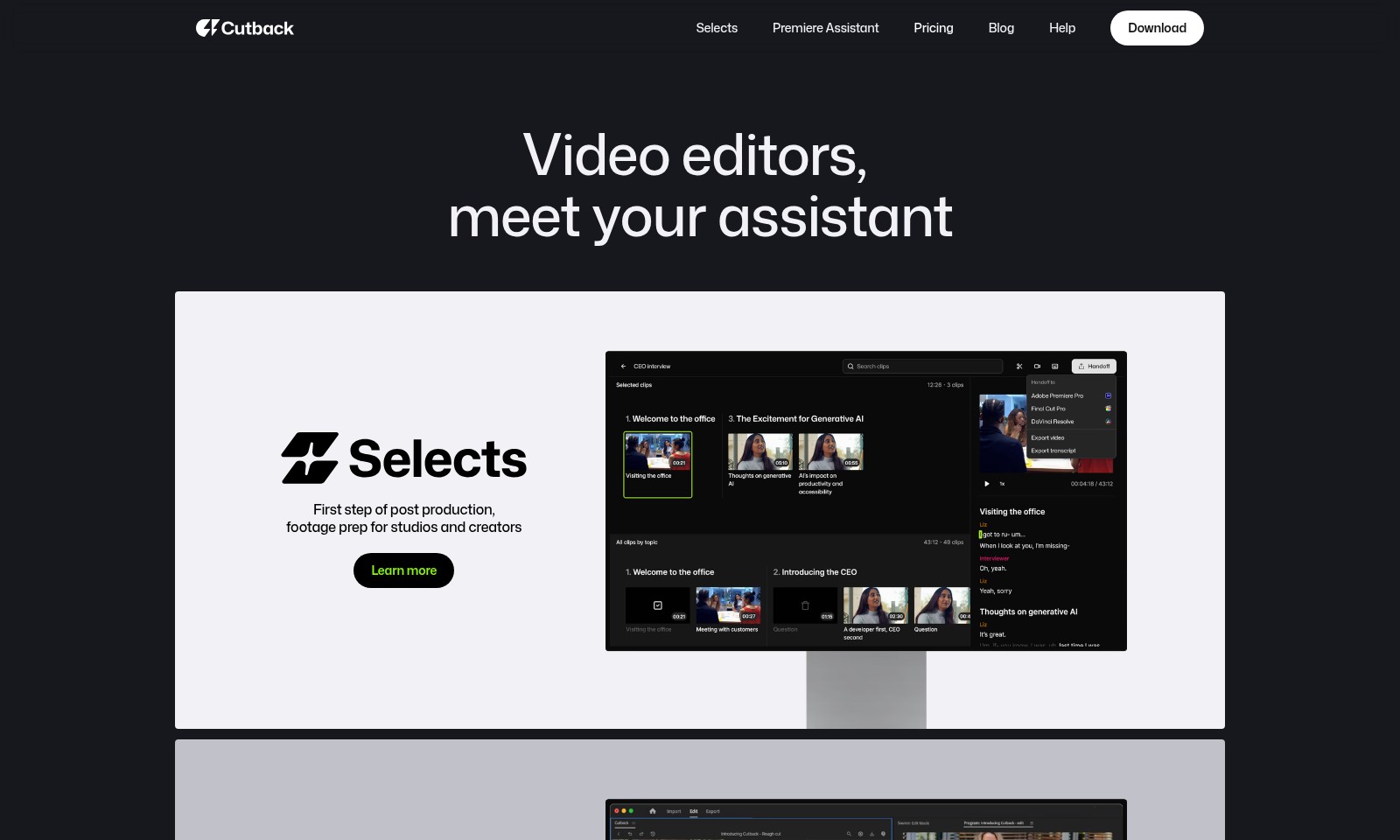
Selects by Cutback helps studios and creators simplify video editing, enhancing productivity with AI-driven automation.
Selects Introduction
Video Editors, Meet Your Assistant
Selects by Cutback revolutionizes the post-production process for video editors, creators, and studios. By harnessing cutting-edge AI technology, Selects streamlines the tedious tasks of footage preparation, transforming the way you approach video editing. With automated captions and workflows directly integrated into Adobe Premiere Pro, this platform not only enhances your productivity but also allows you to focus on what truly matters: telling compelling stories.
Learn more about how Selects can optimize your editing process and help you reclaim precious time in your creative workflow.
Selects Features
Selects - Streamlined Video Editing Experience
Selects enhances the video editing workflow for studios, creators, and freelancers. This feature automates captioning and streamlines workflows specifically in Adobe Premiere Pro to save time and effort.
Premiere Assistant - Your Dedicated Editing Companion
The Premiere Assistant takes the drudgery out of post-production. By automating repetitive tasks, it allows video editors to focus on creativity rather than technical details, significantly increasing productivity.
Pricing - Transparent and Flexible Options
Our pricing model is designed with the user in mind. We provide a range of flexible plans tailored to the needs of individual creators and large studios, ensuring cost-effectiveness and transparency in budgeting.
Blog - Insights and Tips for Video Professionals
Our blog offers a wealth of knowledge for video editors, featuring tips, trends, and techniques to keep you ahead in the industry. Stay updated on best practices and learn from the experiences of fellow professionals.
Help - Comprehensive Support Resources
Our help section is dedicated to your success. With detailed documentation, tutorials, and community support, you can find answers and enhance your skills as you navigate through your projects.
Download - Easy Access to Powerful Tools
Downloading our software is quick and easy. Designed with user-friendliness in mind, getting started with Selects is a breeze, allowing for immediate integration into your editing workflow.
Video Editors - Meet Your New Assistant
Selects by Cutback merges AI technology with creative storytelling, streamlining the editing process from start to finish, so you can focus on what truly matters - crafting impactful narratives.
Frequently Asked Questions About Selects
FAQs about Selects by Cutback
1. What is Selects by Cutback? Selects by Cutback is an AI-driven tool designed to assist video editors by automating the rough cut process in Adobe Premiere Pro. It streamlines workflow and enhances efficiency during post-production, making it an essential asset for studios and freelancers alike.
2. How does Selects save time for video editors? By automating the review process and eliminating dead air, Selects can save video editors significant time—often up to a full day. This allows editors to focus more on story-telling and creativity instead of mundane tasks.
3. Can Selects be used by freelancers and content creators? Absolutely! Selects is designed for a wide audience, including freelancers, studios, and independent creators. Its user-friendly interface and powerful features cater to various needs in the video editing community.
4. What feedback have users provided about Selects? Users, including industry professionals such as RJ Morra and a producer from EO Studio, have praised Selects for its efficiency and ability to reduce workloads significantly. Many report having finished projects early thanks to its intelligent automation.
5. Is there a pricing model available for Selects? Yes, Selects offers competitive pricing plans suitable for different users, whether individuals or larger teams. The pricing details can be found on the official website under the Pricing section. Please consider checking for any promotions and discounts.
6. How can I learn more about using Selects? To get started with Selects, you can visit our Help section for tutorials and guides. Additionally, we regularly update our Blog with tips and insights that can enhance your video editing skills and help you maximize the use of Selects.
How to Use Selects
Register an Account
Visit the Selects website and click on the 'Sign Up' button. Fill out the necessary information, including your name, email, and password. Confirm your email address by clicking on the verification link sent to your inbox.
Set Up Your Profile
Once logged in, go to your account settings to set up your profile. Add a profile picture and a brief bio to help other users know more about you and your work.
Understand Key Features
Familiarize yourself with the website's main features: automated captions, workflow management, and integration with Adobe Premiere Pro. Explore each feature through the help section or video tutorials to maximize their use.
Connect Your Video Editing Software
Log into your Adobe Premiere Pro account and connect it to Selects. Follow the prompts to authorize the integration so that you can directly utilize Selects' automated workflows within your editing software.
Upload Your Footage
To get started, upload your video footage to Selects. Use the 'Upload' feature to select files from your device or cloud storage. Ensure that the footage is in a supported format for optimal processing.
Use Automated Captions
Once your footage is uploaded, utilize the automated captions feature. Select the specific video you wish to add captions to and click on the 'Generate Captions' button. Review and edit the captions for accuracy before applying them to your project.
Streamline Your Workflow
Take advantage of the workflow management tools in Selects. Create custom workflows that suit your editing style. Consider the templates provided to speed up your editing process.
Export Your Video
After finalizing your edits and captions, it's time to export your video. Select the 'Export' option, choose your desired format, and download your completed project. Ensure you review export settings for optimal quality.
Share Your Project
Use the sharing features to distribute your video. You can share it directly via social media platforms or generate a shareable link to send to peers and clients. Make sure to check the privacy settings before sharing.
Seek Help When Needed
If you encounter any issues, navigate to the Help section for FAQs or tutorials. You can also contact customer support for personalized assistance with your account or technical difficulties.
Reviews
Pros
- Easy to use
- Fast processing
- Great results
- Affordable pricing
Cons
- Limited free version
- Requires internet connection
Comments
No comments yet. Be the first to share your thoughts!
Selects - Alternative Platforms
For some alternatives to Selects that you may need, we provide you with sites divided by features.

Vozo offers advanced AI tools for video translation and localization, ensuring high-quality results and fast turnaround times for global audiences.
Lumen5 helps businesses convert blogs and documents into professional videos quickly, leveraging AI for efficient video marketing.
Clueso leverages AI technology to transform raw screen recordings into high-quality videos and documentation, empowering teams to create content faster and more efficiently.
Infinity Looper offers an easy solution to generate seamless video loops, ideal for content creators and streamers looking for professional quality.