DreamASMR
DreamASMR offers advanced tools for generating high-quality Veo3 ASMR videos, featuring real-time processing, rich soundscapes, and flexible pricing plans.
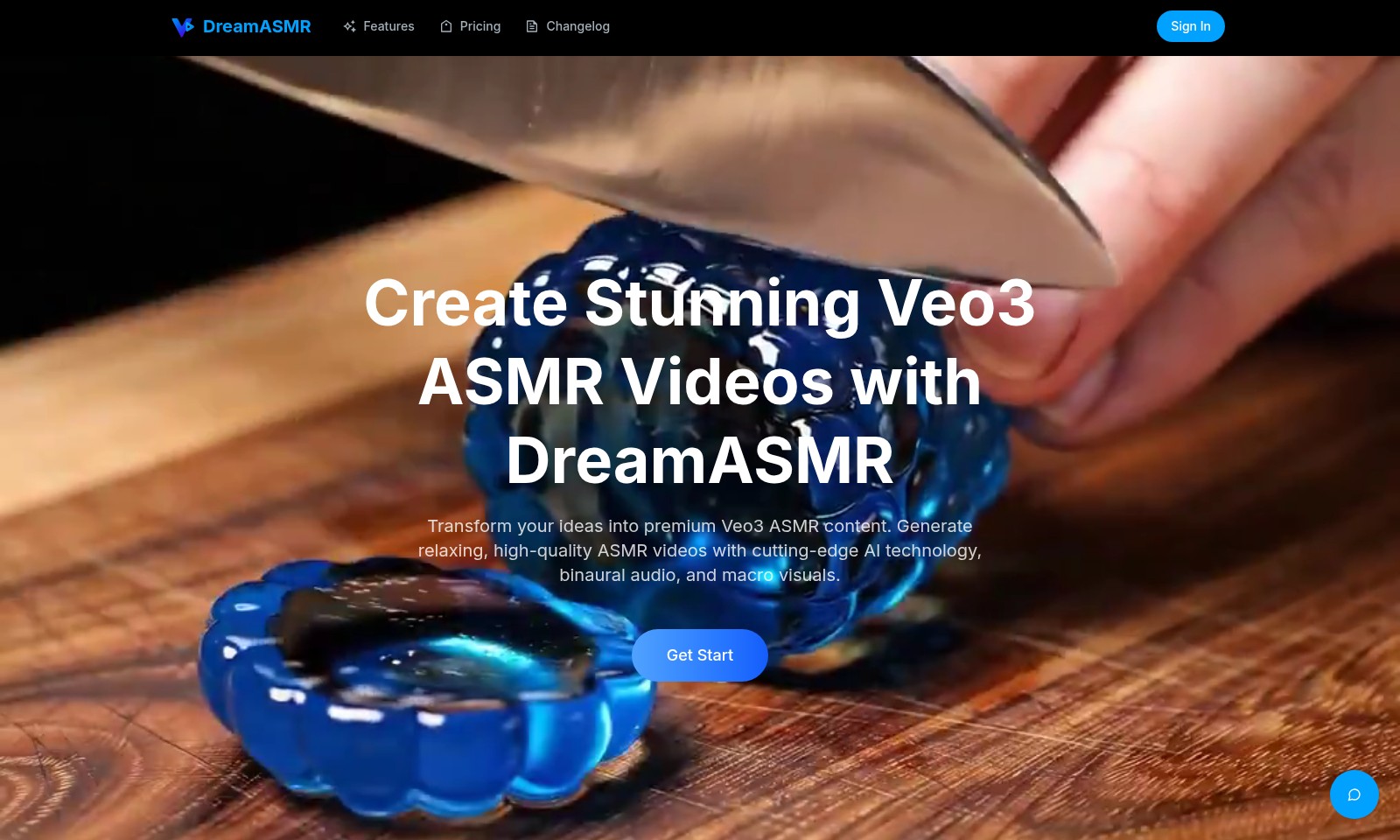
DreamASMR Introduction
Create Stunning Veo3 ASMR Videos with DreamASMR
Transform your ideas into premium Veo3 ASMR content. Generate relaxing, high-quality ASMR videos with cutting-edge AI technology, binaural audio, and macro visuals.
DreamASMR Features
Feature: Veo3 ASMR Generation - Immerse Yourself in Relaxation
Transform your creative ideas into immersive ASMR experiences using our advanced Veo3 technology. This feature leverages cutting-edge AI to generate high-quality ASMR videos tailored to your specifications.
Feature: Binaural Audio - Experience Sound Like Never Before
Our proprietary binaural audio technology creates a three-dimensional sound environment, enhancing the auditory experience. Users can enjoy a truly captivating soundscape, designed to trigger relaxation and comfort.
Feature: Macro Visuals - Stunning Visual Experiences
Capture your audience's attention with macro visuals that highlight intricate details of your ASMR subjects. This feature ensures that viewers are drawn into the ASMR experience, allowing them to focus on the sensory details that matter most.
Feature: Quick Processing - Instant Gratification
With a processing time of approximately 30 seconds, users can quickly generate their ASMR videos without sacrificing quality. This efficiency is perfect for creators who want to produce content on a tight schedule.
Feature: User-Friendly Interface - Create with Ease
Our platform offers a straightforward interface that simplifies the ASMR video creation process. Users can easily input their descriptions and preferences, making it accessible for both beginners and seasoned ASMRtists.
Frequently Asked Questions About DreamASMR
FAQs for DreamASMR
What is DreamASMR and how does it work? DreamASMR is a platform that allows users to create stunning Veo3 ASMR videos using cutting-edge AI technology. Users provide specific details about the sounds, textures, and movements they want, and the platform generates high-quality ASMR content tailored to their needs.
How can I get started with creating ASMR videos? To start creating ASMR videos, simply sign up on the DreamASMR website. Once logged in, you can describe your desired video by specifying the sounds and visuals, then generate your ASMR video in approximately 30 seconds.
What features does DreamASMR offer? DreamASMR offers advanced Veo3 technology for video generation, binaural audio for an immersive sound experience, and macro visuals to enhance the sensory detail in your videos. These features work together to create relaxing and high-quality ASMR content.
What are the processing times for ASMR video generation? The processing time for generating Veo3 ASMR videos is approximately 30 seconds. This quick turnaround allows you to create and refine your ASMR content efficiently.
Are there any examples of ASMR videos I can explore? Yes, DreamASMR provides a range of professionally generated Veo3 ASMR video examples. You can click on any of the prompts to copy and use them as inspiration for your own ASMR creations. These examples showcase various sounds and themes to help you envision your own projects.
Is there a cost associated with using DreamASMR? DreamASMR may offer different pricing plans depending on the features you wish to access. It's best to check the website for detailed information on pricing and any available subscription options.
How to Use DreamASMR
Register an Account
Begin your journey by clicking on the 'Sign In' button at the top right corner of the DreamASMR homepage. Select 'Create Account' and fill in the necessary details such as your email and a secure password. After completing the form, verify your email to activate your account.
Set Up Your Profile
Once registered, log in to your account and navigate to your profile settings. Here, you can add a profile picture and personal information. Completing your profile will enhance your experience as you will receive personalized content recommendations.
Explore the Features
Take a moment to familiarize yourself with the main features of DreamASMR. Visit the Features section to understand tools such as Veo3 ASMR generation and how to describe your ASMR videos effectively. Knowing these tools will help you create stunning content.
Describe Your ASMR Video
Before creating a video, describe the ASMR experience you want to capture. Include specific details about the sounds, textures, and movements necessary for a relaxing video. This step is crucial for achieving the best ASMR results.
Generate a Veo3 ASMR Video
After describing your video, proceed to generate your Veo3 ASMR content. Click on 'Generate Veo3 ASMR Video' and wait approximately 30 seconds for processing. Your video will feature high-quality binaural audio and macro visuals, creating an immersive experience.
Review and Edit
Once your video is ready, review it for any adjustments. You can edit or re-generate your video by revisiting the description step. Refining your video based on initial feedback is essential for improving quality.
Share Your Creation
After you're satisfied with your video, share it with the community. Utilize the sharing tools available on the platform to showcase your work on social media or within the DreamASMR network. Sharing your ASMR videos will help you connect with fellow enthusiasts.
Explore and Learn from Others
Visit the ASMR Examples section to view professionally generated Veo3 ASMR videos. Analyze different prompts and techniques that others have used. Learning from these examples can inspire your own creativity and improve your skills in video creation.
Engage with the Community
Participate in discussions and forums on DreamASMR to engage with other users. Asking questions and sharing experiences can deepen your understanding of ASMR content creation and provide support as you navigate this creative process.
Reviews
Pros
- Easy to use
- Fast processing
- Great results
- Affordable pricing
Cons
- Limited free version
- Requires internet connection
Comments
No comments yet. Be the first to share your thoughts!
DreamASMR - Alternative Platforms
For some alternatives to DreamASMR that you may need, we provide you with sites divided by features.

Kovvid AI offers a user-friendly platform for generating AI images and videos, with the ability to compare multiple models in one place.
Discover the advanced AI tools at MakeShot.ai for creating stunning videos and images with a limited-time 50% discount.
Photo Animate allows users to easily animate photos to video using AI, creating realistic movements for portraits and cherished memories.
Image to Video AI allows quick, high-quality video creation from images, integrating with tools like Google Chrome and Figma for seamless workflows.