GitBook
GitBook Agent enhances documentation through AI, ensuring real-time updates and personalized user experiences, while maintaining security and compliance.
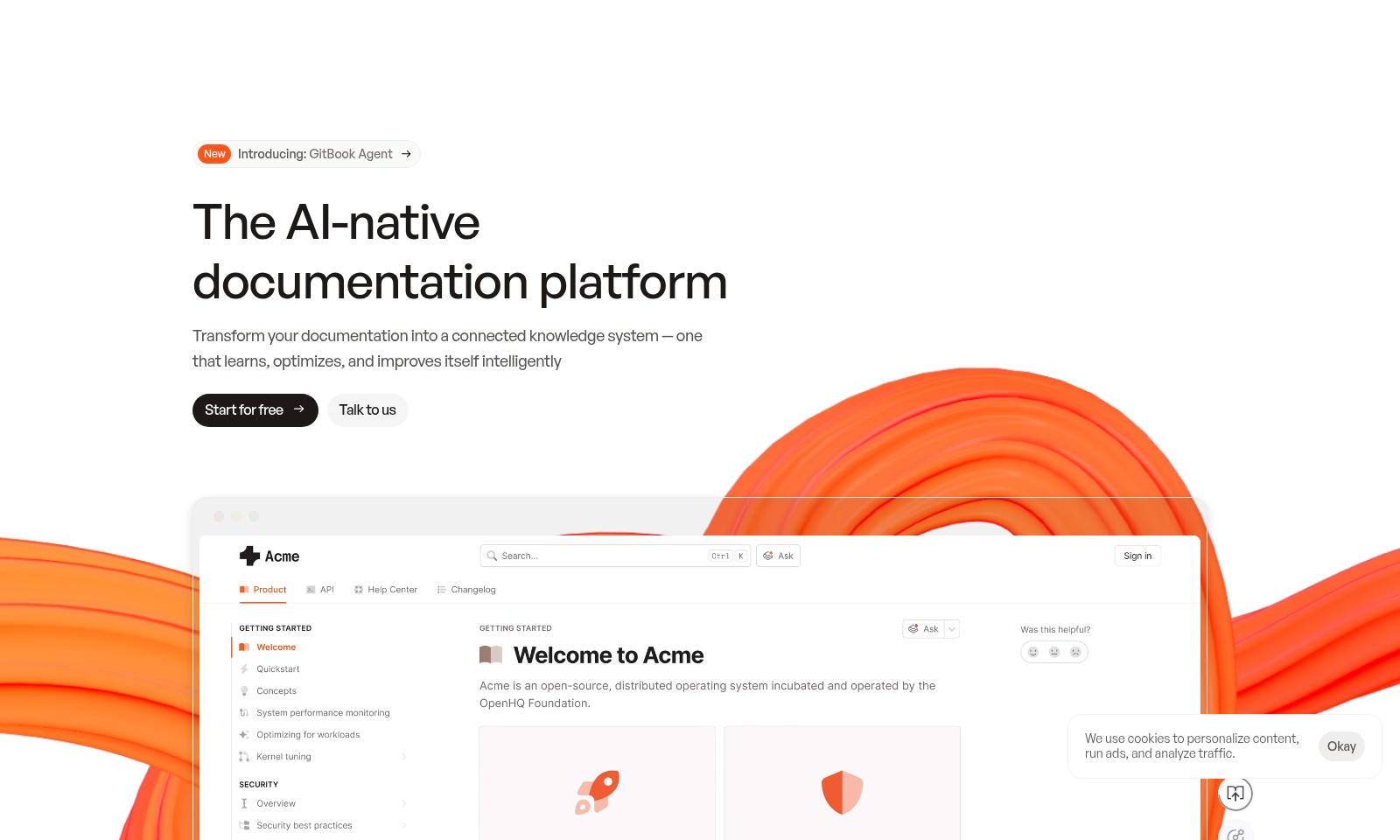
GitBook Introduction
GitBook Agent: The AI-native Documentation Platform
GitBook Agent revolutionizes how teams manage their documentation. By transforming traditional content into a dynamic knowledge system, it provides continuous learning and optimization to ensure users always have access to the most accurate and relevant information. With features designed to enhance ease of use and promote cross-departmental collaboration, GitBook Agent is the tool you need to keep your documentation in sync with your product developments.
GitBook Features
GitBook Agent - Intelligent Documentation Management
With GitBook Agent, users can expect a seamlessly integrated documentation system that evolves alongside their product. As it monitors and learns from user interactions, it ensures that the most accurate and relevant information is always at the user’s fingertips. This intelligent management means users can reduce onboarding time and improve overall product satisfaction.
Technical Differentiation: GitBook Agent employs advanced AI algorithms to monitor changes and usage patterns in real-time, enabling automatic suggestions for content updates to keep documentation relevant and up to date.
AI-Optimized Content Discovery - Maximize User Engagement
Maximize the chances of your documentation being found by AI tools like ChatGPT and Google Overview. By seamlessly integrating llms.txt and MCP support, GitBook ensures your product and its documentation are always included in AI-driven conversations, increasing visibility and user reach.
Technical Differentiation: The built-in optimization tools analyze user search behavior to enhance content discoverability, driving more traffic towards your documents and ensuring that information is readily accessible.
Automated Documentation Scaling - Effortless Adaptability
Benefit from a documentation platform that scales automatically with your product updates. Whether you are launching new features or making backend changes, GitBook’s automated documentation scaling adapts in real time, maintaining consistency and relevance across all user-facing materials.
Technical Differentiation: Utilizing a dynamic content structure, GitBook adjusts existing documentation to encapsulate new changes without manual intervention, significantly saving time and resources while keeping users informed.
Comprehensive Product Integration - Streamlined User Experience
Integrate your product seamlessly with GitBook. The platform offers a cohesive experience where documentation and product functionalities live in harmony, allowing users to access information contextually as they interact with your product.
Technical Differentiation: The interconnected architecture enables real-time updates and contextual suggestion features, leading to enhanced user satisfaction and a smoother journey through your product.
Cross-Departmental Collaboration - Unified Documentation Efforts
GitBook champion cross-collaboration among different departments within your organization. This feature is designed to enhance teamwork, allowing for shared documentation responsibilities and streamlined communication, enhancing overall productivity.
Technical Differentiation: The platform includes collaborative editing tools and version control, ensuring that all team members can contribute to documentation while tracking changes, making it easier to manage and update entries collaboratively.
Enhanced User Support - Proactive Assistance
Provide an unparalleled level of user support with GitBook's proactive assistance capabilities. By identifying common user queries and documentation gaps, GitBook helps teams respond to support tickets faster and create helpful guides based on real user needs.
Technical Differentiation: The analytics engine within GitBook assesses user interactions continuously, suggesting improvements and creating targeted documentation that addresses potential concerns, thereby reducing support tickets and improving user experience.
Get Started Effortlessly - Free Trial Availability
Users can begin their journey with GitBook Agent effortlessly with a free trial. This allows teams to experience firsthand the numerous benefits of an AI-native documentation platform without immediate commitment.
Technical Differentiation: The trial period provides full access to all features, enabling teams to implement and test GitBook Agent thoroughly, ensuring it meets their documentation needs before making an investment.
Frequently Asked Questions About GitBook
Frequently Asked Questions
What is GitBook? GitBook is an AI-native documentation platform designed to transform your documentation into a connected knowledge system. It intelligently learns and optimizes to ensure users always find accurate and up-to-date information.
How does GitBook Agent work? GitBook Agent continuously monitors your documentation and proactively suggests content improvements. This ensures that your users have access to the most relevant and timely information throughout their experience.
Can I try GitBook for free? Yes! GitBook offers a free trial that allows you to explore its features and see how it can enhance your documentation process before committing to a plan.
How does GitBook optimize content for AI discovery? GitBook is built with AI optimization in mind, ensuring that your product and documentation are recognized by AI tools. It includes support for llms.txt and MCP, which help your content be more discoverable by AI platforms like ChatGPT and Google.
What resources are available for support? We provide extensive resources, including product documentation, API docs, a help center, and a changelog. You can find everything you need to optimize your GitBook experience in these resources.
Is GitBook suitable for enterprises? Absolutely! GitBook is designed to scale with your product and supports cross-department collaboration, making it ideal for enterprise use. Its features help streamline documentation processes across teams.
How to Use GitBook
Step 1: Register for an Account
Visit our website and click on the 'Start for free' button. Fill in your details in the registration form to create your account.
Step 2: Verify Your Email
Check your inbox for a verification email. Click on the link provided to verify your email address and activate your account.
Step 3: Log In
Return to the website and log in using your newly created credentials. Make sure to remember your password for future logins.
Step 4: Set Up Your Profile
Once logged in, navigate to the profile settings. Fill in your profile information including your name, company, and profile picture to personalize your account.
Step 5: Explore the Dashboard
After setting up your profile, take some time to explore the dashboard. Familiarize yourself with the layout and options available for managing your documentation.
Step 6: Create Your First Document
Click on 'Product docs' to start creating your first documentation. Use the editor provided to add text, images, and other media relevant to your document.
Step 7: Utilize GitBook Agent
Activate GitBook Agent from the documentation settings. This feature helps optimize your documentation and keeps it in sync with product updates, ensuring accuracy for your users.
Step 8: Access Resources
Visit the 'Resources' section for tutorials and tips on how to enhance your documentations, such as API docs and the Help center for any additional support.
Step 9: Engage with the Community
Join our community forums where you can ask questions, share insights, and connect with other users. This is a valuable resource for beginners seeking assistance.
Step 10: Receive Updates
Stay updated with the latest features by checking the 'Changelog' regularly. Knowing about new updates can help you utilize the platform’s full potential.
Reviews
Pros
- Easy to use
- Fast processing
- Great results
- Affordable pricing
Cons
- Limited free version
- Requires internet connection
Comments
No comments yet. Be the first to share your thoughts!
GitBook - Alternative Platforms
For some alternatives to GitBook that you may need, we provide you with sites divided by features.

AssemblyAI offers robust Voice AI models to enable innovative voice applications, ensuring top-notch accuracy and seamless scalability for developers.
Tiptap offers an AI Toolkit for creating document-editing agents, featuring templates, collaboration tools, and extensive customizability.
Explore the platform for creating customizable AI companions, avatars, and agents that enhance business processes with full control and zero fees.
Vana is an open network for user-owned data, enabling individuals to trade data tokens, access real datasets, and build data collectives.