WALink
WALink provides a seamless way to generate WhatsApp links and QR codes, enhancing customer communication and tracking engagement effectively.
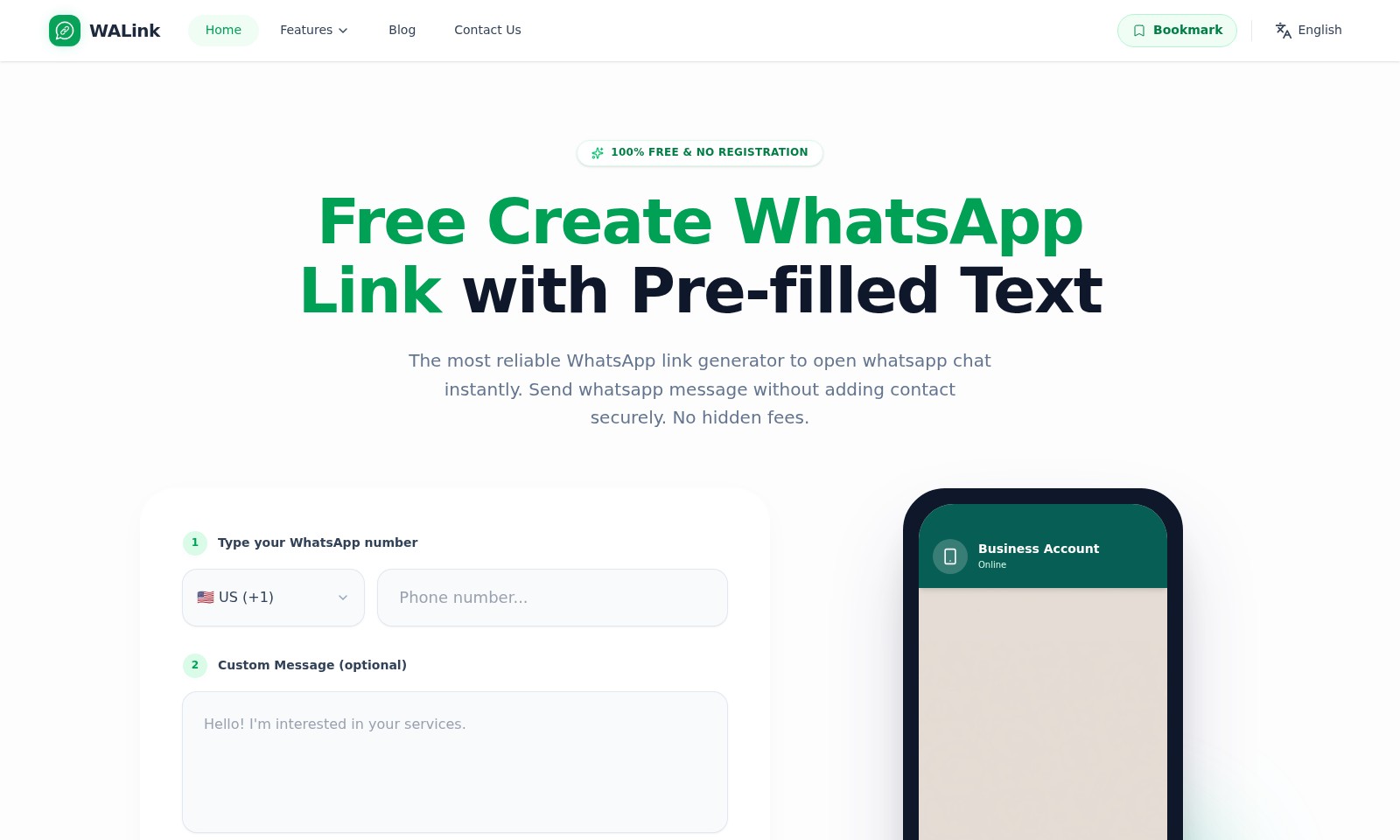
WALink Introduction
Unlock Effortless Communication with WALink
WALink is your go-to solution for generating WhatsApp links that enhance business communication. Designed with user-friendliness in mind, our platform allows you to create links that facilitate direct messaging without the hassle of saving contacts. With just a few simple steps, your customers can reach out for inquiries, support, or sales directly through WhatsApp.
WALink Features
WhatsApp Link Generator - Instant Communication
Empower your customers to reach you effortlessly with our WhatsApp link generator. Create a personalized WhatsApp link that enables users to open a chat without needing to save your contact information.
Click-to-Chat Feature - Direct Engagement
Our click-to-chat feature allows users to initiate conversations with a single click, improving customer engagement. This capability is particularly useful in busy settings where saving a contact might be inconvenient.
Free Link Analytics - Performance Insights
Gain valuable insights into your link effectiveness with our free analytics. Track the number of clicks and QR code scans, which is essential for evaluating the success of your marketing campaigns, especially on social platforms like Instagram and Facebook.
WhatsApp QR Code Generator - Seamless Sharing
Every WhatsApp link generated comes with a complimentary QR code. This feature ensures that sharing your contact information is as simple as scanning a code, making it ideal for physical advertising materials, events, and more.
Custom Message Preview - Tailored Interaction
Type a custom message to preview how it appears to your clients. This interactive feature helps you craft the perfect first impression, enhancing the overall customer experience.
Frequently Asked Questions About WALink
FAQs about WALink
1. How do I create a WhatsApp link for my business?
To create a WhatsApp link, simply type your WhatsApp number and an optional custom message on the WALink website. Click 'Generate WhatsApp Link' and your link will be ready to use instantly.
2. Is there any cost involved in using WALink?
WALink is completely free with no hidden fees. You can create and share WhatsApp links and track their performance without any charges.
3. Can I customize the message that appears in my WhatsApp link?
Yes, you can include a custom message when creating your WhatsApp link. This allows you to pre-fill a message that users will see when they click the link, facilitating easier communication.
4. What are Link Analytics and why do I need them?
Link Analytics allow you to track how many people click your WhatsApp link or scan your QR code. This data is crucial for measuring the effectiveness of your marketing campaigns on platforms like Instagram and Facebook.
5. Do I need a business account to use WALink?
No, you do not need a business account to use WALink. Anyone can create WhatsApp links without registering, making it accessible for all users.
6. What is the WhatsApp QR code generator?
Each WhatsApp link you create comes with a free QR code. You can download this QR code and use it in your marketing materials to make it easier for customers to connect with you directly on WhatsApp.
How to Use WALink
Step 1: Type Your WhatsApp Number
Start by entering your WhatsApp number in the designated field. Make sure to include your country code for seamless connectivity.
Step 2: Custom Message (Optional)
If you'd like to include a pre-filled message that customers will see when they click your link, type your custom message in the provided box. This message can be a simple greeting or a prompt to encourage engagement.
Step 3: Generate WhatsApp Link
Once you've entered your number and any optional message, click on the 'Generate WhatsApp Link' button. This action will create a clickable link that directs customers straight to a WhatsApp chat with you.
Step 4: Preview Your Link
Take a moment to preview your link. Ensure that it appears as expected and the custom message displays correctly. This step is crucial to guarantee a seamless experience for your customers.
Step 5: Share Your Link
Now that your WhatsApp link is ready, you can share it on your website, social media platforms, or any marketing materials. This will enable potential customers to connect with you instantly.
Step 6: Use Free Link Analytics
Track how your WhatsApp link is performing using the free analytics feature. Monitor how many clicks your link receives and gain insights into customer interactions. This data will help you understand your audience better.
Step 7: Utilize WhatsApp QR Code Generator
For added convenience, use the WhatsApp QR code generator to create a QR code for your link. This allows customers to scan the code and reach you on WhatsApp quickly, making it an excellent tool for offline marketing.
Reviews
Pros
- Easy to use
- Fast processing
- Great results
- Affordable pricing
Cons
- Limited free version
- Requires internet connection
Comments
No comments yet. Be the first to share your thoughts!
WALink - Alternative Platforms
For some alternatives to WALink that you may need, we provide you with sites divided by features.

GoPerfect revolutionizes hiring with an AI recruiting agent that sources, screens, and reaches out to candidates on autopilot, enhancing collaboration and efficiency.
Common Room's AI-powered solutions enhance buyer intelligence, automate pipeline actions, and boost engagement for sales teams.
Explore a range of AI-powered sourcing tools, including supplier investigations, market research, and automated inquiries.