Nero
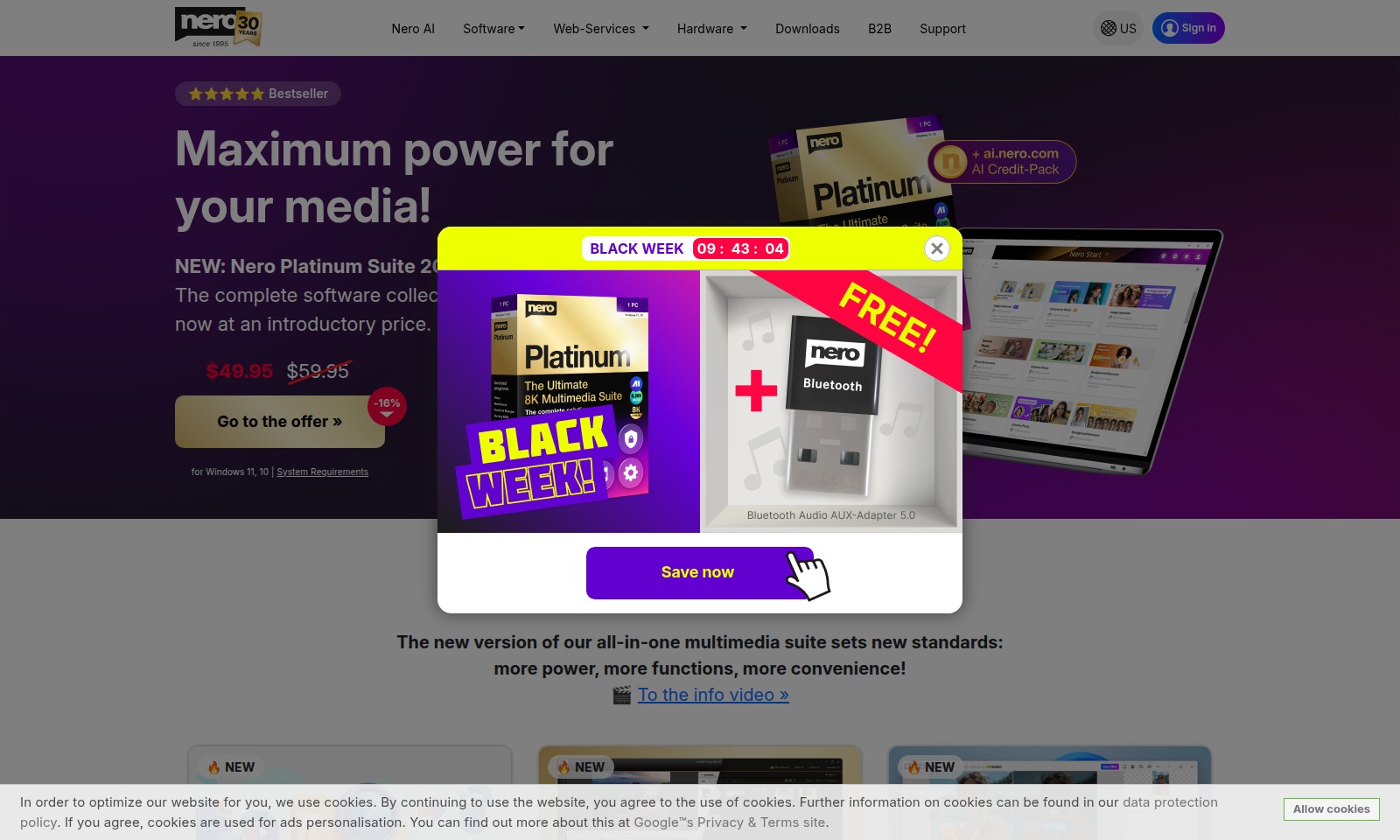
Nero Platinum Suite 2026 offers comprehensive tools for photo, video, and music editing, packed with AI support and user-friendly features.
Nero Introduction
Unlock the Potential of Your Digital Projects
Nero AI offers an all-encompassing suite of powerful software tools designed to elevate your multimedia experience. With the new Nero Platinum Suite 2026, users gain access to a comprehensive range of functionalities that streamline the creation, editing, and management of digital media. Whether you're crafting the perfect video, enhancing your photography with AI capabilities, or organizing your media library, Nero delivers the solutions you need to succeed in today's digital landscape.
Nero Features
Nero Platinum Suite 2026 - Comprehensive Multimedia Power
Unlock the full potential of your digital projects with the Nero Platinum Suite 2026, designed to cater to diverse media needs. Its all-in-one functionality streamlines various tasks, making it easier for users to manage their multimedia content effectively.
Nero DuplicateManager - Space Saving Solution
Optimize your storage effortlessly by identifying and deleting duplicate music and video files. This feature ensures that you utilize your PC’s storage capacity, allowing you to focus more on content creation instead of management.
Nero Video - Enhanced Editing Flexibility
Experience a more relaxed approach to film editing with the ability to switch between light and dark user interface modes. This customization enhances user comfort, particularly during long editing sessions, catering to professionals and enthusiasts alike.
Nero AI Image Upscaler - Superior Image Quality
Enhance your photos effortlessly with the Nero AI Image Upscaler. Featuring an intuitive new interface and advanced local AI models, this tool elevates image quality, making it an essential asset for photographers and graphic designers looking to refine their visuals.
Nero Start - Centralized Control Hub
Manage all your Nero downloads and activations from a single point of control with Nero Start. This feature simplifies navigation, helping users maximize productivity by minimizing time spent on maintenance and updates.
Frequently Asked Questions About Nero
FAQs About Nero AI and Nero Platinum Suite 2026
1. What is Nero Platinum Suite 2026 and what features does it offer?
Nero Platinum Suite 2026 is a comprehensive multimedia software package designed for digital projects. It provides powerful tools for video editing, audio management, and image enhancement, all integrated into one easy-to-use interface.
2. Can I use Nero Platinum Suite on my existing Windows operating system?
Yes, Nero Platinum Suite 2026 is compatible with Windows 11 and 10, ensuring that you can enjoy all its features on your current system without any issues.
3. How can I manage my media files effectively with Nero?
The Nero DuplicateManager is a new feature that allows you to find and delete duplicate music and video files efficiently. This helps you declutter your media library and save space on your PC.
4. Is there any support available if I encounter issues with the software?
Absolutely! Nero offers dedicated support for customers. You can access comprehensive assistance through our support section on the website, where you can find helpful resources and contact options for any inquiries or issues you may have.
5. What is the current promotion for Nero Platinum Suite?
Currently, we are running a Black Week sale, where you can purchase Nero Platinum Suite 2026 for an introductory price of $49.95, down from the regular price of $59.95. This is a limited-time offer, so make sure to take advantage of the savings!
6. How does the Nero AI Image Upscaler work?
The Nero AI Image Upscaler utilizes advanced AI models to enhance your images significantly. With the new interface, it's easier than ever to improve image quality and resolution with just a few clicks, providing excellent results for all your visual media needs.
How to Use Nero
Step 1: Register for an Account
Visit the Nero AI website and locate the registration section. Fill in your email and create a strong password to initiate your account.
Step 2: Confirm Your Email
After registering, check your email for a confirmation link. Click on the link to verify your email address and complete the registration process.
Step 3: Log In to Your Account
Return to the Nero AI website and enter your email and password in the login form. Click the 'Log In' button to access your account dashboard.
Step 4: Set Up Your Profile
Once logged in, navigate to the profile settings. Fill in your personal information, including your name and preferences, to customize your experience.
Step 5: Explore the Nero Start Control Center
At the heart of your account is the Nero Start control center. Familiarize yourself with this central hub where you'll find all your downloads and activations.
Step 6: Download Nero Platinum Suite 2026
From the control center, locate the Nero Platinum Suite 2026. Click the download button to get the latest multimedia suite tailored for your digital projects.
Step 7: Install the Software
After the download completes, open the installer and follow the on-screen prompts. Ensure you accept the terms and conditions to successfully install the software.
Step 8: Activate Your Software
Launch the Nero Platinum Suite 2026, and you'll be prompted to enter the activation code. Use the code provided during your purchase to unlock the full features of the suite.
Step 9: Explore Multimedia Features
With the software activated, navigate through various multimedia features such as video editing, media management, and image upscaling to begin your creative projects.
Step 10: Utilize Support Resources
If you encounter any issues or have questions, access the support section. Utilize FAQs or contact customer support for assistance.
Reviews
Pros
- Easy to use
- Fast processing
- Great results
- Affordable pricing
Cons
- Limited free version
- Requires internet connection
Comments
No comments yet. Be the first to share your thoughts!
Nero - Alternative Platforms
For some alternatives to Nero that you may need, we provide you with sites divided by features.

Meme PFP offers a vast collection of customizable profile pictures for various platforms, including categories and latest trends.
D-ID provides a digital human platform for creating personalized videos and avatars, enhancing engagement and messaging for businesses.
Photo AI allows users to upload selfies, create personalized AI models, and generate impressive photos and videos effortlessly.
Generate custom emojis using AI by uploading a photo and selecting a style. Fast, fun, and unique emoticon creation made easy!