Typecast
Typecast offers a suite of AI-driven voice generation tools, allowing users to create expressive voiceovers, edit videos, and bring avatars to life with customizable emotions.
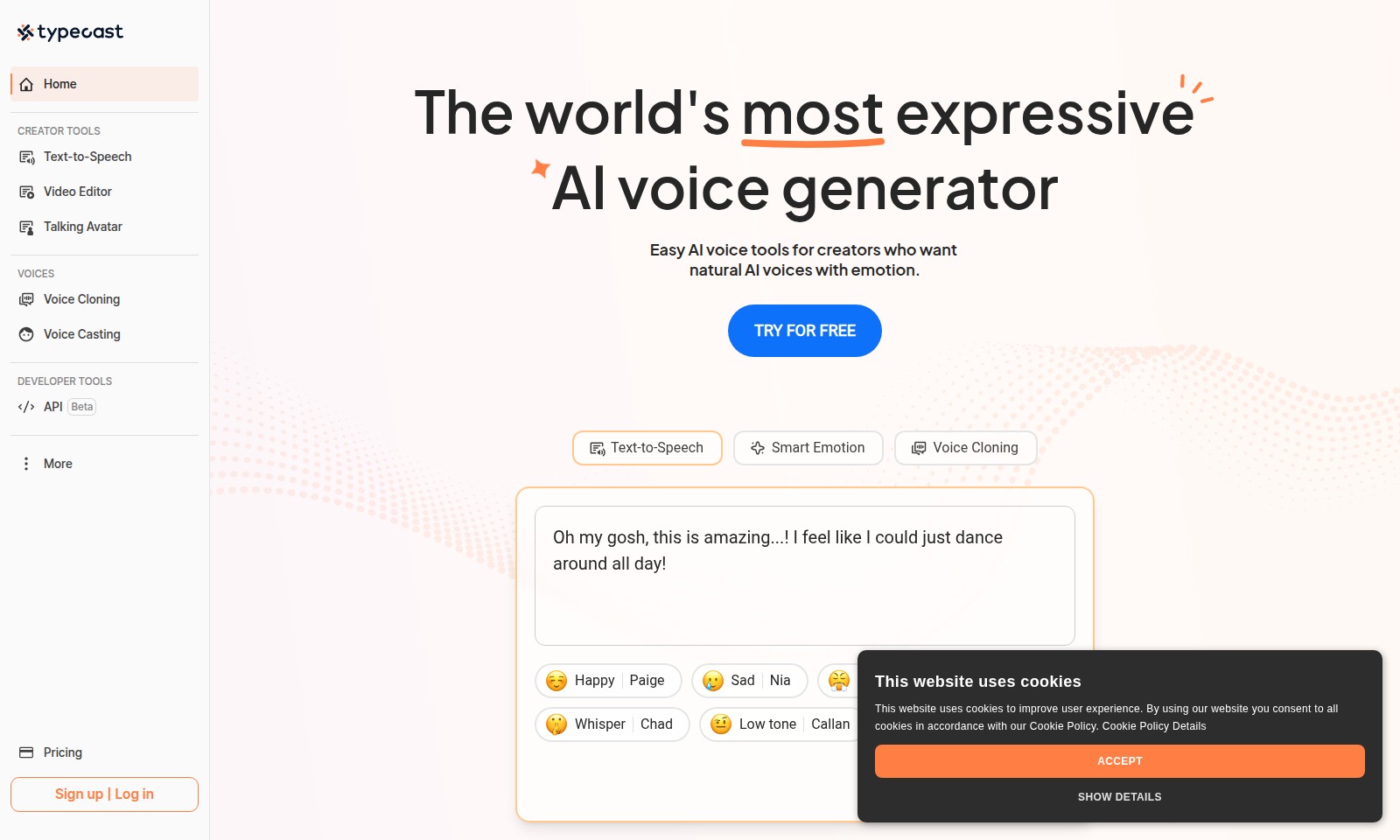
Typecast Introduction
The world's most expressive AI voice generator
Discover an innovative platform that empowers creators with advanced AI voice tools designed for remarkable expression and versatility. Our services cater to a wide range of needs, enabling users to convert text to speech, create captivating videos, and even generate personalized talking avatars. Whether you're crafting engaging content for social media, producing audiobooks, or developing interactive media, our intuitive tools provide the flexibility and quality you need to bring your projects to life.
Typecast Features
Text-to-Speech - Control Emotion and Delivery
Enhance your content with the ability to dictate emotion and pacing through our user-friendly AI voice generators. Transform your scripts into engaging audio experiences effortlessly. Our smart emotion feature allows you to adjust the emotional tone of the voice to match your message. This makes it ideal for creators looking to captivate their audience in various contexts, from educational podcasts to emotional presentations.
Video Editor - Simplified Editing and Voiceover
Elevate your video projects with our intuitive video editor that integrates seamlessly with powerful text-to-speech tools. Quickly add voiceovers to your videos to create compelling narratives with minimal time investment. The video editing capabilities are designed specifically for creators, offering options to sync your text-to-speech outputs effortlessly with visual content, making your editing process quicker and more efficient.
Voice Cloning - Personalize Your Voice
Experience the revolutionary voice cloning technology that allows you to replicate your voice with just a 30-second audio sample. This feature is perfect for brands aiming for a consistent voice across various media. Our voice cloning technology provides users with a completely personalized voice that is indistinguishable from the original, empowering creators to maintain their unique branding in all audio productions.
Talking Avatar - Unique Visual Engagement
Transform static images into dynamic, personalized AI avatar videos that engage viewers in a unique way. Ideal for educational content, marketing, or social media, this tool breathes life into your visuals. Whether you’re looking to enhance user interaction on your platform or create memorable video experiences, our talking avatar feature is designed to captivate and inform, making every project stand out.
API - Integrate and Innovate
Leverage our robust API to integrate our cutting-edge voice generation capabilities into your applications. This feature enables developers to unlock endless possibilities in voice technology. Our API is designed for developers looking to build custom applications that require natural-sounding voices, making it easier to enhance user interactions and create unique experiences tailored to any use case.
Voice Casting - Diverse Voice Selection
Find the perfect voice for your project with our extensive voice casting feature, which allows you to experiment with various voice types before making a selection. This is especially crucial for projects that demand a specific tone or style. From kid-friendly voices for children’s content to serious tones for professional audiobooks, our diverse collection caters to a wide range of audience needs, ensuring that your project resonates completely with its intended viewers.
Smart Emotion - Emotionally Engaging Narration
Integrate a layer of emotional depth into your audio projects with our Smart Emotion feature. Tailor the emotional tone of spoken words to create a more immersive listener experience. Designed with the creator in mind, this feature assists in delivering messages with authenticity and resonance, supporting content creators in making strong emotional connections with their audiences.
Frequently Asked Questions About Typecast
FAQ Section
1. What is the primary function of the AI voice generator? The AI voice generator allows users to create natural-sounding voices for various projects. By controlling emotion, pacing, and delivery, it offers creators the tools they need to make their content engaging.
2. How do I use the Text-to-Speech feature? Using the Text-to-Speech feature is straightforward. Simply input your text, select a voice and emotion, and the tool will convert it into an audio track that you can download or use directly in your projects.
3. Can I replicate my own voice using this tool? Yes, our Voice Cloning capability enables you to replicate your voice by providing a 30-second audio sample. This allows for a personalized touch in your projects, making them truly unique.
4. Is there support for different voice emotions? Absolutely! The AI voice generator supports various emotions such as happy, sad, angry, whispering, and more. This functionality enhances the expressiveness of the generated speech, making it suitable for a variety of applications.
5. Are there any resources for developers? Yes, we provide a robust API for developers looking to integrate our voice technology into their own applications. There are also beta features available for testing new tools and functionalities.
6. What pricing options are available? We offer several pricing plans to cater to different needs. Users can explore our pricing page for detailed information on options ranging from free trials to advanced subscription tiers.
How to Use Typecast
Step 1: Sign Up for an Account
To get started, click on the 'Sign up' button on the homepage. Fill in the required details like your email and create a strong password. Confirm your email through the link sent to your inbox.
Step 2: Log In to Your Account
Once your account is created and verified, return to the site and click on the 'Log in' button. Enter your registered email and password to access your personalized dashboard.
Step 3: Set Up Your Profile
In your dashboard, find the profile settings. Here, you can update your display name, profile picture, and any other personal information that makes your account uniquely yours.
Step 4: Explore Creator Tools
Navigate to the 'CREATOR TOOLS' section where you will find various AI voice generation tools. Familiarize yourself with options like Text-to-Speech, Video Editor, and Talking Avatar.
Step 5: Try Text-to-Speech
Start by trying the Text-to-Speech tool. Enter a text, select a voice option, and adjust settings for emotion and delivery. Click on 'Try me' to hear the generated audio.
Step 6: Utilize the Video Editor
After getting comfortable with Text-to-Speech, explore the Video Editor. Upload a video and use the voiceover capabilities to enhance your content. Experiment with different voices and editing tools.
Step 7: Experiment with Voice Cloning
If you want to create personalized audio content, try the Voice Cloning tool. You will need a 30-second audio sample of your voice. Follow the prompts to replicate your voice and use it in your projects.
Step 8: Create Talking Avatars
Go to the Talking Avatar tool to convert images into engaging video content. Upload your desired image and customize the resulting video by selecting voice and background options.
Step 9: Discover Voice Options
Visit the 'VOICES' section to browse various voice options. You can filter by mood, tone, and style. This will help you find the perfect voice for your projects.
Step 10: Review Tutorial Resources
If you need assistance, take advantage of the tutorial resources available on the site. Look for guides and FAQs that provide additional insights into maximizing your use of the tools available.
Step 11: Start Creating
With all tools explored and understood, you are now ready to start your creative journey. Use the AI voice generator to bring your projects to life with emotion and clarity. Enjoy the process and share your creations!
Reviews
Pros
- Easy to use
- Fast processing
- Great results
- Affordable pricing
Cons
- Limited free version
- Requires internet connection
Comments
No comments yet. Be the first to share your thoughts!
Typecast - Alternative Platforms
For some alternatives to Typecast that you may need, we provide you with sites divided by features.

NaturalReader offers AI text to speech and voice generation tools tailored for personal use, education, and commercial applications.