watermark remover io
Use our AI-powered Watermark Remover to quickly eliminate watermarks from images of various formats with a simple drag-and-drop interface.
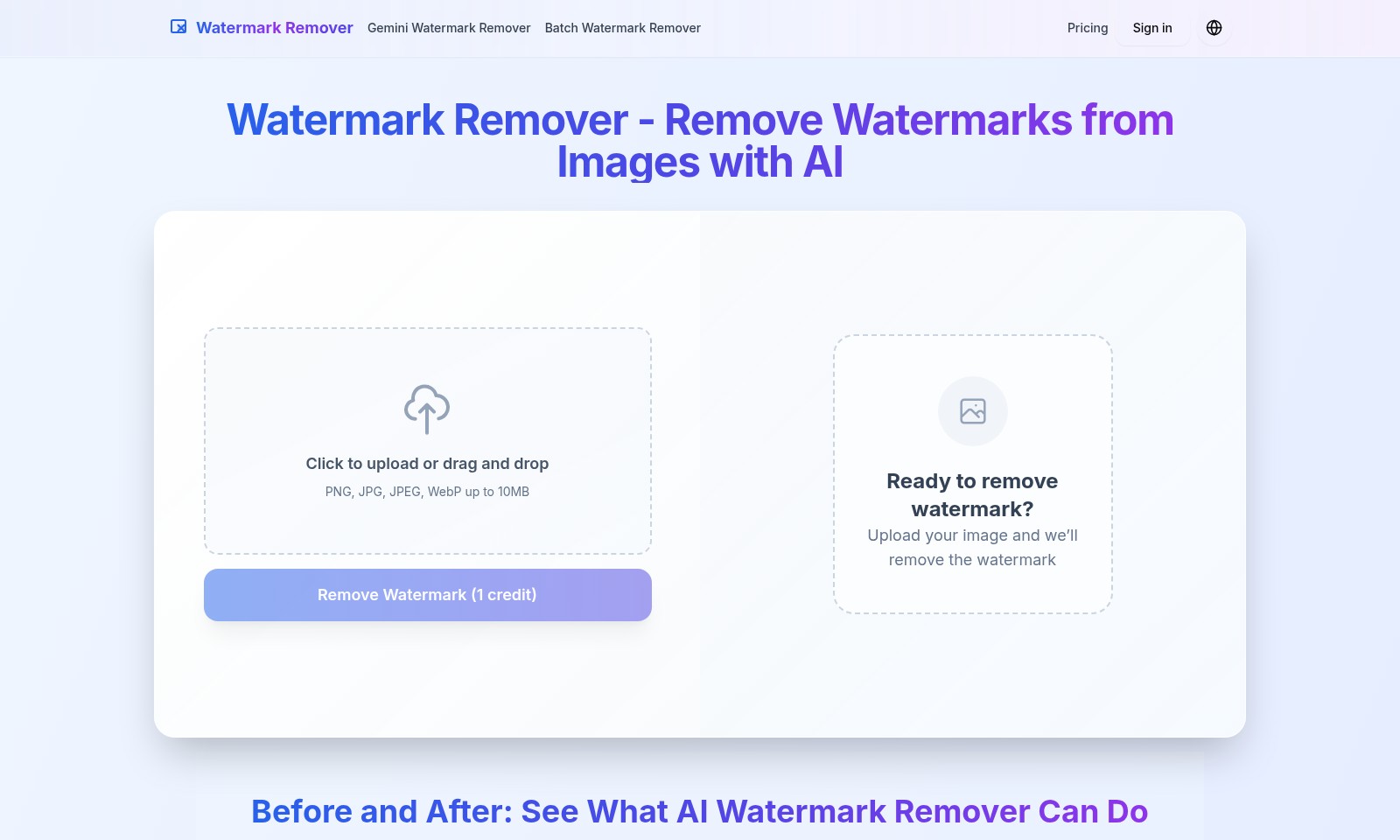
watermark remover io Introduction
Remove Watermarks from Images with Our Advanced AI Technology
Harness the power of our Gemini Watermark Remover to effortlessly eliminate unwanted watermarks from your images. Our user-friendly platform allows you to upload images in various formats, including PNG, JPG, JPEG, and WebP, up to 10MB in size. Start your journey in watermark removal today and experience the convenience of cleaning up your photos with just a few clicks.
watermark remover io Features
Watermark Remover - Effortlessly Remove Watermarks from Images
Our intuitive watermark remover allows you to cleanly extract images from unwanted overlays, enhancing your visual content seamlessly. Utilizing advanced AI technology, it guarantees that the original quality of your images is preserved while ensuring that the watermark is effectively eliminated.
Gemini Watermark Remover - Dual Functionality for Quick Edits
With the Gemini Watermark Remover, users can benefit from its dual functionality both for basic and batch editing. This feature is particularly designed for professionals who need to process multiple images in a single session, reducing downtime and increasing productivity significantly.
Batch Watermark Remover - Efficient Bulk Processing
The Batch Watermark Remover functionality is perfect for businesses and content creators who handle a large volume of images. This feature allows users to upload multiple files at once, streamlining the workflow and making it convenient to maintain a consistent brand image across various platforms.
User-Friendly Interface - Simplified Experience for All Users
Our platform is designed with a focus on user experience, ensuring that even those with minimal technical skills can navigate with ease. The drag-and-drop functionality allows users to quickly upload images, while our clear instructions guide them through the process, reducing barriers to entry.
Quality Assurance - Maintain High Standards
Each image processed through our watermark remover retains high fidelity with no distortions or artifacts. Our proprietary AI technology is trained to detect and carefully erase watermarks while preserving the natural features of the original image.
Privacy Focus - Secure Handling of Your Content
Respecting user privacy is paramount; our utility ensures that all uploaded images are deleted from our servers within hours of processing. This feature builds trust and confidence for users who may be concerned about the confidentiality of their content, especially in commercial settings.
Frequently Asked Questions About watermark remover io
Frequently Asked Questions
Q1: How can I remove a watermark from my image?
To remove a watermark, simply upload your image by dragging and dropping or selecting it from your files. Our AI will automatically detect and remove the watermark while keeping the rest of your image intact.
Q2: What file formats are accepted for watermark removal?
You can upload images in PNG, JPG, JPEG, and WebP formats, all up to a maximum file size of 10MB. These formats cover most common image types used in digital media.
Q3: Do I need to sign up to use the watermark remover?
No signup is required for your first attempt. You can immediately remove a watermark from your image without creating an account, making it quick and easy to use.
Q4: What can I do with the images after removing the watermark?
Once the watermark is removed, you can use your clean images for various purposes such as portfolios, social media posts, or any projects without the watermark interfering with your presentation.
Q5: How long does it take to remove a watermark?
The watermark is removed in seconds after you upload your image. Our advanced AI works rapidly to ensure you have your clean image ready without delay.
Q6: Is there a cost to using the watermark removal service?
The initial attempt at watermark removal is free of charge. After that, using the service requires credits, which can be purchased on the website to continue using the features available.
How to Use watermark remover io
Register for an Account
To start using our Watermark Remover, you need to register for an account. Click on the 'Sign in' button on the homepage and choose the option to create a new account. Fill in the required fields with your email and password, then confirm your registration through the email sent to you.
Log In to Your Account
Once your account is set up, return to the homepage and click 'Sign in' again. Enter your email and newly created password to access your account and start using the watermark removal tool.
Upload Your Image
With your account logged in, you can now upload the image containing a watermark. Click on the 'Click to upload or drag and drop' area to select your image. Ensure your file is either in PNG, JPG, JPEG, or WebP format and does not exceed 10MB in size.
AI Detects and Removes the Watermark
After successfully uploading, our advanced AI technology will work on detecting the watermark in your image. This process is automatic; simply wait a few moments while the AI analyzes the photo. It ensures that the background remains intact and the result is a clean image without any blurs or patches.
Preview the Results
Once the watermark has been removed, you will have the option to preview the before-and-after results. This step allows you to verify the quality of the watermark removal before proceeding to download your image.
Download Your Clean Image
If you are satisfied with the output, click the download button to save your clean image onto your device. You can use this image for personal projects, social media posts, or professional portfolios. Remember, an account is not required for your first try!
Explore More Features
Our platform not only offers watermark removal but also provides batch processing options for users needing to remove watermarks from multiple images. Consider upgrading your plan to take advantage of this feature and make your image management tasks more efficient. Check our pricing page for details on available plans.
Reviews
Pros
- Easy to use
- Fast processing
- Great results
- Affordable pricing
Cons
- Limited free version
- Requires internet connection
Comments
No comments yet. Be the first to share your thoughts!
watermark remover io - Alternative Platforms
For some alternatives to watermark remover io that you may need, we provide you with sites divided by features.

WatermarkCleaner offers an easy, AI-driven solution for removing image watermarks while maintaining quality, perfect for professionals and casual users alike.