Browser Use
Browser Use offers a no-code solution for automating repetitive online tasks, enhancing productivity and efficiency.
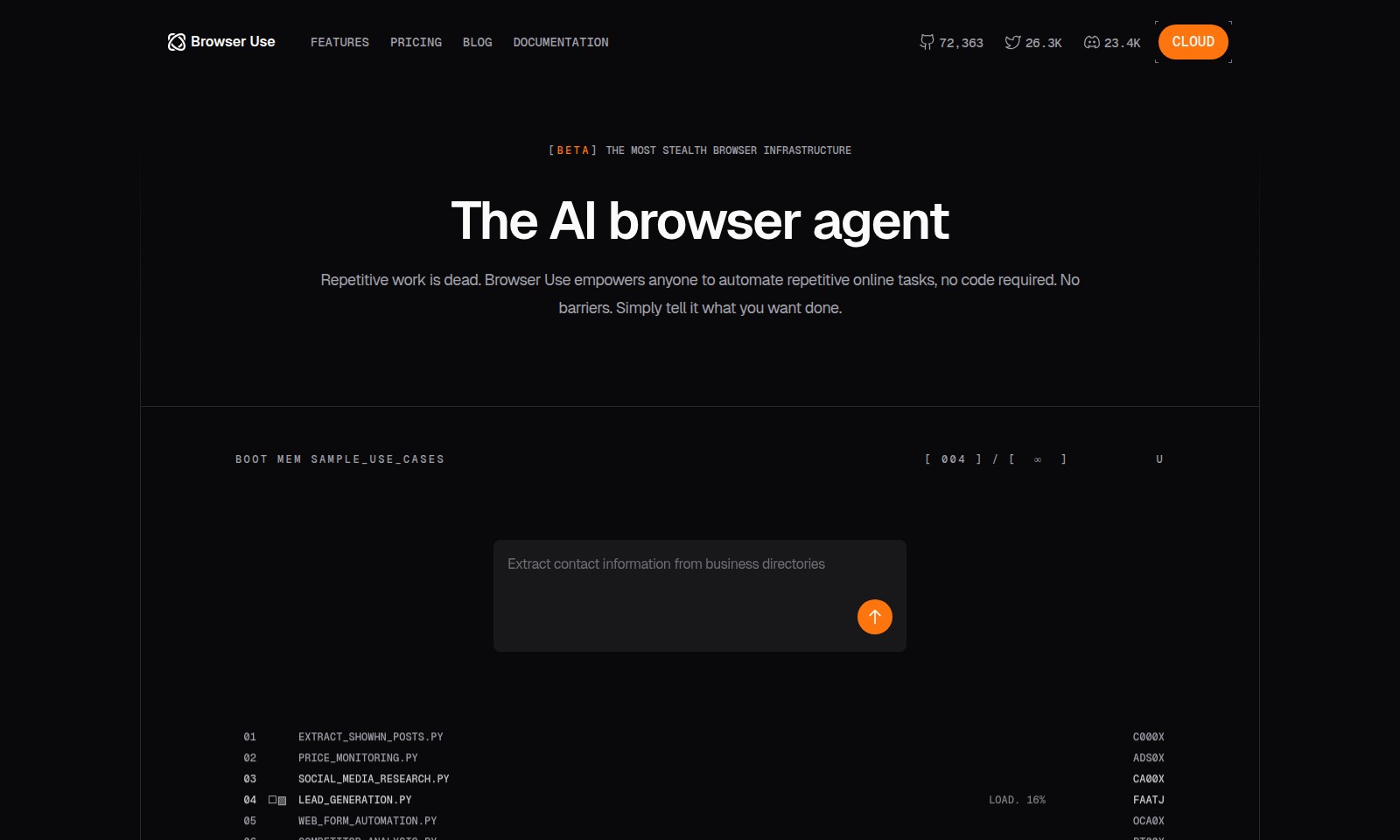
Browser Use Introduction
Browser Use: Automating Your Online Experience
Browser Use is a revolutionary platform designed to eliminate the hassles of repetitive online tasks through automation. Whether you’re a business looking to extract valuable data or an individual seeking to streamline your online activities, our no-code solution enables users to achieve their objective effortlessly. At Browser Use, we prioritize accessibility and efficiency, allowing anyone to direct the automated procedures simply by stating their needs.
Browser Use Features
Automated Task Management - Simplifying Your Workflow
Browser Use allows you to automate repetitive online tasks without any coding skills. Users can simply define their tasks, eliminate routine work, and focus on more critical activities. This feature leverages an advanced AI browser agent, ensuring that tasks are executed efficiently and securely, with minimal manual oversight.
Contact Information Extraction - Enhancing Lead Generation
Effortlessly extract contact information from business directories with our specialized tools. This feature enhances productivity by streamlining data collection processes critical for marketing and networking. Our dedicated scripts like EXTRACT_SHOWHN_POSTS.PY are optimized for high-speed data retrieval and accuracy, allowing you to expand your contact database significantly.
Price Monitoring - Staying Competitive
Keep track of market prices effortlessly with our price monitoring scripts. This functionality enables businesses to adjust their strategies based on real-time data, ensuring competitive pricing. With advanced algorithms integrated into our monitoring tools, users can receive instant alerts on price changes, allowing prompt action to outpace competitors.
Social Media Research - Informed Decision-Making
Conduct comprehensive social media research to gather insights and trends that drive business decisions. This feature allows users to analyze competitor strategies and audience engagement metrics without the burden of manual data analysis. Our tools, such as SOCIAL_MEDIA_RESEARCH.PY, utilize AI analytics for deeper insights, providing quantifiable benefits in targeting and outreach efforts.
Web Form Automation - Streamlining Data Entry
Web Form Automation allows users to eliminate the tedious task of manual data entry across various platforms. Automate form submissions to enhance efficiency when dealing with user inputs or lead generation. Our scripts integrate seamlessly with current web technologies to facilitate rapid data input, significantly reducing the time spent on administrative tasks.
Competitor Analysis - Strategic Insights
Perform a thorough competitor analysis to understand market positioning and performance metrics. This feature empowers users with critical insights to tailor their business strategies effectively. Utilizing tools like COMPETITOR_ANALYSIS.PY, you can gather crucial data points that inform decision-making, leading to informed strategic moves in your market landscape.
Social Media Engagement - Building Relationships
Enhance your social media presence by utilizing automated tools for engagement. This feature simplifies the interaction process, ensuring timely responses and interactions on multiple platforms. Our engagement tools strategically schedule posts and responses, reinforcing brand visibility while saving valuable time for your marketing teams.
Frequently Asked Questions About Browser Use
What is Browser Use?
Browser Use is a powerful tool designed to automate repetitive online tasks without the need for coding. It allows users to efficiently manage tasks such as extracting data, monitoring prices, and engaging on social media by simply specifying what they want to accomplish. With a user-friendly interface, anyone can take advantage of automation, making it an invaluable resource for businesses and individuals alike.
How does Browser Use help with lead generation?
Browser Use streamlines lead generation by automating the process of collecting contact information from various online sources, such as business directories and social media. This allows users to focus on crafting their marketing strategies rather than spending hours searching for potential leads. It enhances efficiency and ensures that users can reach new customers faster and more effectively.
Can I use Browser Use for competitor analysis?
Absolutely! Browser Use includes features specifically designed for competitor analysis, enabling users to automate the collection of data on competitors' online activities. This can include tracking pricing strategies, monitoring social media engagement, and analyzing website performance. With Browser Use, users can gain valuable insights that can inform their own business strategies.
What types of websites can I interact with using Browser Use?
Browser Use can automate tasks across a wide variety of websites. Whether it's extracting data from e-commerce platforms, social media sites, or general information databases, Browser Use is versatile enough to handle many different types of websites. This broad compatibility makes it an essential tool for anyone looking to enhance their online productivity.
Is Browser Use suitable for non-technical users?
Yes, Browser Use is designed with accessibility in mind, catering to non-technical users as well as seasoned developers. Its no-code setup allows anyone to automate their tasks without needing to write or understand programming languages. This democratizes automation, making it available to a broader audience and empowering users to take control of their online activities effectively.
What support resources are available for new users of Browser Use?
New users can access a wide range of support resources to help them get started with Browser Use. This includes documentation, tutorials, and a blog featuring tips and tricks for maximizing the utility of the platform. Additionally, the customer support team is always available to assist with any questions or challenges users may face while navigating the features of Browser Use.
How to Use Browser Use
Step 1: Register an Account
To begin using the Browser Use platform, go to the registration page. Fill in the required fields with your email address and a strong password, then click on the 'Sign Up' button.
Step 2: Verify Your Email
Check your inbox for a verification email from Browser Use. Click on the link provided in the email to verify your account before proceeding to log in.
Step 3: Log Into Your Account
Once you have verified your email, return to the Browser Use website and log in using your registered email and password. This will take you to your user dashboard.
Step 4: Set Up Your Profile
In your user dashboard, navigate to the profile settings. Fill in your personal information and preferences to personalize your experience with Browser Use.
Step 5: Explore Features
Take a moment to familiarize yourself with the platform's features. Visit the 'Features' section to see what Browser Use can do for you, such as automating tasks and data extraction.
Step 6: Create Your First Automation
To start automating your tasks, go to the automation section. Select a task template that suits your needs, such as 'Extract contact information from business directories,' and follow the prompts to set it up.
Step 7: Run Your Automation
After configuring your automation, run it by clicking the 'Start' button. Browser Use will handle the task, allowing you to focus on other important work.
Step 8: Monitor Progress
Keep an eye on the dashboard to monitor the progress of your automation. You will receive updates and notifications regarding successful task completions.
Step 9: Review Results
Once your automation is complete, navigate to the results section to review the data collected or tasks completed. Use this information to enhance your projects or outreach.
Step 10: Join the Community
Engage with other users by participating in the Browser Use community forum. Share your experiences, seek advice, and discover new automation strategies.
Reviews
Pros
- Easy to use
- Fast processing
- Great results
- Affordable pricing
Cons
- Limited free version
- Requires internet connection
Comments
No comments yet. Be the first to share your thoughts!
Browser Use - Alternative Platforms
For some alternatives to Browser Use that you may need, we provide you with sites divided by features.

Sonic-3 offers human-like text-to-speech capabilities for various applications, providing emotional nuances and rapid response times.
Uprise offers embedded tax and advisory services, enhancing SMB platforms for business owners with personalized financial guidance and integration.
Outter offers tailored, plug-and-play AI solutions for fast integration, focusing on user engagement, privacy, and ROI enhancement.
LightPDF offers advanced PDF tools including editing, OCR, conversion, and AI chat features, ensuring productivity and ease of use.