Capacities
Discover Capacities, a unique platform for organizing thoughts through intuitive objects, enhancing creativity and knowledge management.
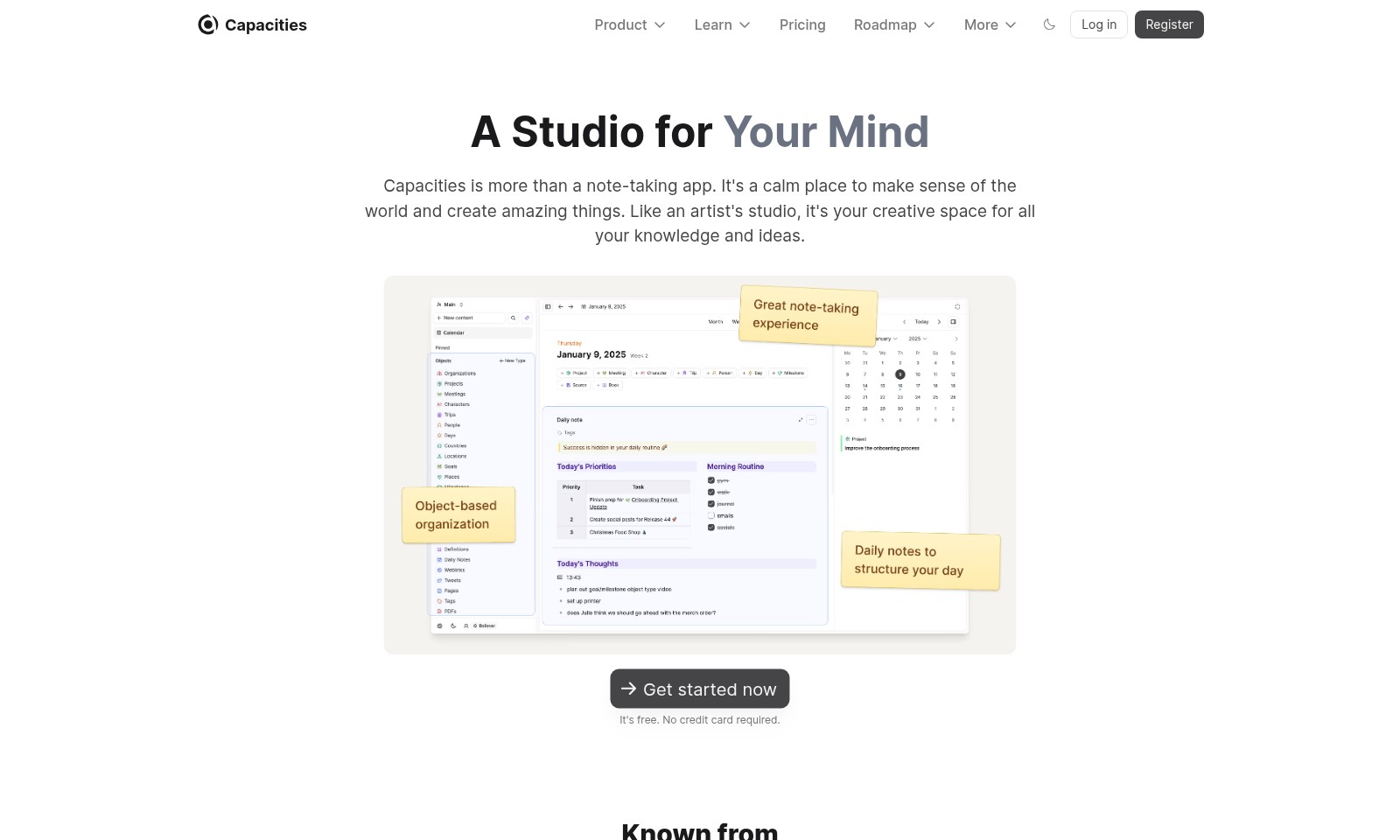
Capacities Introduction
Capacities: A Studio for Your Mind
Capacities is more than just a note-taking app; it serves as a serene environment where you can make sense of your thoughts and create remarkable outputs. Imagine it as your creative space—a virtual studio where all your knowledge and ideas converge seamlessly. With Capacities, you have the freedom to organize, explore, and innovate without the clutter and distractions typical of conventional file management systems. Embrace a transformative approach to note-taking and unlock your full creative potential today.
Capacities Features
Thought Organization - Clarity and Focus
Easily organize your thoughts into coherent structures that enhance clarity and focus. With an intuitive visual interface, Capacities allows users to manage their ideas seamlessly, avoiding the pitfalls of traditional file systems.
Dynamic Collaboration - Enhanced Creativity
Collaborate in real-time with peers to enhance creativity and innovation. This feature includes live editing, enabling multiple users to contribute ideas simultaneously, fostering an engaging creative environment.
Object-Based Thinking - Natural Interaction
Utilize an object-based approach to note-taking, revolutionizing the way you interact with your thoughts. This method encourages users to think in terms of ideas, tasks, and concepts rather than the constraints imposed by traditional file formats.
Comprehensive Search Functionality - Efficiency
Quickly locate any piece of information or project with advanced search filters. This feature saves users valuable time, allowing them to focus on what matters most – their creative process.
Customizable Workspaces - Personalization
Create personalized workspaces tailored to individual needs. With various templates and layout options, users can design an environment that enhances productivity and reflects their unique workflows.
Integrated Learning Resources - Growth
Access a library of learning resources directly within the app. This feature not only supports immediate productivity but also promotes continuous growth and learning, aligning with users' long-term intellectual goals.
Frequently Asked Questions About Capacities
FAQs
1. What makes Capacities different from other note-taking apps?
Capacities is not just a note-taking app; it's a creative space designed to help you organize your thoughts naturally. Unlike traditional tools that force you into rigid structures, Capacities allows you to interact with your ideas like an artist in a studio.
2. How does Capacities help me organize my thoughts?
Capacities encourages a more intuitive approach to note-taking, enabling you to categorize your ideas based on objects rather than traditional folders. This method fosters creativity and helps you see connections between your thoughts more clearly.
3. Is Capacities really free?
Yes, Capacities is free to use. You can explore all its features without needing to provide a credit card during registration. It's an accessible tool for anyone looking to improve their organizational skills.
4. Can I collaborate with others using Capacities?
While Capacities primarily focuses on individual creativity, you can share your notes and ideas with others, fostering collaboration. This feature allows you to engage with colleagues or friends in a creative dialogue.
5. What kind of features should I expect in future updates?
We are committed to continuously enhancing Capacities. Our roadmap includes new features like advanced search capabilities, improved sharing options, and integrative tools to connect with other applications, all aimed at making your creative process even smoother.
6. How do I get started with Capacities?
To begin using Capacities, simply register for a free account on our website. Once logged in, you can start creating and organizing your ideas in a space that inspires creativity and clarity.
How to Use Capacities
Register an Account
Begin by visiting the registration page. Fill in your details such as email and password. Click on the 'Register' button to create your account.
Verify Your Email
Check your inbox for a verification email from Capacities. Click the verification link to confirm your account and unlock all features.
Log In to Your Account
Return to the website and click on 'Log in'. Enter your registered email and password. Click 'Log in' to access your dashboard.
Set Up Your Profile
On your dashboard, navigate to your profile settings. Add a profile picture and brief description to personalize your account. Make sure to save your changes.
Explore the Dashboard
Familiarize yourself with the dashboard layout. Look for different sections like 'Capacities', 'Product', and 'Learn'. This is the central hub for all your activities.
Create Your First Object
In the dashboard, click on the 'Create' button. Choose the type of object you want to create, such as a note or a project. Use the available tools to start adding your ideas.
Organize Your Objects
Learn how to categorize your objects efficiently. Use tags and folders to keep your notes organized. This will help you access your information quickly in the future.
Collaborate with Others
Invite friends or colleagues to collaborate on your projects. Use the sharing options to give them access to your objects. Communicate through the integrated messaging feature for better teamwork.
Utilize Key Features
Explore advanced features like mind mapping and document integration. Use these tools to enhance your creativity and streamline your workflow. Experiment with different features to find what works best for you.
Seek Help and Resources
If you have any questions, visit the 'Learn' section. Find tutorials, FAQs, and community forums to get assistance. Don’t hesitate to reach out for support if needed.
Enjoy Your Creative Journey
Now you're all set to embark on your creative journey! Make the most of Capacities by continuously adding and organizing your thoughts. Remember, it's your personal studio for creativity!
Reviews
Pros
- Easy to use
- Fast processing
- Great results
- Affordable pricing
Cons
- Limited free version
- Requires internet connection
Comments
No comments yet. Be the first to share your thoughts!
Capacities - Alternative Platforms
For some alternatives to Capacities that you may need, we provide you with sites divided by features.

Kuku offers a robust Markdown editing experience with AI integration, supporting local files and powerful search capabilities on macOS.
Sana provides AI-driven solutions and a learning platform for teams, now part of Workday, focusing on enhancing workplace efficiency and development.
Heptabase empowers users to make sense of complex topics through visual notetaking and collaborative tools, suitable for learning and research.
Dovetail offers a comprehensive platform for transforming customer feedback into actionable insights, enhancing product innovation and collaboration.