Dafthunk
Discover Dafthunk, the witty workflow automation tool designed for endless creativity and productivity, powered by Cloudflare AI.
Dafthunk Introduction
Discover Our Innovative Workflow Solutions
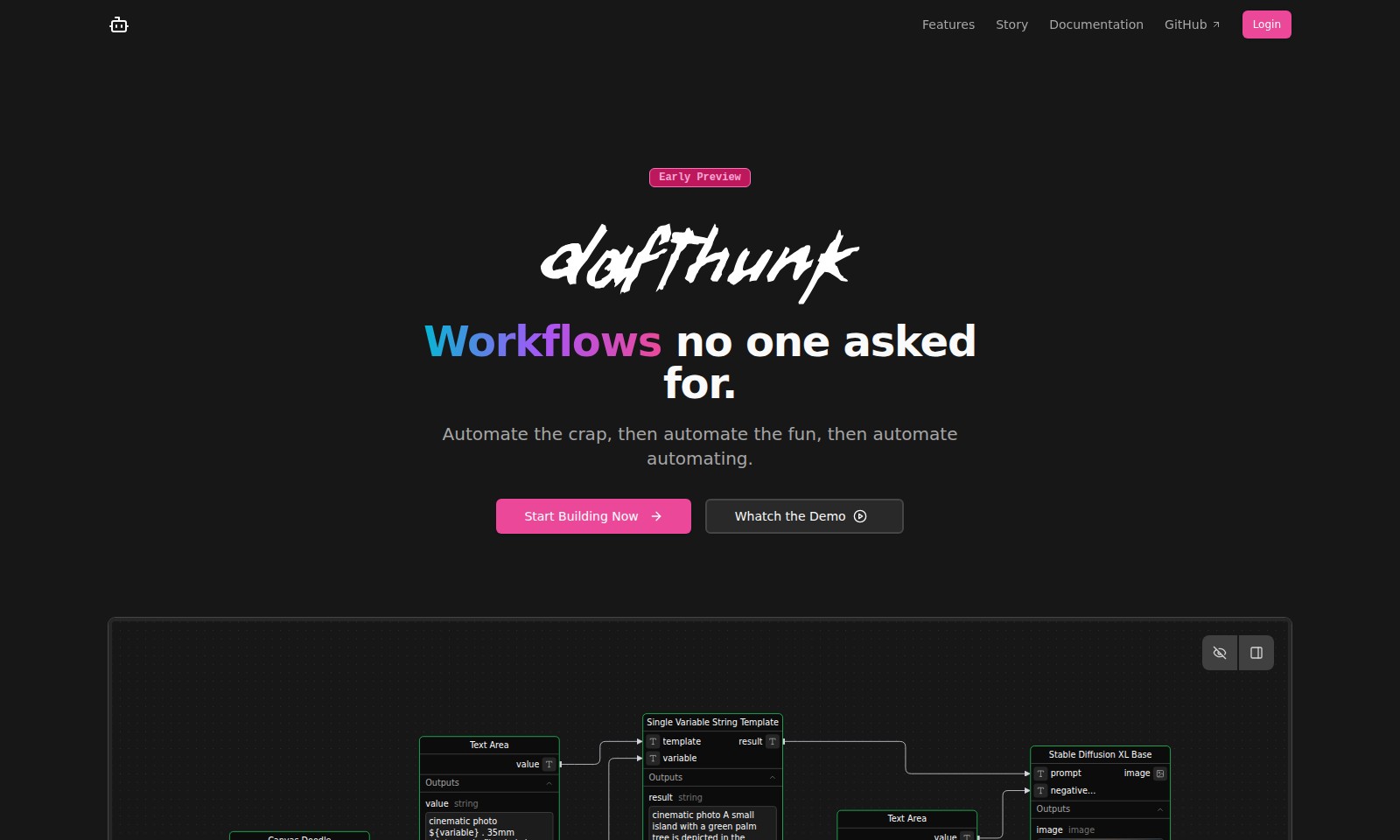
Welcome to a new era of automation that empowers users to create efficient workflows seamlessly. Our platform offers a visual workflow editor designed with a drag-and-drop interface, allowing you to easily construct and modify workflows while elevating your productivity to new heights.
Dafthunk Features
Visual Workflow Editor - Simplified Workflow Creation
Utilize a drag-and-drop interface designed to streamline the creation and editing of workflows. This feature allows users to visually design their processes without needing deep coding knowledge, making automation accessible to all users. The editor significantly reduces the time to build workflows by providing intuitive controls and pre-built components.
AI-Powered Nodes - Enhanced Automation Capabilities
Harness the power of Cloudflare AI for a multitude of tasks, including text summarization, sentiment analysis, translation, image classification, audio transcription, and image generation. By integrating these AI-driven nodes, users can enhance their workflows with intelligent processing, leading to improved efficiency and accuracy in automating complex tasks.
Serverless Execution - Seamless Workflow Deployment
Deploy your workflows effortlessly on Cloudflare’s global network through Cloudflare Workers. With a serverless architecture, users can focus on building and executing workflows without concerning themselves with underlying server management, ensuring that scaling and maintenance are handled automatically for optimal performance.
Live Monitoring - Real-time Workflow Insights
Gain immediate visibility into the execution status of workflows with live monitoring capabilities. Users can track successes, failures, and in-progress executions via a user-friendly interface or API, allowing for quick adjustments and troubleshooting, thereby minimizing downtime and increasing reliability.
Persistent Storage - Reliable Data Management
Store and retrieve execution data confidently with Cloudflare D1 and R2. This feature ensures that users can depend on long-term data persistence, facilitating better management of workflow states and historical processing data, which is essential for audits and performance optimization.
Frequently Asked Questions About Dafthunk
Frequently Asked Questions
What is the Visual Workflow Editor?
The Visual Workflow Editor is a user-friendly drag-and-drop interface designed for creating and editing workflows. This feature aims to simplify the process, even for those who are more accustomed to command-line interfaces, by providing a clear visual representation of workflow components.
How does AI-Powered Nodes work?
AI-Powered Nodes utilize Cloudflare's AI capabilities to perform various tasks, including text summarization, sentiment analysis, and image classification. This feature allows users to enhance their workflows by incorporating advanced AI functions effortlessly.
What does Serverless Execution mean?
Serverless Execution allows you to run your workflows on Cloudflare's global network without the need for traditional server management. This means you can focus on building and scaling your applications without getting bogged down by server-related concerns.
Can I monitor my workflows in real-time?
Yes, with Live Monitoring, you can observe your workflows as they execute. The interface provides insight into whether a workflow succeeds, fails, or experiences issues, allowing for effective troubleshooting and performance assessment during live operations.
How does Persistent Storage work?
Persistent Storage enables you to save and load execution data using Cloudflare D1 and R2. This feature ensures that your data remains accessible and reliable, giving you confidence that your critical information will be preserved across sessions.
What are Triggers & Integrations?
Triggers and Integrations are essential components of workflows, facilitating interactions between different services and applications. They ensure that your workflows are activated by specific events, allowing for seamless automation and enhanced functionality.
How to Use Dafthunk
Step 1: Register Your Account
Visit the website and click on the 'Login' button. Follow the prompts to create a new account by providing your email and creating a strong password.
Step 2: Verify Your Email
Check your inbox for a verification email. Click on the link in the email to activate your account and gain full access to the site’s features.
Step 3: Log In
Return to the website and log in using your new credentials. This will take you to your dashboard, where you can manage your workflows.
Step 4: Set Up Your Profile
Navigate to the profile settings section to fill in your personal information. Make sure to include your preferences to get the most out of the website’s functionalities.
Step 5: Explore the Features
Take some time to familiarize yourself with the available features such as the Visual Workflow Editor and AI-Powered Nodes. Click on each feature to understand how they work and what they offer.
Step 6: Create a Workflow
Using the Visual Workflow Editor, start building your first workflow. Drag and drop the necessary components into the editor to design your workflow seamlessly.
Step 7: Set Up AI-Powered Nodes
Implement AI-powered functionalities by adding nodes for tasks like text summarization or image generation. Make sure to configure each node according to your needs.
Step 8: Test and Execute Your Workflow
Before finalizing, test your workflow to ensure everything operates smoothly. Once satisfied, execute it to see the results in real-time.
Step 9: Monitor Your Workflow
Utilize the Live Monitoring feature to keep track of your workflow’s performance as it runs. Check for any errors or outcomes that need attention.
Step 10: Save Your Progress
Ensure to utilize Persistent Storage for saving your executions. This guarantees that your data is securely stored and accessible later.
Step 11: Explore Advanced Features
Explore the capabilities of Triggers & Integrations to automate your tasks effectively, enhancing your overall experience on the platform.
Step 12: Watch the Demo
To better understand the workflows and functions, watch the demo provided on the site, which can give you a visual representation of the features in action.
Reviews
Pros
- Easy to use
- Fast processing
- Great results
- Affordable pricing
Cons
- Limited free version
- Requires internet connection
Comments
No comments yet. Be the first to share your thoughts!
Dafthunk - Alternative Platforms
For some alternatives to Dafthunk that you may need, we provide you with sites divided by features.