Gizmo
Gizmo is a revolutionary app designed to make learning easier through AI-driven quizzes, flashcards, and social study features.
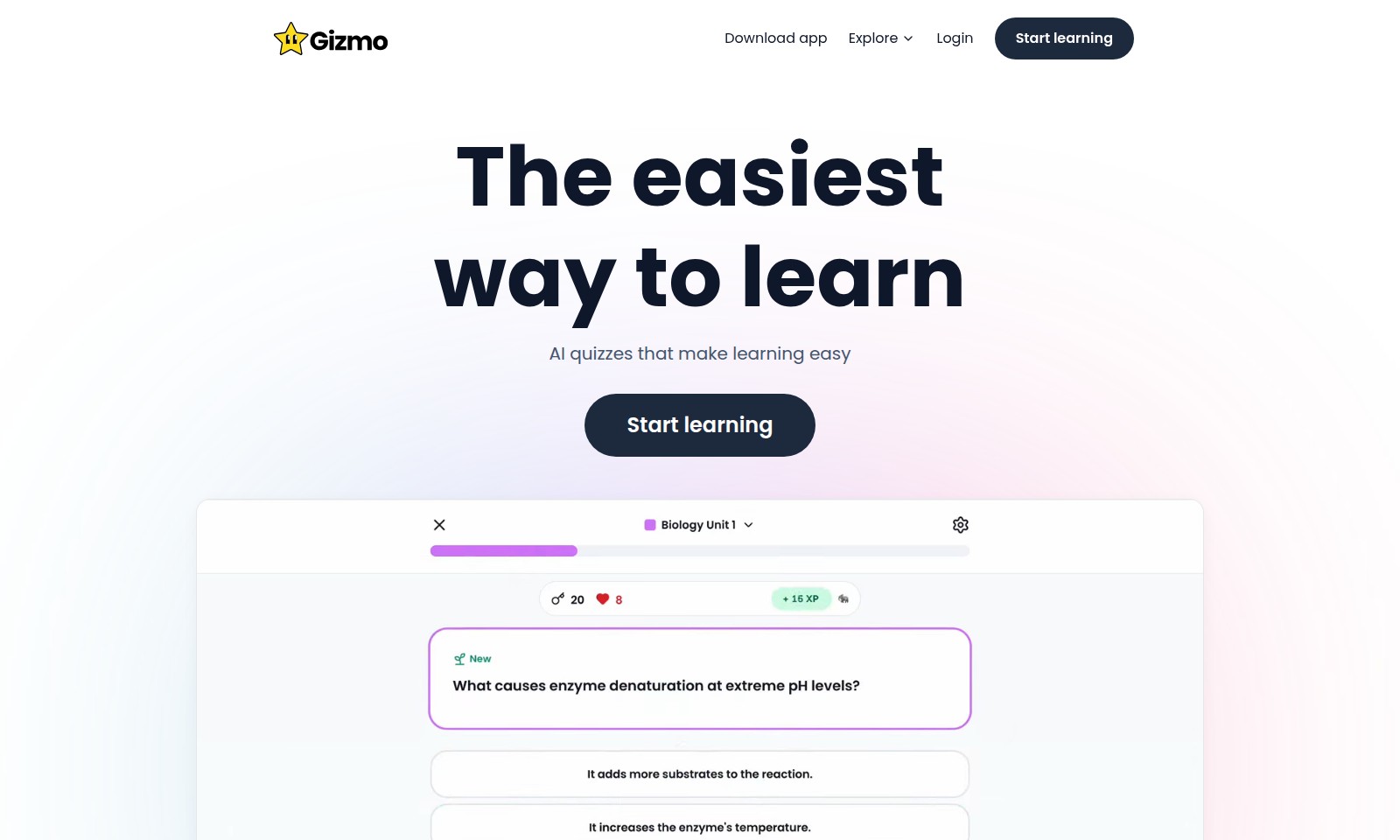
Gizmo Introduction
Unlock Your Learning Potential
Discover the ultimate platform designed to transform how you engage with educational material. Our website offers a seamless experience for students of all levels, providing access to AI-driven quizzes that simplify complex subjects and make learning enjoyable. With a user-friendly interface and resources tailored to diverse learning styles, anyone can start their journey towards academic success today.
Gizmo Features
Download the App - Instant Access to Learning
Gain immediate access to a wealth of educational resources at your fingertips. Our app is designed for seamless interaction and easy navigation, ensuring you can start learning without any delays.
AI Quizzes - Tailored Learning Experience
Personalized quizzes adapt to your learning pace, making studying both efficient and enjoyable. Our AI technology analyzes your responses to offer targeted questions that enhance understanding and retention.
Explore Diverse Subjects - Comprehensive Curriculum
Dive into a wide range of subjects that cater to various learning needs. Whether you’re preparing for GCSEs or wanting to grasp new concepts, our platform provides diverse materials to support your academic journey.
User Testimonials - Proven Success
Hear from students who have transformed their grades using our app. With numerous success stories, including achieving top marks in exams thanks to our targeted assistance, you can trust in our effectiveness.
Engaging Learning Techniques - Fun and Interactive
Utilize engaging and interactive learning methods that make complex subjects more accessible. Our approach not only simplifies concepts but also sparks a genuine interest in learning, leading to better academic performance.
Frequently Asked Questions About Gizmo
Frequently Asked Questions
Q: How can I start using the app?
A: To start using the app, simply download it from your device's app store. Once downloaded, create an account or log in to access a variety of learning resources, including AI quizzes tailored to your study needs.
Q: What subjects does the app cover?
A: The app caters to a wide range of subjects, including social studies, science, and GCSE topics. It's designed to help students excel by providing targeted quizzes and study materials.
Q: Is this app suitable for all grade levels?
A: Yes, the app is suitable for students of all grade levels. Whether you're in high school or preparing for university, you'll find content tailored to your academic needs.
Q: How can I provide feedback about the app?
A: We love hearing from our users! You can submit feedback directly through the app or contact our support team via our website. Your input is invaluable in helping us improve the app.
Q: Are there any success stories from users?
A: Absolutely! Many students have reported significant improvements in their grades after using the app. For instance, one user mentioned going from a 4-3 to a 7-7 in science in just weeks, showcasing the effectiveness of our platform.
How to Use Gizmo
Download the App
Begin your journey by downloading the app. Visit the app store on your device and search for our application. Click on 'Download' and wait for the installation to complete.
Create an Account
Once the app is installed, open it and select the 'Register' option. Fill in your details, including your email and password. Be sure to create a strong password to keep your account secure.
Verify Your Email
Check your inbox for a verification email. Click the link inside the email to verify your account. If you don’t see it, check your spam folder.
Log In
Return to the app and log in using your registered email and password. This will take you to your personalized dashboard.
Set Up Your Profile
Click on the profile icon in the top corner. Here you can add a profile picture and set up your learning preferences. Make sure to choose the subjects you are interested in to tailor your learning experience.
Explore Key Features
Familiarize yourself with the app’s interface. Look for features such as AI quizzes, learning paths, and resource libraries. Spend some time clicking around to understand where everything is located.
Start Learning
Select 'Start Learning' to begin your educational journey. Choose a subject you are interested in and start the first quiz. Don’t hesitate to explore different topics until you find what suits you best.
Track Your Progress
Make use of the progress tracking feature. Check back on your dashboard to see how you’re doing in your studies. This will help you identify areas to focus on.
Join the Community
Engage with other users by joining community forums or discussion groups. You can share tips, ask questions, and learn from others’ experiences.
Provide Feedback
After using the app for a while, provide feedback on your experience. This helps us improve the app for everyone. Look for a feedback option in the settings menu.
Keep Learning
Make learning a habit. Set aside time each day or week to use the app. Regular study will help you retain information better and improve your grades.
Reviews
Pros
- Easy to use
- Fast processing
- Great results
- Affordable pricing
Cons
- Limited free version
- Requires internet connection
Comments
No comments yet. Be the first to share your thoughts!
Gizmo - Alternative Platforms
For some alternatives to Gizmo that you may need, we provide you with sites divided by features.

Knowt offers a variety of AI-powered study tools, including note-taking, flashcards, and exam preparation resources, suitable for all students.
Shortform offers a vast library of actionable summaries and audio guides, helping users learn key insights from popular nonfiction books quickly and effectively.
Our AI text summarizer allows users to input or upload text for fast, accurate summaries. Ideal for journalists, students, and writers.