Image to Prompt
Free tool for artists and creators to turn images into high-quality prompts for AI art generation, supporting multiple languages and seamless integration.
Image to Prompt Introduction
Transform Your Images into Creative Prompts
Unlock the potential of your visuals with our cutting-edge image to prompt generator. Here, you can effortlessly upload images and receive high-quality, structured prompts that cater to your artistic needs. Perfect for creators, artists, and AI enthusiasts, this tool will elevate your projects and inspire your creativity by bridging the gap between visual content and textual description.
Image to Prompt Features
Free Image to Prompt Generator - Transform Your Imagination
Experience the seamless transition from image to text with our free Image to Prompt Generator. By simply uploading your photo, you unlock the potential to create detailed prompts for your artistic endeavors. Utilizing advanced AI algorithms, our tool analyzes images and generates prompts that are specifically designed to enhance your creative projects.
Image Upload and Preview - User-Friendly Interface
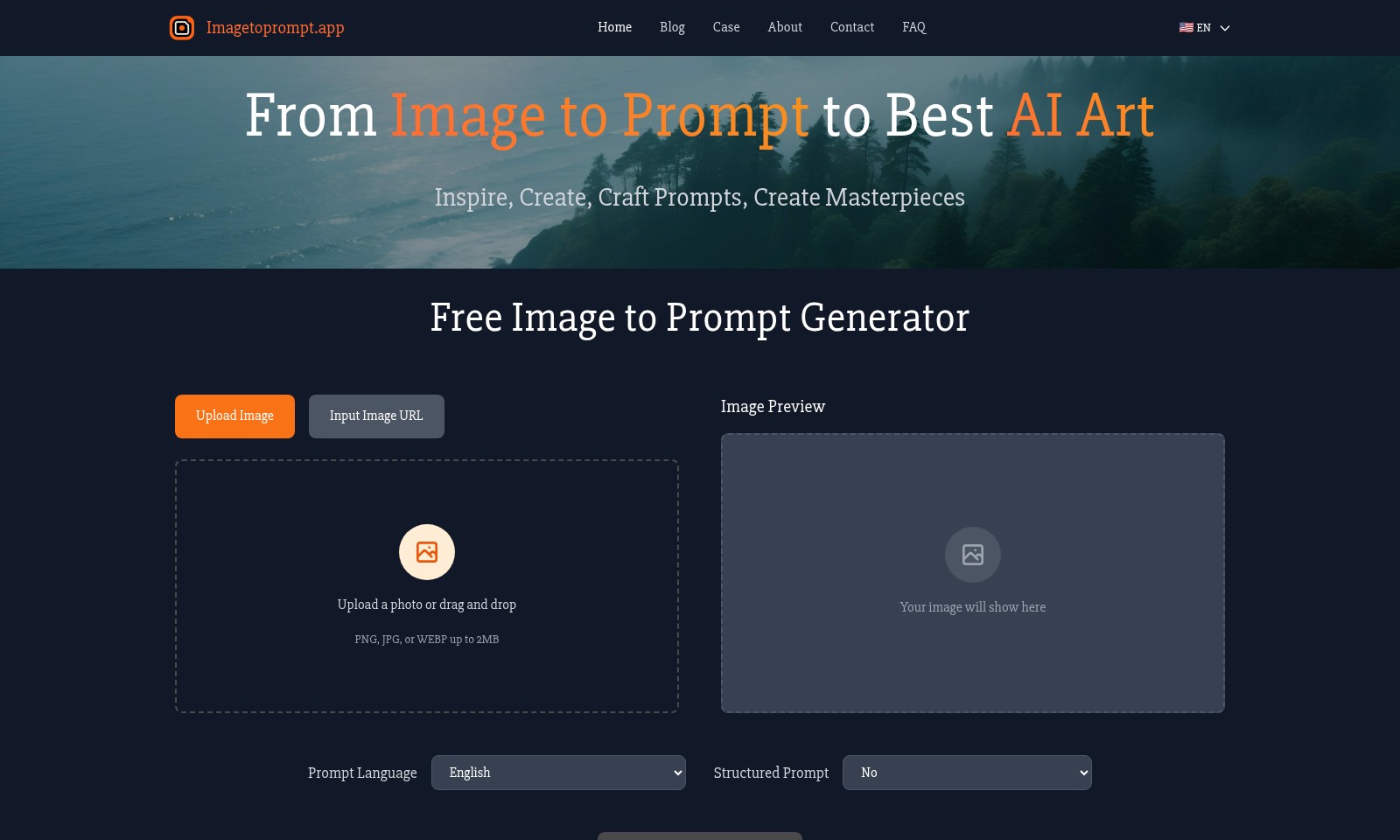
Easily upload your images in PNG, JPG, or WEBP formats, with a maximum size of 2MB. Instantly see a preview of your image, giving you confidence as you prepare to create. Our user-centric design ensures that the process remains straightforward and efficient, catering specifically to creators who value simplicity during their workflow.
Multi-Language Support - Global Accessibility
Our prompt generation service supports multiple languages, including English, Español, Deutsch, and more. This feature allows users from diverse linguistic backgrounds to fully engage with our tool and expand their creative reach. By breaking down language barriers, we cater to a global audience of artists and enthusiasts seeking to harness the power of AI.
Detailed Prompt Generation - Quality You Can Trust
Each prompt generated by our AI is crafted with meticulous attention to detail, ensuring high quality and relevance to your artistic vision. Expect prompts that not only inspire creativity but also provide the specificity needed to drive your AI art projects. These advanced prompts can be utilized with popular platforms like Stable Diffusion and Midjourney, enhancing your experience across various applications.
Structured Prompt Options - Tailored for Your Needs
Choose between structured and unstructured prompts based on your project requirements. This flexibility allows for customization that suits both novice users and experienced creators, accommodating a range of creative needs. Our tool ensures that whether you prefer detailed structures or open-ended suggestions, you can tailor the output to fit your unique artistic style.
Efficient Processing Time - Quick Turnaround
We understand that in the creative process, time is of the essence. Our system is designed for efficiency, delivering prompt results within moments after the image upload. Expect a reliable turnaround that respects your workflow and keeps your creative process on track. In an industry where every second counts, our solution is crafted to optimize your productivity.
User-Centric Design - Created for Creators
Every feature within our platform is designed with the user in mind. From intuitive image uploads to comprehensive feedback on your prompts, our focus remains on enhancing your creative journey. Engage with a tool that understands the nuanced needs of artists and creators, especially those looking to bridge the gap between imagery and textual inspiration for their work.
Frequently Asked Questions About Image to Prompt
FAQs about Image to Prompt Generator
What is the Image to Prompt Generator?
The Image to Prompt Generator is a powerful, free tool that leverages AI technology to transform images into detailed prompts. By simply uploading an image, users can obtain high-quality prompts to utilize with various AI art generators such as Stable Diffusion and Midjourney.
How do I upload an image to generate a prompt?
To generate a prompt, you can either upload a photo directly from your device or drag and drop the image onto the designated area on our site. We support image formats like PNG, JPG, and WEBP, with a maximum file size of 2MB.
What kind of images work best for prompt generation?
We recommend using clear and well-defined images, as these tend to yield better results. Images with distinct subjects and less clutter will help our AI analyze and create more accurate prompts.
How long does it take to generate a prompt?
The prompt generation process may take a little time, typically a few seconds to a couple of minutes, depending on the image complexity. We appreciate your patience as our AI works to analyze the image and formulate a high-quality prompt.
Can I use the generated prompts for commercial purposes?
Yes, once you generate a prompt using our tool, you can freely use it for personal, educational, or commercial purposes. We encourage creativity and artistic expression!
What languages are supported by the prompt generation tool?
Our tool supports multiple languages, including English, Spanish, German, French, Portuguese, Chinese (both Simplified and Traditional), Arabic, Russian, Japanese, and Korean. You can choose your preferred language when using the tool.
How to Use Image to Prompt
Step 1: Register an Account
Visit the Imagetoprompt.app homepage and click on the 'Sign Up' button. Fill in your email and create a password, then confirm your registration through the link sent to your email.
Step 2: Log In to Your Account
Return to the homepage and click 'Log In'. Enter your registered email and password to access your account and start using the site’s features.
Step 3: Upload an Image
Once logged in, choose the 'Upload Image' option. You can either drag and drop an image file or click to select a file from your device (PNG, JPG, or WEBP up to 2MB).
Step 4: Select Prompt Language
In the prompt language section, choose your preferred language from English, Español, Deutsch, Français, Portuguese, 简体中文, 繁體中文, العربية, Русский, 日本語, or 한국어. This ensures the prompts generated suit your language preference.
Step 5: Decide on Prompt Structure
Decide if you want a structured prompt. You can select 'Yes' or 'No' based on whether you prefer a detailed format or a simpler one for your AI art projects.
Step 6: Generate the Prompt
Click on the 'Generate Prompt' button to let the AI analyze your uploaded image. Wait for a moment as the tool processes your image and generates a high-quality, detailed prompt.
Step 7: View Your Generated Prompt
The generated prompt will appear in the designated area. Review the output and copy the prompt for use in your favorite AI art generators like Stable Diffusion, Midjourney, or DALLE.
Step 8: Create AI Art
Use the generated prompt in your selected AI art generator. Enter the prompt and customize settings based on your artistic vision to create stunning AI-generated masterpieces.
Reviews
Pros
- Easy to use
- Fast processing
- Great results
- Affordable pricing
Cons
- Limited free version
- Requires internet connection
Comments
No comments yet. Be the first to share your thoughts!
Image to Prompt - Alternative Platforms
For some alternatives to Image to Prompt that you may need, we provide you with sites divided by features.